
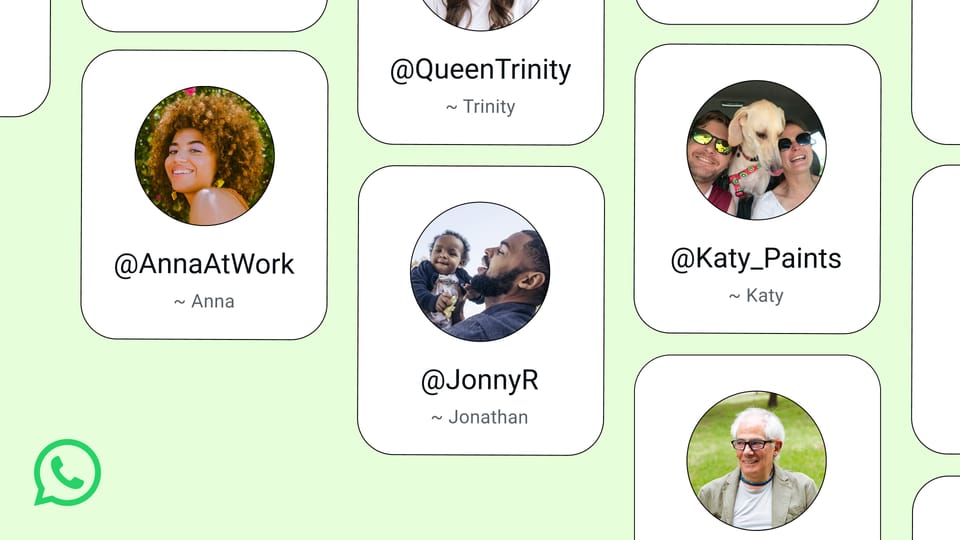
With over 2 billion active users across 180+ countries, WhatsApp has spent more than a decade demanding something most people are increasingly reluctant to give away: their personal phone number. That changes in 2026. Meta has officially rolled out WhatsApp usernames, allowing anyone on the platform to communicate via a unique @handle instead of exposing their phone digits to every contact, group, or business they interact with.
This is not a beta test, a limited pilot, or a rumor sourced from a beta APK teardown. Username support is live, rolling out globally in phases, and it represents the single most consequential privacy upgrade WhatsApp has shipped since it switched on end-to-end encryption by default back in 2016. Whether you are a casual user who has grown tired of spam calls, a freelancer who gives out WhatsApp contacts to clients daily, or a small business owner looking for a cleaner onboarding flow, this update directly affects how you connect with people.
Let us break down exactly what WhatsApp usernames are, how they compare to what competitors offer, how to set yours up, what the business implications look like, and what privacy trade-offs remain.
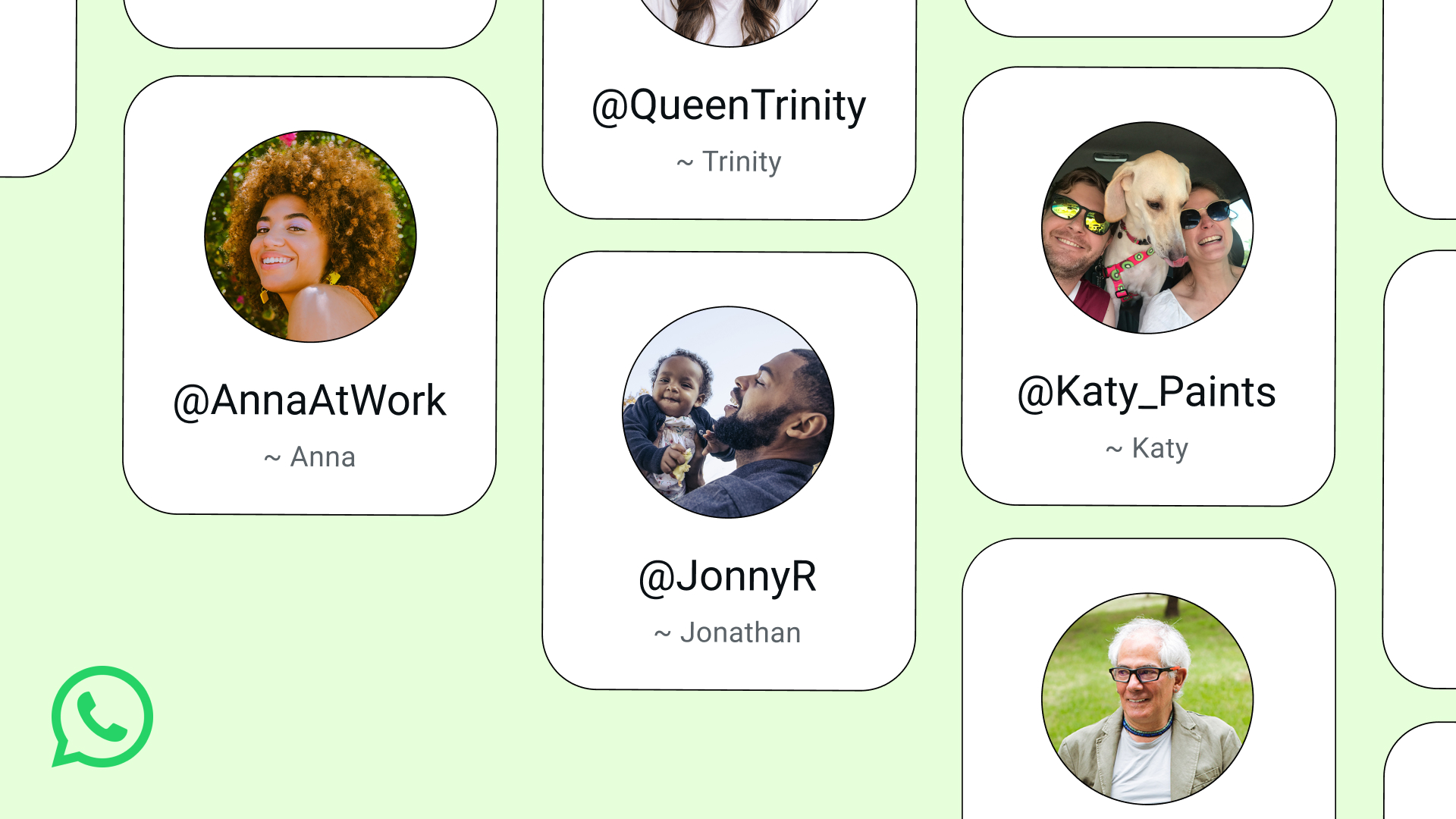
Source: Meta Official (about.fb.com)
WhatsApp Usernames vs. Telegram Usernames: How They Compare
Telegram has offered usernames since its launch in 2013. Signal added them. Discord runs almost entirely on them. WhatsApp is late to this party, but its arrival matters more because of the sheer scale of the user base. Here is how the major messaging platforms stack up:
| Feature | WhatsApp (2026) | Telegram | Signal | Discord |
|---|---|---|---|---|
| Username format | @handle | @handle | @handle | @handle |
| Phone number required to sign up | Yes | Yes | Yes | No |
| Phone number hidden from new contacts | Yes (opt-in) | Yes (default) | Yes (opt-in) | N/A |
| Username changeable | Yes | Yes | Yes | Yes |
| Works on Business app | Yes | N/A (separate API) | No | N/A |
| User base | 2+ billion | 950+ million | 50+ million | 200+ million |
| End-to-end encryption by default | Yes | No (opt-in per chat) | Yes | No (most servers) |
The key difference: WhatsApp requires you to have a phone number to register the account, but once your username is active, you can choose to stop displaying that number to anyone who does not already have it saved in their contacts. Telegram does this too, but WhatsApp's end-to-end encryption is on by default for every conversation, giving it a structural privacy advantage for the actual message content.
What Exactly Are WhatsApp Usernames?
A WhatsApp username is a unique identifier tied to your account that starts with the @ symbol, similar to handles on Instagram, X (formerly Twitter), or Telegram. Instead of telling someone "message me at +1-555-0199," you can say "message me at @jane_writes."
Here are the core mechanics:
- Format: Letters, numbers, and underscores. Minimum length is likely 5 characters based on Meta's pattern with Instagram handles. Emojis and special characters are not allowed.
- Uniqueness: Each username is globally unique. Once someone claims @coffee_shop, nobody else can use it.
- Discoverability: People can find you by searching your @handle within WhatsApp, similar to how you search for someone on Instagram.
- Phone number visibility: You can hide your phone number from users who interact with you via your username. People who already have your number saved in their phone's address book will still see it.
- Account binding: The username is linked to your existing WhatsApp account. It is not a separate profile or a second number. All your chats, groups, and media remain on the same account.
Think of it as an alias layer. Your phone number still exists underneath, but it no longer has to be the primary way people reach you.
Why Meta Launched Usernames Now
The timing is not accidental. Several converging pressures pushed WhatsApp to add usernames in 2026:
1. Regulatory scrutiny of phone number collection. Data protection authorities in the EU, India, and Brazil have been increasing pressure on Meta over how it handles phone number data. The EU's Digital Markets Act, in particular, has forced Meta to decouple some of its cross-service data sharing practices. Giving users an alternative identifier reduces the volume of phone number data flowing through Meta's ecosystem.
2. Competition from Telegram. Telegram crossed 950 million monthly active users in early 2026. One of its longest-standing advantages has been the ability to connect without sharing phone numbers. WhatsApp needed to close that gap.
3. Business API growth. WhatsApp Business Platform (the API tier) has been growing rapidly, with Meta reporting over 200 million monthly business users. Businesses want handles they can put on marketing materials, websites, and social profiles without publishing a phone number that could be spoofed or spammed.
4. The ChatGPT-on-WhatsApp precedent. When OpenAI integrated ChatGPT with WhatsApp in late 2025, users messaged a business account without needing a phone number for the bot. Meta blocked that integration in January 2026 (more on that in our ChatGPT WhatsApp Europe guide), but the user behavior it revealed was telling: people are comfortable connecting to entities on WhatsApp through identifiers other than personal phone numbers.
How to Set Up Your WhatsApp Username: Step-by-Step
The rollout is happening in waves. If you do not see the option yet, you should within the coming weeks. Here is the setup process once it reaches your device:
Step 1: Update WhatsApp
Make sure you are running the latest version of WhatsApp. On iOS, go to the App Store and check for updates. On Android, do the same via Google Play. The username feature requires a 2026 build of the app.
Step 2: Navigate to Account Settings
Open WhatsApp and tap the Settings gear icon (bottom right on iOS, three-dot menu then Settings on Android). Tap on Account, then select Profile.
Step 3: Create Your Username
You will see a new field labeled Username. Tap it and type your desired handle. WhatsApp will check availability in real time. If your preferred name is taken, try variations with underscores, numbers, or additional words (e.g., @jane_writes, @jane_writes_2, @jane_author).
Step 4: Review Privacy Settings
After creating your username, WhatsApp will present privacy options:
- Who can see my phone number? Choose between "Everyone," "My Contacts," or "Nobody." If you select "Nobody," only people who already have your number saved will see it. New contacts reaching you via your username will not see the underlying number.
- Who can find me by phone number? This controls whether someone who has your phone number can discover your WhatsApp profile through their address book sync. Options typically include "Everyone," "My Contacts," and "Nobody."
Step 5: Share Your Handle
Once set up, you can share your @handle anywhere. Put it on your business card, link it from your Instagram bio, embed it on your website's contact page, or include it in your email signature. Anyone who taps or types it into WhatsApp's search bar will find your profile and can start a conversation.
Step 6: Change or Remove Your Username
To change your username later, go back to Settings > Account > Profile > Username and tap to edit. You can change it as many times as you want, but be aware that if you release a desirable handle, someone else may claim it immediately. To remove it entirely, delete the username field. Your account reverts to phone-number-only discoverability.
Business Use Cases: Why This Changes the Game for Small and Growing Companies
The business implications are significant. Here is how different types of organizations benefit from WhatsApp usernames:
E-Commerce and Online Stores
Online retailers can now put a WhatsApp @handle on their product pages, social media profiles, and packaging inserts. Customers who have questions about sizing, shipping, or returns can initiate a chat without the store needing to publish a phone number that could be flooded with spam calls. This is particularly valuable on marketplaces like Instagram Shops and TikTok Shop, where WhatsApp is already the default customer service channel in many regions.
Freelancers and Consultants
Independent professionals (designers, developers, writers, accountants) frequently need to share contact details with new clients. A @handle is cleaner than a phone number on a portfolio site or LinkedIn profile. It also creates a soft barrier: the client can message you on WhatsApp, but they do not have your personal number unless you choose to share it.
Healthcare and Counseling Services
Medical professionals, therapists, and counselors have long been cautious about giving patients direct phone access. A WhatsApp username lets patients reach them through a controllable channel. The professional can set business hours, use WhatsApp Business's auto-reply features, and maintain a separation between personal and professional communications.
Real Estate Agents
Property agents share contact information with dozens of potential buyers weekly. With a @handle, an agent can advertise "Message me on WhatsApp at @downtown_realty" on property listings without exposing a personal mobile number to every anonymous browser.
Content Creators and Public Figures
YouTubers, podcasters, and social media influencers with large followers have historically been reluctant to give fans direct WhatsApp access because it meant sharing a phone number. Usernames solve this. A creator can share @handle, set it to "Business" mode, use quick replies, and maintain a professional distance.

Source: WhatsApp (whatsapp.com)
Privacy Implications: What Changes and What Does Not
What Improves
- Reduced exposure in group chats. Previously, anyone in a WhatsApp group could see every other member's phone number. With usernames, group admins can require members to join via @handle, meaning participants see a name and handle rather than a full phone number.
- Protection against contact harvesting. Scammers and data brokers regularly scrape phone numbers from public sources (business listings, social media, leaked databases). If your WhatsApp presence is tied to a @handle instead of a phone number, scraping becomes significantly less effective.
- Cleaner separation between personal and professional circles. You can give friends your actual phone number and direct professional contacts to your @handle, maintaining two distinct communication channels on the same account.
What Stays the Same
- Phone number still required at registration. You cannot create a WhatsApp account without a phone number. The username layer sits on top of the phone-number-based account. This is different from Telegram, which also requires a phone number at signup but has a more mature username ecosystem.
- End-to-end encryption is unchanged. Your messages are still encrypted between sender and recipient. The username feature does not alter the encryption protocol.
- Metadata is still collected. Meta still knows your phone number, when you are online, who you are talking to, and for how long. Usernames reduce what other users see, not what Meta sees.
- Existing contacts are unaffected. If someone already has your phone number in their address book, they will still see it. Username-based privacy applies primarily to new contacts who discover you through your @handle.
Potential Drawbacks and Concerns
No feature is perfect. Here are the legitimate concerns:
Username squatting. Just like domain names in the 1990s and Instagram handles in the 2010s, short and memorable usernames will be claimed quickly. Brands that do not act fast may find their name taken by a third party. Meta will likely have a verification and dispute process similar to Instagram's, but it may take time to scale.
User confusion during transition. Not everyone updates their app immediately. Some users will not understand why they are being asked to create a username. Clear communication from Meta and from businesses adopting the feature will be essential.
Impersonation risk. If someone claims a handle that closely resembles a well-known brand or public figure, they could deceive users. WhatsApp's verified badges (green checkmarks for business accounts) will play a crucial role here, but not every legitimate business will have one immediately.
Fragmentation of contact methods. For the next year or so, people will need to juggle phone numbers and usernames depending on whom they are contacting and whether the other person has set up their handle yet. This is a temporary problem but a real one.
WhatsApp Usernames vs. WhatsApp Business: What Is the Relationship?
There is understandable confusion about how usernames interact with the WhatsApp Business app and the WhatsApp Business Platform (API). Here is the clarification:
- Regular WhatsApp (personal): Gets username support. Your @handle is tied to your personal account.
- WhatsApp Business app: Also gets username support. A business can have a @handle that is separate from the owner's personal account.
- WhatsApp Business Platform (API): Businesses using the API for large-scale customer support and notifications can also register usernames, though the rollout for API accounts may follow a different timeline.
If you run a small business and have been using your personal WhatsApp number for business communications, this is a good moment to migrate to the Business app, claim a professional @handle, and separate your personal and commercial conversations.
The Broader Trend: Messaging Platforms Are Becoming Identity Layers
WhatsApp usernames are part of a larger industry shift. Messaging apps are no longer just for sending text. They are becoming identity layers, payment rails, and customer support channels. WeChat pioneered this in China, where a WeChat ID is effectively a digital passport. Telegram has been moving in this direction with its tonular ecosystem. And WhatsApp, with its massive global footprint, is now following.
The launch of usernames also positions WhatsApp to compete more directly with iMessage, which uses Apple IDs rather than phone numbers for some communication flows, and with RCS, Google's messaging standard that is gradually replacing SMS.
For businesses, this means WhatsApp is inching closer to becoming a full customer relationship management channel. With a stable @handle, a business can build a persistent, discoverable presence on WhatsApp that is independent of a phone number. This opens the door to directory listings, search-based discovery, and integration with CRM systems that previously relied on phone-number-based identifiers.
International Availability and Rollout Schedule
Meta has confirmed that usernames are rolling out globally, but the rollout is phased:
- Phase 1 (June-July 2026): Users in the United States, United Kingdom, India, Brazil, and selected European markets began seeing the feature.
- Phase 2 (August-September 2026): Expansion to additional markets in Southeast Asia, the Middle East, and Africa.
- Phase 3 (late 2026): Full global availability expected.
If the feature is not visible on your device yet, ensure your app is updated. Meta has stated that the rollout is account-level, not just app-version-level, so some users on the latest version may still need to wait for their account to be activated.
Frequently Asked Questions
1. Do I still need a phone number to use WhatsApp?
Yes. WhatsApp still requires a phone number to create and verify your account. The username is an additional layer that lets others reach you without seeing that number. It does not replace the phone number requirement entirely.
2. Can someone who already has my phone number still see it?
Yes. If someone already has your phone number saved in their contacts, they will continue to see it. The privacy benefit applies primarily to new contacts who find you through your @handle.
3. Is there a cost to creating or changing a username?
No. Usernames are free to create and free to change. There is no subscription or one-time fee.
4. What happens if someone else takes the username I want?
Usernames are first-come, first-served. If your preferred handle is taken, you need to choose an alternative. Meta is expected to roll out a verification and dispute process for businesses, similar to how Instagram handles handle disputes for verified accounts.
5. Can I have both a personal and business username?
You can have one username per WhatsApp account. If you have both a personal WhatsApp account and a WhatsApp Business account (on the same device, using different numbers), each account gets its own @handle.
6. Will my username appear in Google search results?
Meta does not currently index WhatsApp usernames for search engines. Your @handle is discoverable within WhatsApp's own search, not via Google. However, if you publish your @handle on a public website or social media profile, it may appear in search results for your name or brand.
7. Can I delete my username but keep my WhatsApp account?
Yes. You can remove your username at any time by going to Settings > Account > Profile > Username and deleting the field. Your account continues to function normally with phone-number-based identification.
8. Does hiding my phone number affect group chats I am already in?
Your phone number visibility in existing groups depends on your privacy settings. If you change your number visibility to "Nobody," existing group members who do not have your number saved in their contacts will no longer see it. Members who already have it saved will still see it.
9. Can people message me on WhatsApp using my username from a different platform?
No. WhatsApp usernames only work within WhatsApp. Someone cannot type your @handle into Telegram or Instagram and reach you there. Each platform has its own username system.
10. Is the username feature available on WhatsApp Web and Desktop?
Yes. Once you have set up your username on mobile, it syncs across WhatsApp Web and the desktop applications. You can also set up or change your username from the desktop versions.
What Should You Do Now?
Here is a practical checklist to make the most of this update:
- Update your WhatsApp app to the latest version available on iOS or Android.
- Check if the username feature is live on your account by going to Settings > Account > Profile. If you see a Username field, it is ready. If not, check again in a few days.
- Claim your handle early. If you have a personal brand, business name, or preferred alias, do not wait. Desirable handles will disappear quickly, just as they did on Instagram and X.
- Review your privacy settings. Decide who can see your phone number and who can find you by number. The defaults may not match your preference.
- Update your contact information across your digital presence. Add your @handle to your email signature, social media bios, website contact page, and business cards.
- If you run a business, consider migrating to the WhatsApp Business app (if you have not already) to get access to additional tools like catalog listings, automated greetings, and quick replies, all tied to your new professional @handle.
- Educate your team if you manage a business that uses WhatsApp for customer communication. Make sure everyone knows the new @handle and updates their messaging accordingly.
- Stay informed about further updates. Meta is expected to add features like username-based QR codes, username sharing via links, and deeper Business API integration in the coming months.
WhatsApp usernames represent a fundamental shift in how the world's most popular messaging app handles identity. For the first time, you can be reachable without being exposed. That is a meaningful upgrade for anyone who values their privacy, runs a business, or simply wants more control over who gets their phone number.
Sources:
- Meta Official Announcement: WhatsApp Usernames
- WhatsApp Help Center: Username Feature
- Telegram FAQ: Usernames
- Signal Blog: Phone Number Privacy
- Meta Business Platform Documentation