

QuickBooks Price Increase 2026: New Plan Costs and Cheaper Alternatives for Small Businesses
$340 per month — $4,080 a year — for a single accounting subscription. That is the official US list price of QuickBooks Online Advanced after Intuit's 2026 price increase, up from $275 at the previous list price. It is not a one-off fee, either. The higher rate repeats on every monthly invoice, for every seat, for as long as you stay.
QuickBooks raised Essentials, Plus, and Advanced for renewals billed on or after August 1, 2026. Official US list prices now stand at $38 for Simple Start, $85 for Essentials, $140 for Plus, and $340 for Advanced per month. Simple Start, Free, Lite, and Ledger prices did not change in this round.
Last updated: October 2026
If those numbers look different from the "old prices" you remember — $60, $99, or $200 — you are not imagining it, and this guide explains exactly why. Below you will find the verified before-and-after table, the precise timeline Intuit used for notifications, the payroll and time-tracking increases that quietly arrived on July 1, and a practical playbook for downgrading or leaving without losing your data.
Every price below comes from Intuit's own live pricing page and official announcements, checked in October 2026, together with workforce.com's reporting on the previous list prices. Where third-party sites disagree with the official record, we say so explicitly rather than papering over it.
QuickBooks Online Prices in 2026: The Official Before-and-After Table
Today's official US monthly list prices are Simple Start $38, Essentials $85, Plus $140, and Advanced $340, with the Free plan at $0, verified directly on Intuit's live pricing page in October 2026. According to workforce.com's August 2026 report, the August 1 increase took Essentials from $75 to $85, Plus from $115 to $140, and Advanced from $275 to $340. Simple Start did not move.
| Plan | Previous monthly price | Current official price | Increase | Yearly impact |
|---|---|---|---|---|
| Simple Start | unchanged | $38 | $0 | $0 |
| Essentials | $75 | $85 | +$10 (about 13%) | +$120 |
| Plus | $115 | $140 | +$25 (about 22%) | +$300 |
| Advanced | $275 | $340 | +$65 (about 24%) | +$780 |
| Free | unchanged | $0 | $0 | $0 |
Previous prices per workforce.com's August 2026 reporting; current prices verified on Intuit's official US pricing page on October 4, 2026. Percentages are our calculations from those baselines.
Two things soften the headline for brand-new subscribers. Intuit is currently offering 50% off for three months — $19 for Simple Start, $42.50 for Essentials, $70 for Plus, and $170 for Advanced — alongside a 30-day free trial and the standing "no annual contract" terms. Existing subscribers do not get the promotional rate; they renew at list.
A quick regional note for readers outside the United States. These are US list prices in USD. QuickBooks Online availability, currency, and local pricing vary by region, and Intuit does not publish one global price sheet — verify exactly what you will pay at checkout or in your own account before making decisions.
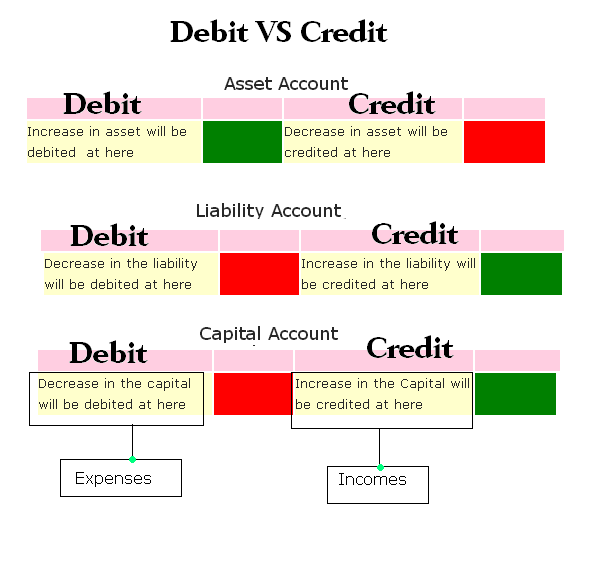
Source: Wikimedia Commons — Debit vs Credit in Accounting diagram (CC BY 4.0)

Why Some Sites Show Different Old Prices: The Two-Baseline Problem
You will find blogs and reseller pages claiming Essentials went from "$60 to $85," Plus from "$99 to $140," or Advanced from "$200 to $340." Those aren't typos, and they aren't describing a different increase. They are benchmarking against older baselines because Intuit has raised QuickBooks Online prices more than once over recent years, and different publishers anchored their tables at different moments.
Here is the honest framing. Intuit's official position is that in this round, only Essentials, Plus, and Advanced changed for renewals on or after August 1, 2026, while Simple Start, Free, Lite, and Ledger stayed put. Sites such as Certum Solutions and Numerawise that show Simple Start rising from $35 to $38, or Plus from $99, are mixing in earlier increases. The only fully official anchor points are the current live prices — $38/$85/$140/$340 — and the August 1 renewal date.
The practical takeaway is simple. Do not benchmark your renewal against a blog table, including ours. Open your own account, go to Settings → Subscriptions & Billing, and compare your actual last invoice with your next one. That is the only comparison that decides your budget, and it takes about ninety seconds.
For a concrete illustration: a five-person e-commerce seller in Toronto on Plus saw its software cost rise from $1,380 to $1,680 a year — the $25 monthly increase compounding across twelve invoices. A solo consultant in Manchester on Simple Start saw no change at all, because that plan did not move.
Exactly When the Increase Hits Your Invoice
The new prices apply to renewals billed on or after August 1, 2026, and the exact date your price changed depends on your subscription billing date, not on a single switch-flip day. Notification emails to client-billed subscribers began on June 27, 2026, roughly thirty days before each account's billing date. Intuit updated the public website prices on August 3, 2026.
| Date | What happened |
|---|---|
| June 27, 2026 | Notification emails begin to client-billed subscribers, about 30 days before their billing date |
| July 1, 2026 | QuickBooks Workforce per-employee pricing and QuickBooks Time prices rise (separate change) |
| August 1, 2026 | New Essentials, Plus, and Advanced prices apply to renewals billed on or after this date |
| August 3, 2026 | Public website prices updated |
| Seventh invoice | New subscribers' six-month price protection ends |
Three details are easy to miss. First, if your subscription is billed through an accountant, Intuit did not email you directly — your firm was expected to inform you, so ask your accountant if you never received notice. Second, subscribers who signed up shortly before the increase got six months of price protection: the new price only starts from the seventh invoice. Third, since it is now October 2026, most active subscribers have already seen at least one invoice at the new rate — this article is your chance to check whether you noticed.
What the Higher Price Actually Pays For
Partly genuine product investment, and partly re-bundling — and you should understand both before deciding whether to leave. Intuit has been repositioning QuickBooks Online around what it calls Intuit Intelligence, its layer of AI-assisted bookkeeping, cash-flow, and tax-preparation features, plus a stack of add-ons whose pricing also moved in 2026.
Source: Intuit QuickBooks — official YouTube channel
The biggest change actually went in customers' favor. On June 8, 2026, Bill Pay Elite dropped from $90 to $45 per month for new and renewing subscribers, with ACH transfers now $0 per transaction and unlimited monthly transactions. From August, Bill Pay Elite is bundled into Advanced at no extra cost — Intuit frames that as $540 a year of value — while Simple Start, Essentials, and Plus subscribers can add it at the $45 monthly rate. Intuit's own worked example on its Firm of the Future FAQ pairs "QuickBooks Online Essentials ($85/mo) with Bill Pay Elite ($45/mo)" — a $130 monthly stack that also confirms the official $85 Essentials list price.
Source: Intuit QuickBooks — official YouTube channel
Run the Advanced math for yourself. Advanced rose $65 a month (+$780 a year), but it now includes Bill Pay Elite, which Intuit values at $540 a year, and Advanced industry editions (construction, professional services, retail) carry what Intuit frames as up to $900 in annual value. If you would have bought Bill Pay Elite anyway, the net cost of the increase is close to zero; if you would not, it is a straight $780. That single calculation decides whether Advanced got cheaper or dearer for your business.
One smaller line item: enhanced inventory remains a $40 per month add-on for Simple Start and Essentials, and it is included in Plus and Advanced — a real factor if a downgrade would force you to buy it back.
Payroll and Time Prices Rose on July 1, Too
The August plan increase was not the only 2026 change — payroll and time-tracking pricing moved first, on July 1, 2026, and many buyers missed it entirely. According to schoolofbookkeeping.com's practitioner coverage, QuickBooks Workforce (the rebranded QuickBooks Online Payroll) raised its per-employee prices from July 1 while base subscription prices stayed unchanged, and QuickBooks Time Premium and Elite both added $2 per employee per month. An Advanced Construction add-on is listed at $75 per month for twelve months.
Intuit has not published a single blended figure for the Workforce per-employee rise, so check your payroll subscription screen for the exact rate on your plan. The mechanics matter more than the headline: a twelve-employee business on Time Elite alone is paying roughly $288 a year more from the $2 increase, stacked on top of any plan-level increase from August.

Source: Wikimedia Commons — US payroll process calculator (CC0)

There is one discount route that survived intact. ProAdvisor Preferred Pricing — the channel through which your accountant can discount your subscription — still takes 30% off the base QBO subscription for twelve months, and Intuit has confirmed those rates are unchanged. If you do not currently buy through an accountant, this is the moment to ask one; the savings on Plus alone are about $504 over a year. A new program, Intuit ProPartner Accountants, launches in early 2027, so expect the channel's mechanics to evolve.
QuickBooks Desktop: What Actually Changed
For Desktop users, the 2026 story is not a price increase — it is a managed wind-down. Per workforce.com's reporting, Intuit stopped selling new Desktop Pro Plus, Premier Plus, and Mac Plus subscriptions back in September 2024. Connected services for Desktop 2023 products ended on May 31, 2026, which means bank feeds, payroll, and payments integrations on those versions are already dead. Desktop 2024 products remain supported only through September 2027.
If you are still running Desktop 2023, your migration deadline has already passed in practical terms — the product can no longer pull live bank data. If you are on Desktop 2024, you have until September 2027, but waiting until the final months means competing with every other late migrator for your accountant's attention. Plan the move for a quiet quarter, not a filing deadline.
One caution on "Desktop pricing" claims you may see online. Hosting companies that resell virtual Desktop environments set their own prices, and some announced their own 2026 increases. Those are reseller pricing decisions, not Intuit list prices — confirm directly with your hosting provider before comparing against Intuit's published numbers.
Downgrade or Switch: A Step-by-Step Migration Playbook
Yes, you can leave — the plans carry no annual contract — and often a one-tier downgrade captures most of the savings without any migration risk. Work through these steps in order, because the sequence protects your data.
- Audit which features you actually use. The costly downgrade edge is Plus to Essentials: Plus supports up to five users versus three on Essentials, and Plus includes class and location tracking plus inventory features that Essentials lacks or charges for via the $40 enhanced-inventory add-on. If you use classes for departments or track stock, do not downgrade.
- Time the change to your billing date. Downgrades and cancellations align with your renewal, so calendar your billing date and start the process ten to fourteen days ahead.
- Export everything first. In QuickBooks Online, go to Settings → Export to Excel to pull transactions and lists, and save PDF copies of your final profit-and-loss and balance-sheet reports. Do this before anything else changes.
- Model the net saving, not the sticker. Plus to Essentials saves $55 a month ($660 a year) at list. Subtract anything you must buy back — extra users are not purchasable on Essentials, and inventory may need the $40 add-on elsewhere.
- Cancel cleanly, and confirm data access in advance. Ask Intuit support, in writing, how long your historical data remains accessible after cancellation and in what export format, before you pull the trigger.
- Exploit the six-month rule for new seats. If you must stay but are adding users, note that new subscribers receive six months of price protection with the new price starting at the seventh invoice — locking a seat now defers its increase.
For a worked example, take a three-person marketing agency in Austin on Plus at $140. Dropping to Essentials at $85 saves $660 a year, but only if none of the three users needs inventory — and only if the team fits within three full users. If both conditions hold, it is the cheapest twenty minutes of admin the owner will spend this quarter.
Cheaper Alternatives to QuickBooks in 2026
Several credible alternatives exist, and the right choice depends on where your money actually goes — per-seat accounting fees, per-employee payroll, or foreign-exchange costs on international invoices. Xero and Zoho Books are the two most common destinations for switchers, particularly service businesses that found they never needed Plus-tier inventory. Wave appeals to solo operators, and consultancies that bill across currencies often save more on transfer fees than on subscriptions.
Compare on four axes before switching: monthly cost at your actual user count, the payroll add-on price per employee per month, whether migration support is included, and payment-processing fees on customer payments. A plan that is $20 cheaper per month but adds $5 per employee on payroll can cost a ten-person business more, not less.
Before you commit anywhere, read our guide to the best accounting software for small businesses in 2026 — it compares the leading QuickBooks alternatives feature by feature, with the same verified-price approach used in this article. And if a big share of your costs are international transfer and conversion fees rather than software, our Wise business account review for 2026 walks through a route that undercuts traditional bank invoicing.
Source: Intuit QuickBooks — official YouTube channel
One reader group feels this increase differently: retirees who run a small consulting practice in the Gulf on a fixed income. If that is you, the software line is only half the picture — our guide to health insurance for retired expats in the UAE covers the other fixed cost that spiked in 2026.
Frequently Asked Questions About QuickBooks Pricing in 2026
How much is QuickBooks Online per month after the August 2026 increase?
Official US list prices are $38 for Simple Start, $85 for Essentials, $140 for Plus, and $340 for Advanced per month, verified on Intuit's pricing page in October 2026. New subscribers currently get 50% off for three months. Regional availability and pricing vary, so verify your local price at checkout.
Which QuickBooks plans went up in price in 2026?
Essentials, Plus, and Advanced, for renewals billed on or after August 1, 2026. Per workforce.com, Essentials rose from $75 to $85, Plus from $115 to $140, and Advanced from $275 to $340. Simple Start, Free, Lite, and Ledger were unchanged in this round.
Is QuickBooks Simple Start still $38 a month?
Yes. Simple Start lists at $38 per month and was not increased in the August 2026 round. The $35 price that some third-party tables show dates from an earlier increase in a previous year. New subscribers currently pay $19 per month for the first three months.
When does the QuickBooks price increase hit my renewal?
For renewals billed on or after August 1, 2026, with the exact date set by your billing cycle. Notification emails started June 27, 2026, roughly thirty days ahead of billing. Check Settings → Subscriptions & Billing to see your own date and current rate.
Can I keep my old QuickBooks price or lock in a discount?
Existing subscribers cannot grandfather the old rate, and Intuit has announced no retention discount. Two levers remain: new subscriptions carry six months of price protection, and ProAdvisor Preferred Pricing through an accountant still takes 30% off the base plan for twelve months.
How do I export my data before switching from QuickBooks?
Use Settings → Export to Excel to download transactions and lists, then save PDFs of your final financial statements. Do it before cancelling, and ask Intuit support in writing how long your data stays accessible afterward. Most competing platforms import Excel or CSV exports directly.
Did QuickBooks Desktop prices also go up in 2026?
Intuit stopped selling new Desktop Pro Plus, Premier Plus, and Mac Plus subscriptions in September 2024, so there is no new-subscriber list price to raise. Desktop 2023 connected services ended May 31, 2026, and Desktop 2024 support runs only through September 2027, per workforce.com.
Does the 50% off for 3 months apply to existing users?
No. The three-month 50% promotion on Intuit's pricing page is for new subscribers, and existing customers renew at full list price. The nearest equivalent for existing customers is the accountant-channel ProAdvisor discount of 30% for twelve months.
Before Your Next Invoice: An Action Checklist
- Open Settings → Subscriptions & Billing today and confirm which plan you are on and what your next invoice charges.
- Compare against the official list — $38 / $85 / $140 / $340 — and quantify your exact yearly increase.
- Check whether Bill Pay Elite's drop to $45 or its inclusion in Advanced changes your add-on math.
- Review your July payroll and Time invoices for the per-employee increases you may not have noticed.
- Ask your accountant about ProAdvisor Preferred Pricing — 30% for twelve months is the only standing discount.
- Decide: stay, downgrade one tier, or switch — and if switching, run the Excel export first.
- If you are on Desktop 2023 or 2024, put a migration date on the calendar before the support cliff.
- While auditing fixed costs, look beyond software: insurers are narrowing AI-related coverage at renewal — our guide to AI exclusions in business liability insurance shows exactly what to check.
Software is only one line in a small business's cost base, and the businesses that weather years like 2026 are the ones that re-quote every recurring subscription annually. For more data-first guides on business costs, cross-border money, and planning for internationally mobile professionals, explore the latest at truescho.com.
Sources
- Intuit — official QuickBooks price-change notice
- QuickBooks — live US pricing page
- Firm of the Future — QuickBooks price-changes FAQ (Intuit)
- Workforce.com — QuickBooks Online price increase report
- Intuit QuickBooks — official YouTube channel