
OpenCode 2026: The Open-Source Terminal Coding Agent — Setup, Cost, and Fit
Last updated: August 2026
Answer first: OpenCode is an MIT-licensed AI coding agent you run in the terminal (plus a desktop beta and IDE integration). It is model-agnostic—75+ providers via Models.dev, optional OpenCode Zen (pay-per-use curated models), optional OpenCode Go ($5 first month, then $10/month for tested open models), or your own API keys. The tool itself is free/open source; you pay for model usage. Official site: opencode.ai. Official repo: github.com/anomalyco/opencode.
💬 Disclosure: Some links in this article are affiliate links. We may earn a small commission when you complete a purchase at no extra cost to you. This helps us keep our content free, and it does not affect the integrity of our recommendations.
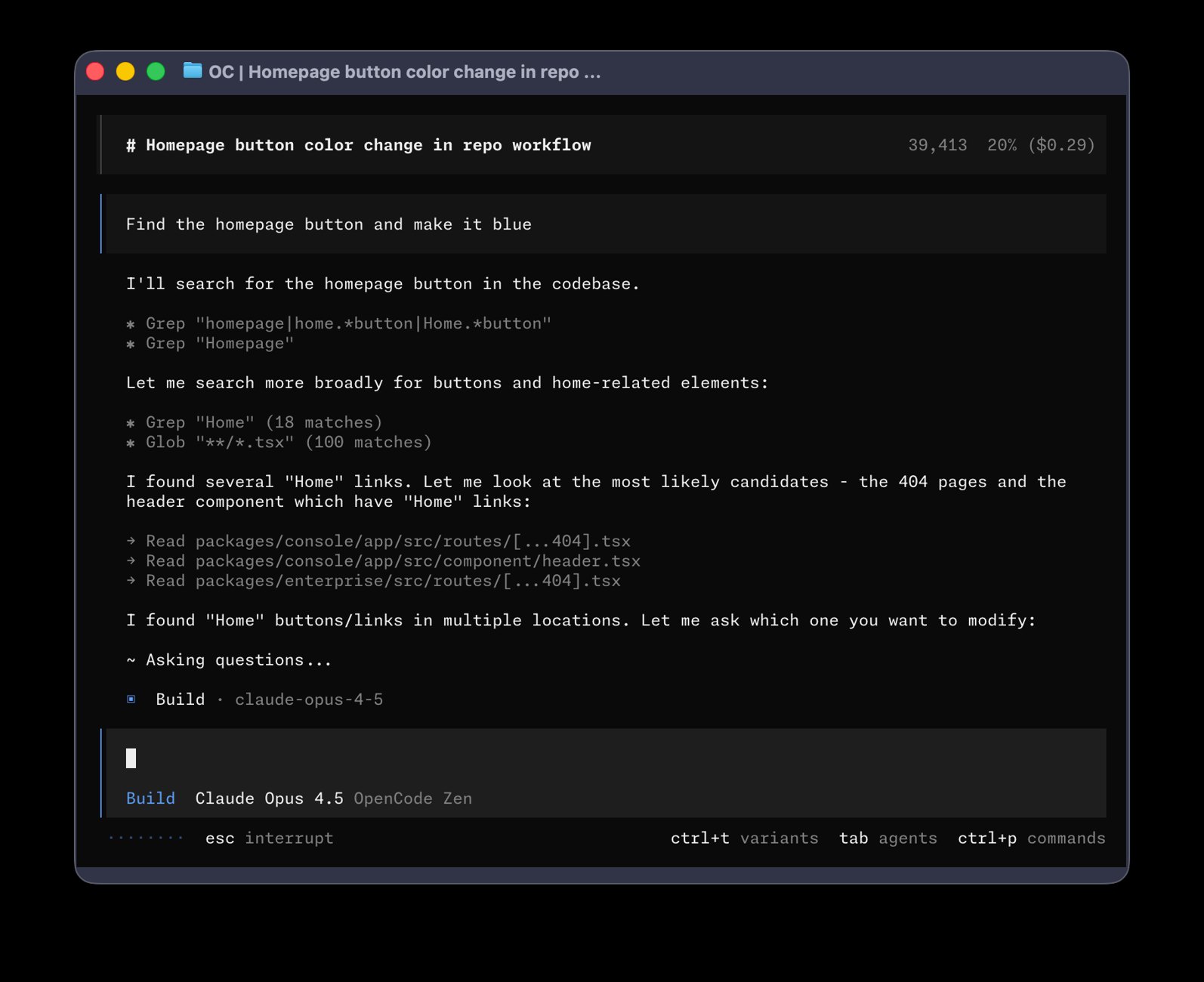
Source: OpenCode GitHub repository
Source: OpenCode official YouTube channel
When OpenCode is the right tool (and when it is not)
Use it if you want a local agent shell, multi-provider flexibility, LSP-aware assistance, parallel sessions, and clear separation between agent product and model bill.
Skip it if your company mandates a single vendor stack with contractual support only, you refuse any terminal workflow, or you expect “open source” to mean “frontier models at $0 forever.”
For a quick start from our tracked link: OpenCode homepage.
What OpenCode actually is
According to the official homepage and docs (fetched August 2026):
- Open-source AI coding agent for terminal, desktop, and IDE
- LSP enabled so the model gets language intelligence
- Multi-session agents on the same project
- Share links for sessions
- Login paths for GitHub Copilot and ChatGPT Plus/Pro
- Any model through 75+ providers (Models.dev) including local models
Live GitHub API snapshot on 2026-08-01 for anomalyco/opencode: 191,922 stars, MIT license, primary language TypeScript. The marketing site also cites large community figures (about 160K stars on the badge, ~900 contributors, 7.5M monthly developers)—treat those as site-reported metrics and prefer the live star count when you need a hard number.
Install paths (official)
curl -fsSL https://opencode.ai/install | bash
Package managers documented in the project README include npm (opencode-ai), Homebrew (anomalyco/tap/opencode), Scoop, Chocolatey, pacman/AUR, mise, and Nix. Desktop builds are available for macOS (arm64/x64), Windows, and Linux (deb/rpm/AppImage).
IDE note (official docs): run opencode inside VS Code/Cursor integrated terminal; the extension can install automatically. Shortcuts include Ctrl/Cmd+Esc to focus the agent session.
Source: opencode.ai
Connect providers and pick models
- Start
opencodein a repo. - Run
/connectand add credentials (stored under~/.local/share/opencode/auth.jsonper docs). - Run
/modelsand selectprovider/model. - Optionally set defaults in
opencode.json/opencode.jsonc(global + project merge order is documented under Config).
You can set custom baseURL values for gateways/proxies and hide models with blacklist / whitelist.
Built-in agents: Build, Plan, and subagents
| Agent | Role | Default posture |
|---|---|---|
| Build | Primary | Full tools for implementation |
| Plan | Primary | Restricted; asks before edits/bash |
| General | Subagent | Multi-step research/work (@general) |
| Explore | Subagent | Fast read-only codebase search |
| Scout | Subagent | External docs-oriented read-only help |
Switch primary agents with Tab. Permission design matters more than model brand for safe refactors.
Pricing you can defend in a budget meeting
The tool
OpenCode client: open source (MIT). No license fee for the CLI itself.
OpenCode Go (official docs/go)
- $5 first month, then $10/month
- Usage caps measured in dollars: $12 / 5 hours, $30 / week, $60 / month
- Model list includes open/coding-oriented options such as GLM-5.2, Grok 4.5, DeepSeek V4 variants, Qwen, MiniMax, Kimi, and more (list can change)
- Example estimate table for GLM-5.2 on Go: ~880 requests / 5h, ~2,150 / week, ~4,300 / month under documented token-per-request assumptions
- Only one member per workspace can subscribe to Go
OpenCode Zen
Optional curated gateway; add credits and pay per request for models the OpenCode team tested for agent quality (docs/zen).
Your own keys
You pay Anthropic/OpenAI/Google/Z.ai/etc. directly. OpenCode is just the agent runtime.
| Stack | Fixed fee | Variable fee | Control |
|---|---|---|---|
| BYO API keys | $0 tool | Provider invoice | Highest |
| OpenCode Go | $5→$10/mo | Within $60/mo usage envelope | High for open models |
| OpenCode Zen | $0 subscription | Credits | High for curated set |
| Closed agent bundles | Vendor sub | Sometimes extra API | Lower model choice |
Related Truescho deep dives: Grok 4.5, DeepSeek V4, and GLM 5.2.
Privacy and local storage
The homepage states OpenCode does not store your code or context data, positioning it for privacy-sensitive environments. Still review the official Privacy policy on the site before regulated work.
Local paths from troubleshooting docs:
- Logs:
~/.local/share/opencode/log/ - App/session data:
~/.local/share/opencode/ - Uninstall:
opencode uninstall
Remember: cloud model providers still receive the prompts/context you send them. Enterprise networks can use HTTPS_PROXY / HTTP_PROXY with NO_PROXY for localhost and NODE_EXTRA_CA_CERTS for custom CAs.
Practical workflow for international freelancers
A developer in Lagos, Manila, or Karachi shipping for remote clients can:
- Keep Plan mode for unfamiliar repos (architecture map, risk list).
- Switch to Build for bounded tasks with tests.
- Attach files with
@instead of dumping entire monorepos. - Prefix
!for shell commands whose output should enter context. - Export sessions with
/exportfor client audit trails when allowed.
Pairing with GLM 5.2
If long-horizon coding at API prices around $1.4 / $4.4 per 1M input/output tokens (Z.ai official pricing page) fits your budget, connect Z.ai or use Go when GLM-5.2 is listed. Full model economics: GLM 5.2 guide.
Case sketch: remote contractor budget
A contractor maintaining a 40k-LOC Node API previously paid for a single closed agent seat and still overran API usage. After moving agent UX to OpenCode:
- Baseline chores ran on Go-listed open models
- Hard refactors used a stronger BYO key for short bursts
- Plan mode reduced “drive-by” file rewrites
- Monthly tool fee became predictable ($10 after promo month) while model spend stayed visible per provider dashboard
This is not a universal benchmark—it is a budget pattern: separate seat cost from token cost.
FAQ
Is OpenCode free?
The agent is open source. Models usually are not. Free tiers depend on providers and any free models exposed at install time.
Does OpenCode replace Claude Code?
Sometimes as a workflow shell; not always as a 1:1 product clone. Claude Code is tightly tied to Anthropic’s ecosystem. OpenCode optimizes for provider choice. See also Claude Code browser update.
Can I use local models?
Docs state local models are supported through the provider ecosystem (e.g., local OpenAI-compatible endpoints). Hardware limits still apply.
Is the desktop app stable?
Marketed as beta. Production-critical users should validate CLI first.
Where do I get support?
Docs, GitHub issues, Discord/community links published by the project—not via Truescho.
How do I start safely?
Install → /connect with a low-cost model → Plan on a sample repo → only then enable Build on a feature branch.
What to do next
- Install from the official script or OpenCode site.
- Connect one provider and run a Plan-only audit.
- Track one week of real token spend.
- Add GLM or other open models only after you know your baseline.
- Browse more builder tools on Truescho AI tools and courses on Truescho courses.
OpenCode rewards engineers who treat agents like power tools: sharp, configurable, and never unsupervised on production.
Budget playbooks by role
Student developer
- Prefer OpenCode Go for a capped monthly cost after the $5 first month.
- Use Plan mode as a tutor on open-source repos you already understand.
- Do not spend premium BYO keys until you can read diffs fluently.
Solo freelancer
- Maintain two model tiers: economy for chores, premium for deadlines.
- Invoice clients with a clear “AI-assisted development” process note when contracts require transparency.
- Track $ per merged PR for 30 days before changing plans.
Three-person startup
- Standardize
opencode.jsonin each repo. - Share runbooks, not API keys, in chat.
- Rotate keys when contractors exit.
- Keep production apply steps human-gated.
Prompt library (English)
Architecture brief: “Map modules, entrypoints, data stores, external integrations, and the top five risks if we change auth.”
Bounded bugfix: “Reproduce with a test, fix without schema changes, summarize root cause in five lines.”
PR narrative: “Write a reviewer-facing summary: intent, risk, test plan, rollback.”
Perf pass: “Propose I/O-only improvements that preserve external behavior; rank by impact vs effort.”
Run these in Plan first on unfamiliar code.
Comparison notes vs closed agents
Closed agents win when your organization already standardized on one vendor and values support tickets over flexibility. OpenCode wins when you need:
- MIT-licensed local agent control
- Multi-provider routing
- Explicit Plan vs Build postures
- Optional low-cost open-model subscription (Go)
Neither eliminates code review. For Claude-centric workflows see Claude Code browser and Claude Sonnet 5.
Operations on a VPS
tmux new -s dev
cd /var/www/app
opencode
- Never run Build as root unless unavoidable.
- Keep swap/disk headroom; logs under
~/.local/share/opencodegrow with heavy use. - Back up project code; session transcripts are not a substitute for git.
30-day adoption scorecard
| Signal | Healthy direction |
|---|---|
| Median PR cycle time | Down |
| Rework comments per PR | Down |
| Monthly model $ | Stable or justified by throughput |
| Secret incidents | Zero |
| Developer satisfaction | Up |
If cycle time does not improve, inspect prompt discipline and review culture before buying a more expensive model.
Additional internal resources
Deep dive: multi-session parallelism
OpenCode’s homepage emphasizes multi-session agents on one project. A practical pattern:
- Session A (Plan): map the module and write an implementation brief.
- Session B (Build): implement tests only.
- Session C (Build): implement feature against those tests.
- Session D (Plan): review the combined diff for regressions.
Parallelism helps only if you prevent two Build sessions from editing the same files. Coordinate like humans on a small team—or you will manufacture merge conflicts with premium tokens.
Desktop beta vs CLI (choose deliberately)
Desktop marketing is convenient for engineers who want tabs and visual session management (the site highlights desktop tabs). CLI remains the most scriptable path for SSH hosts and CI-adjacent workflows. Many power users keep both but treat CLI as source of truth when desktop misbehaves in beta.
International payments and provider diversity
A reason OpenCode resonates outside the US/EU: you can route around a single vendor’s billing region issues by switching providers without abandoning your agent UX. That does not magically fix every local card decline—but it reduces lock-in. Combine:
- OpenCode as the constant UX
- Z.ai / DeepSeek / others as swappable intelligence
- Documented proxy settings for corporate networks
See also cost notes in GLM 5.2 and DeepSeek V4.
Sample week schedule for adopting OpenCode
| Day | Focus |
|---|---|
| Mon | Install + Plan-only audits |
| Tue | Build on a toy repo |
| Wed | Introduce Go or cheap API model |
| Thu | Real feature branch with tests |
| Fri | Measure $ and rework; write team notes |
| Weekend | Optional: desktop app trial |
By Friday you should know whether OpenCode deserves a permanent slot beside your editor.
Copy-ready team policy (English)
“We use OpenCode with Plan mode required on repositories we have not touched in 30 days. Build mode is allowed only on feature branches. Secrets never enter prompts. Model spend is reviewed every Monday. Production migrations are human-only.”
Why this matters for Truescho readers
Truescho audiences include students, career switchers, and technical freelancers who need tools that scale with skill, not just hype cycles. OpenCode is a lever: transparent, swappable, and powerful when paired with discipline. Pair it with continuous learning on Truescho courses and keep an eye on model economics articles as pricing shifts.
Sources
- OpenCode official site
- OpenCode documentation
- Providers · Agents · Go · Zen
- GitHub anomalyco/opencode
- Z.ai pricing (when pairing models)
Start Your Journey with Truescho
Whether you are upskilling as a developer or exploring study-to-work paths, truescho.com centralizes tools and guidance.
Get Started Free →
TUI power features worth memorizing
Official TUI docs highlight productivity levers most “top 10 agents” listicles skip:
- @ file references with fuzzy search—and configured reference roots for monorepos
- ! shell commands that return tool results into the chat
- /compact when context bloat raises latency and cost
- /editor for long prompts in your real
$EDITOR - /export for Markdown handoff to PRs or tickets
- Leader key ctrl+x for keyboard-driven command access
Teams that standardize these habits burn fewer tokens than teams that paste entire repositories into every prompt.
Config merge order (avoid “why is my model wrong?” tickets)
OpenCode merges configuration layers instead of replacing them. Documented precedence runs from remote organizational defaults through global user config, OPENCODE_CONFIG, project opencode.json, .opencode directories, inline OPENCODE_CONFIG_CONTENT, and managed macOS profiles. Later layers override conflicting keys only. That means a project can pin a model while a developer keeps personal UI preferences globally—useful in agencies with many client repos.
Security checklist for client work
- Never commit
auth.jsonor dump secrets into prompts. - Prefer Plan mode on brownfield code until blast radius is clear.
- Gate production migrations behind human approval—not agent enthusiasm.
- For proxy environments, set
NO_PROXYfor localhost so the TUI can reach its local server. - Rotate provider keys when contractors leave.
- Keep an offline decision log: which model produced which merged PR.
How OpenCode fits a multi-tool stack
A realistic 2026 setup for an independent engineer:
- Editor: Cursor or VS Code
- Agent shell: OpenCode for repo-wide tasks and parallel sessions
- Model tiering: cheap open model for nits; mid tier for features; premium bursts for architecture
- Learning loop: compare outputs weekly; drop models that fail your stack
Truescho coverage of adjacent models helps with tiering decisions: Claude Sonnet 5, Hermes Agent review, and AI tools for SaaS builders.
Metrics to track for 30 days
| Metric | Why it matters |
|---|---|
| $ / merged PR | Real productivity unit |
| % PRs needing heavy rework | Quality signal |
| 5-hour Go usage hits | Capacity planning |
| Time-to-first-green-test | Agent usefulness |
| Secrets incidents | Hard stop if >0 |
If $ / merged PR does not fall after two weeks of disciplined use, the bottleneck is process—not the logo on the agent.
Final operating principle
Buy control, not hype. OpenCode’s advantage is composability: open agent, swappable models, local session storage, and explicit Plan/Build postures. Combine that with honest budgets and human review, and it becomes a durable part of a freelance or startup engineering system rather than a weekend experiment.