
Microsoft Merged Its Two Copilot Apps Into One: What Changed, What Was Retired, and Whether It's Still Free
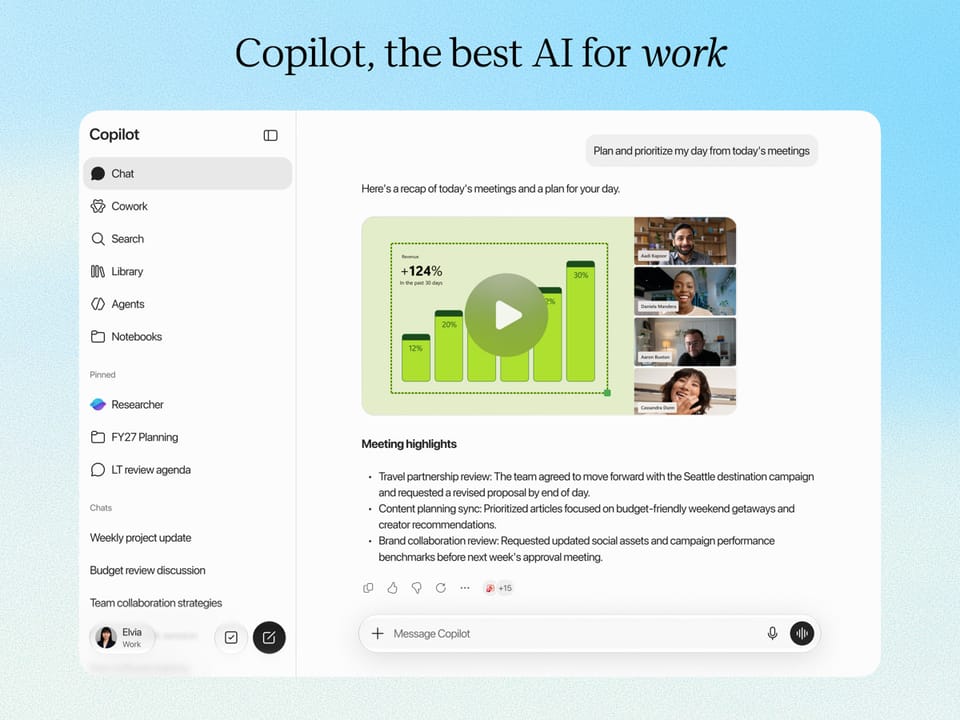
If you opened Microsoft Copilot on your phone or laptop recently and the interface looked different — or a feature you relied on quietly vanished — you met the biggest Copilot reshuffle of 2026. Starting August 18, 2026, Microsoft began merging the consumer Copilot app and the Microsoft 365 Copilot app into a single unified app, after first announcing the consolidation to the press on August 13. One app, every account type, and a not-so-small catch: three features were retired outright.
This explainer, updated August 2026, walks through what actually changed (verified against Microsoft's official support document), who is affected and what to do, the three retired features, the free-versus-paid reality, and how the unified Copilot stacks up against ChatGPT and Gemini for everyday work.
Background: why Microsoft had two Copilots in the first place
To understand why this merger matters, you need the mess that came before it. Microsoft was effectively running two products under one name:
- Microsoft Copilot (consumer) — the free general-purpose assistant: chat, image generation, web-grounded answers.
- The Microsoft 365 Copilot app (work/school) — the enterprise-flavored app tied to a Microsoft 365 subscription, with access to Word, Excel, Outlook, and organizational files.
Ordinary users bore the cost of the split. Open the "wrong" app and your files were invisible; the phone experience diverged from the desktop; and the brand confusion made "which Copilot do I have?" a genuine IT support question. In August 2026 Microsoft resolved it the blunt way: one app for every account.
According to Microsoft's official support page, "Updates to Copilot and the Microsoft Copilot app," you can now sign into the updated Copilot app with a personal account, a work or school account, or both — with work and personal data remaining separate, and your organization's security, privacy, and compliance controls continuing to apply whenever you use your work or school account.
Tech press coverage (ZDNet, The Verge, The Register, GeekWire, Thurrott) frames the merger as groundwork for what Microsoft internally calls a "super app" — a single surface combining the AI assistant with productivity, in the vein of the all-in-one apps that dominate Asian markets.
A short history of the two-app mess
The merger makes more sense when you remember how the split was created in the first place:
- 2023: Microsoft consolidated its consumer assistant under the Copilot name, retiring the Bing Chat branding but leaving the assistant without a single stable home.
- 2024: the Copilot mobile app shipped for consumers, while the Microsoft 365 app — the old Office app — carried its own Copilot chat for work and school accounts. Two apps, two audiences, steadily growing feature overlap.
- 2025 into 2026: capabilities multiplied on both sides — image creation, deep research, podcasts, agents — and every new feature had to be built and explained twice, while users kept opening the wrong app and wondering where their files had gone.
By mid-2026 the split cost more than it returned, which is why the press coverage reads less like a product update and more like a cleanup Microsoft could no longer postpone.
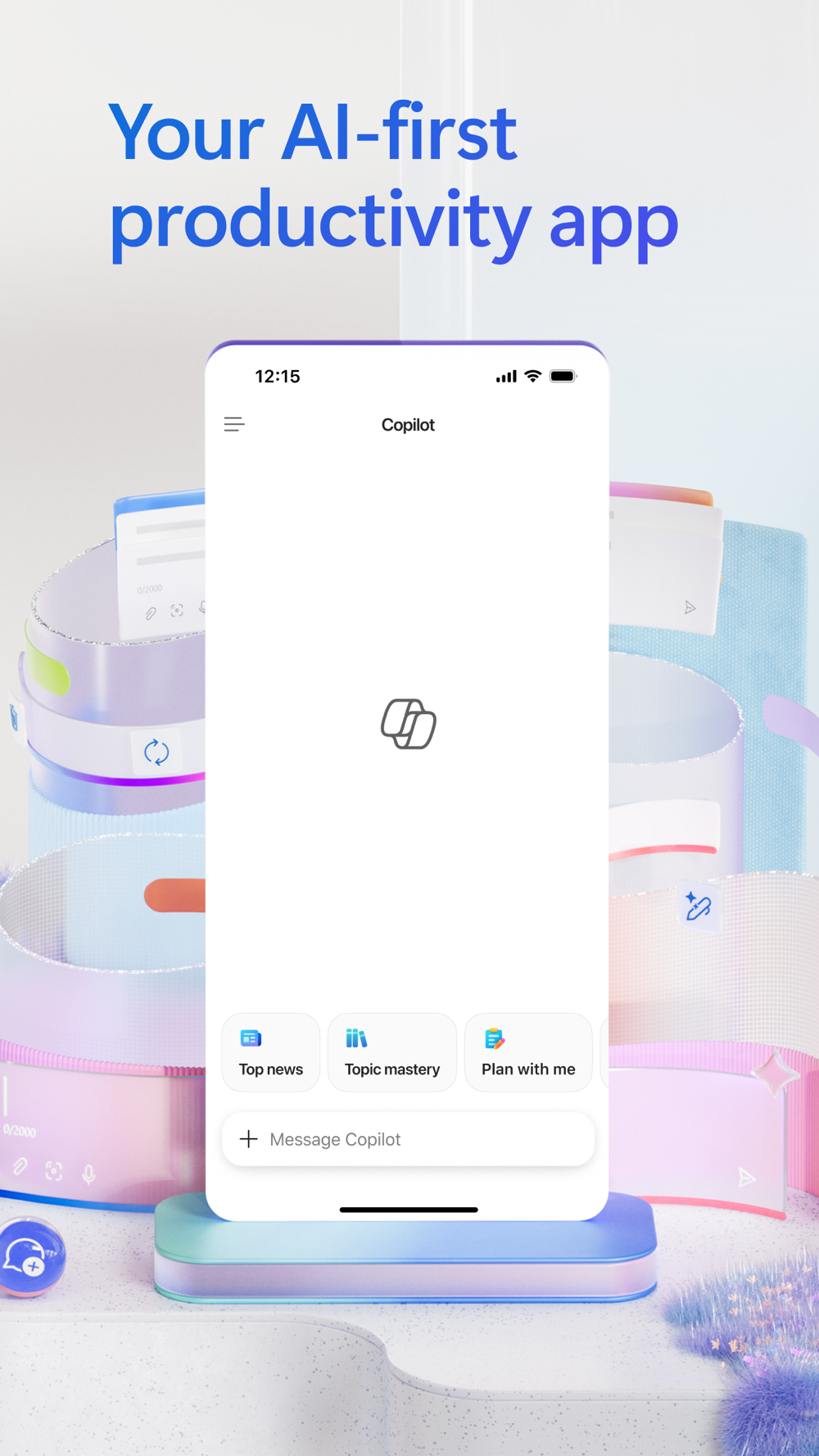
Source: Official Microsoft Copilot App Store listing — Microsoft Corporation
What the unified app gives you (from the official document)
We read Microsoft's support page end to end. Here is what it explicitly promises:
- A fresh, unified experience: the updated app "combines the best of Copilot chat and image creation, with the power of Microsoft 365 for your work."
- Direct access to Microsoft 365 apps: open Word, Excel, Outlook, and your files and content from inside the app, "so you can move from chat to your favorite Microsoft apps easily."
- Email, calendar, and cloud storage connections: sign in with a work, school, or personal account and connect email, calendar, and storage "to give Copilot the context to keep you moving forward."
- Higher limits for subscribers: Microsoft 365 subscribers get "advanced AI, leading models, and higher usage limits than free users."
- Automatic migration: "most updates will happen automatically" — no admin or user preparation required.
For anyone worried about losing their history: the support page confirms your chat history and most content move with you to the updated app, and files created in the old standalone app are migrated to OneDrive.
The three retired features — check whether you used one
This is the part with real teeth, because Microsoft did not move these features; it retired them:
- Copilot Podcasts. The auto-generated audio-podcast feature (comparable to NotebookLM's Audio Overviews) is gone from the unified app.
- Consumer Deep Research. The long-running deep-research mode in the free consumer app was removed; research-style workflows now sit with paid-tier capabilities, as noted in ZDNet's and Notebookcheck's coverage of the retirement list.
- Group chats. Existing group conversations are converted into one-on-one chats, and other participants lose the content. If anything important lives in a Copilot group chat, copy it out now.
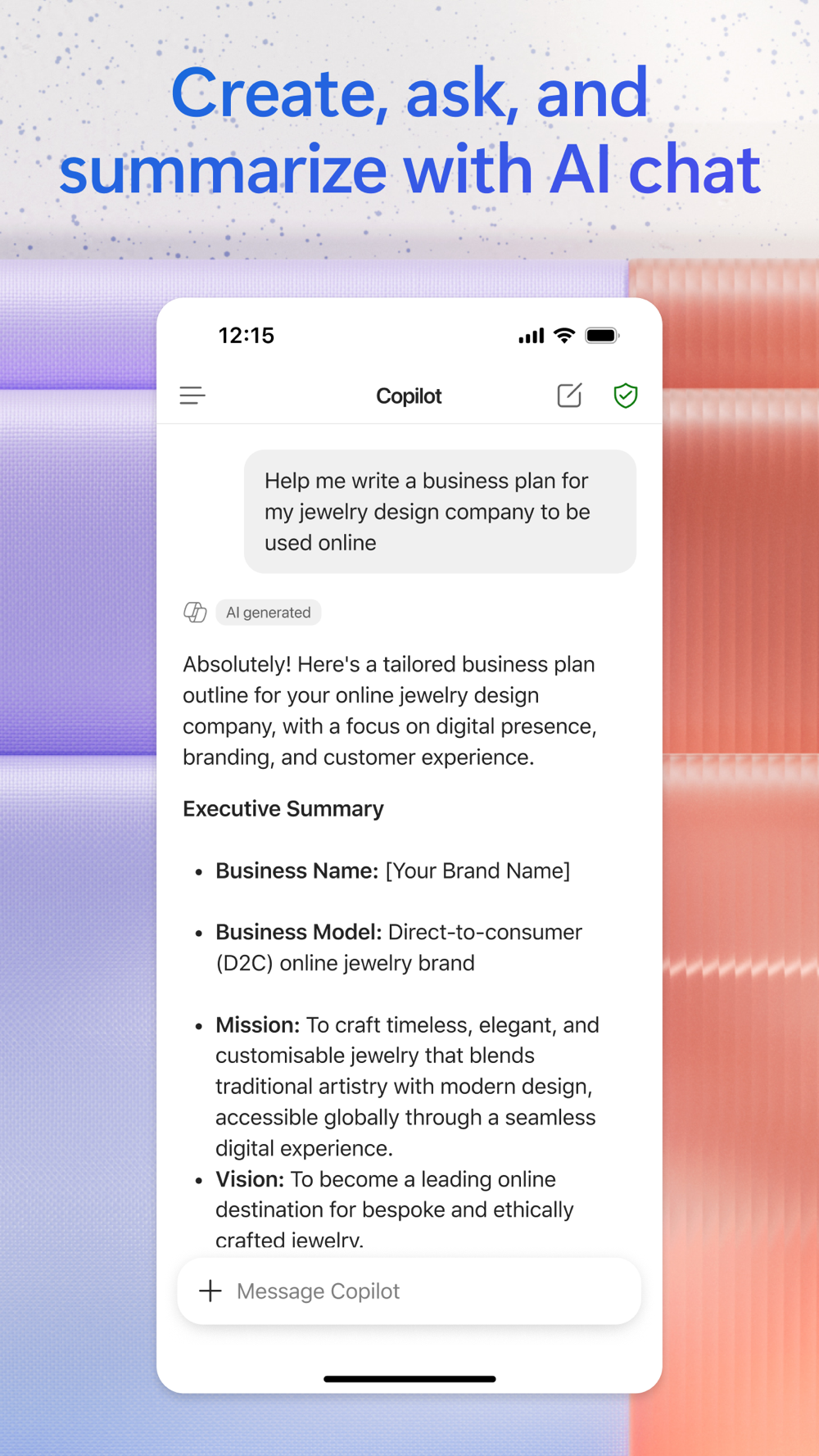
Source: Official Microsoft Copilot listing — Microsoft Corporation
Is Copilot still free? The official answer
After a year of "free tiers shrinking" across the AI industry, this is the question everyone asks. Microsoft's support page is unusually direct:
"You can continue to chat with Copilot, create images, upload files and more for free, subject to available capacity and limits. When you hit a limit, you can choose to upgrade to a paid option or come back later."
So yes — the free tier survived the merger, inside a capacity envelope Microsoft does not publish numerically. Subscribers get higher ceilings, agent capabilities, and complex multi-step tasks. Practically: light daily use (questions, images, summarizing files) remains free; heavy daily use eventually pushes you toward a Microsoft 365 subscription.
What this means for you
- If you live inside Microsoft 365 — Outlook mail, Teams, OneDrive, Office files — the unified app is a clear upgrade: your assistant now works with your calendar, email, and documents natively, on every device, with no extra setup.
- Students and staff at Microsoft 365 institutions: if your university or employer issues you a Microsoft 365 account (most do), you automatically get the full work/school experience. Pair it with our guide to Microsoft Copilot Pro pricing for students and the GitHub Student Developer Pack, which bundles AI coding tools at no cost.
- Language coverage: Copilot handles many languages for chat, but its deepest integrations and agent features work best in English. Test it on a real task in your language before making it your default.
- If you used free Deep Research or Podcasts: those are gone. The strongest current alternatives for research-heavy workflows are covered in our Claude vs ChatGPT vs Gemini comparison for study and work.
Which account should you sign in with?
| Your situation | Sign in with | What you get |
|---|---|---|
| Personal device, no work files | Personal account only | Free chat, image creation, file uploads |
| Company or university device | Work or school account | Your organization's data and policies, direct route into Word/Excel/Outlook |
| One laptop for both lives | Both accounts | The full experience; each account's data stays on its side of the wall |
The unified app does not blend the two identities — it hosts them side by side, which is precisely what the old two-app setup failed to communicate.
Quick comparison: unified Copilot vs ChatGPT vs Gemini (August 2026)
| Criterion | Microsoft Copilot (unified) | ChatGPT | Google Gemini |
|---|---|---|---|
| Free tier | Chat, images, file uploads (capacity-limited) | Yes, usage-limited | Yes, usage-limited |
| Office integration | Word/Excel/Outlook/OneDrive/Teams — strongest | Comparatively thin | Docs/Gmail/Drive |
| Email & calendar connection | Officially supported in the updated app | Limited | Supported |
| Model mix | Multiple frontier models incl. GPT-family | OpenAI models | Google models |
| Individual paid price | Via Microsoft 365 personal/family plans | ~$20/month | ~$20/month |
| August 2026 wrinkle | One app for all accounts; Podcasts/Deep Research/group chats retired | Largest plugin ecosystem | Workspace/Android integration |
The practical takeaway: if your digital life runs on Windows and Microsoft 365, the merger makes Copilot the rational default assistant at zero cost. If you live outside that ecosystem, the merger changes little for you.
A five-minute routine after the update
- Update the mobile app. Mobile users "will need to download an updated version of Copilot" — some installations update automatically, others require a manual trip to the app store.
- Expect the new Windows icon. The Copilot icon on the taskbar updates; nothing is broken.
- Audit your group chats. Copy anything you need before groups convert to individual chats and other participants lose access.
- Connect your accounts deliberately. From the unified app's settings, link email, calendar, and OneDrive for full context — while keeping work and personal accounts separate inside the same app.
- Test the free limits before subscribing. Use it for a real work week and see whether you actually hit the ceiling.
Honest limitations to keep in mind
- The retirements are real removals, not relocations. If Podcasts, consumer Deep Research, or group chats were part of your workflow, you need a replacement today, not eventually.
- "Capacity and limits" is unpublished. Microsoft does not state exact message caps for the free tier; limits vary and are discovered empirically.
- Paid features roll out gradually. Microsoft itself notes some capabilities "may roll out slowly over time," so your app may not show everything the documentation describes on day one.
- Work-account privacy is admin-controlled. The unified app keeps personal and organizational data separate, but using your work account means your organization's policies and visibility still apply.
Frequently asked questions
What changed in the Copilot app in August 2026?
Microsoft merged the consumer Copilot app and the Microsoft 365 Copilot app into a single app that works with personal, work, or school accounts, adds direct access to Microsoft 365 apps, and connects email, calendar, and cloud storage — per Microsoft's official support page.
Do I need to do anything after the Copilot update?
Most updates happen automatically. On mobile, download the updated app if it does not install by itself; on Windows, only the taskbar icon changes. Admins need to take no action.
Did Copilot become paid after the merger?
No. Chatting, creating images, and uploading files remain free "subject to available capacity and limits" per the official page; a Microsoft 365 subscription raises limits and unlocks more advanced models and agents.
Which features were retired from Copilot in this update?
Copilot Podcasts, the consumer Deep Research mode, and group chats. Group conversations convert to individual chats and other participants lose access to the content.
When did the Copilot app merger start?
Microsoft announced the unification in mid-August 2026 (press coverage from August 13), migration began August 18, 2026, and the updated mobile app reached stores on August 19.
Do my chat history and files move to the new app?
Yes. Per the official support page, your chat history and most content "move with you" to the updated app, and files created in the old standalone app are migrated to OneDrive — no manual export is needed before updating, with the one exception of group chats covered above.
Why did Microsoft retire Podcasts and Deep Research?
Microsoft did not publish a feature-by-feature rationale; the support page simply lists both as removed from the updated app. Press coverage (ZDNet, Notebookcheck) notes that research-style capabilities now sit with paid tiers — part of the industry-wide narrowing of free tiers across 2026.
Does the unified app exist on Windows, the web, and mobile?
Yes. The August update applies across platforms: the Windows taskbar entry refreshes its icon, the mobile app requires an updated download (iOS version 2.113.2 reached stores on August 19, 2026), and the web experience follows the same unified model.
Are personal and work data kept separate in the unified app?
Yes. Microsoft's page states that work and personal accounts remain separate and that organizational security, privacy, compliance, and admin controls continue to apply to work or school use.
The bottom line
The Copilot merger is the biggest competitive reshuffle among AI assistants in 2026 so far. Microsoft stopped selling two overlapping apps and bet everything on the assistant that already knows your files, your inbox, and your calendar beating the assistant that merely argues better. For anyone inside the Microsoft 365 ecosystem — which includes most universities and a large share of employers worldwide — this is a clean upgrade at no extra cost. The one real cost is subtractive: if Podcasts, free Deep Research, or group chats were in your routine, the unified app quietly took them away.
Updated August 23, 2026 — based on Microsoft's official support document and press coverage from ZDNet, The Verge, The Register, GeekWire, and Campus Technology.
Sources
- Official support page: Updates to Copilot and the Microsoft Copilot app — Microsoft Support
- Official Microsoft Copilot listing — Microsoft Corporation, App Store
- Press coverage of the announcement and rollout: ZDNet, The Register, The Verge, GeekWire, Thurrott (Aug 13, 2026); Campus Technology (Aug 19, 2026)
Start Your Journey with Truescho
Compare free and paid AI tools before subscribing in the Truescho AI tools hub, or read our full Claude vs ChatGPT vs Gemini comparison for 2026.