
Last updated: October 2026
On October 2, 2026, a new repository quietly appeared under Meta's incubator organization on GitHub: facebookincubator/muse-gadget-sdk, an Apache 2.0-licensed set of device SDKs and firmware that lets anyone turn a $10 ESP32 board or a spare Raspberry Pi into dedicated hardware for Meta's personal AI agent, Muse. Alongside the code, Meta launched gadgets.muse.ai, an official page documenting supported boards, pairing steps, and one Meta-built device called Home Link. The message to makers is blunt and unapologetic: this is built "by hackers, for hackers," and tinkering may brick your board.
Source: Official Muse Gadgets page
What exactly shipped
Two complete device SDKs, plus firmware, plus documentation, all open source under Apache License 2.0 with copyright assigned to Meta Platforms:
- ESP32 Device SDK — connect any ESP32-class board to Muse; add a screen for images, audio in and out, or your own sensors and buttons.
- Linux Device SDK — turn a Raspberry Pi or any Linux box into a Muse gadget, including custom commands that let the agent handle sysadmin chores or drive a Home Assistant setup.
Each SDK directory ships a README.md for humans and an AGENTS.md for coding agents like Meta's own Muse Code, which tells you exactly which era of software development Meta thinks you are living in. There is also an official community Discord for builders.
The pairing flow, step by step
Meta's documentation defines a precise sequence, and skipping steps is the fastest way to a bricked evening:
- Create an SDK token at gadgets.muse.ai/settings/sdk-tokens and accept the Gadget SDK Terms — every gadget needs its own token to pair.
- Enable Developer mode in the Muse mobile app (iOS and Android) under Settings, then open the Devices section.
- Pick a documented board from the official examples — or write support for an entirely new one, which the project explicitly invites.
- Flash the firmware from the matching SDK, following the per-device README.
- Pair it — your gadget appears in the Muse app with the
MuseGadgetprefix. Connect, customize, repeat.
Source: Muse Gadgets official device examples
The officially documented boards
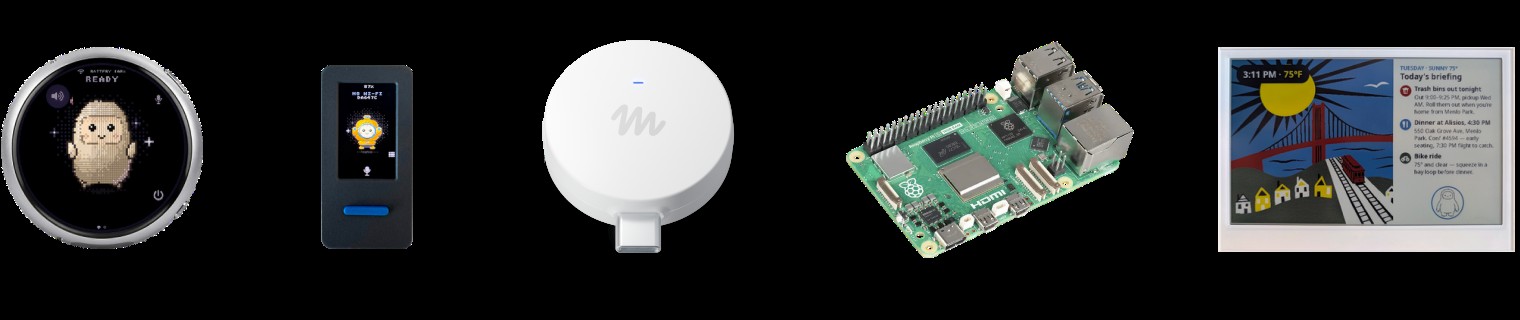
| Device | What it gives your agent | SDK |
|---|---|---|
| Raspberry Pi 5 | Muse meets Home Assistant and other Linux apps | Linux SDK |
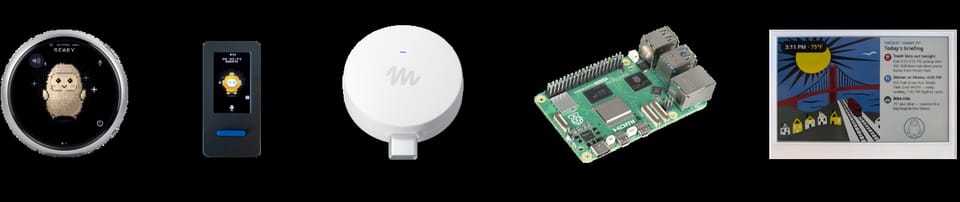
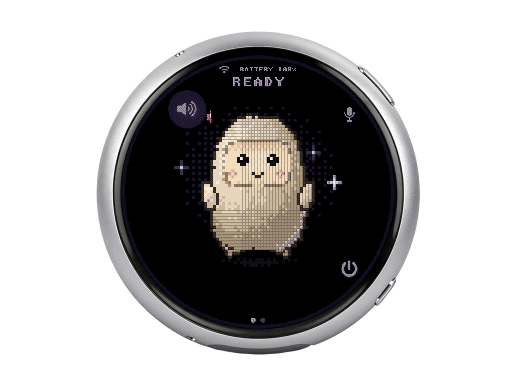
| Waveshare ESP32-S3-Touch-AMOLED-1.75C | Round 1.75" AMOLED touchscreen with speaker, mic, and battery | ESP32 SDK |
| Seeed reTerminal E1002 | Color e-ink for morning briefings, reminders, shopping lists | ESP32 SDK |
| M5Stack StickS3 | Pocket-size status screen with a front button | ESP32 SDK |
| AiPi Lite | Desk buddy: press to talk, hear Muse answer, see pictures | ESP32 SDK |
| Home Assistant Voice PE | Push-to-talk with an LED status ring | ESP32 SDK |
| Muse on your TV (HDMI stick) | Muse on the big screen | Officially "coming soon" |
Meta is careful to note that these boards are made and sold by other companies, that names and logos belong to their owners, and that Meta neither endorses nor warrants them. Each device links to its manufacturer's own store page.
Home Link: the one device Meta built itself
Buried in the lineup is the exception: Muse Home Link, which the page introduces with "One we made." It connects Muse to your home Wi-Fi so the agent can reach compatible devices you already own. The official site offers a "Claim your Muse Home Link" flow, and press coverage from October 2–3 describes it as a limited free offer for US subscribers — a detail we will update the moment Meta publishes regional availability, which matters enormously for readers outside the United States.
Why Meta is doing this
Read alongside the last month of Muse news, the strategy is hard to miss. The Muse app has reportedly passed 5 million downloads; Meta shipped a ready-made pocket device in the Muse Charm wearable; Amazon moved to block the Muse agent from its shopping flow; and Meta previously open-sourced the weights of the 30-billion-parameter Muse Glimmer model. Opening the hardware layer means Muse can live on a workbench gadget even where a phone app or a retail product is constrained — the agent stops being an app and becomes a platform.
What this means for builders worldwide
- For makers: This is the first time a frontier-lab consumer agent has a documented, token-based path onto generic hardware. An ESP32 status screen is a weekend project; a Home Assistant bridge is a second weekend.
- For smart-home tinkerers outside the US: The Linux SDK path works with hardware available in every electronics market from Lagos to Jakarta — but verify that Muse app and service access works in your country before ordering parts.
- For developers watching agent platforms: An
AGENTS.mdconvention inside a hardware SDK signals where Meta expects coding agents to operate — writing firmware, not just web apps. - For educators: A cheap, officially supported board plus an open SDK is a complete teaching lab for agent-era embedded development.
Honest limitations before you order parts
The project is explicitly provided "as-is, without warranty," and the page's own humor about bricked boards, voided warranties, and brownouts is really a disclaimer. The hardware is third-party and unsupported by Meta. The agent side still depends on Meta's Muse service and its terms — the SDK is open, but the brain it talks to is not a local model, and anyone who needs fully on-device AI should look at open-weight alternatives instead. The TV stick is "coming soon," not shipping. And Home Link availability outside the US remains unconfirmed.
Is Muse Gadgets actually free?
The code and firmware are free under Apache 2.0 on GitHub. You buy the electronics yourself from their manufacturers, and pairing requires a Muse account and the Muse mobile app; whatever the agent service costs or permits on your account is governed by Meta's terms.
What is the cheapest Muse gadget I can build?
Entry-level ESP32 boards with small displays are the most affordable documented starting point — for example, the ideaspark ESP32 with a 1.9" display listed in the official examples, which shows what your agent is doing at a glance.
How does a gadget pair with the Muse app?
Flash the firmware, enable Developer mode in the Muse app under Settings, open Devices, and your gadget appears with the MuseGadget prefix. Select it and complete pairing using the SDK token you generated on the official site.
What is the difference between the ESP32 and Linux SDKs?
The ESP32 SDK targets low-cost microcontroller boards with simple screens, buttons, and sensors. The Linux SDK turns a Raspberry Pi or any Linux computer into a full Muse gadget that can run custom commands and manage tools like Home Assistant.
Does this work outside the United States?
The code is open to everyone and the boards ship globally from their official stores, but the full experience depends on the Muse app and agent service being available and permitted in your country — check service availability before buying components.
Sources
- Muse Gadgets — official page
- facebookincubator/muse-gadget-sdk on GitHub (Apache 2.0)
- The Verge — Meta open sources code to let you make Muse AI gadgets
The takeaway for anyone who has been waiting for the "perfect AI device": Meta just argued it will not arrive shrink-wrapped. It will arrive on your workbench — one token, one board, and one weekend at a time.