
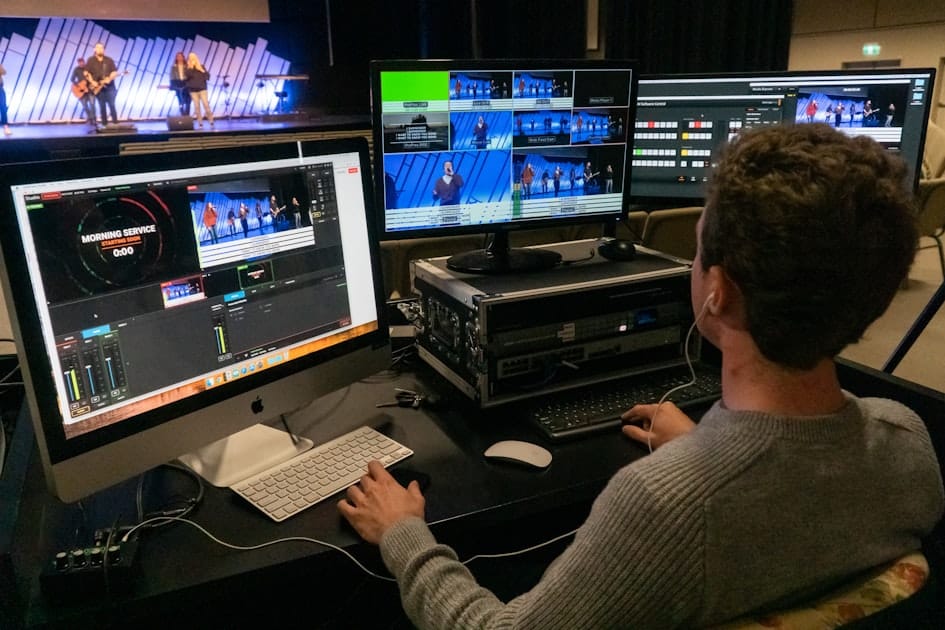
How to Make an AI Video from Text in 2026
Last updated: May 2026
The fastest reliable way to make an AI video from text in 2026 is to turn your idea into a short scene-by-scene script, choose a tool that fits your goal, generate a first draft, then manually edit the visuals, captions, voice, music, sources, and export settings before publishing. For short social videos, CapCut is strong for mobile editing and fast polish. For script-to-video or article-to-video workflows, InVideo is often easier for building a full draft from a prompt.
💬 Disclosure: Some links in this article are affiliate links. We may earn a small commission when you complete a purchase at no extra cost to you. This helps us keep our content free, and it does not affect the integrity of our recommendations.
AI text-to-video is no longer just a novelty. In 2026, creators use it to make explainers, ads, tutorials, short-form clips, educational content, product demos, and internal training videos. The mistake is assuming the tool will create a finished professional video from one vague sentence. The best results still come from human planning: a clear audience, a focused script, a visual direction, fact-checking, licensing checks, and final editing.
If you are comparing tools, start with our broader guide to the best AI video tools in 2026. If your goal is short-form social content, also read how to make professional TikTok videos on mobile. For a direct tool comparison, see our 2026 social video tool comparison.
What Does AI Video from Text Mean?
An AI video from text is a video generated or assembled from written input. That input might be a one-line prompt, a complete script, a blog post, a document, a URL, or a storyboard. The tool then creates scenes, suggests visuals, adds voiceover, generates captions, chooses music, or produces synthetic video clips depending on the platform.
There are four common workflows:
| Workflow | Best for | Typical input | Output quality risk | Human editing needed |
|---|---|---|---|---|
| Prompt-to-video | Quick ideas, concept clips, ads | One detailed prompt | Can be generic or visually inconsistent | High |
| Script-to-video | Tutorials, explainers, social videos | Scene-by-scene script | Strong if the script is structured | Medium |
| Article-to-video | Repurposing blog posts and guides | URL, article text, or summary | Can become a narrated slideshow | High |
| Avatar video | Training, onboarding, business explainers | Script plus presenter style | Less suitable for cinematic social content | Medium |
| Mobile AI editing | TikTok, Reels, Shorts, creator clips | Script, clips, photos, voice | Depends on your footage and cuts | Medium |
The practical point is simple: do not choose a tool first. Choose the workflow first. A creator making a 45-second vertical explainer needs a different workflow from a company making a compliance training video or a blogger converting an article into a three-minute YouTube summary.
Best Tools for AI Video from Text in 2026
CapCut is best when you want a social-first workflow with mobile editing, templates, captions, voice tools, effects, and final polish. It is especially useful if the video will be published as TikTok, Reels, or Shorts.
InVideo is better when you want to start from a prompt, script, or article and generate a structured draft with scenes, voiceover, stock visuals, and editing controls. It is useful for marketers, bloggers, educators, and small teams who want to repurpose text content.
Pictory is a strong alternative for blog-to-video and URL-to-video workflows. VEED is useful for browser-based editing, captions, resizing, and quick social versions. Synthesia is strongest for business training and avatar-led explainers rather than highly dynamic short-form videos.
For a deeper comparison before choosing your stack, read best Reels, Shorts, and TikTok tools in 2026, how to turn an article into video with InVideo, and faceless YouTube channel ideas with AI.
Step-by-Step: How to Make an AI Video from Text
Step 1: Define the Job of the Video
Before opening a generator, write one sentence that explains what the video must achieve. Examples:
- Teach beginners how to choose a study abroad scholarship in 60 seconds.
- Explain a SaaS feature to trial users in under two minutes.
- Turn a product comparison article into a vertical short.
- Create a training video for new remote employees.
This one sentence prevents the AI tool from creating a pretty but unfocused video. If the goal is educational, clarity matters more than cinematic effects. If the goal is social reach, the hook and retention structure matter more than a long introduction. If the goal is sales, proof, objection handling, and trust matter more than speed.
Step 2: Convert the Text into a Scene Script
Do not paste a long paragraph and hope for the best. Convert it into scenes. A strong short video script uses this structure:
| Scene | Purpose | Example |
|---|---|---|
| 1 | Hook | “Most AI videos fail because the prompt is too vague.” |
| 2 | Context | “A good text-to-video prompt tells the tool who the audience is.” |
| 3 | Method | “Use audience, format, duration, scenes, style, voice, and platform.” |
| 4 | Example | “Here is a 45-second prompt for a vertical tutorial.” |
| 5 | Payoff | “Now edit captions, voice, sources, and export settings.” |
| 6 | Next step | “Save the prompt and test two different hooks.” |
For longer videos, add more scenes, but keep each scene focused on one idea. One scene should not contain five claims, three examples, and a long call to action.
Step 3: Use a Prompt Formula That Gives Constraints
A useful AI video prompt includes audience, format, duration, scene count, visual style, voiceover tone, platform, and constraints. Here is a template you can adapt:
Create a vertical 9:16 educational video for beginners about [topic]. The video should be [duration] seconds and include [number] scenes. Use a clear, practical tone. For each scene, provide a visual idea, voiceover line, on-screen text, and suggested transition. Avoid exaggerated claims, avoid unlicensed music, and keep captions readable on mobile.
If you use InVideo, paste the prompt with your full scene list and ask for a draft that does not copy source text word for word. If you use CapCut, start with the script, generate or import assets, then use mobile editing tools to create a tighter social version.
Step 4: Generate the First Draft
Generate only one test video first. Do not batch-create 20 videos before checking quality. The first draft usually reveals three things:
- Whether the tool understands your topic.
- Whether the visuals are too generic.
- Whether the voiceover and captions match your audience.
- Whether the pacing is suitable for the platform.
- Whether the output needs disclosure or licensing review.
For international audiences, avoid local assumptions unless the video is intentionally local. A professional AI video should make sense to viewers in the United States, Canada, the United Kingdom, Australia, India, Singapore, South Africa, and other English-speaking markets unless you are targeting one region.
Step 5: Replace Generic Visuals
The biggest weakness of AI text-to-video is generic b-roll. A scene about “online learning” may show random laptops. A scene about “business growth” may show stock footage of people pointing at charts. That is not enough for a professional result.
Improve the draft by replacing vague visuals with specific ones:
- Use screen recordings when explaining software.
- Use product screenshots when discussing tools.
- Use your own phone footage for social videos.
- Use simple diagrams for complex ideas.
- Use licensed stock only when it adds clarity.
- Use captions and callouts to guide attention.
This is where CapCut can be valuable even if the first draft was generated elsewhere. Many creators generate the structure in one tool, then polish the short-form edit in a mobile editor.
Step 6: Add Voiceover, Captions, and Safe Music
Voice and captions decide whether a video feels professional. A high-quality visual draft can still fail if the voiceover sounds flat or the captions are too small.
Use these rules:
- Keep sentences short.
- Use natural pauses after important points.
- Burn in captions for mobile viewers.
- Keep text away from platform buttons and captions areas.
- Make music quieter than speech.
- Verify the music license before using it outside the original platform.
If the video includes realistic AI-generated people, voices, or scenes, check whether disclosure is required on the platform where you will publish.
Step 7: Export for the Right Platform
For TikTok, Reels, and Shorts, export vertical 9:16 at 1080p when possible. Keep important text in the central safe area because platform buttons, captions, and profile elements can cover the edges. For YouTube long-form, use horizontal 16:9. For LinkedIn or multi-platform repurposing, consider square or vertical versions depending on the feed.
| Platform | Recommended format | Practical note |
|---|---|---|
| TikTok | 9:16 vertical, 1080p | Hook must be visible in first seconds |
| YouTube Shorts | 9:16 or square, 1080p | Shorts can be up to 3 minutes |
| Instagram Reels | 9:16 vertical | Keep text away from lower UI area |
| YouTube long-form | 16:9 horizontal | Stronger for tutorials and explainers |
| 1:1, 4:5, or 9:16 | Add captions for silent viewers |
AI Disclosure, Copyright, and Licensing Checklist
AI video can create legal and platform risks if you skip review. Use this checklist before publishing:
- Did you use realistic synthetic people, voices, or events?
- Could viewers believe a generated scene actually happened?
- Did you use a real person’s likeness without permission?
- Did you use music, stock footage, or images with clear commercial rights?
- Did you transform source material, or did you simply repackage someone else’s work?
- Did you fact-check claims, statistics, and medical, financial, legal, or safety advice?
- Did you add disclosure where YouTube or TikTok requires it?
YouTube requires disclosure for realistic altered or synthetic content in certain cases, such as a real person appearing to say or do something they did not say or do, altered real events or places, or realistic scenes that did not occur. TikTok also requires labels for realistic AI-generated images, audio, or video. Disclosure is not a punishment; it is part of publishing responsibly.
Realistic Example: From Blog Paragraph to Short Video
Imagine a scholarship website has a paragraph explaining how to choose a study program abroad. A weak AI video prompt would be: “Make a video about choosing a scholarship.” The result will probably be generic.
A stronger workflow would be:
- Extract three decision points: eligibility, funding coverage, and deadline.
- Write a 45-second script with one practical example.
- Ask the generator for five scenes with on-screen text.
- Add a screen recording showing where to check official eligibility.
- Add captions and a simple checklist graphic.
- Link back to the full guide in the description.
This turns a text paragraph into a useful video rather than a decorative summary. The human value is the structure, example, and verification.
Pros and Cons of AI Video from Text
| Pros | Cons |
|---|---|
| Faster first drafts for creators and small teams | First drafts can look generic |
| Useful for repurposing articles and scripts | Requires manual editing for quality |
| Can generate captions, voiceover, and scenes quickly | Licensing and disclosure still need review |
| Helps non-editors test video ideas | Weak prompts produce weak results |
| Works for education, marketing, and social clips | Not ideal for sensitive claims or real testimonials |
When This Is Not for You
Text-to-video is not the right workflow if you need verified customer testimonials, sensitive medical or legal claims, studio-level product shots, documentary footage, or content that depends on your personal presence and trust. It is also not ideal if you are unwilling to fact-check, edit, and review rights. AI video tools can speed up production, but they do not replace editorial responsibility.
Expert Tips for Better AI Text-to-Video Results
- Write the hook yourself. AI hooks are often too broad.
- Ask for scene-level output, not one long narration.
- Use your own examples whenever possible.
- Replace generic stock with screenshots, diagrams, or original footage.
- Keep one video focused on one viewer problem.
- Create two versions with different hooks before changing the whole concept.
- Review platform policies before using realistic synthetic people or voices.
- Test one video manually before scaling production.
Common Mistakes to Avoid
- Starting with a vague prompt.
- Using a long article without summarizing it first.
- Publishing the first draft without checking facts.
- Using music without confirming rights.
- Making captions too small for mobile screens.
- Using realistic AI people without permission or disclosure.
- Assuming AI videos are automatically monetizable.
- Creating repetitive videos that add no original value.
The Three-Workflow Decision Tree
Use this quick decision tree:
| Your goal | Best workflow | Tool direction |
|---|---|---|
| Turn a rough idea into a test clip | Prompt-to-video | Use a generator, then edit heavily |
| Make a tutorial from a planned script | Script-to-video | Use scene prompts and voiceover controls |
| Repurpose a blog post | Article-to-video | Summarize first, then generate |
| Create TikTok or Reels content | Mobile social edit | Use CapCut for polish |
| Build a business explainer | Avatar or structured video | Consider Synthesia or similar tools |
| Make a faceless YouTube asset | Script-to-video plus original commentary | Add research, sources, and transformation |
This matters because “AI video from text” is not one single task. The best tool depends on whether you need speed, control, realism, brand consistency, or social-native editing.
A Simple Publishing Checklist
Before publishing, confirm:
- The first three seconds explain why the viewer should keep watching.
- The script has one clear promise.
- Each scene has a purpose.
- Captions are readable on mobile.
- Music does not overpower speech.
- Visuals match the spoken claims.
- Sources are saved for factual claims.
- AI disclosure is added if required.
- The export size matches the platform.
- The description links to a relevant next step, such as professional TikTok videos on mobile or faceless YouTube channel ideas with AI.
FAQ
What is the best AI text-to-video generator in 2026?
There is no single best tool for everyone. CapCut is strong for mobile and short-form editing, InVideo is useful for prompt and article-to-video drafts, Pictory is good for blog repurposing, VEED is convenient for browser editing and captions, and Synthesia is strong for avatar-based business videos.
Can I make an AI video from a script for free?
Some tools offer free plans, trials, or limited exports, but limits change. Free exports may include watermarks, lower limits, or restricted assets. Always check the current pricing page and test one video before committing to a paid plan.
How do I write a good prompt for AI video generation?
Use audience, format, duration, scenes, visual style, voiceover tone, platform, and constraints. A prompt like “make a video about productivity” is too vague. A prompt that specifies a 45-second vertical tutorial with five scenes and captions will produce a more usable draft.
Are AI-generated videos monetizable on YouTube?
AI-generated videos are not automatically monetizable or non-monetizable. YouTube evaluates originality, authenticity, reused content, copyright, and policy compliance. Repetitive, mass-produced, or minimally transformed content can create monetization risk even if it uses AI tools.
Do I need to disclose AI-generated video content?
You may need to disclose if the content is realistic altered or synthetic media, especially when it shows a real person saying or doing something they did not do, changes a real event or place, or creates a realistic scene that did not happen. Check YouTube and TikTok policies before publishing.
What is the difference between text-to-video, script-to-video, and article-to-video?
Text-to-video is the broad category. Script-to-video starts from a planned narration or scene list. Article-to-video converts a longer written piece into a video summary or explainer. Article-to-video usually needs more editing because articles are not naturally paced like video scripts.
Which AI video tools create captions and voiceovers automatically?
Many modern tools include automatic captions and voiceover options, including CapCut, InVideo, VEED, Pictory, and Synthesia. Still, you should review spelling, timing, pronunciation, and caption placement manually.
What are the copyright risks of AI-generated videos?
Risks include unlicensed music, unclear stock footage rights, copying another article too closely, using a real person’s likeness without permission, and assuming fair use applies everywhere. Keep records of sources and licenses, especially for commercial or monetized content.
Sources
- Official AI video generator page
- VEED Text to Video
- Synthesia Text to Video
- YouTube altered or synthetic content disclosure
- TikTok AI-generated content policy