
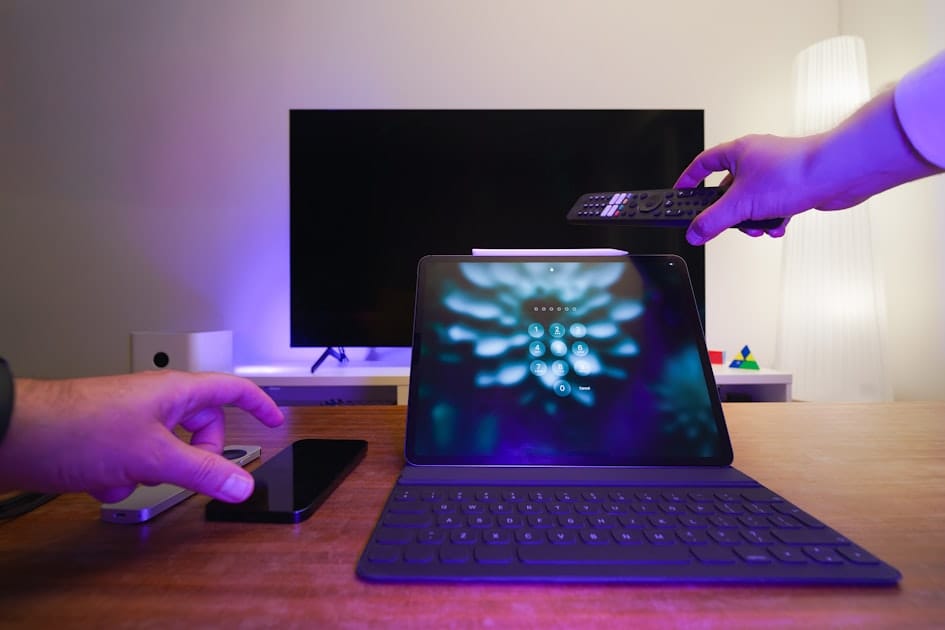
How Many Devices Can Use YouTube Premium 2026?
Updated: June 28, 2026
The answer to how many devices can use YouTube Premium 2026 depends on the action. Individual and Student allow one simultaneous video or audio stream; a two-person plan allows two where offered; Family allows six normal streams for six eligible household accounts. Offline benefits can be authorized on up to 10 devices for a Premium member account.
Those numbers are not interchangeable. Being signed in on a phone, tablet, laptop, and television does not mean all four can play simultaneously. Likewise, the ten-device offline allowance does not permit one Individual account to be shared by ten people. Free Movies & Shows also have a separate simultaneous-stream cap: one for Individual or Student, two for a two-person plan, and four for Family.
This guide separates accounts, signed-in devices, active streams, and offline authorizations, then shows how to repair “device limit exceeded” without deleting useful downloads unnecessarily.
Four different limits people call a device limit
A useful diagnosis starts by naming the object being counted. YouTube can permit an account to be signed in on many supported devices while limiting what plays at the same time and separately limiting which devices hold offline downloads.
| Limit | What it counts | Key 2026 number | Common mistake |
|---|---|---|---|
| Family members | Separate eligible Google Accounts | Manager plus five members, six total | Calling this six devices for one shared login |
| Normal simultaneous streams | Video or audio playing at the same time | Individual/Student 1, two-person 2, Family 6 | Counting every signed-in device as an active stream |
| Free Movies & Shows streams | Free movie playback at the same time | Individual/Student 1, two-person 2, Family 4 | Assuming Family's six normal streams also apply to free movies |
| Offline-authorized devices | Devices allowed to use Premium downloads | Up to 10 for a Premium member account | Treating this as ten simultaneous streams |
| Annual offline replacements | Device authorizations replaced after the limit is full | Up to 4 replacements per year | Reinstalling repeatedly without tracking registrations |
| Browser streams | Separate active browser playback sessions | Each active browser can count separately | Assuming Chrome and Firefox on one laptop count as one stream |
The correct short answer is therefore not one number. Ask: “How many accounts?”, “How many are playing now?”, or “How many devices are authorized for downloads?”
How many devices can use YouTube Premium 2026 by plan
For ordinary video and audio playback, YouTube's current limits are straightforward. Individual and Student allow one simultaneous stream. The two-person option, where available, allows two members and two simultaneous streams. Family allows up to six eligible members and six normal simultaneous streams.
| Membership | Eligible accounts | Normal simultaneous video/audio streams | Free Movies & Shows streams | Household condition |
|---|---|---|---|---|
| Student | 1 | 1 | 1 | Verified full-time student account |
| Individual | 1 | 1 | 1 | One user |
| Two-person | 2 | 2 | 2 | Same household where plan is available |
| Family | Up to 6 | Up to 6 | Up to 4 | Same residential address and country |
If an Individual member starts a video on a television and then plays a different video on a phone, YouTube may pause playback, show a limit message, or prevent the next video or song from starting. Both devices can remain signed in; the conflict is simultaneous playback.
The same applies to browsers. Playing in Chrome and Firefox on one computer can count as two separate streams. A background tab that is still playing audio is also active even when it is not visible.
Source: YouTube Viewers official Premium guide
Six Family accounts are not one account on six screens
YouTube Premium Family is designed around separate personal Google Accounts. The family manager invites up to five people, creating six total members. Each person has a separate history, recommendations, subscriptions, and normal stream allowance within the plan's overall terms.
Every member must live at the same residential address as the manager and be in the same country. YouTube says it performs an electronic household check every 30 days. Family is therefore not a license to sell six remote screens or distribute one login among friends.
This distinction protects privacy as well as eligibility. Sharing one manager password exposes watch history, account recovery, purchases, and potentially other Google data. The supported structure is an invitation to each member's personal account.
If an invited account receives a country or eligibility error, use the YouTube Premium Family invite repair guide. If the member lives elsewhere, the same-household rule explains why a technical workaround is not a compliant fix.
The ten-device limit applies to offline downloads
Premium members can use offline features on up to 10 devices at a time. This limit concerns devices authorized to download content, not devices merely signed in and not simultaneous streaming.
When an 11th device is authorized for downloads, YouTube deauthorizes the oldest device. YouTube allows this replacement process up to four times per year. After the fourth replacement, the member cannot add another new download device until the limit resets.
YouTube's help also warns that deleting and reinstalling its app can register the device as new. A person who repeatedly reinstalls the app during troubleshooting can consume replacements even though the physical phone did not change.
The official wording describes the limit for a Premium member's account. It does not clearly state one combined ten-device pool across every Family member, so do not claim that six family accounts must divide a single set of ten. Explain and manage the allowance at the member-account level unless YouTube states otherwise for the specific account.
Source: YouTube Viewers official downloads guide
Source: YouTube Viewers official channel
Signed in, streaming, and downloading are separate states
Consider one Individual account signed in on a phone, tablet, smart television, and laptop. That setup alone does not mean four streams are active. The account can move among supported devices, but only one simultaneous video or audio stream is allowed.
If the phone has offline downloads, the tablet has offline downloads, and neither device is currently playing, they count toward offline authorization but not simultaneous streaming. If the smart television and laptop both play at once, they create a stream conflict even if neither stores a download.
| Situation | Signed-in devices | Active streams | Offline authorizations | Likely issue |
|---|---|---|---|---|
| Phone paused, TV playing | 2 | 1 | Maybe 1 | No normal Individual stream conflict |
| TV and phone both playing | 2 | 2 | Irrelevant | Individual/Student stream limit exceeded |
| Ten phones with downloads, none playing | 10 | 0 | 10 | Offline allowance full, stream allowance unused |
| New tablet becomes the 11th download device | At least 11 | 0 or 1 | Attempts 11 | Oldest authorization is removed, subject to annual replacements |
| Chrome and Firefox both playing | 1 physical computer | 2 | 0 | Two streams can be counted |
| Six Family members each play normally | At least 6 | 6 | Separate question | Within Family normal-stream maximum if all are eligible |
This model solves most confusion. Do not sign out of every device when the message concerns only a second stream, and do not stop playback everywhere when the issue concerns the offline authorization list.
A step-by-step fix for simultaneous-stream errors
1. Identify the plan on the active account
Open YouTube purchases and memberships. Confirm whether the account has Student, Individual, two-person, or Family. A user may believe Family is active while signed in to a second account with no entitlement.
2. Stop every known active playback session
Pause televisions, phones, tablets, smart speakers, game consoles, and browser tabs. Include YouTube Music because the published limit covers simultaneous video or audio streams.
3. Check other browsers and profiles
A second browser on the same laptop can count as another stream. So can a different browser profile or an audio tab left running in the background. Close the player, not only the visible window.
4. Confirm each Family user has a separate account
Family members should use their invited personal accounts, not the manager's credentials. This preserves separate histories and applies the plan as designed. If only one login is copied to multiple devices, the behavior may look like an Individual stream conflict.
5. Refresh the session
After stopping playback, sign out and back in on the affected device or restart the current app. Update the app when an old version displays stale entitlement. Avoid reinstalling as the first step because reinstalling can register a new offline device.
6. Check entitlement and eligibility
If playback remains limited, confirm that Premium is active on the exact account. A Family member can remain in a Google family while Premium access is paused for household eligibility. That is an entitlement issue, not a six-stream issue.
7. Contact official support with timestamps
Provide the plan, account, exact message, device list, app versions, and approximate UTC time. Do not send passwords, recovery codes, or full payment-card details.
A step-by-step fix for offline device-limit errors
1. Do not reinstall the app repeatedly
YouTube says reinstalling may count as a new device registration. Repeating that action can consume the limited annual replacements while failing to solve the original problem.
2. List devices that actually need downloads
Keep offline authorization for devices used during travel, commuting, or unreliable connectivity. A retired phone or reset tablet should not occupy a valuable slot if it is no longer used.
3. Understand the automatic removal rule
Authorizing an 11th device removes the oldest authorized device. This can appear as mysteriously missing downloads on an older phone. It is expected behavior, not proof that the subscription was hacked.
4. Track annual replacements
YouTube permits up to four offline-device replacements per year. Hardware upgrades, resets, and app reinstallations can all contribute. After the fourth, adding a new device can be blocked until the limit resets.
5. Verify the correct account
Downloads belong to the account and device authorization. Switching among personal, school, and family accounts can make a valid download library appear empty. Confirm the avatar email before changing the device list.
6. Escalate unexplained registrations
If the account shows a limit despite fewer than ten genuine download devices, contact official YouTube support. Provide device models, operating systems, app versions, and recent reinstall or replacement dates.
Source: YouTube Viewers official TV installation guide
Three hypothetical device setups
These examples are technical illustrations, not testimonials.
One student with many devices
A full-time student in Delhi has YouTube signed in on a phone, laptop, tablet, and dorm television. That is not automatically a violation. However, Student permits one active video or audio stream. Playing YouTube Music on the phone while a lecture runs on the laptop can trigger the limit.
A six-person household
Six eligible family members in one home in Manila use six personal accounts and play normal videos at once. That fits the six-stream Family maximum. If they simultaneously stream free titles from YouTube Movies & Shows, the Family cap for that category is four, not six.
A frequent device upgrader
A creator in Lagos replaces a phone, resets a tablet, and reinstalls the YouTube app several times. The physical device count seems low, but new registrations consume offline replacements. The safe response is to stop reinstalling, record the authorized devices, and contact support if the annual count appears wrong.
Pick the plan by users and streams
Student is designed for one verified full-time student, with annual re-verification for up to four years. Individual is for one user. A two-person plan serves two same-household users where offered. Family serves up to six eligible members at one residential address and country.
The Student versus Family cost guide explains when six slots actually reduce per-person cost. The Premium, Lite, and Music Premium comparison helps when the issue is features rather than stream quantity.
Do not buy Family only because six streams sound attractive. If users live in different homes or countries, the plan does not fit. Lite can serve one non-music-video viewer where available, while Music Premium can serve one music-first listener.
When a Family offer is not for you
Family is not for remote friends, relatives in separate homes, or buyers who cannot meet YouTube's country and residential-address requirements. The electronic household check recurs every 30 days, and a seller cannot guarantee that an ineligible member will retain access.
Its strengths are separate accounts and up to six normal simultaneous streams. Its limitations include only four simultaneous streams for free Movies & Shows, recurring household eligibility, country consistency, and the 12-month Google family-switch rule.
The Truescho Shop lists a YouTube Premium Family email invitation at €2.50 per month or €20 per year. This is a Truescho offer, not Google's official local price and not a device-limit bypass. Consider it only if you independently satisfy the same-household and country requirements. Truescho cannot guarantee approval, continued access, or circumvention of YouTube checks.
You can review the existing cheap YouTube Premium Family guide, but confirm eligibility and the exact account structure before buying.
Frequently asked questions
How many devices can stream YouTube Premium at the same time?
Student and Individual allow one simultaneous video or audio stream. A two-person plan allows two where available, while Family allows up to six normal streams for six eligible household accounts. Free Movies & Shows have separate caps: one, two, and four streams respectively for those plan categories.
Can I watch YouTube Premium on my phone and TV simultaneously?
You can remain signed in on both, but an Individual or Student plan allows only one active video or audio stream. Starting playback on the second device may pause playback or trigger a limit. A two-person or Family plan offers more streams only for its eligible members and account structure.
Does a Family plan allow six accounts or six devices?
It allows one manager plus five invited members, for six separate personal accounts, and up to six normal simultaneous streams. “Six devices” is incomplete because members can sign in on multiple supported devices. Every member must share the manager's residential address and country and use their own invited account.
Is the ten-device limit for streaming or offline downloads?
It applies to devices authorized for Premium offline benefits, not simultaneous streaming. An Individual or Student account still has one active stream even if several devices hold downloads. Treat signed-in devices, active playback, and offline authorization as separate counts when diagnosing an error.
What happens when I authorize an eleventh download device?
YouTube removes authorization from the oldest device. That replacement can occur up to four times per year; after the fourth, another new device may be blocked until the allowance resets. Downloads on the removed device can stop working even though the account remains signed in and Premium remains active.
Why does reinstalling YouTube count as a new device?
YouTube's official device-limit guidance says deleting and reinstalling the app can register the device as new. The authorization system sees a new app registration even when the hardware is unchanged. Avoid repeated reinstalls during diagnosis because they can consume one of the limited annual offline-device replacements.
Do Chrome and Firefox count as separate YouTube streams?
They can. YouTube counts active playback sessions, so Chrome and Firefox playing at the same time can create two streams on one physical computer. Background tabs, YouTube Music, smart speakers, and televisions should also be checked before concluding that the service has counted a nonexistent device.
How many devices can stream free movies on a Family plan?
YouTube's published limit for free Movies & Shows is four simultaneous streams on Family, even though the plan supports six normal video or audio streams. Student and Individual allow one free-movie stream, while a two-person plan allows two. Paid rentals and purchases can have their own content-specific restrictions.
Final answer
For how many devices can use YouTube Premium 2026, remember three core numbers: one normal stream for Individual or Student, six normal streams and six accounts for Family, and up to ten offline-authorized devices for a Premium member account. The ten-device allowance does not create ten users or ten simultaneous streams.
If an eligible household needs Family, review Truescho's €2.50 monthly or €20 yearly invitation in the Truescho digital shop. The same-address and country conditions still apply, and no shop can promise continued access or override YouTube's limits.
Sources
- YouTube Help: simultaneous streaming limits — official Student, Individual, two-person, Family, and free-movie limits.
- YouTube Help: Premium device limits — official ten-device, oldest-device removal, annual replacement, and reinstall guidance.
- YouTube Help: supported devices — official account access across supported platforms.
- YouTube Help: membership plan types — official Student, Individual, and Family plan guidance.