
Last updated: August 23, 2026 — everything verified against xAI's official announcements.
On August 7, 2026, xAI (now branded SpaceXAI) shipped Imagine Image 2.0 to grok.com/imagine and its iOS and Android apps, calling it the new Quality Mode and positioning it around one promise: images you can use in real work. One week earlier, on July 31, the company had upgraded Imagine Video 1.5 with image and voice references and native 1080p output. Together, the two releases turned Grok Imagine from a meme generator into a production tool — and, according to the Arena leaderboards xAI quoted at launch, the second-best text-to-image and image-editing model in the world, sitting right behind OpenAI's gpt-image-2.
This guide walks through what actually changed, what the tools can genuinely do, what they cost, where they still fall short, and how they compare with the alternatives you're probably using today.
Source: xAI's official announcement
What launched, and when: the full 40-day timeline
If you lost track of xAI's release cadence this summer, here is the sequence exactly as published on the company's news page:
| Date | Release | The headline capability |
|---|---|---|
| July 31, 2026 | Imagine Video 1.5 with References | Up to 7 reference images per generation, voice references, text-to-video, native 1080p |
| August 7, 2026 | Imagine Image 2.0 | New Quality Mode, precision editing tools, world #2 ranking in two Arena categories |
| August 7, 2026 | Templates | 15+ ready-made workflows from photo editing to game assets |
| August 2026 | API access | grok-imagine-image-2.0 and grok-imagine-video-1.5 for developers |
The strategic shift is easy to miss if you only skim headlines. xAI is no longer chasing the "wow" demo; the announcement explicitly frames Image 2.0 around dense, multi-part visuals holding together, small text coming out sharp, and edits that preserve what you already approved. That is language aimed at people who ship work — store owners, designers, content teams — not casual users.
The Arena numbers, read honestly
The scores xAI published on August 7, 2026, citing Arena's Image Edit and Text-to-Image leaderboards:
- Image Edit Arena: gpt-image-2 (OpenAI) leads at 1463 Elo; grok-imagine-image-2 follows at 1439 — a 24-point gap.
- Text-to-Image Arena: gpt-image-2 at 1380; grok-imagine-image-2 at 1320, ahead of Reve 2.1, Meta's muse-image, Alibaba's qwen-image-3.0-pro, Google's gemini-3.1-flash-image, and ByteDance's seedream-5.0-pro.
Three honest caveats belong next to those numbers. First, Arena rankings move weekly as new versions ship, so treat August 7 as a snapshot, not a verdict — the model is publicly listed on Arena, and you can check its current position yourself. Second, Elo gaps of this size are often invisible in everyday output; the practical difference shows up mainly in edge cases like dense typography. Third, rankings measure output quality, not workflow: what Grok Imagine sells is the whole pipeline — generation, editing, and video — under one subscription, which is where the real comparison with rivals happens.
Five editing tools that change how you work
The upgrade is less about prettier pixels and more about control. Five capabilities now ship inside the tool:
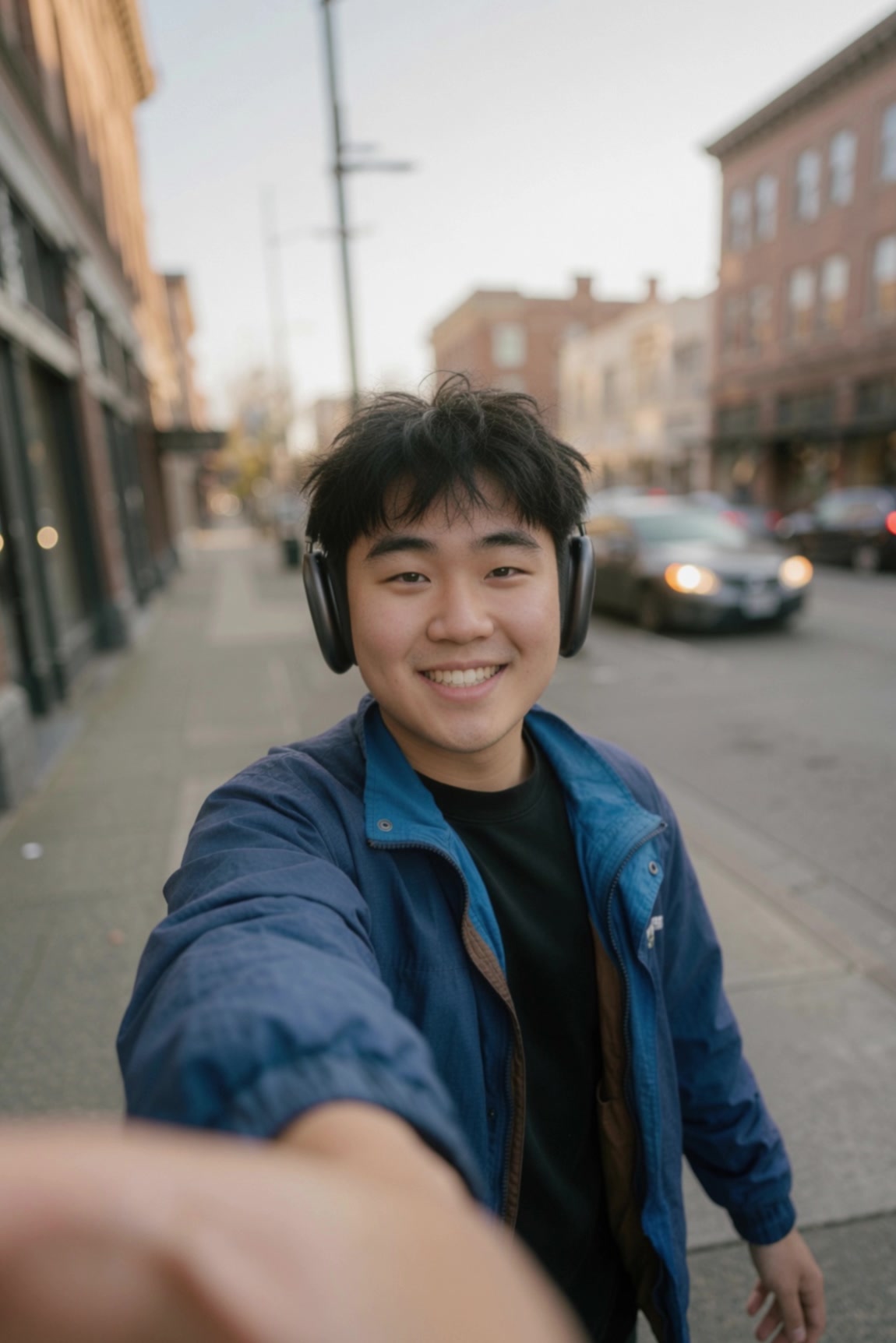
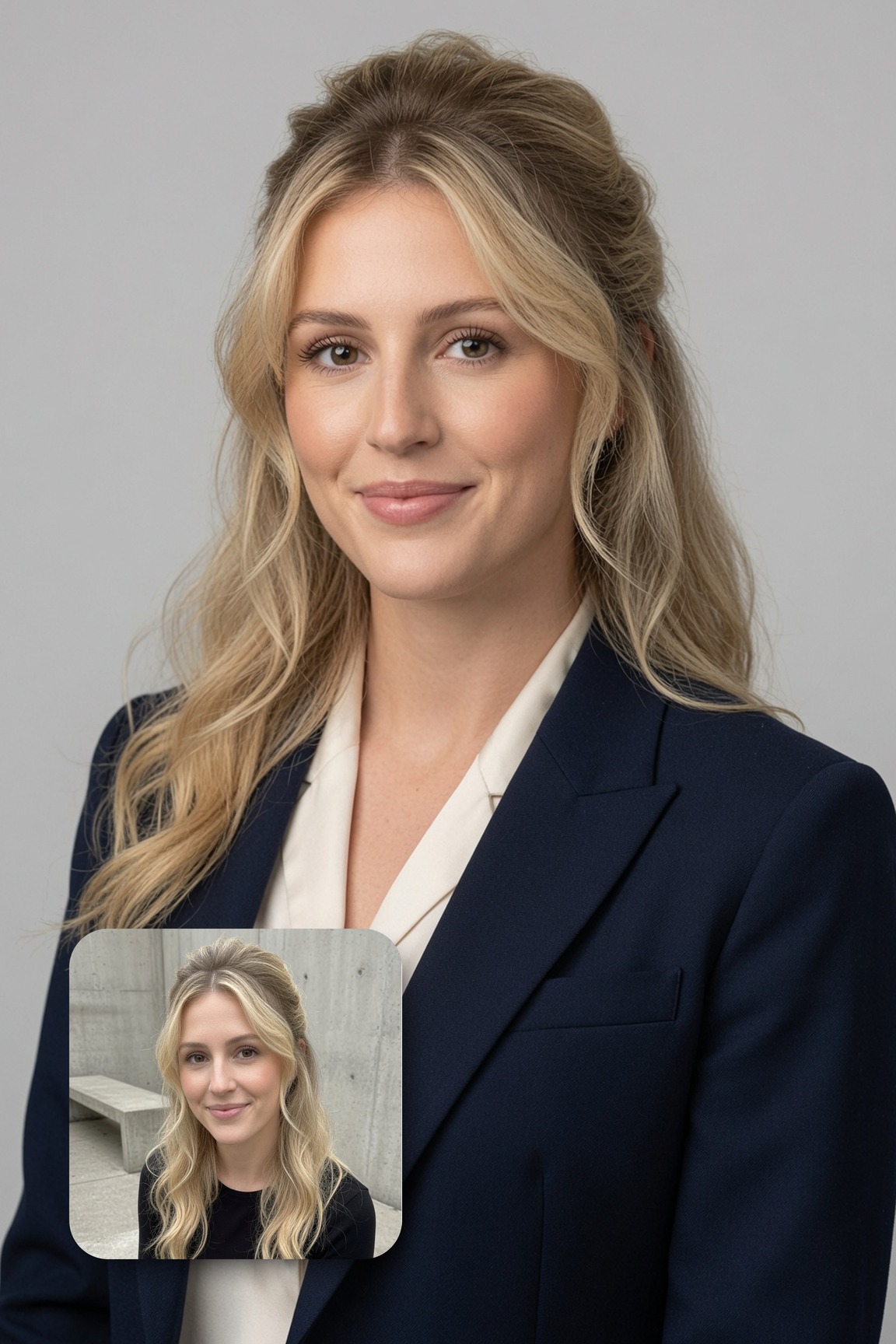
- The magic wand. Point at a region, describe the change, and only that region changes. Everything you already approved stays untouched — the end of re-rolling an entire image because one element was wrong.
- Segmentation. Visually select precise areas to modify — useful when editing one product in a flat-lay or a single background element.
- Background removal with transparent export. Any subject exports as a transparent PNG ready to drop into another design, replacing the separate cutout tools most small teams still pay for.
- Multi-reference editing. Up to 5 input images in a single generation — product shot, model, location — composited by the model instead of by you in Photoshop.
- Smart resize. One image, any ratio from 1:2 to 2:1. Pick 9:16 for Reels, 1:1 for marketplace listings, 16:9 for banners, and the model fills the frame intelligently instead of cropping it.
Source: xAI's official announcement
Templates: fifteen workflows at the click of a button
Quietly, this might be the most practical part of the release. Instead of engineering the perfect prompt, you pick a template — Photo Edit, Product Color Change, Product Poster, E-Commerce Photos, UGC Photos, Professional Headshot, Collage, Mascot Maker, Icon Maker, Character Sprite, Props & UI Kit, Emoji Creator, Merch Maker, Background Removal — and the workflow arrives preconfigured. You supply inputs; you get a finished result. For a two-person e-commerce team, that is the difference between "AI toy" and "Tuesday afternoon."
The video side: Imagine Video 1.5 with References
The July 31 update matters as much as the image one, particularly for content creators:
- Up to 7 references per generation. Each reference image locks one thing in place — a face, a product, a location. Keep the character and swap the scene, keep the scene and swap the character, or hold both and change only the action.
- Voice and face consistency together. Pass in a character image plus a voice reference, and both hold across scenes — a capability that until recently required studio-budget tooling.
- Text-to-video without a starting image. Describe the shot; the model pairs its image generation with image-to-video.
- Native 1080p, for both text-to-video and image-to-video, on web, iOS, and Android.
One availability note worth reading twice: image and voice references launched in the United States for SuperGrok Heavy and SuperGrok Plus subscribers first, with xAI committing to roll them out "to all tiers over the next few days." Text-to-video and native 1080p are generally available everywhere. If the reference options are missing in your account, you are in a rollout wave, not looking at a bug.
Source: The official Video 1.5 announcement
From brief to campaign in one afternoon: a realistic workflow
To make this concrete, consider a scenario thousands of small businesses face. Amina runs a modest fashion boutique in Kuala Lumpur and needs thirty product images for her storefront and an upcoming social push. The traditional route: a photographer and studio rental, easily $400–800 for the session, plus a week of back-and-forth on retouching. The new route: she photographs her garments on a white background with her phone, then uses multi-reference editing — product photo, model, and a location she likes — through the E-Commerce Photos template. Smart resize produces the 1:1 marketplace set, the 9:16 vertical set for short video, and a 16:9 banner. A color change request from her business partner takes one product-color pass instead of a reshoot; background removal hands her transparent cutouts for the banner layout. Her total cost sits inside a $30/month SuperGrok subscription — less than a single professional photograph. Her one manual step: proofreading any text baked into the images, because generated typography still deserves human eyes.
What this means for you: pricing, availability, and language
- Where it works: grok.com/imagine in any browser, plus native iOS and Android apps. xAI has announced no regional restrictions on image generation or text-to-video. Reference-based video features started in the US and are expanding.
- Official pricing, straight from x.ai/pricing:
- Free ($0): access to Grok with generous limits — enough to evaluate the tools seriously.
- SuperGrok ($30/month): unlocks image and video generation with higher limits across all features.
- SuperGrok Plus ($100/month): 1080p video creation, significantly higher usage across Chat, Imagine, Voice, and Build, lightning-fast replies, priority access at peak times, and early access to new features.
- Payment: subscriptions bill in USD by card; there are no local-currency options, so plan accordingly if your card adds foreign-transaction fees.
- Language: the model understands prompts in dozens of languages, including Arabic, French, and Spanish, and executes them well. Text rendered inside generated images is a different story — short English typography is now genuinely sharp thanks to the designer-style layout planning xAI describes, but complex non-Latin script inside images still needs review and, often, manual replacement in a design tool.
💡 Want to go deeper on AI tools professionally? Browse Truescho's curated AI and programming courses — university-backed tracks, many free to start.
Quick comparison: Grok Imagine 2.0 vs the tools people actually use
| Criterion | Grok Imagine 2.0 | ChatGPT (gpt-image-2) | Gemini (gemini-3-pro-image) | Free scattered tools |
|---|---|---|---|---|
| Arena rank at launch | #2 in both generation and editing | #1 in both | Top-5 contender | Not competitive |
| Built-in editing | Magic wand + segmentation + background removal + 5 refs | Strong conversational editing | Basic editing | Separate tool per job |
| Video in the same subscription | Yes — Video 1.5 up to 1080p | Separate product | Veo sold separately at a premium | Minimal |
| Serious entry cost | $30/month (SuperGrok) | Plus subscription, then image caps | AI Pro tier | $0, with quality ceilings |
| Platforms | Web + iOS + Android in one place | Separate apps | Google ecosystem | Random websites |
| Best for a small store | High — e-commerce templates ready | High for single-hero quality | Medium | Low |
The practical takeaway: if your priority is the absolute best single image regardless of cost, the gap between #1 and #2 might justify gpt-image-2. If your priority is a complete pipeline — generation, editing, resizing, and video — under one predictable subscription, Grok Imagine's current bundle is the most complete value proposition on the market.
For the wider context on xAI's stack, see our explainers on Grok 4.6 and the agentic turn and the 21 new flagship Grok voices.
Honest limitations: what the announcement page doesn't say
- "World's second" is a moving target. The ranking is xAI's quote of Arena boards as of August 7, 2026. Rivals ship monthly; the ordering may have shifted since this guide was written.
- Non-Latin typography inside images remains the weak spot. xAI's "sharp small text" claims are demonstrated on English. Complex Arabic or Indic script inside generated images typically requires manual retouching.
- 1080p video sits behind the top tier. Full-resolution native video and voice references are aimed at SuperGrok Plus; the $30 tier gets lower ceilings in some scenarios.
- Reference rollout is regional. US-first at launch, expanding in waves — check your account rather than assuming a bug.
- Commercial-use terms evolve. Before building a client campaign on the output, read the current terms on xAI's site; usage policies for generated media are still a moving area across the industry.
Frequently asked questions
Is Grok Imagine 2.0 free?
Image generation is available on the free plan within usage limits. Serious volumes, video, and the advanced templates work best on SuperGrok ($30/month) or SuperGrok Plus ($100/month), depending on the resolution and volume you need.
How do I use Grok Imagine outside the US?
Open grok.com/imagine in your browser or install the Grok app on iOS or Android and sign in. No regional restrictions have been announced for image generation or text-to-video; subscriptions bill in USD on an international card.
Does it understand prompts in other languages?
Yes — prompts written in Arabic, French, Spanish, and most widely spoken languages are understood and executed well. Text rendered inside the images themselves is more reliable in English than in non-Latin scripts, so plan to review that layer manually.
What's the real difference from gpt-image-2?
In the August 7, 2026 Arena snapshot, gpt-image-2 led narrowly (1463 vs 1439 Elo in editing; 1380 vs 1320 in text-to-image). Grok Imagine counters with a broader workflow — region editing, background removal, five reference images, and 1080p video — inside one subscription.
Can I use the images commercially?
Generally yes within xAI's terms of service, but review the current usage terms on their official site before making them the backbone of a commercial campaign — policies in this space update frequently.
Does the video update need a special subscription?
Text-to-video and native 1080p are generally available on web and mobile. Image and voice references launched for SuperGrok Heavy and Plus subscribers in the US and are rolling out to other tiers progressively.
The bottom line
The August updates complete Grok Imagine's transition from novelty to daily driver: a top-two ranking in both image categories, precision editing that used to belong to professional suites, ready-made business templates, and reference-locked video up to 1080p. The gap to the number-one spot is narrow, the entry price is one subscription, and the competition between labs means the ultimate winner is the user — who can now rent a production pipeline for the price of a coffee per week.
📚 For more practical AI tool guides and student resources, explore Truescho — scholarships, smart study tools, and technology explainers in one place.
Sources
- Official announcement: Imagine Image 2.0 — x.ai
- Official announcement: Imagine Video 1.5 with References — x.ai
- Grok plans pricing — x.ai/pricing
- Image model leaderboards — lmarena.ai
- Truescho's Grok 4.6 explainer
Related: Build apps for free with Grok Build.