
Last updated: August 2026
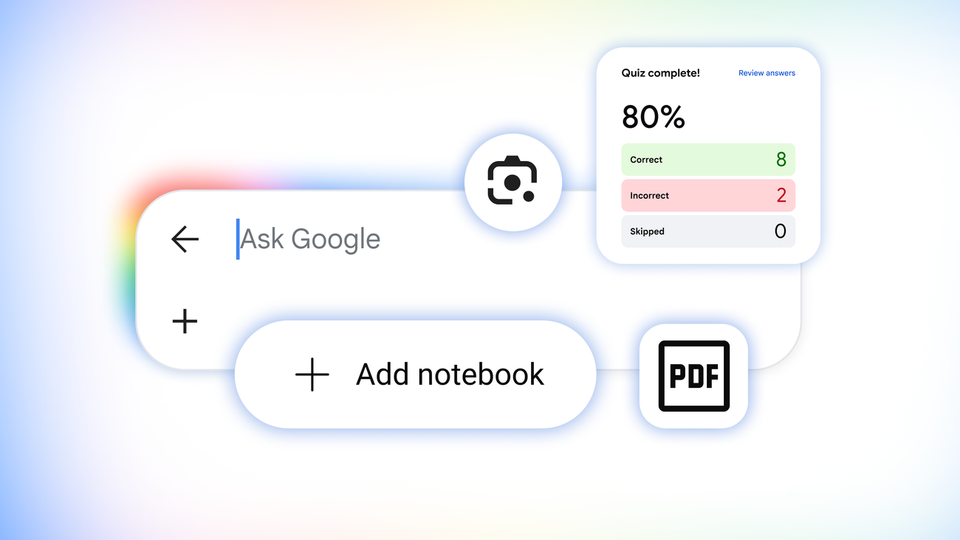
On Wednesday, August 19, 2026, Google announced a bundle of new study tools inside Search itself — not inside a separate app, and not behind a paid subscription: interactive practice quizzes for any subject, a camera-based homework helper through Lens, smart notebooks surfacing inside search results, interactive simulations for hard concepts, and a tool that turns your scattered notes into a ready-made revision file. The significance is not "one more feature"; it is a move of the entire study-assistant battle onto the page students around the world already open dozens of times a day. This guide breaks down each tool, how international students can use it today, its honest limitations, and how it compares with the paid alternatives students currently budget for.

Source: Official Google Blog
What exactly did Google announce?
Google introduced what it calls "new ways to level up your learning through AI in Search," as part of its Back to School 2026 campaign, with an explicit emphasis that the education tools are "built to be safe by design." The announcement contains five concrete capabilities rather than future promises: three are live now globally in English (practice quizzes, interactive visuals, custom file creation), one is rolling out within days (notebooks across more than 180 countries), and one arrives within weeks (the Lens learning experience).
The core point for any student reading this: all of these tools live inside the free product you already use, which means the real competition is no longer between paid study apps — it is between Google and the rest of the market.
Tool 1: Interactive practice quizzes inside search results
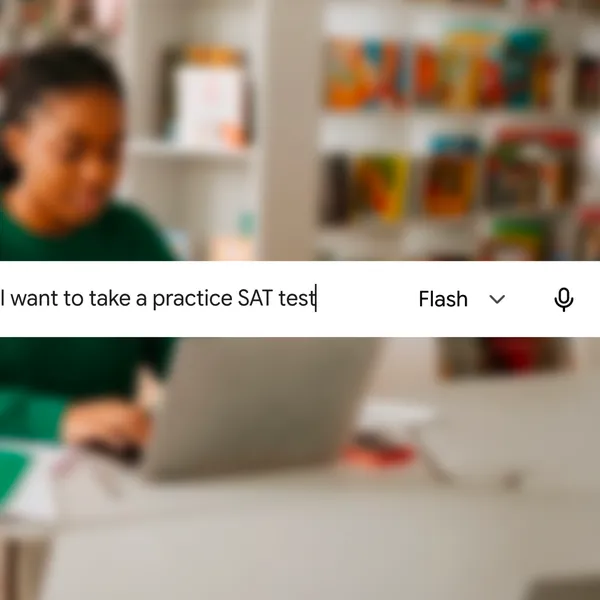
This is the most practically powerful item in the bundle. Type a simple request into Google Search — the company's own example is "create a quiz with the most commonly tested vocab words to help me prep for the SAT" — and you get a full interactive quiz inside the result, with an explanation for every response, right or wrong, plus links to learn more. Coverage is not limited to vocabulary: Google says quizzes work for any subject from science and math to humanities and foreign languages.
More important for internationally mobile students: Google embedded content from named education partners — The Princeton Review, Careers360, PhysicsWallah, and Akira Enem — so the quizzes cover standardized admission tests: SAT, ACT, AP, GRE, LSAT, and MCAT, plus India's JEE and NEET and Brazil's ENEM. The quizzes are available now, globally, in English, free of charge, in both AI Overviews and AI Mode.
In practice, a high-school student in Lagos, Jakarta, or São Paulo preparing for the SAT no longer needs to buy a standalone question bank before testing their level. They can generate a quiz targeted at a specific weak spot in seconds, then connect the result to authoritative revision sources. We previously explained how to get free full-length SAT practice tests inside the Gemini app in partnership with The Princeton Review — the news today is that the same capability has moved into the search page itself, with no extra step.
Source: Google Blog — Back to School 2026
Tool 2: Interactive simulations for concepts that refuse to click
Passive reading of a static textbook page is sometimes not enough for a concept to click. Google's answer: search for a concept like "ph scale" and get an interactive visual inside an AI Overview that explains the basics; then push one step further — say, plotting citrus fruits on that same pH scale — and AI Mode will build a customized experience for your exact question.
Google calls this capability Generative UI, and it has launched globally in English in AI Mode, with rollout into AI Overviews already started. The real value for students is the shift from "read the definition and memorize it" to "move the variable and watch the outcome" — which is what paid simulation apps used to do, now inside the search result with no sign-up.
Tool 3: Lens as a homework coach — photograph the problem, get guidance
Slated for the coming weeks, and worth the wait: open the Google app on Android or iOS, tap the camera icon, photograph the problem or your handwritten working, and an AI Overview provides explanations, pinpoints where you may have made a mistake, and coaches you when you are stuck — instead of just dumping a finished answer. You can then ask follow-up questions and keep the conversation going in AI Mode while browsing relevant websites.
The difference from what many students already do with a general-purpose AI chatbot matters: this design is aimed at teaching rather than answer-delivery — locating the exact spot where your own work went wrong is the heart of the service. That said, we will be blunt in the limitations section below: any generative tool can misjudge a correction, and blindly trusting it for math or chemistry fundamentals is a gamble.
Tool 4: Smart notebooks inside Google Search
Google announced it is bringing notebooks to AI Mode within days, built on Gemini Notebook — the product formerly known as NotebookLM, which Google describes as one of its most popular tools for learning. The suggested pattern from Google itself: set up a dedicated notebook for each class or project, then add a range of sources — class slides, the syllabus, relevant web articles, and even your previous AI Mode threads on related topics.
The notebook pulls everything into one place, letting you ask questions and analyze topics based on your own reference materials while building on your ideas over time. Syncing is automatic: your existing notebooks from Gemini Notebook or the Gemini app will appear in Search automatically, carrying their sources and instructions across Google products. The rollout covers more than 180 countries in English first, with local-language support to follow in the weeks ahead — a clear signal that more languages are on the roadmap without a committed date. One explicit exclusion at launch: the European Economic Area (EEA), per Google's footnote.
Tool 5: A ready-made revision file from your scattered materials
Instead of manually copying and pasting between scattered course materials, you can now ask Search to create ready-to-use study documents based on your uploaded files or AI Mode threads. Google's example: add a photo of your handwritten notes along with lecture slides and ask for a one-pager outlining the key concepts.
Custom file creation in AI Mode has rolled out globally in English and is coming soon to AI Overviews. At launch it supports documents, slide presentations, spreadsheets, and text files across a range of formats, with more promised. For generations of students, assembling the final revision sheet has been the single most time-consuming step before an exam; compressing it to a minute changes the shape of exam week entirely — provided the student reviews the output rather than treating it as gospel.
What this means for international students
First, availability: all five tools launch in English first and globally, and several (quizzes, simulations, file creation) are live now. A student in Nigeria, the Philippines, Pakistan, or Vietnam can try them today without a VPN and without a subscription, because the rollout is genuinely worldwide rather than US-first — a real improvement over past launches that started American and widened later.
Second, cost: these are free tools inside a free product. If you want the paid comparison, recall that Google also recently launched a full free year of Google AI for university students across 140+ markets — the picture is clear: Google is building an entire student pipeline that requires no credit card.
Third, transparency and control: we wrote a few days ago about Google's new personalization controls for Search, Discover, and News; it is the same system. The more AI enters your search experience, the more understanding the control panel becomes a core study skill rather than a luxury.
Quick comparison: Google's new tools vs common study alternatives
| Criterion | New Google Search tools | Paid quiz apps | Standalone NotebookLM | General AI chatbots |
|---|---|---|---|---|
| Price | Fully free | Usually monthly subscription | Free with a Google account | Free tier + subscriptions |
| Where it lives | Inside the search page | Separate app | Separate site/app | Separate app |
| Question sources for standardized tests | Named partners (Princeton Review etc.) | Proprietary banks | Not applicable | Unlabeled sources |
| Step-by-step correction from a photo of your work | Coming with Lens within weeks | Rare | No | Partial, not homework-focused |
| Building revision from your own materials | Yes (notebooks + files) | No | Yes (its core) | Limited |
| Non-English languages today | English first, more to follow | Some support multiple | Partial | Broad |
The practical bottom line: if you are preparing for an international test in English, Google's new tools are now the logical first stop — zero cost, zero friction. If you study in another language or need a fully structured course, a considered alternative remains sensible until your language arrives.
A realistic picture: one exam week with these tools
Imagine a Grade 12 student in Nairobi with a chemistry test on Thursday and the SAT three weeks out. Sunday evening she opens Google Search and requests a practice quiz on acid-base reactions; she answers ten interactive questions with an explanation for each miss. Monday she photographs her homework sheet with Lens and discovers her recurring error is decimal placement, not the formula itself. Tuesday she creates a chemistry notebook, uploads her teacher's slides, and asks for a one-page summary. Wednesday and Thursday she generates short daily SAT quizzes on the vocabulary she keeps missing. The entire path costs zero dollars — the same path families previously paid monthly subscriptions for. That is the scale of the shift.
Honest limitations to weigh before full reliance
- Language: everything is English-first for now; students studying in other languages wait for updates with no committed date.
- Correction accuracy: any generative model can misjudge a math or chemistry step; use the assistant to understand the reasoning, and verify critical points against your teacher or textbook.
- Psychological dependence: the fastest way to destroy problem-solving skill is reading finished solutions instead of attempting them; Lens is designed for coaching, but discipline stays with the student.
- Privacy: you are uploading slides, syllabi, and homework to a cloud service; review your Google account activity settings and know what is retained and for how long.
- Gradual geography: even inside a "global" launch there are exclusions (the EEA is excluded from notebooks at launch), so the experience may differ by country in early weeks.
Frequently asked questions
Are the new study tools in Google Search really free?
Yes. Google explicitly states the practice quizzes are available "free of charge" globally in English, and the remaining tools run inside Search and AI Mode with no additional cost mentioned — a regular Google account is all you need.
How do I get an SAT practice quiz inside Google Search?
Type a direct request such as "create a quiz with the most commonly tested vocab words to help me prep for the SAT." An interactive quiz appears inside an AI Overview or AI Mode with explanations for each answer, built on content from partners including The Princeton Review.
Do the new tools work in languages other than English?
The current rollout is global in English, and Google says local-language support will follow "in the weeks ahead" for notebooks without naming specific languages; English-medium students benefit today, others should wait for their language.
Can Google Search grade my homework from a photo?
Within the bounds of the new Lens experience rolling out over the coming weeks: photographing the problem or your handwritten attempt yields an explanation, a pointer to where you went wrong, and coaching, with follow-up questions in AI Mode — while the possibility of a mistaken correction remains, as with any generative tool.
What is the difference between notebooks in Search and the Gemini Notebook app?
It is the same system: your notebooks from Gemini Notebook or the Gemini app appear automatically in Search with sources and instructions synced, but the new interface lets you create and query notebooks from within the search experience itself.
Are these tools a replacement for a teacher or tutor?
Not a full replacement. They remove the need for the "cheap drill" layer (question banks and pre-made summaries), while teacher explanations, structured guidance, and human feedback remain more valuable than any tool — especially in the critical weeks before final exams.
Start the term in control of your numbers
Success in the new term is not measured by tools alone but by tracking your standing digitally. Compute your cumulative grade average in one click with Truescho's GPA calculator so you know your position before registration deadlines, and if you are building skills for a market that AI reshapes monthly, browse the supported courses and learning paths on the courses page.
If your goal reaches beyond this term — a university admission or a scholarship abroad — start from the right map: read our guide to the differences between YÖS, SAT, and GRE and when you need each one to learn which test serves your goal, then use the new Google tools above for daily practice on it.