
Last updated: September 2026
It is a Thursday evening in Lagos, and a final-year media student has just finished cutting a three-minute documentary for her portfolio. The footage is good; the silence is the problem — she has no budget for a composer and no time to learn a digital audio workstation before Monday.
A student filmmaker in Manila faces the same wall the same evening. On September 4, 2026, Google quietly removed that wall for both of them.
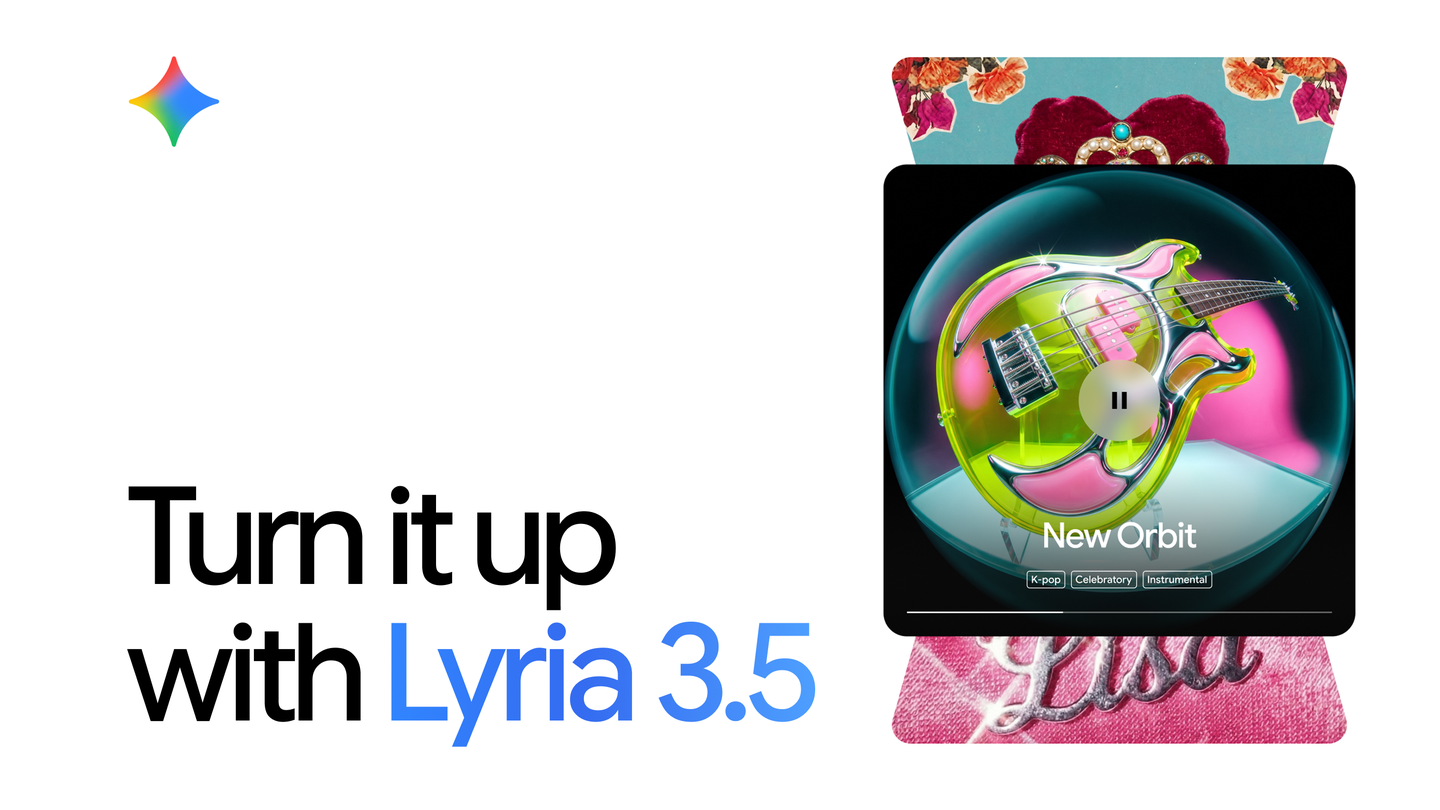
Lyria 3.5 is Google's best-sounding music generation model, and since September 4, 2026 it is free for every Gemini user worldwide, on web and mobile. You describe a genre, choose vocals or instrumental, and get a full song delivered as an MP3. Every track carries Google's SynthID watermark.
Source: Google Blog
Source: Google — official announcement post
The model actually arrived in two waves. It debuted inside Google's Flow Music app on July 29, 2026, then went global when Google announced "Create your best tracks yet with Lyria 3.5 in Gemini" on September 4. The launch post promises "more expressive vocals and richer musical arrangements" at "higher fidelity" — and, unusually for an AI music tool, it costs nothing to try.
How to make your first track in the Gemini app
The whole workflow lives inside the standard Gemini app you may already use for essays and revision. Based on what Google has documented, here is the sequence.
- Open Gemini on the web or your phone. No subscription is needed for generation — Google states the feature is "available to all users globally on the web and in the mobile app." It is the same app at the center of Google's wider Gemini Live productivity push.
- Describe the music you want. You can name or describe a genre — the launch highlights choosing or describing the style rather than mastering audio jargon.
- Decide between vocals and instrumental. Lyria 3.5 generates a pure instrumental or a full song with a sung vocal line.
- Start from a template when it helps. Google documents ready-made templates such as background music and birthday songs — ideal when you need a quick bed under a video.
- Use song-structure tags for lyrics. The API documents section tags — verse, chorus, bridge — so your generated song has a recognizable shape instead of one flat verse.
- Pick your length before generating. Choose a short clip or a longer piece; steer the final length through your prompt (more on the hard limits below).
- Regenerate rather than edit. Generation is single-turn: you cannot nudge a finished track with follow-up prompts. If the second verse misses, describe the change and generate a fresh take.
- Check the result against your vision. Google's own model page advises: "You should always carefully check that the tracks you create fit your vision."
Source: Google Blog
Two other doors into the same model
The Gemini app is the friendliest entrance, but it is not the only one — and for computer science students the alternatives are more interesting.
Google AI Studio exposes the model directly at aistudio.google.com, with the model selector set to Lyria 3.5. This is where the two documented versions matter: lyria-3-clip-preview, which always generates a 30-second clip, and lyria-3.5, which produces a full song of "a couple of minutes" with duration steered through your prompt or timestamps.
Flow Music, at flowmusic.app, is where Lyria 3.5 first appeared on July 29, 2026. Google Vids also integrates the model for video soundtracks, which is the fastest route if your project is a video rather than a song.
How long can a Lyria track be?
This is where most first-time users get confused, so here are the documented numbers in one place.
| Model | Length | Output | Notes |
|---|---|---|---|
| Lyria 3 Clip preview | Always 30 seconds | MP3 | Fixed-length clips for intros and ads |
| Lyria 3.5 via API | Roughly a couple of minutes | MP3 | Duration controlled via prompt or timestamps |
| Lyria 3.5 steerable range | 60-second clip to 3-minute full song | MP3 | Per the DeepMind model page |
| Audio quality | 44.1 kHz stereo | MP3 | Full-song fidelity documented by Google |
| Image inputs | Up to 10 images per generation | MP3 | Generate a song from pictures, not just text |
One more technical limit worth repeating: generation is single-turn. There is no "make the chorus louder" follow-up — each change means regenerating from scratch. Plan your prompt accordingly, and save takes you like.
Singing from photos: music generation from images
The strangest documented capability is also the most useful for creators: Lyria 3.5 accepts up to 10 images as input alongside text. The API documentation describes feeding pictures into the model and receiving a musical interpretation back.
The practical uses are obvious once you think about it. A wedding photographer in Nairobi can score a slideshow from the photos themselves. An architecture student in Jakarta can turn a portfolio board into a walkthrough soundtrack. The images give the model mood and color information that would take paragraphs to describe.
It is part of a broader 2026 pattern of Google building creation tools around your photo library, which we tracked in our coverage of Gemini in Google Photos.
Steering the vocal performance
For songs with lyrics, the differentiator is vocal control. Google's DeepMind page documents "directing the details" — controlling the vocal style of the generated singer rather than accepting a default delivery.

Source: Google DeepMind
Two things are deliberately impossible, and both are documented. Safety filters block requests to imitate the voice of a specific artist, and they block generation of copyrighted lyrics. Write your own words, choose a style — not a person — and the system cooperates.
Lyria vs Suno vs Roland Melody Flip: the September 2026 comparison
You have alternatives, and pretending otherwise would be dishonest. Here is the documented landscape as verified in the first week of September 2026.
| Lyria 3.5 in Gemini | Suno | Roland Melody Flip | |
|---|---|---|---|
| Price | Free for all Gemini users globally; API billed by usage | Free: 50 credits daily (about 10 songs), no monthly downloads; Pro: $8/month billed annually, 2,500 credits (about 500 songs) with 20 downloads monthly; Premier: $24/month, 10,000 credits (about 2,000 songs) with 60 downloads monthly | Free within every Roland Cloud tier, including the free tier |
| What it creates | Full songs with vocals or instrumentals | Full songs | Idea sketches — melody, chords, bass, drums — as MIDI, not finished songs |
| Input | Text prompt or up to 10 images | Text prompts | No text prompts: you pick genre, density, BPM, and key from about 250 Palettes |
| Output | MP3, 44.1 kHz stereo | Audio downloads per plan limits | MIDI inside your DAW (VST3/AU plugin for macOS 14/15/26 and Windows 11) |
| Watermark | SynthID on every track | Shifting toward watermarks and download limits after the Munich ruling | Not applicable to MIDI output |
| Best for | Free, fast full tracks from any device | High-volume creators who need many downloads | Producers who already live inside a DAW |
Source: Roland
Roland's positioning is refreshingly modest. Announced March 17, 2026 and released September 4 in partnership with Sony CSL, Melody Flip "should not replace the artist, but support a workflow where human intent, taste and creativity remain at the core," as the company put it — CEO Masahiro Minowa's team built a collaborator, not a hit factory.
We also checked Udio, the other name in every comparison, but its pricing page was locked behind scripts when we verified prices on September 7, 2026 — so we will not quote numbers we could not confirm.
Common mistakes to avoid
Expecting to edit a finished track. Generation is single-turn. Users who plan three refinement prompts get three brand-new songs instead.
Ignoring the watermark. Every Lyria track carries SynthID, Google's imperceptible watermark. This is not a defect to work around — it is what makes honest use of the tool possible.
Asking for a famous voice. The filters block artist imitation and copyrighted lyrics. Rephrase around style and genre, and write original words.
Assuming one take is enough. Google's own limitations section says the model is still improving — "You should always carefully check that the tracks you create fit your vision." Generate several, keep the best.
Comparing clip length to song length. The 30-second clip model and the multi-minute song model are different tools. Picking the wrong one wastes your best prompt.
What this means for you
The price story is the headline for readers in emerging markets: full-song generation is genuinely free worldwide, on the web and mobile, with no credit meter — at a moment when Suno's documented tiers run from free with limits to $24 per month.
On languages, honesty matters. The previous generation, Lyria 3, launched on February 19, 2026 in several languages, with Arabic included in beta and available globally on the web. Google's Lyria 3.5 announcement does not publish a language list at all. Until it does, the practical advice is simple: prompt in English for the most predictable results, whatever your first language is.
If your work is more spoken-word than musical, Gemini 3.5's transcription capabilities cover the other side of this model family. And if voice, not music, is your real bottleneck, our guide to voice control in Gmail, Docs, and Keep explains what Google shipped the same week.
For monetization-minded creators — and this is where a student in São Paulo uploading to YouTube should pay attention — the landscape shifted this summer. On July 31, 2026, a Munich court ruled that Suno violated copyright, the first such ruling in Europe, in a case brought via GEMA that is not final and can be appealed.
Deezer, meanwhile, reported that more than half of new uploads are now AI-generated — around 90,000 fully-AI tracks daily — yet they account for only 1–3% of actual listening, and up to 85% of its 2025 streams were found to be fraudulent.
The lesson is not "do not use AI music." It is that platforms are getting serious about provenance, and a SynthID-watermarked track generated from your own prompt is a far safer foundation than anything scraped or cloned.
If you are building a creative portfolio alongside your degree, Truescho's free platform pairs scholarship and job listings with AI study tools — useful when the portfolio needs to fund the degree.
Questions creators keep asking
Is Lyria 3.5 free for all Gemini users worldwide?
Yes. Google's September 4, 2026 post states the model is "available to all users globally on the web and in the mobile app" at no charge. API usage through the Gemini API is billed separately by usage.
How long can Lyria 3.5 songs be — 30 seconds or full tracks?
Both, through different versions. lyria-3-clip-preview is always 30 seconds; lyria-3.5 produces a full song of roughly a couple of minutes, with the DeepMind page documenting a steerable range from a 60-second clip to a complete 3-minute song.
Lyria 3.5 vs Suno 5.5: which AI music generator is better in 2026?
The honest answer is that it depends on your workflow, and anyone claiming an objective winner is guessing. The documented trade: Lyria 3.5 is free worldwide, generates from images, and watermarks every track; Suno's verified tiers offer up to about 2,000 songs and 60 downloads monthly at $24 per month. Test both on the same prompt and judge with your own ears.
Can I use Lyria 3.5 tracks commercially on YouTube?
Google's announcement does not ship a plain-language commercial license summary, so read the current terms before monetizing. What is documented: every track carries SynthID, artist-voice imitation is blocked, and the July 31, 2026 Munich ruling against Suno shows courts and platforms taking music provenance seriously.
Does Google Lyria block artist voice clones and copyrighted lyrics?
Yes. Safety filters documented for the launch block requests to imitate a specific artist's voice and block generation of copyrighted lyrics. Original lyrics and style descriptions work fine.
How do I generate music from images with the Gemini API?
Open AI Studio with the Lyria 3.5 model selected, attach up to 10 images alongside your text prompt, and generate — the API documentation confirms image inputs and MP3 output. Steer length through the prompt or timestamps.
What is SynthID watermarking in AI music?
SynthID is Google's imperceptible watermark embedded in every Lyria-generated track. You cannot hear it, but systems built to detect it can identify audio as AI-generated — which increasingly matters for platform moderation and fraud detection.
Is Roland Melody Flip a real alternative to Suno for producers?
It is a different instrument. Melody Flip generates MIDI ideas — melody, chords, bass, drums — from about 250 genre Palettes, with no text prompts, for use inside a DAW. Suno and Lyria produce finished audio. Producers who compose themselves will love Roland; creators who need a finished soundtrack will not.
Your next step
The barrier that used to sit between students and a decent soundtrack — money, software, years of training — is now a prompt box. Treat today as the day you actually test it:
- Open the Gemini app tonight and generate your first instrumental using a genre description and a song-structure tag.
- Score one real project — a class video, a friend's vlog, a presentation intro — and compare it against the silence it replaces.
- Try the same prompt with a 30-second clip and a full song to feel the difference between the two models.
- Feed one photograph into an image-to-music generation and watch what comes back.
- Read the terms of any platform you plan to upload to, knowing the SynthID watermark travels with your track.
- Bookmark this comparison — the pricing landscape will move again before the year ends.
- Skill up between projects with Truescho's course hub so the portfolio grows alongside the degree.
While you build the portfolio, let Truescho handle the other half of student life: scholarships, an AI study assistant, university rankings, and job leads in one free platform. Your generation gets both tools — use them together.
Sources
- Google Blog — Create your best tracks yet with Lyria 3.5 in Gemini — the official September 4, 2026 launch announcement
- Google DeepMind — Lyria model page — documented lengths, vocal control, SynthID, and limitations
- Gemini API — Music generation docs — the two model versions, image inputs, and output format
- Google AI Studio — Lyria 3.5 — try the model directly in the official playground
- Roland — Melody Flip product page — official details on the MIDI idea generator
Start Your Journey with Truescho
Whether you're searching for a scholarship or planning to study abroad, truescho.com gives you everything.
Get Started Free →