
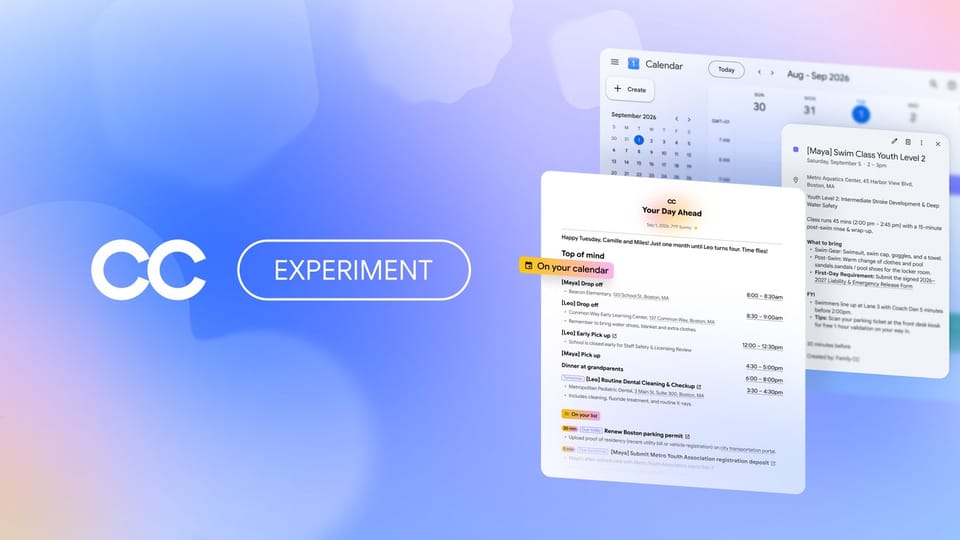
Google CC: the AI Agent That Runs Your Family's Schedule in 2026
What if one assistant could read the school newsletter, fill in the trip permission form, and brief the whole household every morning? That is the job Google CC, an AI agent for families, was assigned on September 17, 2026, when Google Labs turned its experimental CC agent into a shared household helper for up to six people. This guide answers what it is, how it works, and — for readers outside the United States — what you can realistically do today. Last updated: September 2026.
Every claim below comes from Google's official announcement and its earlier CC posts, dated honestly. Nothing here is a launch-day rumor, and nothing pretends the service is available worldwide when it is not.
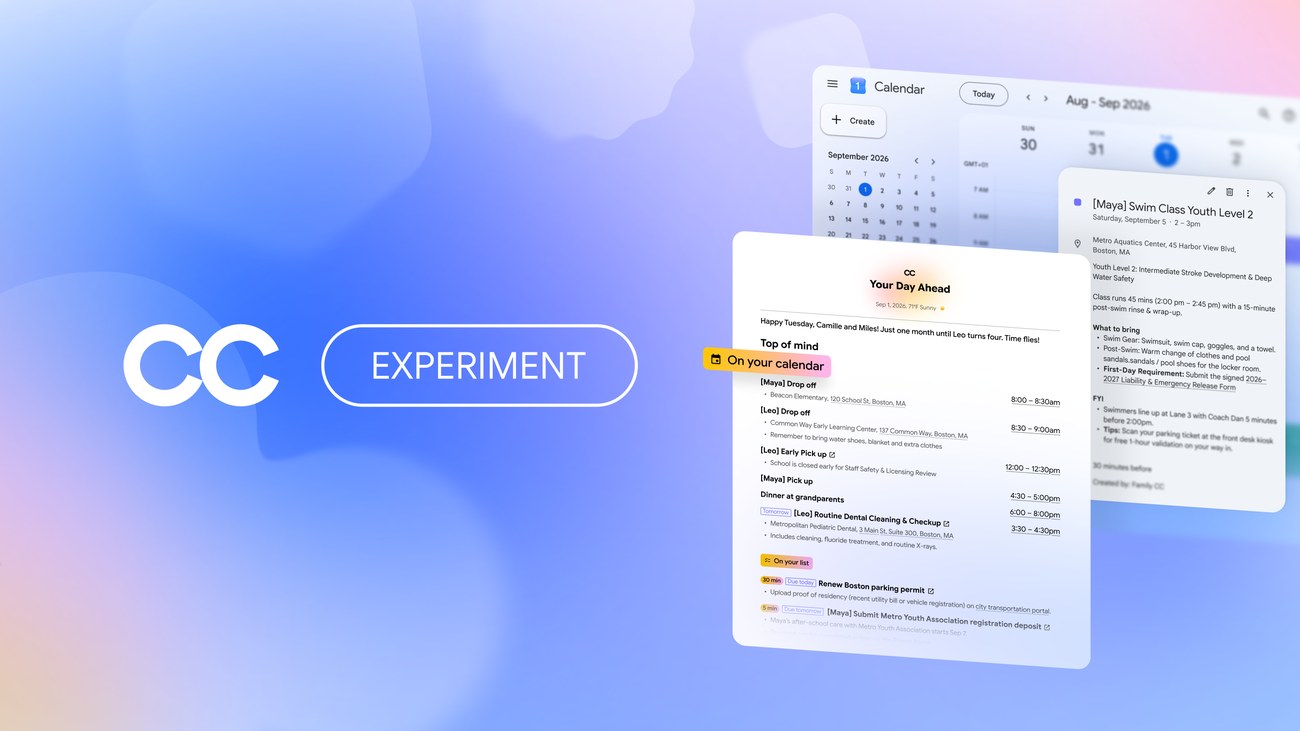
Source: The official Google Blog
The short answer: what is Google CC?
CC is an experimental AI agent from Google Labs — not a chatbot you ask questions, but an agent you delegate work to. It holds its own verified Google account, reads only the email senders each family member chooses to share, and turns that material into a shared morning briefing, calendar events, completed school forms, shopping lists, and meal plans for the household. Up to six people can manage it together.
The September 17, 2026 announcement, written by Tom Shane, Senior Product Manager at Google Labs, describes the upgrade plainly: early users asked for CC "to do more to help run a busy home," so CC is now an agent for families and homes. It is currently an early access experience, limited to the United States, for people aged 18 and over with personal Google accounts, on the web and mobile.
If you had not heard of CC before that sentence, that is expected. This is the third act of a product most people have never touched, and its history explains why it looks the way it does.
From personal helper to household manager
CC's story runs through three dates. It launched on December 16, 2025 as a personal productivity agent from Google Labs — an assistant that stayed on top of one person's tasks. In May 2026, a slice of that work reached a much bigger audience when Daily Brief arrived in the Gemini app as a personal daily summary feature. Then, on September 17, 2026, Google expanded CC itself from serving one person to serving a whole home.
That path matters for two reasons. First, the family version is not a brand-new experiment written from scratch; it inherits a year of testing with individual users. Second, the Daily Brief connection means part of CC's DNA already ships inside the regular Gemini app that hundreds of millions of people can install today — useful to know if you are outside the US, and we return to that below.
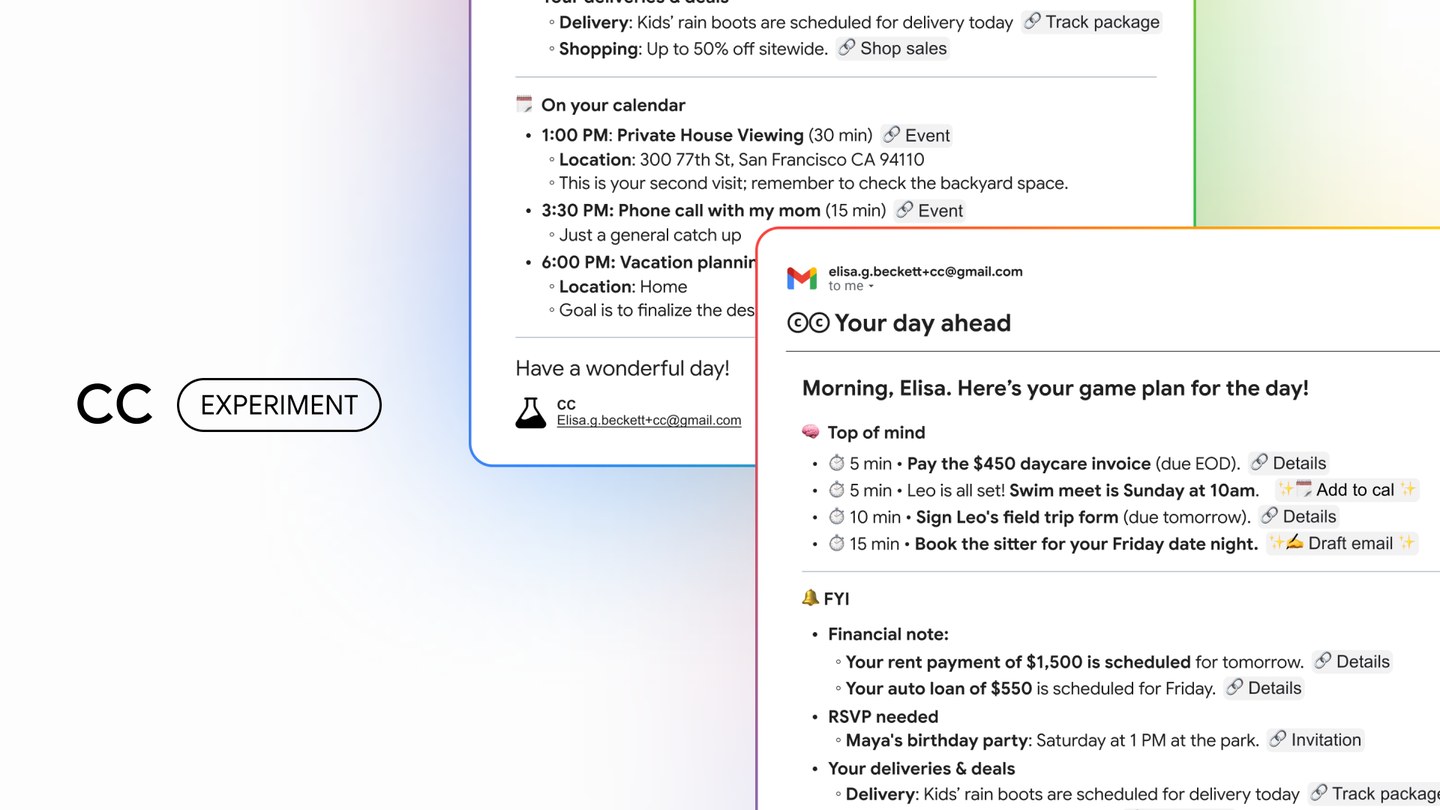
Source: The official Google Blog, original CC launch announcement
How CC actually works
An agent with its own Google account
Every CC agent gets a dedicated, verified Google account — an independent identity with a clear permissions model wrapped around it. That design choice does a lot of quiet work: CC can receive email, hold calendar invitations, and be shared into Drive folders like a household member would, while remaining auditable and revocable. It responds only to members of your group, and it does not take actions or share information outside the group without permission.
Up to six members manage the agent and collaborate with it, which maps neatly onto a household: two parents, a few kids, a grandparent who coordinates pickups.
CC sees only what each member chooses to share
CC does not blanket-read anyone's inbox. Each member selects the senders worth sharing — your child's school messages, the local pool's schedule announcements, the veterinarian's reminders. CC sorts that material automatically and weaves it into a shared "Your Day Ahead" digest that lands in everyone's email each morning, tied to Google Calendar and Tasks.
It finishes logistical tasks, not just reminders
This is the step beyond a summary. According to the announcement, CC:
- Tracks important dates and tasks automatically, adds events to the family calendar from what people share, and updates them as circumstances change.
- Fills in school permission forms and activity registrations from PDFs, builds stationery shopping lists, and drafts weekly meal plans.
- Asks you for the missing details it needs, then updates its collective memory so the household never supplies the same information twice.
Auto-cc CC and Send it to CC
Two mechanisms keep the agent fed without constant supervision. "Auto-cc CC" lets you choose senders whose messages should always be shared — the school, travel bookings — and each week CC emails you a list of new senders so you decide, one by one, whether they join. "Send it to CC" covers everything else: forward a stray email or a photo of a birthday invitation or training schedule through email or Google Chat, share a Drive folder or files with CC, or simply add it to a calendar event.
Under the hood: isolated compute, Antigravity, and Gemini
Each CC agent runs on its own isolated cloud computing instance, powered by Google's Antigravity agentic harness and the latest Gemini models. The announcement's examples are concrete: pre-filling class registration forms, checking live drive times from the Google Maps API between two back-to-back activities, and creating shared Docs and Sheets for the household. Integration spans Gmail, Chat, Docs, and Calendar.
A memory that separates the house from the person
CC's collective memory distinguishes between what belongs to the whole home — the usual grocery list, the family's favorite restaurants — and what belongs to an individual, such as dietary preferences or the time zone a traveling parent is sleeping in. That separation is what lets six people share one agent without the agent flattening them into a single profile.
Where CC is available — and where it is not
If you are in the United States: the experience is open to people aged 18 and over with a personal Google account, on the web and mobile. Existing CC users do not need to do anything — Google says an upgrade email arrives within days. Everyone else joins the waitlist at labs.google/cc and waits for an invitation, because this is early access, not a full launch.
If you are outside the United States: CC is not available to you yet, and no other countries have been announced. Google Labs experiments typically start narrow and expand gradually, but there is no published timeline, and it would be dishonest of us to invent one. What you can do today is join the waitlist so you hear about expansion first, and use the pieces of this ecosystem that already ship internationally — most notably Daily Brief inside the Gemini app, which grew out of CC's personal version in May 2026.
Students should note the other half of Google's student-and-family ecosystem, updated just two days before this CC announcement: on September 15, 2026, Google rolled out new Gemini Notebook study tools plus a free year of a paid plan for university students in more than 140 markets. If your interest in CC is really about organizing a demanding study schedule, that guide is the one to read next. For background on the wider Gemini product family, see our look at Expert Intelligence in Gemini Notebook and what the NotebookLM rename means for students.
CC, Daily Brief, or the family group chat: which fits
| Question | Google CC (family agent) | Daily Brief in the Gemini app | Traditional coordination (group chat + shared calendar) |
|---|---|---|---|
| Who it serves | A household of up to six members | One person | Any number of people, if they cooperate |
| What it does | Reads senders you choose to share, builds a shared "Your Day Ahead" digest, fills school forms, drafts meal plans, manages tasks and events | A personal daily briefing feature inside the Gemini app | Whatever the humans remember to type |
| Proactive actions | Pre-fills forms and registrations, adds and updates calendar events, checks drive times between activities | Summarizes your day for you | None — reminders depend on a person noticing |
| Availability | US only, 18+, personal Google account, early access waitlist | In the Gemini app since May 2026, where the app is available | Everywhere, free |
| Best suited for, right now | US households on the waitlist who want forms and logistics handled | Individuals anywhere who want a morning summary | Families outside the US, until CC expands |
The pattern to notice: CC is the only column where the work moves from you to the software. The trade is that it requires the most trust — you are connecting an agent to your family's real communications.
A concrete week in the life
Rachel, a school nurse in Austin, Texas, set up CC for her family of five last week. Each morning around six, "Your Day Ahead" arrives in her inbox: her daughter's swim practice time, the vet appointment for the family dog, and a flag that the middle school's fall trip permission form is due Friday. The form arrived as a PDF in the school's newsletter, which she auto-shares with CC; the agent has already pre-filled the fields it knows and is asking her, in plain questions, for the one detail it lacks — the emergency contact number for the trip.
On Wednesday, a friend hands her daughter a printed birthday invitation after practice. Rachel photographs it and sends it to CC through Google Chat; the event appears on the family calendar with the address, and CC notes the drive time between the birthday party and her son's piano lesson using live Maps data, suggesting they leave twelve minutes earlier than usual. By Sunday, CC has drafted the weekly meal plan and updated the stationery list for the new school term. Rachel's contribution for the week was answering two questions and clicking approve — the household ran on six shared brains, one of which happens to be an agent.
The privacy questions worth asking first
Connecting any agent to your family's email deserves a deliberate decision, not an impulse. The guardrails Google describes are real: CC has its own verified account with a clear permissions model, responds only to your group's members, and cannot act or share anything outside the group without permission. Auto-cc CC also gives you a weekly review of new senders, so the circle of what CC reads grows only when you say so.
Still, parents should ask themselves a few questions before signing up. Which senders am I comfortable sharing, and did I re-check that list this week? What is the household's collective memory retaining, and who among the six members can see it? And since the service requires an 18+ account holder, am I the one managing what my children's school communications feed into? None of these are reasons to stay away — they are the minimum diligence for handing an agent the school newsletter.
One more honest note: the announcement mentions no fee, and no paid tier has been announced for CC. That is the current state, not a promise about how a Labs experiment will be priced if it becomes a full product.
What families and students can use today, anywhere
While CC's waitlist clears and its geography widens, the practical move is stacking the pieces that already work internationally. Daily Brief in the Gemini app covers the single-person morning summary. For students — whose "family schedule" is mostly deadlines — the new Gemini Notebook study tools announced on September 15, 2026 pair a lecture recorder and voice study with a free student year in 140+ markets.
And for the plan that holds it all together, Truescho is a free global student platform that combines an AI study assistant — flashcards, quizzes, and summaries — with a scholarships database, a GPA calculator, and university rankings. Families with students can treat it as the shared home base while agents like CC handle the logistics: truescho.com/en. Funding the next semester is part of family planning too, so it is worth browsing the open opportunities on Truescho together.
Frequently asked questions
What is Google CC?
CC is an experimental AI agent from Google Labs. It launched on December 16, 2025 as a personal productivity agent, appeared as Daily Brief in the Gemini app in May 2026, and on September 17, 2026 became an agent for families — managing calendars, tasks, school forms, and household logistics for up to six people.
How do I join the Google CC waitlist?
Go to labs.google/cc and join the waitlist with your personal Google account. Current CC users do not need to do anything; Google says an upgrade email arrives within days. New applicants wait for an invitation, because this is an early access experience rather than a general launch.
Is Google CC available outside the US?
No. The family version of CC is currently limited to the United States, for people aged 18 and over with personal Google accounts, on the web and mobile. Google has not announced additional countries. Labs experiments usually start small and expand gradually, but there is no timeline to rely on yet.
How does CC's own Google account work?
Each CC agent gets its own verified Google account — a separate identity with a clear permissions model. It responds only to members of your group and cannot take actions or share information outside the group without permission. Practically, you treat CC like a household member with its own inbox, calendar, and memory.
CC vs Gemini Daily Brief — what's the difference?
Daily Brief is a personal briefing feature inside the Gemini app, available since May 2026; it summarizes the day for one person. CC is a full agent for the household: it reads the senders your family chooses to share, builds a shared morning digest, fills forms, and manages family tasks and events.
What can CC do for my family (forms, meal plans)?
It pre-fills school permission forms and activity registrations from PDFs, builds stationery shopping lists, drafts weekly meal plans, tracks important dates, adds events to the family calendar, and checks Google Maps drive times between back-to-back activities. It asks for missing details and updates its collective memory.
Is CC free?
Google's September 17, 2026 announcement does not mention any fee, and no paid tier has been announced for CC — nor has Google announced any fee for the testing period. Treat that as the current state, not as a promise about how the product will be priced later.
The bigger picture
CC is the clearest signal yet of where household software is heading: from tools that display your obligations to agents that quietly discharge them, one permission form at a time. For now it is a US experiment with a waitlist, a six-person cap, and an honesty requirement built into any coverage of it. Watch the Labs pattern — narrow launch, gradual widening — and in the meantime, pair the internationally available pieces with a platform that already works everywhere. If your household includes students, Truescho's study assistant and opportunity database is a sensible first stop.