
Google AI Ultra at $100: why Google wants AI to become a premium subscription
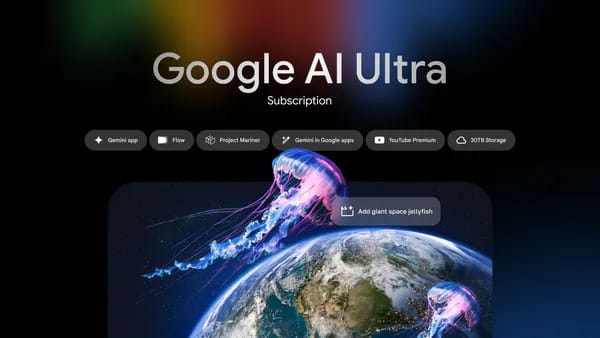
Google AI Ultra $100 is not just a cheaper version of an expensive plan. It is a sign that AI subscriptions are becoming compute tiers, similar to cloud plans, storage plans, and professional software seats. The monthly fee is not only for a chatbot. It is for higher usage, faster access, agent workflows, video tools, storage, and bundled services.
At Google I/O 2026, Google introduced a new $100/month AI Ultra plan and reduced the top Ultra tier from $250 to $200/month. The new structure sits above more everyday Gemini plans and below the heaviest Ultra option. Google says the $100 plan is aimed at developers, technical leads, knowledge workers, and advanced creators.
That audience tells you what Google is selling. The company is not pricing casual homework help at $100. It is pricing repeated, compute-heavy work: agentic coding, Antigravity sessions, high-limit Gemini app usage, creative generation, storage, and access to emerging tools such as Gemini Spark in the U.S.
For most students and everyday users, $100/month will be too much. For a small startup, a freelance automation consultant, a product lead, or a creator producing paid work, it may be easier to justify. The value depends on whether the plan saves billable hours, increases output quality, or replaces other software spending.
What changed from the original Ultra launch?
Google first launched AI Ultra in 2025 in the U.S. at $249.99/month, with a 50% discount for first-time users for the first three months. That original plan included Google's highest Gemini limits, Flow, Whisk, higher NotebookLM usage later, Gemini in Workspace apps, Gemini in Chrome early access, Project Mariner, YouTube Premium individual, and 30TB of storage.
The 2026 update reshapes the top end. Google says the new $100/month AI Ultra plan includes a 5x higher usage limit in the Gemini app and Google Antigravity than Pro, Gemini 3.5 Flash integration, priority Antigravity access, 20TB of cloud storage, and YouTube Premium individual. The top Ultra tier drops to $200/month and keeps the same capabilities, but with a 20x higher usage limit in the Gemini app and Antigravity than Pro.
That is a clear segmentation strategy. Google is creating a high-end plan for serious users who need more than Pro, and a higher high-end plan for people who hit limits constantly.
For related context, see Truescho's explainers on Gemini 3.5, Gemini Omni video creation, and Google's AI Search box.
What the $100 AI Ultra plan includes
Based on Google's I/O 2026 subscription announcement, the $100 plan is built around higher limits and professional workflows. The key items are higher Gemini app and Antigravity usage compared with Pro, Gemini 3.5 Flash integration, priority Antigravity access, 20TB cloud storage, and YouTube Premium individual.
The plan also matters because of Gemini Spark. Google says Gemini Spark is available for AI Ultra $100 and $200 in the U.S. only, beginning with trusted testers and then a planned beta for U.S. Ultra subscribers the following week. That is not a global promise. It is a U.S.-only rollout for now.
Google also says Project Genie is available through the $200 Ultra plan globally for eligible subscribers 18 and older. Meanwhile, Gemini Omni and Gemini 3.5 Flash are broader: Google lists Gemini Omni as available to AI Plus, Pro, and Ultra globally, and Gemini 3.5 Flash as available to AI Plus, Pro, and Ultra globally.
That distinction matters. Ultra does not mean every new Google AI feature is exclusive to Ultra. Some features are broader. Some are U.S.-only. Some are tied to a specific tier. The details are the product.
Comparison: Google AI Pro, Ultra $100, and Ultra $200
| Plan category | Best fit | Usage position | Key I/O 2026 points | Main caution |
|---|---|---|---|---|
| Everyday Gemini or Pro-style access | Students, casual users, light creators | Lower than Ultra tiers | Suitable for regular Gemini use depending on plan availability | May not include high-limit agent workflows |
| Google AI Ultra $100 | Developers, technical leads, knowledge workers, advanced creators | 5x higher Gemini app and Antigravity limit than Pro | Gemini 3.5 Flash integration, priority Antigravity, 20TB storage, YouTube Premium individual | Gemini Spark is U.S.-only; not everyone needs this much compute |
| Google AI Ultra $200 | Heavy professional users and teams pushing limits | 20x higher Gemini app and Antigravity limit than Pro | Same capabilities with much higher limits; Project Genie for eligible global subscribers 18+ | Expensive unless usage produces real economic value |
| Lower-cost Gemini Advanced Family access through Truescho shop | Everyday Gemini users seeking a cheaper access option | Different product category | Listed at EUR 3/month or EUR 25/year through Truescho shop | Does not guarantee Google AI Ultra, Spark, Omni, or brand-new I/O features |
Users comparing prices should keep the product categories separate. The Truescho shop can be a cheaper everyday Gemini Advanced Family option at EUR 3/month or EUR 25/year, but it should not be described as Ultra access or as a route to Gemini Spark, Gemini Omni, or new I/O-only features unless officially confirmed.
Why premium AI subscriptions exist
The simplest answer is compute. Advanced AI tools cost money to run, especially when they involve long context, coding agents, video generation, multimodal analysis, background tasks, and repeated attempts. A simple text answer may be cheap. A long agentic workflow that reads files, writes code, checks errors, creates assets, and runs over time is much more expensive.
Google is also bundling AI with ecosystem value. Storage, YouTube Premium, Workspace-style integrations, Chrome, Antigravity, Flow, and future agent features make the subscription feel less like one model and more like an operating layer across Google's products.
There is also a business reason. Free AI products create adoption. Paid tiers create predictable revenue and control heavy usage. If a small percentage of users consume a large percentage of compute, subscription tiers help Google charge those users more without making basic access unaffordable for everyone.
A realistic example: Daniel's agency math
Daniel runs a two-person automation and content agency in Lagos. His clients include a real estate broker, a study-abroad consultant, and a small e-commerce brand. He spends around 45 hours per month on research, content planning, code snippets, client reports, and short video concepts.
If a $100 Ultra plan helps Daniel save eight billable hours per month and his effective hourly value is USD 30, the plan could produce USD 240 of time value. If priority Antigravity access helps him finish one extra client automation project per month worth USD 400, the subscription is easy to justify.
But if Daniel only asks Gemini a few questions per week and occasionally drafts emails, the math fails. He would be paying for unused headroom. In that case, a cheaper everyday Gemini option or a standard plan may be more rational.
For students doing scholarship research, the same logic applies. A student comparing universities on Truescho rankings, searching international opportunities, or calculating eligibility through the GPA calculator may benefit from AI assistance. But most students do not need a $100 monthly AI plan unless they are also coding, creating content, or running high-volume projects.
What is global and what is U.S.-only?
Google's official subscription details include several geographic limits. Gemini Spark is available for AI Ultra $100 and $200 in the U.S. only, beginning with trusted testers and then a planned beta for U.S. Ultra subscribers. AI Inbox in Gmail and Daily Brief are U.S.-only for AI Plus, Pro, and Ultra.
Other features are broader. Google says Gemini Omni is available to AI Plus, Pro, and Ultra globally. Gemini 3.5 Flash is also listed as available to AI Plus, Pro, and Ultra globally. Project Genie is tied to AI Ultra $200 globally for eligible subscribers 18 and older.
This is where many users make expensive mistakes. A headline says "$100 Ultra," but the feature they care about may be limited by country, age, product surface, or rollout schedule. Before paying, users should check the current official plan page and confirm the exact feature they need.
Compute-based limits change the psychology
Google says it is moving from daily prompt limits to compute-used limits, refreshing every five hours until a weekly cap. It also mentions pay-as-you-go top-up credits for Antigravity, Flow, and later the Gemini app.
That sounds technical, but it changes user behavior. A short question and a long multimodal agent task do not cost the same. A compute-based system can price those differences more directly. It also prepares users for AI plans that feel more like cloud credits than unlimited chat.
For professionals, that can be fairer if limits match actual resource use. For casual users, it can be confusing. People will need clearer dashboards showing what consumed their allowance, when it refreshes, and whether a task is likely to be expensive before they run it.
Who should pay for Google AI Ultra $100?
The $100 tier makes the most sense for people who use AI as part of paid work. Developers using Antigravity heavily, technical leads reviewing code and architecture, researchers processing large documents, creators producing high volumes of content, consultants building workflows, and founders prototyping products may all find value.
It is less convincing for casual users, ordinary students, light email drafting, occasional brainstorming, or people who only want access to Gemini for everyday questions. The opportunity cost matters. USD 100/month is USD 1,200/year, before taxes and possible regional pricing differences.
If the plan saves time that has real value, it can be rational. If it only feels exciting because it is the premium tier, it is probably unnecessary.
Why Google lowered the top tier from $250 to $200
Google did not frame the change as a retreat. It looks more like market segmentation. A single $249.99 plan was a blunt instrument. Two Ultra tiers let Google capture users who found $250 too high while preserving a more expensive option for the heaviest users.
This also puts Google closer to a familiar premium-AI pattern: a mainstream paid plan, a professional high-limit tier, and a top tier for power users. The $100 plan becomes the bridge. It is expensive enough to signal professional use but not as shocking as $250.
The bigger story is that AI pricing is becoming less about model access and more about workflow capacity. Users are not only choosing "which chatbot." They are choosing how much agent work, video work, storage, and integrated productivity they expect to consume.
The real difference from Pro is headroom, not magic
Many people will ask whether Google AI Ultra $100 makes the model smarter than Pro. The more useful question is whether it gives enough additional headroom for the work you actually do. Google's official subscription post frames the $100 plan around 5x higher usage in the Gemini app and Google Antigravity than Pro, plus priority Antigravity access, Gemini 3.5 Flash integration, 20TB of storage, and YouTube Premium individual. That is a capacity argument.
Capacity matters when work is iterative. A developer may ask an agent to inspect a codebase, propose changes, run through errors, update tests, and explain a migration. A creator may generate multiple Flow or Gemini Omni drafts, revise them, compare formats, and prepare versions for different platforms. A knowledge worker may summarize many documents, draft reports, inspect spreadsheets, and create follow-up materials. Those workflows can hit limits faster than ordinary chat.
For light users, the same capacity is wasted. If someone mainly uses Gemini to rewrite emails, ask general questions, summarize short documents, or brainstorm occasionally, Pro-style access or another lower-cost option may already be enough. Paying for unused compute is like renting a warehouse to store a backpack.
The $100 plan should therefore be evaluated as a productivity purchase, not a status purchase. The buyer should ask: what limit do I hit today, how often do I hit it, what work stops when I hit it, and how much money or time would I recover if that limit increased?
Ultra $100 vs Ultra $200: who should choose which?
The $200 tier is not simply "better" in an abstract way. It is better for users who regularly exceed the needs of the $100 plan. Google says the $200 tier has the same capabilities but 20x higher usage in Gemini app and Antigravity than Pro, compared with 5x for the $100 tier. That difference only matters if usage volume is the bottleneck.
A solo developer who uses Antigravity for several serious sessions per week may start with $100 and monitor limits. A small agency running multiple client projects, repeated video generation, and heavy agent workflows may find $200 easier to justify. A technical lead responsible for several repositories, recurring research, and internal prototypes may also consider the higher tier if interruptions become costly.
The $200 plan also includes Project Genie globally for eligible subscribers 18 and older, according to Google's subscription details. That may matter for users who specifically want access to that product. But it should not be treated as a reason to pay if the user does not need it. Expensive subscriptions are easiest to regret when buyers pay for possibility instead of planned use.
Buyer decision table
| User type | Likely best fit | Reason |
|---|---|---|
| Casual Gemini user | Stay below Ultra | Occasional questions and writing help rarely justify USD 100/month |
| Full-time student | Usually stay below Ultra | Study planning and research help can be valuable, but the monthly cost is high |
| Student founder or heavy coder | Consider Ultra $100 only if limits block real work | Agentic coding, prototypes, and repeated analysis may create measurable value |
| Freelance developer | Ultra $100 may make sense | Saving a few billable hours can cover the subscription |
| Content agency | Ultra $100 or $200 depending on volume | Video, research, and client deliverables can consume high limits quickly |
| Enterprise technical lead | Ultra $100 or $200 after policy review | Usage, security, procurement, and team workflows matter more than hype |
| Heavy AI automation consultant | Ultra $200 may be rational | High-frequency Antigravity and Gemini use can justify more headroom |
| Everyday Gemini Advanced Family seeker | Lower-cost alternative may fit | Truescho shop is a different, cheaper everyday Gemini access option, not Ultra |
A seven-question test before paying USD 100
Before subscribing, write down honest answers to seven questions.
First, which exact Google feature do you need? If the answer is Gemini Spark, remember that Google says Spark is U.S.-only for AI Ultra $100 and $200 at this stage. If the answer is Gemini Omni, remember that Google lists Omni more broadly for AI Plus, Pro, and Ultra globally, plus no-cost access through YouTube Shorts and YouTube Create starting the week of I/O. Paying for Ultra may not be required for the feature you had in mind.
Second, what limit are you hitting today? If you are not currently hitting usage limits, you may be buying future potential rather than solving a present problem.
Third, how many hours per month will the plan save? Put a number on it. If your time is worth USD 25 per hour and the plan saves five hours, the time value is USD 125. If it saves one hour, the math is weaker.
Fourth, will the plan help you earn money or only feel more productive? Both can matter, but paid work is easier to measure. A subscription that helps deliver one more client project is different from a subscription that helps write slightly faster personal notes.
Fifth, do you need Antigravity priority access? Google's $100 tier explicitly mentions priority Antigravity access. If you do not use Antigravity, one of the central reasons for the plan may not apply.
Sixth, do you need 20TB of storage and YouTube Premium individual? Bundles can add value, but only if they replace something you would otherwise pay for. If storage and YouTube Premium are not useful to you, discount them from your mental calculation.
Seventh, are you in the right country for the feature you want? U.S.-only launches, beta timing, age eligibility, and product-surface limits can change the value of the plan. Check the current official Google plan page before paying.
Practical workflows that could justify Ultra $100
The strongest case for Ultra $100 is not one impressive demo. It is repeated work that compounds over a month.
A developer might use Gemini 3.5 Flash and Antigravity to explore a large codebase, generate migration plans, inspect errors, draft tests, and prepare release notes. The value comes from cycle time. If the agent can shorten debugging and implementation loops, the monthly fee becomes part of development cost.
A technical lead might use the plan to review architecture proposals, compare implementation approaches, summarize long internal documents, and prepare decision memos. The value comes from faster synthesis, especially when the work spans code, documentation, and stakeholder communication.
A creator might use Gemini, Flow, and related tools to plan scripts, create video concepts, revise creative assets, prepare captions, and test multiple campaign angles. If the work is commercial, faster iteration can be worth paying for. If the work is casual posting, it probably is not.
A researcher or analyst might use higher limits for document-heavy synthesis, market scans, spreadsheet interpretation, literature summaries, and briefing documents. The plan is easier to justify when outputs inform paid decisions, grants, investments, or high-stakes operations. It is harder to justify for occasional curiosity.
An international student entrepreneur might use AI heavily for product prototypes, scholarship research, content, and investor materials. But even then, the student should separate needs. University and scholarship research can often be supported with lower-cost tools, Truescho opportunities, Truescho rankings, and a GPA calculator. Ultra becomes relevant only if the student is also doing serious technical or creative production.
Hidden costs and caveats
The subscription price is not the only cost. Heavy AI use creates review work. Agentic coding still needs testing. Generated video still needs quality control. AI-written client reports still need fact-checking. A plan that increases output can also increase the amount of material a human must approve.
There is also workflow lock-in. If a team builds habits around a premium Google tier, switching later may be inconvenient. Files, prompts, storage, review processes, and team expectations can become tied to the ecosystem. That may be fine for users already committed to Google products, but it should be intentional.
Another caveat is variable rollout. Google's I/O announcements include global features, U.S.-only features, beta timing, and coming-soon language. Buyers should avoid assuming that every feature mentioned on stage is available immediately in their country, on their account, and in the exact product surface they prefer.
Finally, compute-based limits may feel less predictable than simple daily prompt caps. If a few heavy tasks consume a large portion of an allowance, users may need to manage usage more carefully. Top-up credits for Antigravity, Flow, and later the Gemini app could be useful for professionals, but they also make spending easier to extend beyond the base subscription.
A simple monthly value formula
Use a plain formula before paying: monthly value equals time saved, plus revenue enabled, plus subscriptions replaced, minus review cost, minus unused bundle value.
For example, a freelance developer who saves six hours at USD 40 per hour gets USD 240 in time value. If YouTube Premium and storage replace USD 15 of existing spending, the total value is USD 255. If review and cleanup cost two extra hours, subtract USD 80. The net value is USD 175, which is still above the USD 100 price.
Now compare a casual student who saves two hours at an assumed USD 10 per hour and does not use Antigravity, 20TB storage, or YouTube Premium. The value is around USD 20. The subscription is not rational, even if the product is impressive.
This kind of rough math is more useful than asking whether Ultra is "worth it" in general. It may be worth it for a consultant in Berlin, a developer in Toronto, or a creator in Seoul, while being unnecessary for a student in Madrid or a casual writer in Cape Town.
What to check on Google's official page before buying
Before subscribing, confirm five details directly with Google. Check the current price in your country, because taxes and regional availability can differ. Check whether the plan is actually offered on your account. Check whether the feature you want is included in your country. Check whether the limits are enough for your expected work. Check whether the cancellation and renewal terms are clear.
Also check whether you need an individual plan or a business arrangement. Developers, agencies, and teams may have security, billing, and data-handling requirements that a consumer subscription does not solve. A powerful plan can still be the wrong plan if it does not fit procurement or compliance needs.
The safest buying rule is simple: pay for Ultra when you have a recurring workflow that is already valuable and already constrained. Do not pay only because the tier sounds premium.
FAQ
What is the Google AI Ultra $100 plan?
It is Google's new premium AI subscription tier announced at I/O 2026. Google says it is aimed at developers, technical leads, knowledge workers, and advanced creators, with higher Gemini app and Antigravity limits than Pro.
What does Google AI Ultra $100 include?
Google says the $100 tier includes 5x higher usage limits in Gemini app and Google Antigravity than Pro, Gemini 3.5 Flash integration, priority Antigravity access, 20TB cloud storage, and YouTube Premium individual.
How is Ultra $100 different from Ultra $200?
The $200 Ultra tier keeps the same capabilities but raises limits much further, with 20x higher usage in Gemini app and Antigravity than Pro. Google also lists Project Genie under AI Ultra $200 for eligible global subscribers 18 and older.
Does Google AI Ultra include Gemini Spark?
Google says Gemini Spark is available for AI Ultra $100 and $200 in the U.S. only. It starts with trusted testers and is planned as a beta for U.S. Ultra subscribers the following week after I/O.
Does Gemini Omni require Google AI Ultra?
No, based on Google's I/O 2026 subscription details. Gemini Omni is listed as available globally to Google AI Plus, Pro, and Ultra subscribers, and at no cost through YouTube Shorts and YouTube Create starting the week of I/O.
Is Google AI Ultra worth $100 a month?
It depends on usage. Developers, creators, researchers, and consultants who save many hours or produce paid work may justify it. Casual users and most students probably should not pay unless they need the higher limits regularly.
Is there a cheaper everyday Gemini option?
Some users may consider Gemini Advanced Family access through the Truescho shop at EUR 3/month or EUR 25/year. That is a different product category and should not be treated as Google AI Ultra, Gemini Spark, or guaranteed access to new I/O features.
Sources
- Google AI subscriptions 2026: Google official blog
- Original Google AI Ultra 2025 announcement: Google official blog
- Sundar Pichai Google I/O 2026 keynote post: Google official blog
- The Verge Google coverage: The Verge