

GitHub Student Pack 2026: Free Copilot and 60+ Offers Worth Over $600 in Documented Value
You are three weeks into your final-year capstone project. The deadline is real, the budget is zero, and the tooling you keep hearing about — the AI pair programmer, the cloud hosting, the professional IDE — all seems to sit behind monthly subscriptions designed for people with salaries. This is exactly the gap GitHub built the Student Developer Pack to close. GitHub, the world's largest platform for hosting and collaborating on code, gives verified students its AI coding assistant GitHub Copilot entirely free — including unlimited code completions — alongside a pack of more than 60 partner offers spanning cloud hosting, design tools, domains, security, and learning platforms. Every figure in this article was verified against the official page on 24 August 2026, so what you read here reflects what the pack actually includes today, not a recycled list from an old blog post.
If you have already used free study platforms before — the kind we rounded up in our guide to free study apps for students in 2026 — you will notice the difference immediately. Those tools help you consume knowledge. The GitHub Student Pack helps you build things with it: real applications, deployed on real infrastructure, with the same professional tools used by working engineers.

Source: official GitHub Student Pack page — education.github.com/pack
How much is the pack actually worth? The documented math
Let us start with the question every student asks first: is "free" here a marketing word or a real one? GitHub publishes partner values directly on the official pack page, and doing the arithmetic on just four of them gives a conservative answer:
| Offer | What you get | Published value |
|---|---|---|
| Microsoft Azure | Credit plus 25+ free services | $100 |
| Heroku | Hosting credit for 24 months | $13/month × 24 = $312 |
| MongoDB | Atlas credits | $50 |
| MongoDB | Free certification | $150 |
| Documented subtotal | Over $600 |
That $100 + ($13 × 24 = $312) + $50 + $150 = over $600 in figures published on the official pack page itself — before counting Copilot, GitHub Pro, JetBrains IDEs and the learning subscriptions. Those uncounted items are arguably the most valuable part of the pack, which tells you the $600 figure is a floor, not a ceiling. We will not inflate it with invented numbers for the tools GitHub does not price publicly; instead, this article walks through each offer exactly as documented, so you can judge the value yourself.
The headline benefit: GitHub Copilot Student
The single biggest change in recent years is that the pack now centers on Copilot rather than treating it as an afterthought. For verified students, GitHub Copilot Student is free and includes:
- Unlimited code completions. No cap on the inline suggestions that complete your code as you type.
- An allowance of GitHub AI Credits for heavier AI features.
- Limited chat and agent usage via automatic model selection, meaning the system picks the model for you rather than letting you choose premium models directly.
In practice, this splits into two modes of working. Code completions — the suggestions that appear as you type in VS Code or a JetBrains IDE — are unlimited, so day-to-day coding assistance never runs out. The chat interface and agent features, which can plan and execute multi-step tasks, come with limited usage, and AI Credits govern the more advanced workloads. For a student, that balance is sensible: the feature you use constantly is unrestricted, while the expensive features are metered.
To understand what Copilot does beyond autocomplete, the official overview at github.com/features/copilot explains the chat and agent capabilities in GitHub's own words — worth reading before you decide how to fold it into your workflow.
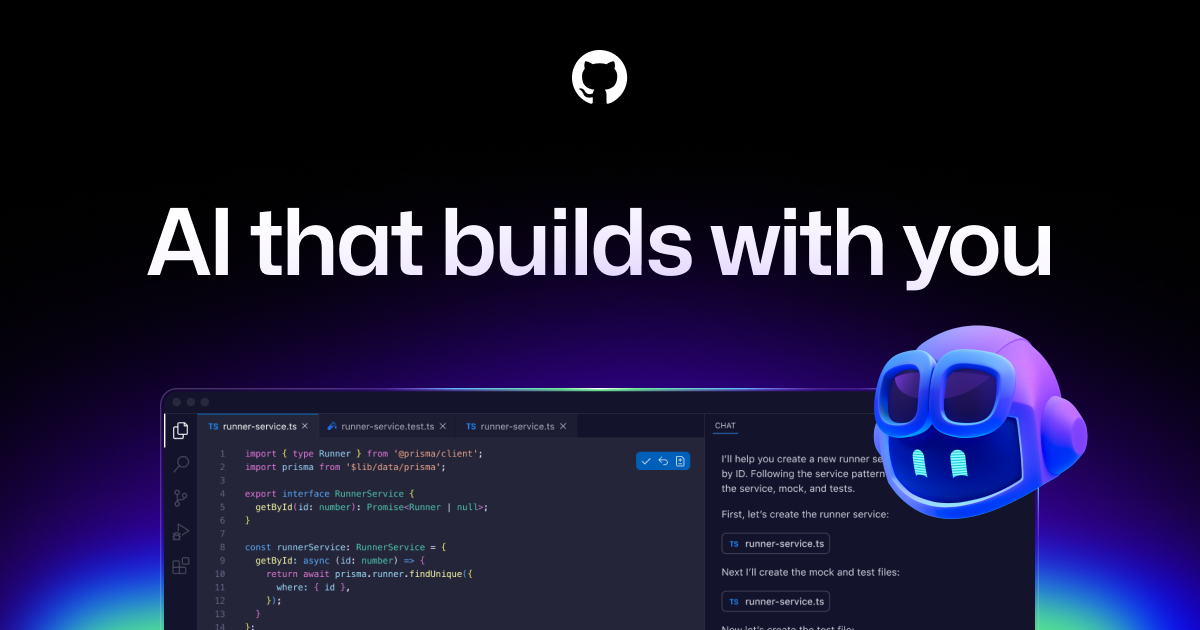
Source: official GitHub Copilot page — github.com/features/copilot
A realistic use: the capstone project
Consider a concrete scenario. You are building a graduation project — say, a web application that helps a local charity manage donations. Without the pack, you would code alone, host on a free tier that sleeps, and store data wherever is cheapest. With the pack, the project looks different:
- You scaffold the application with Copilot unlimited completions handling the repetitive parts — form validation, API boilerplate, database queries — while you focus on architecture.
- You use Copilot's chat to ask questions about libraries you have never touched, with automatic model selection deciding which model handles the request.
- You deploy the backend on the Azure $100 credit, which also unlocks 25+ free services.
- You host the frontend on Heroku at $13/month for 24 months — that is the $312 in the math above, and it covers the entire lifecycle of a final-year project and beyond.
- Your data lives on MongoDB Atlas with the $50 credit, and when the project is done, you take the free MongoDB certification valued at $150 — a credential that goes on your CV with a real market price attached.
That is one semester of a real degree, powered end to end by the pack, at zero cost.
GitHub Pro: the quiet workhorse
Alongside Copilot, verified students get GitHub Pro free while they remain a student. Pro matters more than it first appears. Your GitHub profile is increasingly your portfolio: recruiters in the Gulf, in Europe, and across MENA routinely read a candidate's repositories before an interview. Pro improves that surface — better profile tooling, deeper insights on repositories, and higher limits on the features you will hit once your capstone repo has a dozen collaborators and continuous integration running.
The phrase "while they remain a student" is the honest caveat. Pro is tied to your student status; when verification eventually expires, the account reverts to the free tier. Your code, repositories, and history stay yours regardless — only the premium features step down.
Inside the 60+ partner offers
The pack currently lists more than 60 partner offers, organized by category: Cloud, Design, Developer tools, Domains, Learn, IoT, Marketing, Mobile, Security & analytics, and Virtual Events. Here are the headline offers exactly as documented.
Cloud and infrastructure
- Microsoft Azure — $100 credit plus access to 25+ free services. Available to students 18 and over, with a separate tier for ages 13–17. For students comparing cloud starting points, it pairs naturally with the ecosystem we covered in our piece on AWS student rewards and cloud AI training in 2026 — some students maintain both free tiers to compare platforms directly.
- Heroku — $13/month for 24 months, the single largest documented line item at $312.
- MongoDB — $50 in Atlas credits plus a free certification valued at $150.
Developer tools
- JetBrains — a free subscription to the professional IDEs, renewable annually. For students used to free editors, JetBrains IDEs are the tools many professional teams run daily, and the subscription renews each year you remain verified.
- Datadog — a Pro account including monitoring for 10 servers, free for 2 years. Observability is a skill most degrees never teach; having production-grade monitoring on your side project teaches it.
Security, payments, and passwords
- Stripe — waived fees on the first $1,000 of revenue. If you build anything that accepts payments, your first $1,000 processed costs you nothing in Stripe fees.
- Sentry — an allowance of 50,000 errors, 100,000 transactions, 1GB of attachments, and 500 replays. Error tracking with session replay changes how you debug: instead of guessing what broke, you watch it break.
- 1Password free for a year, and Dashlane Premium free for 6 months. Password managers are the first professional habit worth forming; a year of 1Password means you graduate with every account on unique credentials.
Domains: your name on the internet
Three domain offers stand out for students building a portfolio:
- Namecheap — a 1-year .me domain plus a 1-year SSL certificate.
- Name.com — a free domain from a choice of 25+ extensions.
- .TECH — one standard domain free for 1 year.
A personal domain is the difference between hosting your portfolio on someone else's subdomain and owning your corner of the internet. For a graduating student in Riyadh, Cairo, Amman, or Dubai, a clean personal site on your own domain is often the first thing a hiring manager opens.
Learning platforms: the biggest uncounted value
The learning category is where the documented $600 figure quietly understates the pack, because none of these subscriptions are priced into the arithmetic above:
| Platform | Free duration |
|---|---|
| FrontendMasters | 6 months |
| Educative | 6 months |
| Codedex Club | 6 months |
| DataCamp | 3 months |
| Boot.dev | 3 months |
| Scrimba | 1 month |
Six months of FrontendMasters covers an entire specialization in web development. Three months of DataCamp can carry a non-programmer through the foundations of data analysis. If structured learning in Arabic matters to you, these pair well with the options in our guide to Coursera's Arabic content and free auditing with financial aid in 2026 — many students combine an English technical track with Arabic-language explanation for the harder concepts, and if English itself is the barrier, our list of free websites to learn English in 2026 removes the last excuse.
Experiences: guided paths inside the pack
The pack also includes curated bundles called Experiences: Intro to Copilot, Intro to Open Source, and Data Science & Machine Learning. These are structured starting points rather than raw tool access — useful if opening a pack of 60+ offers feels overwhelming and you want a recommended path first. Intro to Open Source is particularly worth a look: contributing to open source remains one of the few ways a student anywhere in the world can build a verifiable public track record before the first job.
Who qualifies and how verification works
Eligibility is deliberately broad and not limited to computer science majors. The general requirement is being a student currently enrolled at a recognized institution, verified through GitHub Education's academic verification. Verification typically works through your academic email address or, where that is not available, by supplying study documentation that proves your enrollment.
Two practical notes for readers in the MENA region. First, your university email is the fastest route — if your institution issues student emails, use it. Second, if your university does not provide email addresses, the documentation path exists precisely for you; enrollment letters and similar proof of study are part of the documented process. The verification is rechecked periodically, which is why benefits are described as lasting "while you remain a student."
What this means for you
If you are a CS or engineering student
Claim the pack in your first year, not your last. The compounding is real: unlimited Copilot completions on every assignment builds AI-assisted coding habits early; the Azure and Heroku credits let every course project be a deployed project, not a screenshot; the JetBrains subscription gives you professional tooling across languages; and Datadog plus Sentry teach you operations skills that degree programs almost never cover. By graduation, your GitHub profile shows deployed applications with monitoring, error tracking, and a domain of your own — a portfolio that reads like a junior engineer's, because it is one.
If you are a non-technical student
The pack is not only for programmers. DataCamp for 3 months is a genuine on-ramp into data skills for business, economics, health, or social science students. The 1Password year protects the accounts you already have. The domain offers give your CV or writing portfolio a permanent home. And even a light introduction to Copilot pays off: an increasing number of jobs in marketing, research, and administration involve reading or editing code adjacent to your field. You do not need to become a developer for the pack to return value — you need only to claim it.
If you are a graduating founder
This is the group with the most to gain. The documented stack maps almost one-to-one onto a minimum viable product: infrastructure on the Azure credit and Heroku's 24 months of credits, data on MongoDB Atlas, payments through Stripe with fees waived on your first $1,000 of revenue, monitoring on Datadog and Sentry, security hygiene on 1Password, and a real domain from Namecheap, Name.com, or .TECH. Two founders with the pack can ship and operate a product for the length of a master's degree while spending close to nothing on tooling. When the student status eventually ends, you will be migrating a working product with paying users — a far better problem than starting from zero.
Common pitfalls (and honest limits)
Worth stating plainly, so you plan around them:
- Copilot chat and agents are limited, and AI Credits are an allowance, not unlimited. Completions are the unlimited part. Structure heavy AI work accordingly.
- Age tiers exist on Azure. The documented $100 credit and free services tier is for 18+; a separate tier exists for ages 13–17. Younger students should expect that difference, not the identical offer.
- Learning windows vary — from Scrimba's 1 month to 6 months on FrontendMasters, Educative, and Codedex Club. Activate a subscription only when you can actually use it; a 1-month offer claimed during exam season is a month wasted.
- Domains are first-year offers. The .me domain, the SSL, and the .TECH domain are each free for 1 year. Budget for renewal or plan to migrate before the year closes.
- Benefits are tied to verification. When your student status ends, the terms of individual offers take over. Treat the pack as a runway, and use the runway.
FAQ
Do the benefits end when I graduate?
The honest answer is: they are tied to your student verification, so most benefits change once you are no longer a verified student. GitHub Pro is explicitly free "while you remain a student." The partner offers each have their own terms — some, like Heroku's, are defined as a fixed 24-month window rather than an open-ended student status, and others like the JetBrains subscription renew annually while you qualify. Your repositories and code always remain yours. The smart approach is to treat graduation as a deadline: build, deploy, certify, and publish before the status expires, and check each offer's terms for what happens afterward.
What is the difference between GitHub Pro and Copilot Student?
They answer different questions. GitHub Pro upgrades your account on the platform itself — profile features, repository insights, higher limits on collaboration tools. Copilot Student is the AI coding assistant: unlimited code completions, an allowance of AI Credits, and limited chat and agent usage via automatic model selection. The pack gives you both, so you do not have to choose, but understanding the split helps — Pro makes your profile and workflow better; Copilot makes your code better.
Is it genuinely free, or a trial that converts to paid?
It is free under the conditions stated: you must be an enrolled student at a recognized institution and pass GitHub Education's academic verification, and the benefits last while that status holds. Within that window, Copilot Student is free, not a credit-card-required trial, and the same applies to the partner offers under their own published terms. What it is not, is a permanent grant — verify honestly, use it as a student, and expect the terms to change when your enrollment does.
How does student verification actually work?
Through GitHub Education's academic verification process, using your academic email address where your institution provides one, or study documentation proving current enrollment where it does not. Verification is the gate for the whole pack — Copilot Student, GitHub Pro, and the 60+ partner offers all sit behind it — and it is rechecked periodically, so keep your enrollment evidence current. If your first attempt fails, review what documentation you supplied and apply again; students at institutions without standard email domains do get verified through the documentation route.
Where to go next
The pack itself lives at education.github.com/pack — that is the only page worth trusting for current terms, because offers change and this article is a verified snapshot of 24 August 2026. Once you are verified, start with an Experience (Intro to Copilot or Intro to Open Source), claim one cloud credit and one learning subscription, and ship something small in your first month. Momentum beats completeness.
And if the pack opens your appetite for structured study-abroad planning, scholarships, and funded programs alongside the technical tooling, browse the curated listings in our opportunities section — the same discipline that claims a verified student pack also wins applications.