
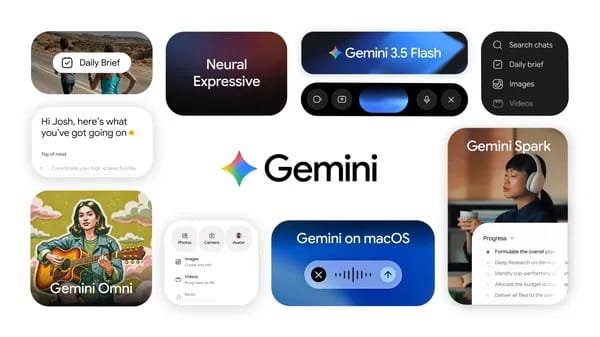
Gemini Spark: an assistant that works 24 hours even while you sleep
The most important detail about Gemini Spark is not that it can answer a better question. It is that Google is describing it as a personal AI agent that can keep working after the conversation stops. That changes the shape of the product. A normal chatbot waits for a prompt, responds, and then goes quiet. A background agent receives a goal, checks connected tools, works through steps, and comes back when something needs a decision.
Google announced Gemini Spark at Google I/O 2026 as part of the next evolution of the Gemini app. The official framing is direct: Gemini is moving from answering questions to doing real work on your behalf, under your direction. Spark is the clearest example of that shift. It is described as a 24/7 personal AI agent inside Gemini, running on Gemini 3.5 and using the Antigravity harness. It is cloud-based, runs on dedicated virtual machines on Google Cloud, and can continue working even when your laptop is closed or your phone is locked.
That sounds simple, but the implications are large. A student could ask Spark to monitor school emails and produce a daily digest. A freelancer could ask it to inspect monthly statements and flag hidden subscriptions. A manager could ask it to pull scattered notes from emails and chats, draft a polished Google Doc, and prepare a companion email. The value is not only the final answer. It is the ability to keep a workflow moving while the user is away.
The keyword to understand is control. Google says users choose whether to turn Spark on and which apps it connects to. Spark is also designed to ask first before high-stakes actions, such as spending money or sending emails. That matters because an agent that can work in the background must be useful without becoming reckless. Gemini Spark 24/7 AI agent is not being presented as an unrestricted autopilot. It is being presented as a cloud agent that works under user direction.
For readers following Google's 2026 AI announcements, Spark sits beside other agentic products. Universal Cart explores shopping actions across Google services, while Google AI Studio now helps builders turn prompts into Android apps. You can read more about those related announcements in Google enters smart shopping: one cart that buys from every store and Goodbye to coding? Google AI Studio turns an idea into an Android app. For model context, the earlier Gemini 3.5 overview at Google launches Gemini 3.5: did the era of assistants that act, not just answer, begin? is also useful.
What Gemini Spark is, in plain English
Gemini Spark is a cloud-based personal AI agent in the Gemini app. It is meant to complete multi-step tasks across connected Google services and partner tools. Instead of asking Gemini one question at a time, a user can assign work that takes time, depends on context, or requires checking multiple places.
Google's examples focus on realistic, everyday productivity. Spark can parse monthly credit card statements to identify hidden subscription fees. It can monitor school emails and send a consolidated daily digest. It can synthesize meeting notes across emails and chats, create a polished Google Doc, and draft companion emails.
Those examples reveal the product direction. Spark is not only a writing assistant. It is a workflow assistant. It uses the user's connected environment as the workspace. Gmail, Docs, Slides, and other Workspace tools are part of the official integration story. Google also says MCP connections to Canva, OpenTable, and Instacart are launching, with more partners integrating. In the coming weeks, Spark will be able to use MCP connections to get things done.
The difference from regular Gemini chat is timing. A chatbot typically helps while you are actively present. Spark can continue in the background because it is cloud-based. The official keynote also says Spark runs on dedicated virtual machines on Google Cloud. That means the work is not dependent on a browser tab staying open on your laptop.
This is why the phrase 24/7 matters. It does not mean every feature is available to every user right now. It means the architecture is designed for persistent background work. Google says trusted testers get access first, with a beta planned for U.S. Google AI Ultra subscribers next week after the May 19, 2026 announcement.
How Spark works: Gemini 3.5, Antigravity, and cloud execution
Google says Spark runs on Gemini 3.5 and uses the Antigravity harness. At a user level, that means the agent is built to reason through tasks, operate across tools, and keep context while completing work. The Antigravity reference matters because Google has been positioning it as a harness for agentic workflows rather than a single-purpose chat interface.
The cloud design is equally important. If an assistant only works while your laptop is awake, it is still mostly a session-based assistant. Spark is different because the work can continue in the background. Google says it keeps working even when a laptop is closed or a phone is locked. Sundar Pichai's keynote adds that Spark runs on dedicated virtual machines on Google Cloud.
That cloud layer is what makes the 24/7 concept credible. Imagine asking Spark at 10:00 p.m. to review the past 30 days of card statements, group recurring charges, compare them against last month's list, and prepare a summary by morning. The agent does not need you to keep the Gemini app open all night. It can process the task in the background, then ask for confirmation if the next step becomes sensitive.
Google has also described future abilities. Spark will be able to receive texts and emails, create custom sub-agents, and operate the local browser. Spark is expected to operate directly within Chrome later in summer 2026, and it will be brought to the Gemini desktop app for macOS this summer for local files and desktop workflow automation. These are roadmap items, not reasons to assume every desktop or browser feature is live today.
What can Spark actually do?
The safest way to understand Spark is through task categories rather than hype. Based on Google's official examples, Spark is aimed at repetitive, information-heavy work that usually requires opening several apps and making small decisions.
For personal finance, Spark could inspect credit card statements and flag hidden subscription fees. The useful part is not only detecting a charge. It is noticing that USD 9.99, USD 14.99, and USD 6.49 have repeated for months, grouping them by merchant, and asking whether you want to investigate or cancel them. Google has also connected Spark to the broader agent payments direction, but users should not assume agents can spend money freely. Google says Spark asks before high-stakes actions.
For school and family organization, Spark could monitor school emails and send a consolidated daily digest. A parent with three children might receive 18 school-related emails in one week: sports practice changes, lunch reminders, parent-teacher conference notices, club updates, and permission forms. Spark could turn those into one morning summary with dates, deadlines, and action items.
For work, Spark could synthesize meeting notes across emails and chats, create a polished Google Doc, and draft companion emails. This is where Workspace integration becomes central. Gmail, Docs, Slides, and related tools are not add-ons; they are the environment where much of the agent's value appears.
For students using global education platforms like Truescho, the same pattern is useful. A student researching scholarships might track application deadlines on official link, maintain a document of requirements, and use the GPA calculator at official link before applying. Spark should not be described as an official Truescho tool, but the workflow category is clear: students increasingly need assistants that can organize scattered requirements, emails, documents, and deadlines.
Gemini Spark compared with regular Gemini chat
| Feature | Regular Gemini chat | Gemini Spark |
|---|---|---|
| Main interaction | User asks, assistant answers | User assigns work, agent continues |
| Timing | Mostly active-session based | Designed for background 24/7 work |
| Execution environment | Chat interface and connected features | Cloud-based dedicated virtual machines on Google Cloud |
| Core model context | Gemini family | Runs on Gemini 3.5 with Antigravity harness |
| Workspace role | Helps with content and productivity | Integrates with Gmail, Docs, Slides, and more for multi-step workflows |
| User control | User prompts each step | User turns Spark on, chooses app connections, and directs tasks |
| Sensitive actions | Usually requested directly by user | Designed to ask first before high-stakes actions |
| Availability | Depends on Gemini product access | Trusted testers first, then planned U.S. Google AI Ultra beta |
The table shows why Spark is not merely a rebrand. It changes the expected relationship between user and assistant. Chat is reactive. Spark is more operational. It can watch, process, draft, and prepare work while the user is not actively prompting every minute.
At the same time, the table also shows the limits. Spark is not being rolled out to every Gemini user immediately. It is not confirmed as part of every Gemini plan. It is not something Truescho can guarantee through its shop.
A realistic example: Maya's 24-hour scholarship workflow
Maya is a 21-year-old engineering student in Berlin applying for three international scholarships. She has 26 unread university emails, four PDF transcripts, two recommendation letters in progress, and a scholarship deadline in 12 days. She also works 16 hours per week, so her study time is already tight.
If Maya had access to Spark, a realistic prompt might be: "Review my scholarship folder, school emails, and application notes. Prepare a daily digest at 7:00 a.m. with missing documents, upcoming deadlines, and emails I need to answer. Do not send anything without asking me first."
Spark could then perform background work while Maya sleeps. It might detect that one scholarship needs a GPA conversion, another requires a motivation letter under 700 words, and a third requires a scanned passport by Friday. It could create a Google Doc with a 12-day plan and draft two polite reminder emails to professors.
The numbers make the value concrete. Suppose Maya spends 45 minutes each night checking emails, reopening PDFs, and updating her document checklist. Over 12 days, that is 9 hours. If Spark reduces that admin time by half, she saves about 4.5 hours, enough for two focused study sessions or one full scholarship essay revision.
But Spark should still ask before sending the professor reminders. It should not submit applications, spend money, or send high-impact messages silently. Google's safety framing matters most in exactly these moments.
Availability: who gets Spark first?
Google says Gemini Spark starts with trusted testers this week, with a beta planned for U.S. Google AI Ultra subscribers next week. The announcement date is May 19, 2026. That means Spark should not be described as generally available to all Gemini users.
This is especially important for readers comparing subscription options. Truescho's shop at Truescho shop offers Gemini Advanced Family access for everyday Gemini Advanced use. That can be relevant for students who want affordable access to Gemini Advanced features, but it should not be confused with Spark access. The official research context does not confirm that Spark, Google AI Ultra, or U.S.-specific beta features are included through Truescho's Gemini Advanced Family offer.
If you want broader subscription context, see Google AI Ultra at $100: why Google wants AI to become a premium subscription. For the related agent payments direction, read Google enters smart shopping: one cart that buys from every store, because Google's AP2 payment protocol begins coming to products starting with Gemini Spark.
Safety and control: why confirmation matters
A background agent is only useful if it can be trusted with boundaries. Google highlights several control points. Users choose whether to turn Spark on. Users choose which apps Spark connects to. Spark is designed to ask first before high-stakes actions such as spending money or sending emails.
Those controls are not minor details. They define the difference between helpful automation and risky automation. A useful assistant can draft the email, summarize the consequences, and ask for approval. A risky assistant sends it without context. A useful assistant can identify a subscription charge and suggest cancellation. A risky assistant cancels something important without checking.
The best early use cases are therefore review, organization, drafting, and preparation. Let Spark gather evidence, produce a clear summary, and prepare next steps. Keep decisions that affect money, relationships, legal obligations, school applications, and work commitments under direct human approval.
What not to assume yet
Several features are announced as coming, planned, or limited to early access. Users should not assume Spark is available globally. They should not assume it is included in every Gemini subscription. They should not assume Chrome operation, macOS desktop automation, custom sub-agents, texting Spark, or emailing Spark are all live for everyone.
They should also avoid assuming that MCP connections mean every third-party service is fully supported. Google names Canva, OpenTable, and Instacart connections as launching, with more partners integrating, and says Spark will be able to use MCP connections to get things done in coming weeks. That is promising, but staged.
The safest conclusion is this: Spark is one of Google's clearest moves from chat assistance toward background agentic work, but it is still in controlled rollout.
Practical ways students and professionals can prepare
Even before broad availability, users can prepare their workflows for agentic assistants. Keep documents organized. Use clear folder names. Separate personal, school, and work accounts. Clean up old permissions. Standardize file names for transcripts, resumes, invoices, and project notes.
Students can maintain a scholarship tracker, save application requirements in a single folder, and use reliable tools such as Truescho's opportunities page at official link. Professionals can standardize meeting notes and project folders so that a future agent has better context. Families can label school calendars and recurring fees clearly.
The better your information environment, the more useful a background agent becomes. AI agents do not remove the need for judgment, but they can reduce the time lost to scattered information.
FAQ
What is Gemini Spark?
Gemini Spark is Google's 24/7 personal AI agent inside the Gemini app. It is designed to do multi-step work under the user's direction, including background tasks across connected services. Google says it runs on Gemini 3.5, uses the Antigravity harness, and operates through cloud infrastructure.
How does Gemini Spark work in the background?
Google says Spark is cloud-based and runs on dedicated virtual machines on Google Cloud. That means it can keep working even when a laptop is closed or a phone is locked. The goal is persistent task execution, not just a chat response while the app is open.
Is Gemini Spark available now?
Spark is not described as broadly available to everyone. Google announced trusted tester access starting the week of May 19, 2026, with a beta planned for U.S. Google AI Ultra subscribers the following week. Wider access details were not confirmed in the official announcement.
Can Gemini Spark send emails or spend money?
Google says Spark is designed to ask first before high-stakes actions, including spending money or sending emails. That means users should expect confirmation controls for sensitive steps. It can help draft, prepare, and organize, but high-impact actions should remain under user approval.
What Google apps does Gemini Spark connect to?
Google says Spark integrates with Workspace tools such as Gmail, Docs, Slides, and more. The official examples include monitoring school emails, synthesizing notes across emails and chats, creating polished Docs, and drafting companion emails. Users choose which apps Spark can connect to.
Is Gemini Spark included with Truescho's Gemini Advanced offer?
The official context does not confirm that Spark is included. Truescho's shop offers Gemini Advanced Family access for everyday Gemini Advanced use, but that should not be presented as Spark, Google AI Ultra, or U.S. beta access. Spark availability follows Google's own rollout rules.
How is Spark different from Gemini chat?
Gemini chat is mainly a prompt-and-response experience. Spark is designed as a background agent that can continue work, connect to apps, and prepare outputs over time. The main difference is operational: Spark can monitor, draft, organize, and ask for approval when decisions are sensitive.