
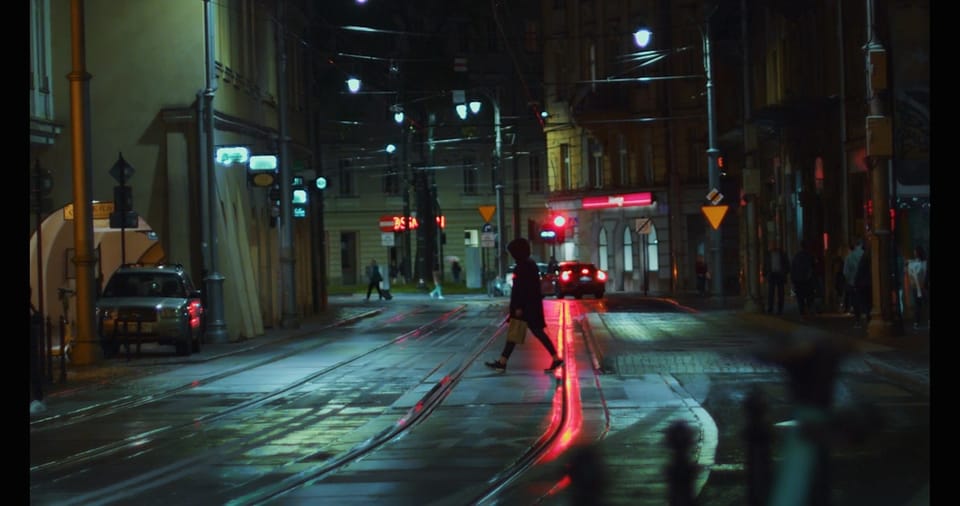
Gemini Omni for Game Cutscenes 2026: Story Worlds That Respond to Actions
Gemini Omni game cutscenes 2026 is one of the most interesting creative angles in Google's new Omni release, not because Google announced a game engine plugin, but because Gemini Omni is described as understanding scenes, physics, references, and story continuity in a more useful way for video. For game developers, student teams, storytellers, educators, and indie creators, that points to a practical role: using Gemini Omni and Flow by Google to prototype story bits, cinematic moments, and responsive worlds before committing to production.
This article focuses only on the just-released Gemini Omni and Gemini Omni Flash facts. Google presents Gemini Omni Flash as the first model in the Omni family. The release describes video creation and editing from text, images, audio, and video, with conversational editing, reference-based style and motion, character consistency, and stronger world understanding. The APIs are coming in the weeks ahead, so the current practical route is through the Gemini app, Flow by Google, and YouTube-related creator paths where available.
For games, the most important phrase is not simply "AI video." It is world response. A cutscene is not a random clip. It is a short moment where a character's action causes something to happen: a door opens, a bridge collapses, a creature reacts, rain changes the ground, a player choice shifts the mood, or an object moves because it was hit. Google says Gemini Omni combines physics understanding with Gemini's knowledge of history, science, and cultural context, and that it can reason about what should happen next rather than only making a scene look realistic.
That is why creators should think of Gemini Omni as a story prototyping tool first. It can help you visualize ideas, test emotional beats, build pitch materials, create educational game concepts, and explore cinematic language. It should not be described as a direct replacement for a game engine, a final animation pipeline, or a confirmed integration with tools Google has not announced.
If you are new to the release, begin with Gemini Omni Flash 2026. If your game scene depends on recurring heroes, villains, or NPCs, read Gemini Omni character consistency 2026. If you want to plan or publish short story clips, Gemini Omni Flow YouTube Shorts 2026 explains the Flow and Shorts paths.
Why Cutscenes Need Cause and Effect
A game cutscene is different from a normal video because it often explains the result of action. The player wins a fight, opens a gate, chooses a path, discovers a clue, or enters a new world. The cutscene must answer a question: what changed because of what just happened?
Weak cutscenes look impressive but feel disconnected. A character jumps, but the ground does not react. A sword hits a chain, but the chain does not move. A room floods, but objects remain dry. A villain loses, but the world stays emotionally unchanged. Players notice these gaps because games train them to expect interaction.
Google's Gemini Omni materials emphasize a leap in world understanding, multimodality, and editing. The model is described as understanding physical ideas such as gravity, kinetic energy, and fluid dynamics. For game cutscene prototyping, that means prompts can be written around action and consequence, not only appearance.
Instead of: "Create a fantasy cutscene in a castle."
Use: "Create a 12-second fantasy game cutscene. A young explorer pulls a rusted lever. The stone gate opens slowly, dust falls from the ceiling, torch flames flicker from the moving air, and the explorer steps back with cautious relief. End on the dark doorway."
The second prompt is stronger because it defines trigger, environment response, character emotion, and final frame.
Scenario Table: Game Story Actions and World Responses
| Story trigger | World response to prompt | Cutscene purpose | Detail to preserve |
|---|---|---|---|
| Player opens a gate | Dust falls, hinges strain, light enters | Reveal a new area | Character position and gate scale |
| Fire spell hits water | Steam rises, surface ripples, light diffuses | Show elemental interaction | Spell direction and water level |
| Heavy object lands | Ground shakes, small stones jump, nearby character reacts | Communicate weight | Object size and camera timing |
| Character chooses mercy | Enemy lowers weapon, music mood softens, crowd relaxes | Show moral consequence | Facial expression and body language |
| Rain begins during escape | Ground becomes slippery, reflections appear, movement slows | Raise tension | Route, camera angle, character goal |
| Ancient machine starts | Gears rotate, lights pulse, room vibration spreads | Signal puzzle progress | Machine design and story symbol |
This table is a practical way to prompt Gemini Omni. Start with the trigger. Then describe the physical response, emotional beat, and final story function. That gives the model a clearer scene to build.
The Cutscene Prompt Framework
For Gemini Omni game cutscenes 2026, use a prompt framework that includes six parts: scene goal, character state, trigger event, physical consequences, emotional beat, and final frame.
Scene goal answers why the cutscene exists. Is it a reveal, reward, warning, transition, tutorial, or emotional turn?
Character state describes what the character brings into the moment. Are they tired, excited, injured, suspicious, or confident?
Trigger event is the action that changes the world. It might be pressing a button, solving a puzzle, entering a room, defeating an enemy, or choosing dialogue.
Physical consequences describe how the world responds. Doors move, dust falls, water flows, light changes, objects collide, or characters react to force.
Emotional beat defines what the player should feel: wonder, fear, relief, urgency, curiosity, or regret.
Final frame is the last image viewers remember. It might be a doorway, a face, a map symbol, a broken object, or a new horizon.
Prompt example: "Create a 15-second cinematic cutscene for an adventure game prototype. Scene goal: reveal a hidden underground city. Character state: the explorer is exhausted but hopeful. Trigger event: she places a glowing stone into an ancient door. Physical consequences: the door unlocks, dust falls, blue light spreads through carved lines, and loose pebbles roll down the steps. Emotional beat: quiet awe. Final frame: the explorer looking over a vast city below. Keep the character outfit and lantern consistent."
This prompt does not ask Gemini Omni to make a complete game. It asks for a story video prototype. That distinction matters.
Using Flow by Google for Storyboarding
Flow is especially relevant for game cutscene work because it is designed as a creative studio rather than a single prompt box. Google's materials describe Flow as a place to plan, create, and refine video, with tools such as Storyboard Studio, video resizing, type overlays, effects, and natural language edits. For story teams, that can support early visualization.
A small indie team might use Flow to create three versions of the same scene: one mysterious, one heroic, and one frightening. A student game group might create a storyboard for a class pitch. A solo developer might test camera language before building the final scene inside a game engine. A narrative designer might visualize how different choices affect the same environment.
The workflow can be simple:
- Write the scene goal in one sentence.
- Create a rough cutscene in Flow using Gemini Omni.
- Add references for character, object, or visual style if needed.
- Use natural language edits to adjust cause and effect.
- Export or document the best version as a prototype reference.
- Rebuild the final version inside your actual production pipeline.
This approach avoids overclaiming. Flow helps you think, test, and communicate. It does not automatically solve game integration, real-time rendering, gameplay logic, asset licensing, or engine implementation.
A Real-World Case Story: An Indie Team in Brazil
Imagine a three-person indie team in Brazil building a puzzle adventure game about a flooded city. The team has a programmer, a writer, and a visual artist, but no dedicated cinematic animator. They need to pitch a key moment: the player activates an old pump system, and the water level drops enough to reveal a hidden market street.
The writer drafts the scene goal: reward the player after solving the pump puzzle. The artist provides a reference image for the flooded street style. In Flow, the team prompts Gemini Omni to create a 14-second cutscene. The trigger is the pump wheel turning. The world response is water pulling away from steps, floating objects drifting with the current, wet stone reflecting light, and old signs becoming visible. The emotional beat is discovery, not danger. The final frame is the player character standing at the top of the revealed street.
The first version looks too dramatic, like a disaster scene. The team asks for calmer motion, softer morning light, and a more hopeful mood. The second version has better tone but the water movement is too fast. They ask for slower drainage and clearer reflections. The third version becomes a useful pitch piece.
The team does not use it as final game footage. Instead, it becomes a reference for camera angle, mood, timing, and environmental response. The programmer understands the sequence. The artist sees the lighting goal. The writer confirms the story beat. That is a realistic, high-value use of Gemini Omni game cutscenes 2026.
For students building similar creative portfolios, Truescho courses can support broader learning, and Truescho opportunities can help discover scholarships, internships, and programs. If you need lower-cost access to study tools, the Truescho shop offers a shared Gemini Advanced subscription option, but Gemini Omni Flash availability still depends on Google's official plan and regional access.
Prompt Examples for Game Cutscenes
Use these examples as templates for story prototypes.
Puzzle reveal: "Create a 12-second cutscene for a puzzle adventure prototype. The player inserts a key into a stone console. The console lights up, nearby wall symbols glow in sequence, and a hidden staircase opens with dust falling from each step. End on the first step leading downward."
Combat consequence: "Create a 10-second cutscene after a boss shield breaks. The shield cracks, fragments float for one second, then fall to the ground. The boss staggers backward, the arena lights dim, and the player character holds position. Keep motion physically believable."
Environmental danger: "Create a 15-second survival game cutscene. A bridge rope snaps on one side, the wooden planks tilt, small objects slide toward the edge, and the character grabs the railing. End with the camera looking down into the canyon."
Moral choice: "Create a 14-second narrative game cutscene. The hero chooses not to strike. The enemy slowly lowers their weapon, rain softens, and the crowd becomes quiet. End on the hero's calm face. Keep the tone restrained and emotional."
Educational game scene: "Create a 20-second cutscene for a science learning game. The player changes the slope of a water channel, the water speeds up, a small wheel turns faster, and a meter rises. Use clear visual cause and effect."
World transition: "Create a 16-second fantasy game transition. The character steps through a glowing archway. The forest behind them fades, the air shimmers, and a desert city appears ahead. Preserve the character outfit and walking motion."
Each prompt includes action, response, and ending. That is what makes it suitable for a cutscene rather than a random animation.
Character Consistency in Story Worlds
Game cutscenes often require recurring characters. If the hero changes face, clothing, or proportions across scenes, the story loses credibility. Google's Gemini Omni materials mention character consistency and reference-based generation. That is useful for story teams because a cutscene needs continuity.
Before creating multiple scenes, write a character note. Include clothing, age range, posture, signature object, emotional range, and any visual symbol. If you have a reference image, use it carefully. In the prompt, mention what should remain consistent across scenes.
Example: "Use the same young explorer character from the reference: green jacket, small lantern, short curly hair, cautious posture. Keep the outfit, lantern, and face direction consistent while changing only the environment and action."
For a deeper workflow, read Gemini Omni character consistency 2026. Character stability is not just cosmetic. It helps the viewer understand that each cutscene belongs to the same story world.
Video Editing for Game Scenes
Gemini Omni's video editing abilities also matter after the first cutscene draft. You may generate a scene and then need to change the environment, add a prop, alter the mood, or adjust the final frame. That is where conversational editing becomes valuable.
If a forest scene needs to become a snowy mountain path, the prompt should preserve character movement and story timing while changing the environment and physical details. If a magic object needs to be added, the prompt should define its scale, light, and interaction. If the camera moves too quickly, the prompt should ask for a slower reveal.
For practical editing patterns, see Gemini Omni video editing 2026. The same preserve-change-consequence-review method applies to game cutscenes. Preserve what matters, change only what serves the story, describe how the world responds, then review the output.
Limits Game Developers Should Respect
The new release is exciting, but it is important to stay accurate. Google has not announced a direct Unity or Unreal plugin in the research materials. It has not provided final public API pricing or detailed developer limits in the announcement. APIs are coming in the weeks ahead. That means developers should treat Gemini Omni as a creative and prototyping tool until official developer access is available.
Commercial use also requires careful review. A prototype video may include generated visuals, references, or styles that need rights clearance before use in a shipped product. If you use real people, voices, or third-party material, get permission. If a generated or edited video is published, respect transparency signals such as watermarks or identifying metadata.
The best mental model is this: Gemini Omni can help you see the story before you build the system. It can help a team align on mood, timing, physical response, and visual direction. But production-ready game assets still need a real pipeline, quality control, rights management, and technical implementation.
How Creators Can Publish Story Shorts
Not every game cutscene prototype needs to stay private. Some creators may turn prototypes into short social content, devlogs, pitch teasers, or educational posts. This is where Flow and YouTube Shorts can connect. Create or refine the scene in Flow, then adapt a shorter version for YouTube Shorts if appropriate.
For example, a game developer could publish a 20-second devlog showing how a puzzle door should react when activated. A teacher could create a short explaining cause and effect in game design. A student team could share a prototype mood clip for feedback. The key is clarity: describe it as a prototype, concept, or generated visual, not final gameplay if it is not final gameplay.
Short-form publishing works best when the clip has one visible change. A lever opens a gate. A spell changes water into steam. A bridge collapses. A machine wakes up. One clear action is easier for viewers to understand than a complicated story compressed into a few seconds.
FAQs
Can Gemini Omni create game cutscenes?
Gemini Omni can help create and edit video scenes that work well for cutscene prototypes, storyboards, and pitch visuals. Google has not announced direct game engine integration in the cited release materials. Treat it as a creative visualization tool unless official developer integrations say otherwise.
How does Gemini Omni handle responsive environments?
Google describes Gemini Omni as having stronger world understanding, including physical ideas such as gravity, kinetic energy, and fluid dynamics. For prompts, that means creators can describe trigger events and world responses, such as dust falling, water moving, objects sliding, or lights changing.
What does physics understanding mean in Gemini Omni?
It means Gemini Omni is designed to reason more about how scenes should behave, not only how they should look. In a cutscene, a heavy object should affect the ground, water should flow plausibly, and motion should connect to cause and consequence.
Can Gemini Omni create logical story bits?
Yes, it can support story bits when the prompt defines a goal, action, consequence, emotion, and final frame. The creator still needs to direct the scene and review the result. Clear story logic produces better outputs than vague requests for a cinematic scene.
How do I prompt Gemini Omni for a game cutscene?
Use a structured prompt: scene goal, character state, trigger event, physical consequences, emotional beat, and final frame. Add references if needed, and specify what must stay consistent. Keep the scene short and focused on one visible change.
Is Google Flow useful for storyboarding game scenes?
Yes. Flow is positioned as a creative studio for planning, creating, and refining video. Its storyboard and editing workflow can help game teams test cinematic ideas before production. It is best used for prototypes, visual references, pitch scenes, and creative alignment.
Are Gemini Omni game cutscenes production-ready assets?
Not automatically. A generated cutscene can be useful for concept development, but shipped game assets require rights checks, technical integration, quality control, and consistency review. Do not assume final commercial use without checking permissions, transparency requirements, and official product terms.