
Gemini Notebook's New Study Tools 2026: Voice Study + a Free Student Year
Chidi, a mechanical engineering student in Lagos, records his 9 a.m. thermodynamics lecture and walks out with notes he can question, a quiz he can retake, and a short revision video he can send his study group. That is the routine the new Gemini Notebook study tools — announced by Google on September 15, 2026 — are built to support. University students in more than 140 markets also get a paid plan free for twelve months, which is the part most worth understanding properly. Last updated: September 2026.
This guide explains each new feature, walks through exactly how to claim the free student year, and is honest about the catches, starting with the auto-renewal. Everything below comes from Google's official announcement, so you can act on it without guessing.
What Google announced on September 15, 2026
The announcement, written by Trond Wuellner, Director of Product Management for Gemini Notebook, is titled "Sharpen your study routine with new Gemini Notebook tools". It arrived roughly two months after Google renamed NotebookLM as Gemini Notebook on July 16, 2026. If you used NotebookLM last semester, this is the same product with a new name and a faster stream of upgrades — we covered that rename separately, and the short version is that your notebooks moved with you.
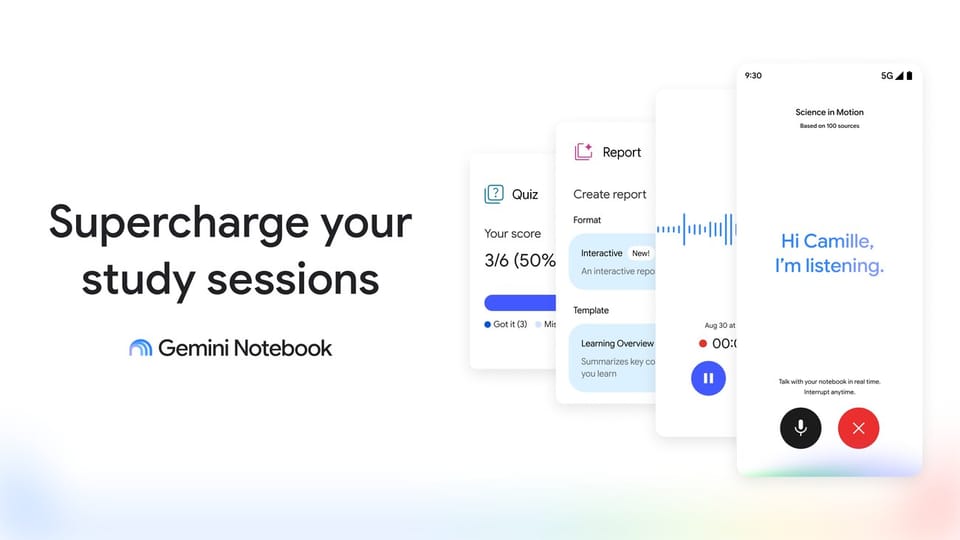
The September 15 update bundles six changes: live voice conversations with your sources, a lecture recorder, interactive learning overviews, new quiz formats, short video overviews, and a refreshed interface. Google has been shipping steadily all quarter — flexible usage limits arrived in late August, and Expert Intelligence for working with leading sources shortly before that. It is also part of a wider pattern of Google pushing study features across its products, including the study tools now built into Google Search. Here is each new Gemini Notebook study tools change in practical terms.
Source: The official Google Blog
Talk through tough concepts: voice study grounded in your sources
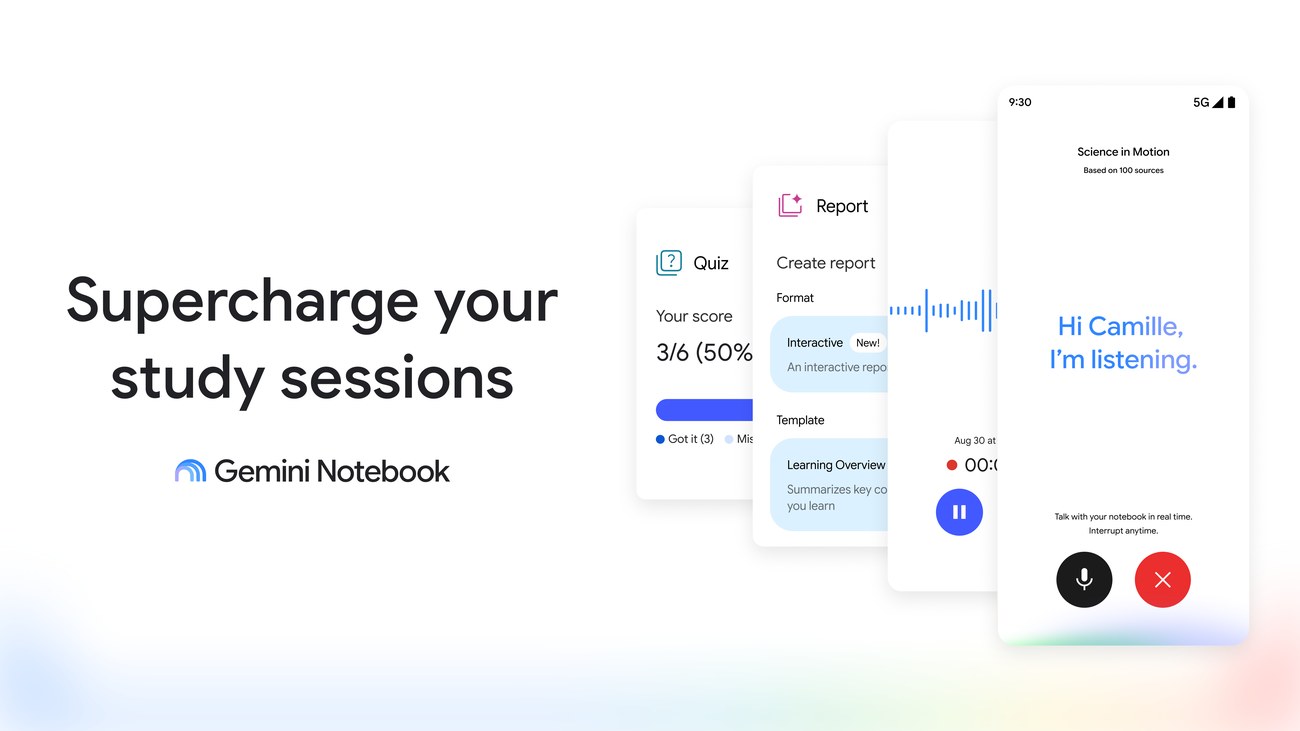
The headline feature is a live voice conversation with the notebooks you have uploaded. You speak, Gemini Notebook answers in roughly 100 languages, and every answer is grounded in your own sources rather than the open web. Answers arrive step by step, and you can interrupt out loud at any point to redirect the explanation.
Note the staging: voice conversations start this week for Google AI Ultra subscribers aged 18 and over, then reach Google AI Pro subscribers and other users later. If you do not have Ultra today, nothing is broken — the rollout simply has not reached your tier yet.
A lecture recorder built into the mobile app
Starting the week after the announcement, the Gemini Notebook mobile app includes an audio recorder for lectures and ideas on the go. The recording becomes notes that live alongside your other sources, so you can chat with them, cite them in essays, and keep editing them as your understanding improves.
One detail matters for younger students: the recorder works on both the web and mobile, and it is available to users under 18 as long as the output language is set to English. That is a deliberate exception — most premium AI features carry an 18+ requirement, but the recorder stays open to school-age users in English.
Interactive learning overviews that weave everything together
Inside the Reports section, interactive learning overviews now stitch summaries together with studio outputs such as infographics, quizzes, and flashcards in a single flow. Instead of generating each study aid separately, you get a layered overview of a topic that connects the summary directly to the practice material. Google says this reaches all users over the coming weeks.
New quiz formats that test real understanding
Quizzes already existed; three new formats arrive for everyone within weeks: short answer, multiple select, and fill in the blank. After you finish a quiz, you can ask the notebook chat about your performance, and it will show you where to focus next. Quizzes and flashcards are also customizable — you can add and edit questions, so the practice set matches your syllabus rather than a generic template.
Short Video Overviews in more than 80 languages
For concepts that need visuals, Gemini Notebook now produces short video overviews of roughly 60 seconds. Each one combines narrated explanation with educational animations for equations, diagrams, and scientific ideas. They can be shared with classmates, which makes them useful for group revision when everyone studied from different notes. These render in more than 80 languages.
A refreshed look
Finally, the whole product sports an updated interface. It is the least important change on the list, but it signals that the rename was not cosmetic: Gemini Notebook is being developed as a core product in the Gemini family, with its own Android and iOS apps.

Source: The official Google Blog, Gemini Notebook product page
What this means for you: the free year, country by country
The student offer has two tiers, and which one you get depends entirely on where you study:
| Where you study | Free for 12 months | Normal price after the year | Effect inside Gemini Notebook |
|---|---|---|---|
| United States | Google AI Pro | $19.99 per month | 4x higher usage limits |
| 140+ markets outside the US | Google AI Plus | $4.99 per month, or the local equivalent | 2x higher usage limits |
For context on those limits: Google moved Gemini Notebook to a system of flexible usage limits announced on August 28, 2026, and the student offer stacks a 2x or 4x lift on top of the standard allowance. The lift applies inside Gemini Notebook specifically, which is where the heavy usage — long voice conversations and large source sets — tends to happen.
The list of 140+ markets excludes six territories Google named explicitly: Bolivia, Albania, Canada, Macau, Hong Kong, and Tunisia. In practice, that means university students in Nigeria, India, Indonesia, Pakistan, Vietnam, the Philippines, Brazil, and most of Africa, Asia, Europe, and Latin America qualify for the AI Plus year, while students in the United States get the stronger AI Pro tier. If your country is not on the exclusion list, assume you qualify and let the official page confirm it.
The window is firm: you must redeem the offer by December 31, 2026, through the official student page, which requires signing in with a Google account. There is no stated mechanism for late claims, so treat the end of the year as a hard deadline.
Source: The official Google Blog, flexible usage limits announcement
How to claim your free student year, step by step
- Open the official student offer page at one.google.com/ai-student and sign in with your personal Google account.
- Confirm your country and your university student status as the page prompts. The offer is aimed at university students.
- Add a payment method. This is required even though the twelve months themselves cost nothing.
- Activate the plan. Your Gemini Notebook usage limits lift immediately — doubled on AI Plus, quadrupled on AI Pro.
- Set two reminders right now: one at month eleven, and one a few days before the year ends. When the year runs out, the subscription renews automatically unless you cancel first.
That fifth step is the honest one most posts will not emphasize. The free year converts into a paid subscription — $19.99 per month in the United States, or $4.99 per month and the local-currency equivalent elsewhere — unless you cancel before the renewal date. Google allows cancellation at any time, so the real risk is a forgotten renewal, not a lock-in.
Quick comparison: the free student year vs a paid chat subscription
| Question | Gemini Notebook student free year | ChatGPT Plus for studying |
|---|---|---|
| Cost for a university student | Free for 12 months (AI Plus in 140+ markets, AI Pro in the US), then auto-renews unless cancelled | Paid subscription from day one |
| Built around your own sources | Yes — answers are grounded in the notebooks you upload | General-purpose assistant that handles uploaded files conversationally |
| Lecture recording | Built into the mobile app from the week after the announcement | Designed as a general assistant rather than a lecture-recording study notebook |
| Generated study aids | Quizzes (short answer, multiple select, fill in the blank), customizable flashcards, interactive overviews, 60-second video overviews | Strong general study help through conversation and prompting |
| Voice practice | Live voice chat in about 100 languages, grounded in your sources (Ultra 18+ first, Pro to follow) | Voice conversation as a general assistant |
| Usable without a payment card | Yes — the base product stays free with standard limits | A free tier exists with its own caps, but the paid plan needs a card |
None of this says one product is better in the abstract. If your workflow is lecture recordings, course PDFs, and weekly revision, a source-grounded notebook plus a free year is a very hard combination to beat on cost. If your work is open-ended writing and coding help, a general assistant still earns its price.
The catches, stated plainly
The offer is genuinely good, and it still has conditions you should walk in knowing:
- A payment method is required at sign-up, even though the year itself is free. Students without a card — a real situation in many of the 140+ eligible markets — cannot complete the claim.
- The plan auto-renews after twelve months at $19.99 per month in the US or $4.99 per month and local equivalents elsewhere, unless you cancel first. Cancellation is available at any time.
- Voice chat arrives in stages. It starts with Google AI Ultra subscribers aged 18 and over, with Google AI Pro and other users getting it "later" — Google gave no date.
- Age gates vary by feature. Live voice starts with subscribers aged 18 and over (Ultra first); the recorder is the feature open to under-18s, with the output language set to English — while the interactive overviews, new quiz formats, and video overviews roll out to all users.
- The interactive learning overviews and new quiz formats roll out "over the coming weeks", so some features may not be visible the day you claim.
- Six markets are excluded outright: Bolivia, Albania, Canada, Macau, Hong Kong, and Tunisia.
- The claim deadline is December 31, 2026. After that, the page is the source of truth, not this article or anyone else's summary.
A realistic day with the new tools
Back to Chidi in Lagos. On day one he opens the recorder at 9 a.m., and his thermodynamics lecture becomes a notebook by lunch. On the bus home he types his question into the notebook — explain the second law of thermodynamics step by step — and the answer comes back in English, drawn only from his recording and the course PDF he uploaded last week. He taps a follow-up about a specific sign convention, and the explanation adjusts. Once live voice reaches his tier in the staged rollout, he will ask it out loud instead.
Later that week, once the rollout reaches his account, he generates an interactive learning overview for the week's topic. It pairs the summary with a fill-in-the-blank quiz and a set of flashcards; he adds two questions his lecturer hinted would appear in the exam. He misses two items, asks the notebook chat about his performance, and gets pointed back to the sections behind his mistakes. By the weekend, he generates a 60-second video overview of the cycle analysis and drops it into his class group so everyone revises from the same animation. Nothing in that week required a premium price — only the claim on the student page.
If you want a study companion that lives outside any single ecosystem, Truescho is worth setting up alongside your free year. It is a free global student platform that pairs its own AI study tools — flashcards, quizzes, summaries — with scholarships, a GPA calculator, and university rankings, so your study plan and your funding plan sit in one place instead of six browser tabs. You can start at truescho.com/en/opportunities in a couple of minutes.
One ecosystem, two halves: study tools and family scheduling
The September 15 announcement covers the study half of your life. Two days later, on September 17, 2026, Google filled in the other half: CC, an experimental agent from Google Labs, became an AI agent for families that manages household schedules, school permission forms, and shared tasks for up to six people. Students who also carry family responsibilities at home may find that half just as relevant — we break it down in our guide to Google CC for families.
For the study side specifically, two of our earlier guides fill in the background: what the NotebookLM-to-Gemini-Notebook change means for students and how Expert Intelligence changes working with sources. If you want the full picture of Google's 2026 push into student workflows, our comparison of the study tools inside Google Search is the natural next stop.
Frequently asked questions
How do I claim the NotebookLM student free year?
Google moved NotebookLM into Gemini Notebook in July 2026, and the student offer now lives under the new name. Visit one.google.com/ai-student, sign in with your Google account, confirm your student status and country, add a payment method, and activate. You must redeem the free year by December 31, 2026, and you can cancel at any time.
Is the Google AI Plus student offer available in my country?
If you are a university student outside the United States, the offer spans more than 140 markets with a free year of Google AI Plus and doubled Gemini Notebook limits. Google names six exclusions: Bolivia, Albania, Canada, Macau, Hong Kong, and Tunisia. Students in the US get Google AI Pro instead, with four times the limits.
Can Gemini Notebook record my lectures?
Yes. Starting the week after the September 15, 2026 announcement, the mobile app includes an audio recorder for lectures and ideas on the go. Recordings become notes that sit beside your other sources, so you can chat with them, cite them, and keep editing them. It works on both the web and mobile.
What languages does Gemini Notebook voice chat support?
The new voice feature lets you hold live conversations with your notebooks in roughly 100 languages, with answers grounded in your own sources. It is rolling out first to Google AI Ultra subscribers aged 18 and over, with Google AI Pro subscribers and other users to follow later, on Android and iOS.
NotebookLM vs Gemini Notebook — what changed?
The product is the same; the name and the home changed. On July 16, 2026, Google announced that NotebookLM had become Gemini Notebook, pulling it closer to the Gemini family. Your notebooks carried over, and the new tools — voice chat, a recorder, interactive overviews — arrive under the Gemini Notebook name.
Does the free student plan auto-renew after 12 months?
Yes. Google requires a payment method at sign-up, and when the free year ends the subscription renews automatically: $19.99 per month for Google AI Pro in the US, or $4.99 per month, or the local equivalent, for Google AI Plus elsewhere. You can cancel at any time before renewal if you do not want to continue.
Is Gemini Notebook free without a subscription?
Yes. The core product remains usable without any subscription and without a payment card, with the standard usage limits. Paid plans lift those limits — doubled with Google AI Plus and quadrupled with Google AI Pro — which is exactly what the free student year unlocks for twelve months.
Where this leaves you
Claim the year before December 31, 2026, if you are eligible — it is the single cheapest upgrade to your study setup this academic year. Put the renewal date in your calendar the same hour you claim it, use the recorder and quizzes while the rollout completes, and decide around month eleven whether $4.99 (or $19.99 in the US) is still worth it to you. And while you are mapping the semester, browse the open scholarships and opportunities on Truescho, so the funding side of your studies gets the same attention as the tools side.