
Gemini Nano Banana vs ChatGPT for Images: Full 2026 Comparison
If you have been trying to decide between Nano Banana vs ChatGPT for generating images in 2026, you are not alone. These are the two image engines that dominate every creative workflow this year, from a freelance designer in Lagos building product mockups to a marketing lead in Manila pumping out social graphics every morning. The short, honest answer is this: Google's Nano Banana wins on speed, photorealism, and keeping a character looking the same across edits, while ChatGPT's GPT Image 2 wins on readable text inside the picture, infographics, and exact layouts. Neither one is a universal champion, and the smartest creators in 2026 use both.
This guide goes deeper than the usual "X is better than Y" post. We will define exactly what Nano Banana and GPT Image 2 are, run one single prompt through both engines so you can see how they differ on identical instructions, lay out a full ten-criterion comparison table, share a real workflow from a small business owner, and finish with a clear decision framework plus answers to the questions people actually ask. By the end you will know which one to reach for on any given task — and where a simpler all-in-one tool fits if you would rather not juggle two subscriptions.
Source: Google
What is Nano Banana, exactly?
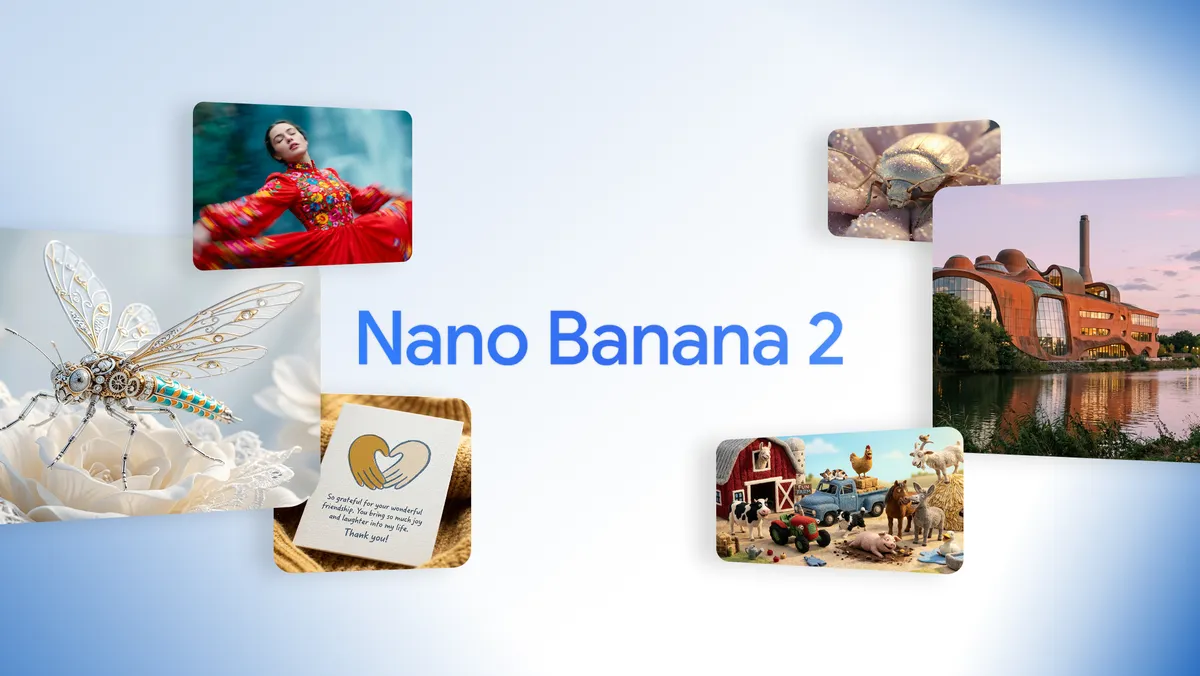
"Nano Banana" is the nickname for Google's family of image generation and editing models that live inside Gemini. It is not a single model but a small lineup, and getting the names right matters because they behave differently.
Nano Banana Pro is the marketing name for Gemini 3 Pro Image, built by Google DeepMind. This is the premium quality tier. It generates images up to 4K resolution, accepts up to 14 reference images at once (so you can feed it a full style guide, a logo set, or a character turnaround sheet), and produces the most legible multilingual text-in-image of any Google model. Every output carries an invisible SynthID watermark plus a visible AI marker.
Nano Banana 2 is the marketing name for Gemini 3.1 Flash Image, released on February 26, 2026. It blends near-Pro quality with Flash-level speed. It supports real-time Google Search grounding (so it can pull in current real-world knowledge), keeps subject consistency across up to 5 characters and 14 objects, and renders anywhere from 512 pixels up to 4K across multiple aspect ratios.
In plain terms: Nano Banana Pro is the quality flagship, Nano Banana 2 is the fast, search-aware workhorse. Both are reachable through the Gemini app and Google AI Studio. Typical generation time is roughly 10 to 15 seconds, which is noticeably quicker than ChatGPT.
What is ChatGPT's image model in 2026?
When people say "ChatGPT images" in 2026, they mean GPT Image 2, also branded ChatGPT Images 2.0. OpenAI announced it on April 21, 2026 and rolled it out the following day. It replaced GPT Image 1.5, and the older DALL·E 3 lost support on May 12, 2026 — so if you are still thinking in terms of DALL·E, that chapter is closed.
The headline feature of GPT Image 2 is text rendering at roughly 99% accuracy, and that holds across Latin, Arabic, Japanese, Korean, Hindi, Bengali and more. Native speakers can read non-Latin text baked into the image without the garbled-letter problem that has plagued AI art for years. It also ships with a Thinking Mode powered by OpenAI's reasoning models, which plans the structure of an image before drawing it — think of a designer who sketches before painting. That makes it excellent for infographics, multi-panel comics, UI-style layouts, and anything where exact placement counts.
On raw quality, GPT Image 2 launched at number one on the LMArena image leaderboard, opening a record +242 Elo gap over Nano Banana 2 at the time. The trade-offs: it is slower (tens of seconds in many tests versus Gemini's ~13), its skin sometimes reads slightly "plastic," its content moderation is stricter, and it costs more per image.
Why this comparison matters in 2026
Two years ago, AI images were a novelty. In 2026 they are a daily production tool. A São Paulo e-commerce seller needs forty clean product shots a week. A Jakarta content team needs on-brand thumbnails by 9 a.m. A solo course creator in Cairo needs diagrams that actually spell words correctly. Picking the wrong engine for the job wastes both money and hours of re-generating.
The catch is that the two engines have genuinely opposite strengths. If you optimize only for one — say, you go all-in on ChatGPT because of its Arena ranking — you will fight it every time you need a fast batch of realistic photos. If you go all-in on Gemini, you will fight it every time you need a poster with perfectly spelled text. Understanding the split is what saves you.
One prompt, both engines: a step-by-step test
The fairest way to compare Nano Banana vs ChatGPT is to give them the exact same instruction and watch how each interprets it. Here is a prompt you can copy and run in both yourself.
The prompt:
"A cozy independent coffee shop at golden hour. A young barista is handing a paper cup to a customer. On the cup, print the words 'MORNING BREW' clearly. Warm cinematic lighting, shallow depth of field, photorealistic, 16:9."
Step 1 — Run it in Gemini (Nano Banana). Open the Gemini app or Google AI Studio, choose the image tab, paste the prompt, and generate. In about 10–15 seconds you will get a strikingly realistic scene: natural skin texture on the barista, believable steam and bokeh, warm light that feels photographed rather than rendered. Check the cup text — Nano Banana usually gets short Latin words right, though it can occasionally soften a letter.
Step 2 — Run the identical prompt in ChatGPT (GPT Image 2). Open ChatGPT, paste the same prompt, and generate. Expect a longer wait — often tens of seconds — because Thinking Mode plans the layout first. The "MORNING BREW" text will almost always be crisp and correctly spelled, even at small sizes. The overall scene may look a touch more "designed" and slightly less photographic than Gemini's.
Step 3 — Compare the two on three things: (1) Which photo looks more like a real photograph? Usually Gemini. (2) Which got the cup text perfect? Usually ChatGPT. (3) Which arrived faster? Gemini, almost every time.
Step 4 — Iterate where each is strong. Ask Gemini to "put the same barista in a rainy evening version" — it will keep the character's face consistent. Ask ChatGPT to "add a chalkboard menu listing Latte $4, Mocha $5, Tea $3" — it will spell and align the prices cleanly.
This single test reveals the entire personality difference: Gemini photographs, ChatGPT designs.
Source: YouTube walkthrough
Nano Banana vs ChatGPT: the full comparison table
| Criterion | Nano Banana (Gemini) | ChatGPT (GPT Image 2) |
|---|---|---|
| Overall quality (LMArena) | Strong, #2 tier | #1, +242 Elo lead at launch |
| Text inside the image | Good Latin, ~80–95% on non-Latin scripts | ~99% accuracy across many languages |
| Speed | ~10–15 seconds | Tens of seconds (Thinking Mode planning) |
| Photorealism / skin | Best in class, natural texture | Excellent but can look slightly plastic |
| Character consistency | Up to 5 characters / 14 objects across edits | Good, but less specialized |
| Reference images | Up to 14 at once | Fewer; relies on Thinking Mode |
| Resolution | 512px up to 4K | Up to 2K native, 4K in some API tiers |
| Layouts / infographics | Weaker spatial planning | Excellent (plans before drawing) |
| Free tier | Generous (~3+/day, more in-app) | Limited (~2–3/day) |
| Per-image API cost (high) | ~$0.039–$0.151 | ~$0.15–$0.41 |
For the full money breakdown, see our dedicated guide on AI image pricing in 2026, and for the wider field of tools beyond these two, read the best AI image generators of 2026.
A real workflow: how Amaka in Lagos cut her design time in half
Amaka runs a small skincare brand in Lagos and used to pay a freelancer roughly $180 a month for product graphics. In March 2026 she switched to a hybrid AI workflow and tracked the results for eight weeks.
Her routine became simple. For product photos — bottles on marble, serums catching the light — she used Nano Banana, because the realistic skin and glass reflections looked like a real photoshoot, and each image landed in about 12 seconds. Out of 40 product shots in a typical week, she kept 31 with no edits.
For promo graphics with text — "20% OFF THIS WEEKEND," ingredient labels, a small comparison chart — she switched to ChatGPT's GPT Image 2, because the text came out spelled correctly the first time. Before, she was re-generating text images five or six times each in older tools; now it was usually one pass.
Her numbers after two months: design spend dropped from about $180 to roughly $40 in combined subscriptions, and her output rose from around 20 finished assets a week to over 50. The key was not picking one engine — it was knowing which engine to open for which task.
Expert tips and common mistakes
Tip 1 — Match the engine to the job, not your loyalty. Reach for Gemini when realism, speed, or character consistency matters; reach for ChatGPT when readable text or a precise layout matters.
Tip 2 — Use reference images on Nano Banana Pro. Feeding it your logo and brand colors as references keeps a whole campaign on-brand. Up to 14 references is a lot of control most people never use.
Tip 3 — Let ChatGPT's Thinking Mode handle structure. For an infographic with five labeled steps, describe the structure explicitly ("five numbered panels, left to right") and let it plan.
Mistake 1 — Expecting one engine to do everything. The most common frustration online is someone forcing Gemini to nail a paragraph of in-image text, or forcing ChatGPT to produce forty fast photos. Both fights are avoidable.
Mistake 2 — Ignoring the free tiers. Both have free access. Test your prompt on the free tier before paying for a plan that does not fit your real volume.
Mistake 3 — Over-prompting. Long, contradictory prompts confuse both engines. Describe the scene, the lighting, the text, and the aspect ratio — then iterate.
A simpler path if you would rather not juggle two tools
Everything above assumes you are comfortable holding two separate subscriptions, switching between two interfaces, and remembering which engine does what. Plenty of people are. But if you mainly want good images without the model-juggling, an all-in-one platform like the ArWriter image generator wraps capable image models behind a single simple interface, ships with a library of ready-made prompts, and runs on one straightforward subscription — Pro covers about 20 images a month, Premium about 50, and Agency about 150 — with no foreign payment card or VPN required. It will not replace the absolute cutting edge of Gemini or ChatGPT for a power user, and we will say so honestly. But for a creator who wants reliable images and prompts in one place, it removes a lot of friction.
Frequently asked questions
Is Nano Banana better than ChatGPT for image generation?
Neither is universally better. Nano Banana leads on speed, photorealism, and character consistency, while ChatGPT's GPT Image 2 leads on readable in-image text, infographics, and overall LMArena quality. The right pick depends entirely on the task in front of you, and many professionals use both.
What is the difference between Nano Banana Pro and Nano Banana 2?
Nano Banana Pro is Gemini 3 Pro Image, the premium quality tier with up to 4K output and 14 reference images. Nano Banana 2 is Gemini 3.1 Flash Image, released February 26, 2026, which trades a little quality for much faster speed and live Google Search grounding.
Which AI renders text inside images more accurately?
ChatGPT's GPT Image 2 is the clear leader, hitting roughly 99% text accuracy across Latin and non-Latin scripts including Arabic, Japanese, and Hindi. Nano Banana handles short Latin text well but falls behind on longer passages and non-Latin scripts, scoring roughly 80–95% in benchmarks.
How fast is Nano Banana compared to GPT Image 2?
Nano Banana typically generates an image in about 10 to 15 seconds. GPT Image 2 is usually slower, often taking tens of seconds because its Thinking Mode plans the image structure before drawing. If raw speed is your priority, Gemini wins comfortably.
Can I use Nano Banana for free?
Yes. The free Gemini tier includes a small daily allowance of images, and community reports suggest the in-app experience can be more generous at times. It is enough to test prompts and handle light personal use before you decide whether a paid plan is worth it.
Which keeps a character consistent across edits?
Nano Banana is the specialist here. It maintains subject consistency for up to 5 characters and 14 objects across edits, so you can place the same person in new settings, outfits, or lighting and keep their face recognizable. That makes it ideal for series, brand mascots, and storyboards.
What replaced DALL·E 3 in ChatGPT?
GPT Image 2 (ChatGPT Images 2.0) is the current model. It launched April 21, 2026, and DALL·E 3 lost support on May 12, 2026. If you are still planning around DALL·E, switch your expectations to GPT Image 2, which is far stronger on text and layout.
Should I use both models in one workflow?
For serious creators, yes. The 2026 consensus is to route by task: Gemini for fast realistic photos and consistent characters, ChatGPT for text-heavy graphics and precise layouts. If managing two tools feels like too much, a single all-in-one platform can cover most everyday needs instead.
Conclusion
The Nano Banana vs ChatGPT debate has a refreshingly clear answer once you stop looking for a single winner: Gemini photographs, ChatGPT designs. Open Nano Banana for realism, speed, and consistent characters; open GPT Image 2 for crisp in-image text, infographics, and exact layouts. Test both on the free tiers with one identical prompt and you will feel the difference in minutes.
And if running two subscriptions and two interfaces sounds like more management than you want, try the ArWriter image generator — one simple plan, ready-made prompts built in, and no foreign card or VPN needed — then graduate to the raw engines whenever a job truly demands their cutting edge.