
Gemini in Chrome on Android Rolls Out to All US Users: Auto Browse, Nano Banana, and What Comes Next
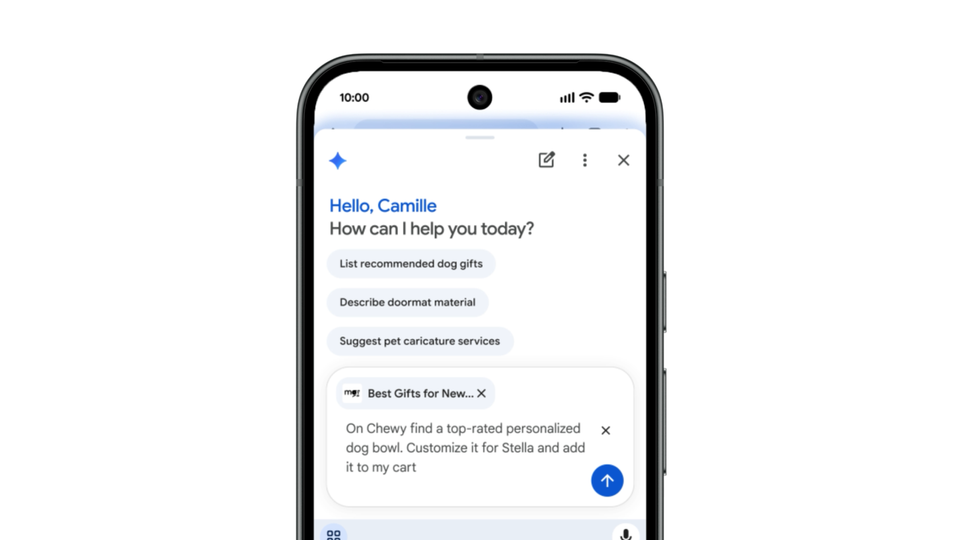
Google has opened the taps on Gemini in Chrome. As of August 18, 2026, the AI browsing assistant is available to all Android users in the United States, turning the world's most-used mobile browser into something qualitatively different: a browser that can summarize the long article you are reading, answer questions about the page in front of you, connect to Google apps like Calendar and Keep without tab-switching, and even generate customized images on the fly using Nano Banana.
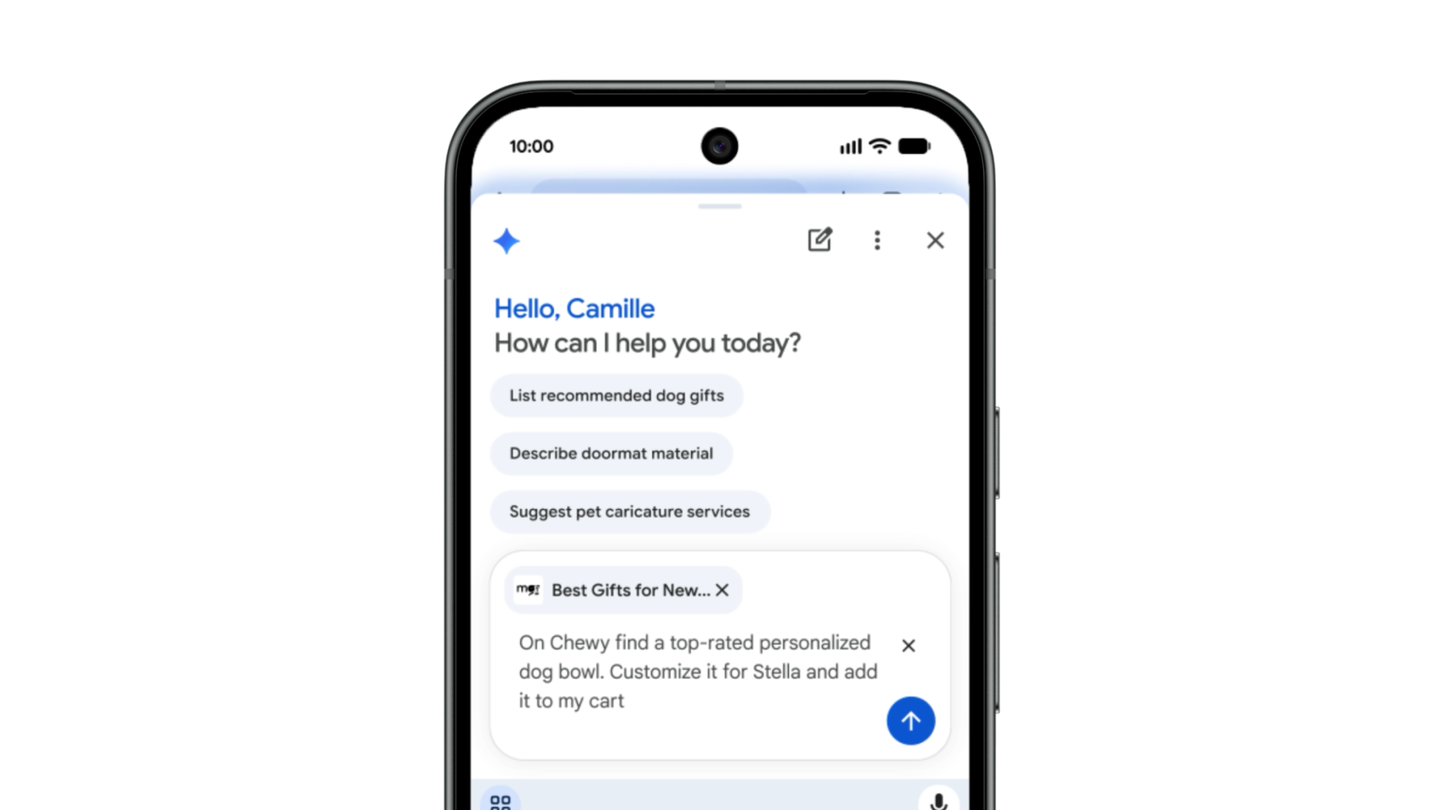
The deeper story is the tier above that. AI Pro and AI Ultra subscribers in the US on Android now get auto browse — the agentic layer that lets Gemini in Chrome complete tedious multi-step tasks on your behalf, from booking event parking to updating a recurring online order to organizing a trip. The rollout signals where Google believes browsing is heading: from pages you read to tasks you delegate.
Source: Chrome official account on X
What exactly is new?
The official Google blog post — authored by Charmaine Dsilva, Director of Product Management for Chrome — confirms three layers of capability:
- Browsing assistance for everyone (US). Gemini in Chrome summarizes long articles, answers questions about web pages, and plugs into your favorite Google apps, including Calendar and Keep, without forcing you to jump between tabs. It can also customize and generate images right in the browser via Nano Banana.
- Auto browse for subscribers. AI Pro and AI Ultra subscribers on Android in the US can use Gemini in Chrome's agentic capabilities: book parking for an event, update a recurring online order, or organize travel for your next vacation — tasks that normally involve opening several sites and filling forms repeatedly.
- Security designed in. Google says the features are built to be secure by design, with models trained to detect known threats such as prompt injection, and auto browse engineered to ask for confirmation before completing some sensitive tasks.
That last point deserves emphasis: an assistant that acts across live websites on your behalf is exactly where AI safety stops being theoretical. Confirmation gates before sensitive actions are the difference between convenience and liability.
Source: Google's official blog
How to turn it on
Per the official instructions, accessing Gemini in Chrome on Android takes one of two paths:
- Tap the Gemini icon in Chrome's top bar, or
- Open the three-dot menu and select Gemini from the list.
The assistant then lives inside your browsing session: ask it to summarize the current page, interrogate a detail, generate an image, or — if your subscription qualifies — hand it a task through auto browse. No separate app installation is required; everything runs inside Chrome itself.
What this means outside the United States
- Availability today is US-only. The announcement explicitly covers "all Android users in the U.S." There is no announced date for other markets yet, and any specific country timeline you may read elsewhere right now is speculation, not fact. Google's typical pattern is staged international expansion, but the company has not published a schedule for this feature.
- Travelers and US-account users see it today. Availability is market-based, not nationality-based — anyone physically in the US, including international students and business travelers on Android, gets the rollout.
- The agentic tier will cost money. Wherever auto browse eventually lands, it is tied to AI Pro or AI Ultra subscriptions. The free tier of browsing help (summaries, page Q&A) is the broadly available layer; delegation is premium. Before paying anywhere, check our complete guide to Gemini Advanced plans and what each tier actually includes.
- The direction matters even before arrival. The browser is shifting from a viewing window to an executing assistant. If you want to get fluent early, our guide to the Gemini mobile app and Gemini Live covers the ecosystem outside the browser, and our beginner's explanation of Gemini builds the foundation from zero.
Quick comparison: Gemini in Chrome vs. other in-browser assistants
| Assistant | Browser/environment | What it does automatically | Availability note |
|---|---|---|---|
| Gemini in Chrome | Chrome on Android | Summaries, page Q&A, Nano Banana images, auto browse for subscribers | US now — wider rollout pending |
| Gemini standalone app | Gemini app (Android/iOS) | General tasks, Live voice, Google app connections | Broadly international |
| Microsoft Copilot in Edge | Edge | Summaries, comparison, shopping assistance | Desktop and mobile |
The structural difference: Gemini in Chrome operates inside the browsing session itself rather than as a parallel app — seeing the page you see and acting on the real sites you use. Combined with Chrome's dominant Android market share, that integration is Google's core bet.
Honest limitations
- No international launch date. Until Google announces one, "coming soon to your country" is marketing language, not information.
- Auto browse is gated. The agentic features require paid AI Pro/Ultra tiers; the announcement does not make free-tier delegation available.
- Sensitive tasks still require your confirmation. By design, full automation without human review is not the default — that is a feature, not a bug.
- Prompt injection is mitigated, not eliminated. Training models to detect known attack patterns raises the bar, but handing any agent access to accounts and payments still warrants caution and review.
- Android today, desktop later. This announcement is Android-specific; desktop Chrome users should wait for platform-specific news rather than assume parity.
How to prepare for agentic browsing before it reaches your market
Even before auto browse officially arrives in more countries, there is practical preparation that makes the transition smooth the day it lands:
- Clean up your accounts now. An agent acting across live websites inherits the state of your accounts. Update payment methods, close stale accounts on shopping sites, and enable two-factor authentication wherever the assistant might someday act. A tidy account is a safer account to delegate to.
- Practice delegating small tasks first. Use the summarization and page Q&A capabilities available to you today, and build the habit of reviewing the AI's output before trusting it. That verification reflex — not prompt mastery — is the core skill of the agentic era.
- Write down your boring-task list. List the recurring weekly chores that eat your time: bookings, recurring order updates, price comparisons, trip organization. When the feature reaches your market, you will have a ready backlog instead of aimless experimentation.
None of this requires a new subscription, and every step pays off with the tools you already use today.
Frequently asked questions
What is Gemini in Chrome?
An AI assistant built into Chrome on Android that summarizes long articles, answers questions about the web page you are viewing, connects to Google apps like Calendar and Keep, generates images with Nano Banana, and — for AI Pro and AI Ultra subscribers — executes multi-step tasks through auto browse.
When will it be available outside the United States?
No official date has been announced as of August 19, 2026. The current rollout covers Android users in the US; international availability will be announced through Google's official channels.
Is auto browse free?
No. Google's announcement states auto browse is available to AI Pro and AI Ultra subscribers on Android in the US. Other browsing-assistant capabilities roll out with general availability.
How do I enable it on my phone?
Open Chrome on Android, tap the Gemini icon in the top bar or select Gemini from the three-dot menu, and start asking. No separate app is needed.
How is this different from the Gemini app?
The standalone Gemini app is a general-purpose assistant outside the browser with broader tasks and Live voice. Gemini in Chrome works inside your browsing session — it sees the page in front of you and can act on real websites directly, which is precisely its advantage.