
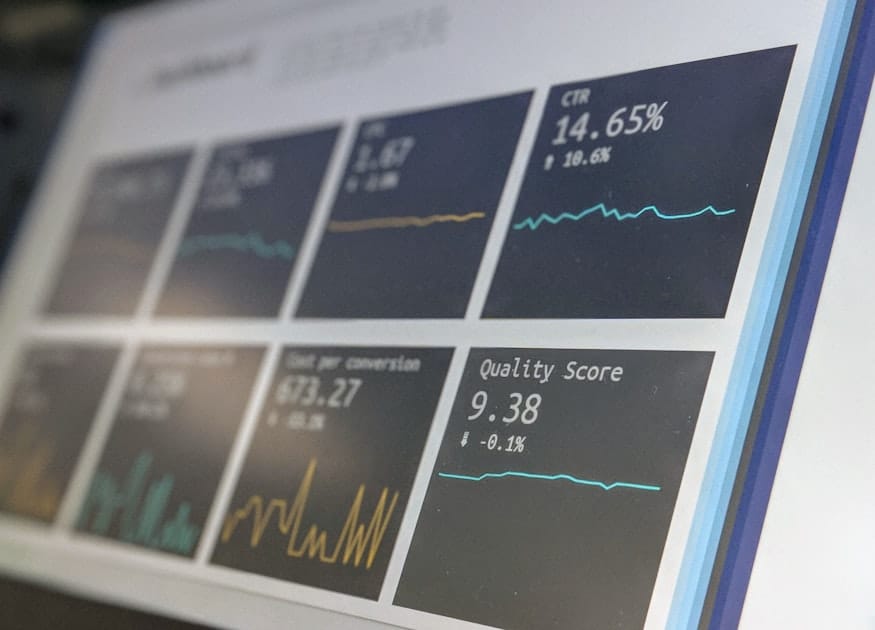
GA4 AI Traffic Measurement 2026: Where AI Referrals Disappear and How to Track Them
GA4 AI traffic measurement 2026 is no longer a niche analytics problem. Marketers, creators, SaaS teams, and publishers are seeing traffic from ChatGPT, Gemini, Perplexity, Copilot, and other assistants, but the visits do not always appear where teams expect them. Some show as referral traffic. Some appear in an AI Assistants channel. Some are folded into organic search. Some look like direct traffic.
💬 Disclosure: Some links in this article are affiliate links. We may earn a small commission when you complete a purchase at no extra cost to you. This helps us keep our content free, and it does not affect the integrity of our recommendations.
The problem is not just technical. It is strategic. If your analytics setup cannot distinguish visibility, referral traffic, and conversions, you may underinvest in content that influences buyers or overcredit a channel that only captured the final click. AI-assisted discovery makes attribution messier because the journey can start in a conversation, continue through Google, move through Reddit, and end as a direct visit days later.
This guide explains where AI referrals disappear in GA4, how Google's AI Assistants channel works, why Google AI answers are usually analyzed through organic search and Search Console rather than a separate GA4 AI channel, and how to build a practical measurement system. Tools such as Semrush can help you monitor search visibility, competitors, and topic demand, but GA4 and Search Console remain central for your own traffic and conversion data.
If you are also working on content optimization for answer-style search, pair this guide with Google AI answers. If you are preparing for paid placements inside conversational platforms, read ChatGPT ads attribution crisis after you finish your GA4 setup.
The First Rule: Visibility Is Not the Same as Traffic
Many AI measurement mistakes start with one confusion: a brand appearing in an answer is not the same as a user clicking to the website.
There are at least four different layers:
- Visibility: your brand, page, or product is mentioned or cited somewhere.
- Click: a user clicks from the platform to your website.
- Session: GA4 records a visit with a source, medium, landing page, and device.
- Conversion: the user completes a meaningful action such as signup, purchase, lead, trial, or subscription.
You can have visibility without a click. You can have a click without a clean referrer. You can have a session without a conversion. You can have a conversion that was influenced by an AI conversation but recorded as direct, organic, or branded search.
This is why GA4 AI traffic measurement in 2026 requires a layered dashboard. You need GA4 for sessions and conversions, Search Console for Google search performance, server logs for raw request evidence, and a competitive visibility tool such as Semrush for market-level signals.
Where AI Referrals Disappear in GA4
AI referrals disappear for several reasons. Some are expected. Some are fixable. Some are simply limitations of modern privacy and app behavior.
First, referrers can be stripped. When a user clicks from an app, private browser, embedded webview, or privacy-focused environment, the original referrer may not pass cleanly. GA4 may classify the visit as direct because it does not receive enough information.
Second, some AI platforms use redirects or link wrappers. The session source may not look like the platform name you expected. It may show a domain you do not recognize, a generic referral, or no referrer at all.
Third, Google AI answers are part of the Google search experience. Google Analytics documentation indicates that non-ad organic search links, including Google's AI-powered search experiences, are generally treated as Organic Search rather than a separate AI assistant referral. That means you should use Search Console and organic landing page analysis to diagnose them.
Fourth, users may copy and paste URLs. If someone asks an assistant for product recommendations, copies your brand name, searches Google later, and clicks your homepage, GA4 may credit organic search or direct. The assistant influenced the journey, but GA4 cannot read the earlier conversation.
Fifth, your own tracking may be incomplete. Missing key events, broken consent settings, bad referral exclusions, cross-domain issues, and poor UTM governance can all make AI traffic look smaller or more chaotic than it really is.
Comparison Table: Where to Measure Each AI Platform
| Platform or source | Where it may appear in GA4 | Where to measure visibility | Where to measure conversion | Common problem |
|---|---|---|---|---|
| ChatGPT | AI Assistants, Referral, or Direct | Manual checks, brand monitoring, Semrush visibility research | GA4 key events, CRM | Referrer may be missing or inconsistent |
| Gemini | AI Assistants, Referral, Organic Search, or Direct | Search Console, manual checks, market tracking | GA4, Search Console assisted analysis | Google search and assistant paths can blur |
| Perplexity | Referral, AI Assistants, or Direct | Manual answer checks, competitor monitoring | GA4 landing pages, CRM | Small traffic volume can hide high intent |
| Copilot | AI Assistants, Referral, Bing-related traffic, or Direct | Bing Webmaster Tools, manual checks | GA4 and CRM | Source naming may be inconsistent |
| Google AI answers | Usually Organic Search and Search Console | Search Console, SERP checks, Google AI answers workflow | GA4 organic landing pages | No clean separate GA4 channel for the answer experience |
| Reddit discussions feeding discovery | Referral, Direct, Organic Search, or social | Reddit AI brand visibility, native Reddit search | GA4, CRM, server logs | Influence often happens before the click |
| Owned AI links with UTMs | Campaign channel based on UTM rules | Your campaign reports | GA4 campaign reports | Inconsistent UTM naming destroys analysis |
How GA4 Classifies AI Assistant Traffic
Google Analytics has recognized an AI Assistants default channel group for sources such as ChatGPT, Gemini, Deepseek, Copilot, and Grok when traffic matches its rules. In simplified terms, when GA4 receives a recognized AI assistant source and the medium aligns with the expected classification, the session can be grouped under AI Assistants.
That sounds clean, but marketers should not assume every AI-influenced visit will land there. The channel group depends on the data GA4 receives. If a referrer is missing, if a link opens in a way that strips source data, or if a user returns later through another path, attribution changes.
Use the AI Assistants channel as one report, not the entire truth. It is useful for visible, click-based traffic from recognized platforms. It is not a complete measure of brand influence inside AI conversations.
The 6-Step GA4 Workflow for AI Traffic Measurement
Step 1: Create an Exploration for Session Source and Medium
Open GA4 and create a free-form Exploration. Add these dimensions:
- Session source / medium.
- Session default channel group.
- Landing page + query string.
- Page path.
- Device category.
- Country.
- Date.
Add these metrics:
- Sessions.
- Engaged sessions.
- Engagement rate.
- Key events.
- Total revenue if relevant.
- New users.
- Returning users.
Filter for known AI-related sources. Start with domains and source names such as chatgpt, openai, perplexity, gemini, copilot, deepseek, grok, claude, poe, you, and phind. Do not assume this list is complete. Review source names monthly because platforms change their referral behavior.
Step 2: Build a Landing Page Report for AI-Influenced Sessions
Next, pivot from source to landing page. AI-referred visitors often arrive on highly specific content: comparison pages, pricing pages, tutorials, alternatives, templates, and problem-solving guides.
For each landing page, ask:
- Does the page match the likely question the user asked?
- Does it give a clear answer above the fold?
- Does it have a strong next step?
- Are key events firing correctly?
- Is the page connected to related content through internal links?
If a page receives AI referrals but no conversions, the issue may not be traffic quality. The issue may be weak intent matching or weak conversion design.
Step 3: Separate Google Search From External AI Referrals
Do not mix Google AI answers with ChatGPT referrals in one bucket. They are different measurement problems.
For Google search experiences, use Search Console. Compare clicks, impressions, CTR, average position, pages, queries, countries, devices, and dates. Then connect the same landing pages to GA4 organic sessions and key events.
For external AI assistants, use GA4 source and channel reports, referral analysis, landing page behavior, and server logs where needed.
This separation prevents bad decisions. If organic CTR is falling because Google answers more questions on the results page, the solution may be content restructuring. If ChatGPT referrals are direct or missing, the solution may be better log analysis and UTM discipline for owned links.
Step 4: Use UTMs Where You Control the Link
You cannot force an AI assistant to preserve referrer data. But you can control links you place in owned assets, partner content, newsletters, social profiles, and campaigns.
Use consistent UTMs for owned AI-related campaigns. Example:
utm_source=chatgpt
utm_medium=ai-assistant
utm_campaign=product_research_2026
utm_content=pricing_guide
Do not use ten different names for the same source. Avoid mixing "chat-gpt," "ChatGPT," "openai," and "ai" unless you have a documented naming system. Bad naming is one of the easiest ways to make reports useless.
Step 5: Compare Against Search Console and Visibility Tools
If Search Console impressions rise for a landing page while GA4 sessions are flat, the page may be getting more visibility but fewer clicks. If GA4 AI Assistants sessions rise while Search Console is flat, external assistants may be sending traffic independently of Google.
This is where a tool like Semrush can help. Use it to monitor competitor movement, keyword sets, ranking changes, and broader visibility patterns. But remember the boundary: Semrush can support market analysis; it cannot replace GA4 conversion data or Search Console's first-party performance data.
Step 6: Validate With Server Logs When Stakes Are High
For most creators, GA4 plus Search Console is enough to make better decisions. For high-spend SaaS teams, publishers, marketplaces, and affiliate businesses, server logs can add important evidence.
Logs can help you see raw requests, landing pages, user agents, timestamps, and referrer headers before analytics processing. They will not reveal private AI conversations, but they can show whether traffic patterns are being lost in GA4 processing, consent behavior, or redirects.
Use logs when:
- Direct traffic spikes after a known AI or community mention.
- GA4 underreports sessions compared with server requests.
- A high-value landing page receives conversions with unclear source data.
- Cross-domain tracking or redirects may be breaking attribution.
- You need to audit bot traffic separately from human sessions.
A Real Story: The SaaS Team With a Direct Traffic Spike
A small B2B SaaS company launched a content push around workflow automation. The team published comparison articles, answered questions on LinkedIn, and participated in relevant Reddit discussions without dropping spammy links. Two weeks later, direct traffic to the pricing page jumped. GA4 showed only a small number of recognizable referrals from AI assistants.
The marketing team first assumed the increase came from brand awareness. Then they looked deeper. Landing page timestamps matched days when their content was discussed in online communities. Server logs showed several visits with missing referrers but similar paths: blog article, pricing page, documentation, signup. Search Console showed rising branded queries. A few sales calls mentioned that prospects had "asked an AI tool" which options to compare.
The team did not claim exact attribution. Instead, they built a more honest model. They tagged owned campaign links, created a GA4 Exploration for AI-related sources, monitored branded search weekly, and tracked community mentions. They also improved the pricing page because many AI-influenced visitors landed there late in the journey.
The lesson: AI traffic measurement is often probabilistic. You are not trying to know everything. You are trying to reduce uncertainty enough to make better content, budget, and conversion decisions.
Pros and Cons of Using Semrush for AI Traffic Measurement
Semrush is not an analytics platform in the same sense as GA4. Its strength is market visibility, competitor research, keyword tracking, and content opportunity discovery.
Pros:
- Helps identify topics that may trigger answer-style search results.
- Useful for tracking competitors across priority keywords.
- Helps content teams find pages that need updates.
- Supports reporting for agencies and multi-site teams.
- Can reveal market movement that GA4 cannot show because GA4 only sees your site.
Cons:
- It cannot recover missing referrer data.
- It cannot tell you every user journey before the click.
- It does not replace GA4 key events, revenue, or CRM data.
- It cannot prove that an AI mention caused a sale.
- It may be more than a solo creator needs if the only goal is basic reporting.
When Semrush is not enough:
Semrush is not enough when the problem is broken event tracking, consent mode configuration, server redirects, cross-domain checkout, CRM attribution, offline sales, or missing UTMs. It is also not enough when leadership wants exact credit for a channel that influences users before a click. In those cases, use Semrush for visibility context, GA4 for behavioral data, Search Console for Google performance, server logs for raw traffic evidence, and your CRM for revenue quality.
Build a Weekly AI Traffic Dashboard
Your dashboard should not be crowded. A simple dashboard that people read every week is better than a complex one nobody trusts.
Include these sections:
AI assistant sessions:
- Sessions from recognized AI assistant sources.
- Landing pages for those sessions.
- Engagement rate and key events.
- New vs returning users.
Google organic impact:
- Search Console impressions by priority page.
- CTR by query group.
- Average position trend.
- GA4 organic sessions and key events by landing page.
Brand demand:
- Branded queries in Search Console.
- Direct traffic to homepage, pricing, and product pages.
- Returning users from content pages.
- Demo or signup conversion rate.
Competitive context:
- Priority keyword movement.
- Competitor pages gaining visibility.
- Topics where your pages are missing.
- Community mentions that may influence AI-assisted discovery.
For teams selling digital products, courses, or subscriptions, add revenue quality. A small number of AI-influenced sessions can be worth more than a large number of low-intent visits. If you want to learn analytics, SEO, or digital marketing skills in a structured way, browse truescho.com and practice the dashboard on your own property.
What Do You Do Today?
Use this checklist to improve GA4 AI traffic measurement before your next reporting meeting.
- Open GA4 and review Session default channel group for AI Assistants.
- Create an Exploration using Session source / medium and Landing page.
- Filter for known AI sources such as chatgpt, perplexity, gemini, copilot, deepseek, grok, claude, and poe.
- Check whether key events are firing on AI-referred landing pages.
- Compare the same landing pages in Search Console for impressions, clicks, CTR, and average position.
- Review Direct traffic spikes by landing page, not only by total volume.
- Audit referral exclusions and cross-domain tracking.
- Create a UTM naming policy for owned links.
- Add server log review for high-value pages if attribution is unclear.
- Use the 2026 platform workflow or a similar market visibility workflow to compare your site against competitors.
Common Reporting Mistakes to Avoid
Do not report all direct traffic as AI traffic. Direct traffic can include bookmarks, typed URLs, privacy-protected clicks, app clicks, broken UTMs, and returning users.
Do not report every AI assistant session as high intent. Some users are researching casually. Look at landing page depth, engagement, and conversion events.
Do not combine Google organic answer-style search with external assistant referrals without labeling them. They require different analysis.
Do not let dashboards hide business quality. Ten trial signups that never activate are not better than three qualified demos.
Do not ignore assisted influence. A user may discover you through an AI answer, search your brand later, and convert through organic search. Last-click reporting can understate the original influence.
Do not overpromise precision. AI traffic measurement is improving, but there will always be gaps caused by privacy, apps, referrer behavior, and multi-session journeys.
Sources
- Google Analytics Help: default channel groups and AI Assistants channel definitions.
- Google Analytics Help: Organic Search channel definitions for non-ad search links.
- Google Search Console Help: Performance report metrics, including clicks, impressions, CTR, and average position.
- Google Search Central: AI features and your website.
- Semrush resources on AI search visibility and competitive tracking.
FAQ
How do I track AI traffic in GA4?
Create a GA4 Exploration using Session source / medium, Session default channel group, and Landing page. Filter for known AI assistant sources such as ChatGPT, Perplexity, Gemini, Copilot, Deepseek, Grok, Claude, and Poe. Then review sessions, engagement, key events, and conversions by landing page.
What is the AI Assistants channel in GA4?
AI Assistants is a GA4 channel grouping for recognized traffic from assistant platforms when source and medium rules match Google's definitions. It can help you identify click-based traffic from some AI tools, but it is not a complete measure of every AI-influenced visit or brand mention.
Why do ChatGPT referrals show as direct traffic?
ChatGPT-influenced visits can appear as direct when referrer data is stripped, the user opens a link through an app or privacy-protected environment, the user copies and pastes a URL, or the journey continues later through another path. Direct traffic should be investigated by landing page, timestamp, and conversion behavior.
Are Google AI answers included in Organic Search?
In most analytics workflows, traffic from Google's AI-powered search experiences is analyzed through Organic Search and Search Console rather than a separate AI assistant referral bucket. Use Search Console to examine impressions, clicks, CTR, average position, pages, and queries, then compare those pages with GA4 organic landing page behavior.
How do I track Perplexity and Gemini referrals?
Filter GA4 source and medium reports for platform names and related domains. Add landing page, device, country, and key events to understand traffic quality. For Gemini and Google search paths, separate external referrals from organic search analysis so you do not mix two different discovery systems.
What sources count as AI assistants in GA4?
Google's definitions can include sources such as ChatGPT, Gemini, Deepseek, Copilot, and Grok when the traffic matches channel rules. Because platform behavior changes, do not rely only on default grouping. Maintain your own source list and review new referral domains monthly.
How do I measure AI visibility when clicks disappear?
Use a blended model. Track Search Console impressions and CTR for Google search, GA4 sessions and key events for visits, competitor visibility tools for market movement, brand search trends for demand, and server logs when data quality matters. The goal is directional confidence, not perfect surveillance.