
With a new semester approaching, students everywhere are hunting for free study apps that spare them yet another monthly subscription. The overlooked truth: the six tools most students actually need — Anki, Khan Academy, Quizlet, Forest, Zotero, and Photomath — are free at their core, and one of them is a nonprofit that has passed 227 million registered users. This guide, updated on 23 August 2026, walks through what each tool genuinely offers on its free tier, then assembles all six into one weekly routine you can start tonight.
Before you pay for any AI subscription or premium study app this semester, test this free toolkit first. For many students it covers everything — and saves the equivalent of several full subscriptions a year.
Why Free Tools Are Enough in 2026
The gap between subscription prices and student budgets keeps widening. AI assistant subscriptions alone can consume a meaningful monthly budget, and plenty of students claim their student discounts on those subscriptions only to discover their real needs are simpler: memorizing flashcards, understanding problems step by step, managing references, and protecting focus from the phone itself.
The six tools below cover those four needs at no cost. Some offer optional paid plans, but the core that serves most students is available without paying anything.
The Comparison Table: Six Tools at a Glance
| Tool | Primary use | Platforms | Free tier | Best for |
|---|---|---|---|---|
| Anki | Spaced-repetition flashcards | Windows, macOS, Linux, Android, iOS | Full on desktop and Android | Medicine, pharmacy, law students |
| Khan Academy | Learning concepts from scratch | Browser + mobile apps | Everything is free | Strengthening foundations, math |
| Quizlet | Shared flashcards and practice tests | Browser + mobile apps | Core modes | Group revision before exams |
| Forest | Focus protection from your phone | Android, iOS, browser extensions | Core focus experience | Anyone distracted by their phone |
| Zotero | Reference and citation management | Windows, macOS, Linux, mobile | Full and open source | Thesis and research students |
| Photomath | Step-by-step math solutions | Android, iOS | Basic tier | Understanding steps, not just answers |
1. Anki: Memorization That Respects the Forgetting Curve
Anki is the flashcard app most cited by medical students worldwide, and its principle is simple and clever: you rate your recall after each card, and the app schedules the next review for the moment you are most likely to forget the information — a technique known as spaced repetition.
The official numbers are reassuring: the full desktop version is free on Windows, macOS, and Linux; the AnkiDroid app is free on Android; and cross-device syncing through AnkiWeb is free as well. The only paid piece is the iOS app (AnkiMobile), whose price, per the official site, funds the project's own development. The current release, 26.08.1, shipped in August 2026, and the app comfortably handles decks of more than 100,000 cards.
Who is it for? Any student memorizing large volumes of discrete information: terminology, anatomy, legal rules, vocabulary. If you are preparing for an English proficiency exam, our one-month IELTS/TOEFL study plan shows exactly where Anki fits in a realistic daily schedule.
Source: Official Photomath website
2. Khan Academy: 227 Million Registrations at a Nonprofit
If one name deserves a student's trust, it is Khan Academy: a registered nonprofit organization whose official About page reports more than 227 million registered users, over 75 billion lifetime learning minutes, and content available in more than 190 countries and 55+ languages.
In practical terms: more than 840 free courses covering mathematics, science, economics, computing, and test preparation, from school level through early college. In the 2024–2025 school year alone, the platform served 104.9 million learners. On top of that sits Khanmigo, the AI tutor the organization built to give students always-available, personalized explanations within its education plans.
How to use it well: whenever you find a gap in a foundational concept — an equation, a law, a definition — start with the corresponding Khan Academy lesson before returning to your advanced university course.
3. Quizlet: Social Flashcards Before the Exam
Quizlet turns your notes into interactive flashcards and several game-style study modes, with the option to share sets with your cohort — and that is its social superpower: one set you create can be studied by dozens of classmates, and vice versa. The free tier lets you build cards and study with the core modes, while the paid plan unlocks extras such as the Q-Chat AI study assistant.
Best use: a week before the exam, convert your lecture notes into 30–50 cards and drill them with your group. Students combining Quizlet with structured English practice can also pull from our guide to learning English online for free, which lists verified free resources.
4. Forest: Focus That Grows Into a Tree
The study problem in 2026 is rarely access to material — it is attention. That is where Forest, by the Taiwanese studio Seekrtech, comes in: you plant a virtual tree at the start of a study session, and it grows as long as you stay off distracting apps; open one, and the tree dies. More than 60 million people have used the app since 2014.
The best part is documented on the official site: in partnership with the nonprofit Trees for the Future, users have planted more than two million real trees in Kenya, Senegal, Tanzania, Uganda, and Cameroon. The free version includes the core focus experience and app blocking; a paid subscription adds tree species and expanded statistics.

Source: Photo by Gary Todd on Wikimedia Commons (CC0)

5. Zotero: The Open-Source Friend of Every Thesis
Zotero is a completely free, open-source research manager developed by an independent nonprofit, Digital Scholar, and it runs on Mac, Windows, Linux, iOS, and Android. Its practical edge: a browser connector captures article and book metadata automatically while you browse, then generates citations directly inside Word, LibreOffice, or Google Docs in more than 9,000 academic citation styles.
Who is it for? Every student writing a thesis or research paper. Zotero saves hours of manual reference formatting and prevents the classic nightmare of losing a key source among hundreds of links. It pairs naturally with the free resources in our English-learning toolkit for students.
6. Photomath: Math Step by Step, Not Just the Answer
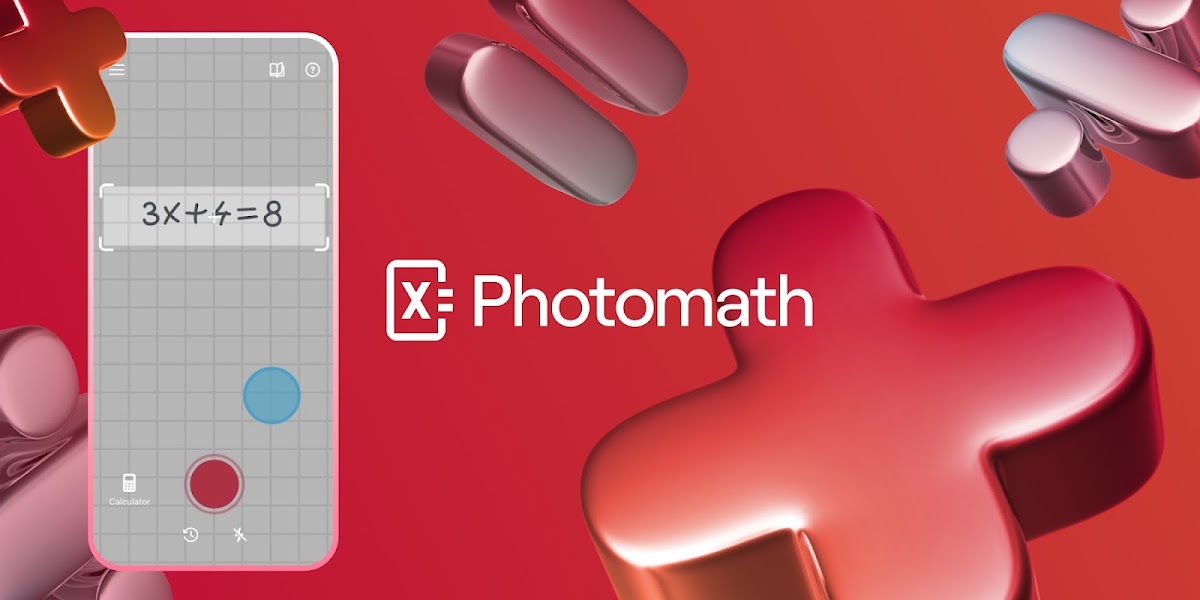
The app, operated within the Google family, lets you scan a problem with your phone camera — including word problems — and shows the solution in steps, sometimes more than one method, from elementary arithmetic to calculus and statistics. The free Basic tier includes step-by-step explanations and visual aids, while the paid subscription ($9.99/month or $69.99/year per the official pricing page) adds deeper explanations for some problems.
The golden rule for using it honestly: do not copy the answer. Read the steps until you find the exact point where your understanding broke, then re-solve the problem yourself. That is what turns the app from a shortcut into a private tutor.
A Weekly Routine That Combines All Six
So the tools do not become a folder of abandoned apps, here is a tested system:
- Sunday evening (45 minutes): open Zotero, gather the week's references, and file them per course.
- Every morning (25 minutes): your Anki review of older cards — never skip it; it is the engine of the whole system.
- After each lecture (20 minutes): turn new points into Anki or Quizlet cards, depending on the subject.
- When a concept is shaky (as needed): one Khan Academy lesson before moving on.
- Deep study sessions: run Forest for every session; start at 25 minutes and build up.
- Stuck math problems: Photomath for the steps, then re-solve by hand.
- End of week (30 minutes): review your stats and adjust next week's plan.
Students preparing for language exams can map this system onto the day-by-day structure in our one-month IELTS/TOEFL plan.
Amara's Story: From Scattered to One System
Last semester, Amara, a pharmacy student from Lagos, Nigeria, was studying seven hours a day with little to show for it: her phone broke her focus every few minutes, and her references were scattered across screenshots and dead links. She decided to run the system above exactly as written: Forest sessions growing from 25 to 50 minutes, Anki cards every morning, and Zotero for her early thesis project.
Eight weeks later, three changes stood out in her own logs: 14 hours of focused study per week versus roughly 7 scattered hours before; reference preparation for her research down from about five hours a week to under one; and clearly better results on her first two assessments than the previous term. She paid nothing for any of it.
What This Means for You
The practical message: do not start your academic year by buying subscriptions. Start with the free toolkit above, and pay only when you hit a real gap it does not cover — by then you will have saved enough for a considered decision. If you prefer all-in-one organization, combine these tools with our Notion guide for students, which walks through building a full course-management system.
Common Mistakes That Make These Tools Useless
- Collecting apps without a usage system: one tool used daily beats ten installed.
- Copying Photomath answers without reading steps: it buys your homework grade and costs your exam grade.
- Skipping old Anki cards: the whole system rests on scheduled review; bypassing it erases the benefit.
- Studying shared Quizlet sets without making your own: writing the cards is half the memorization.
- Searching in Zotero after writing: collect references first so you never reformat citations later.
Frequently Asked Questions
Is Anki really free on every device?
Yes on desktop across all three operating systems, on Android via AnkiDroid, and for cloud syncing through AnkiWeb. Only the iOS app is paid, and its price funds the project's development according to the official site.
Can these tools replace paid AI subscriptions?
For memorizing, understanding fundamentals, protecting focus, and managing references: yes. For long-form drafting you may still want an assistant — and in that case check the student discounts available before paying full price.
I'm a first-year student — where do I start?
Start with Anki for lecture flashcards and Forest for study sessions, then add the rest as real needs appear: Khan Academy for gaps, Quizlet before exams, Zotero at your first research paper.
Is Zotero for undergraduates or only graduate students?
Both. Your first small research paper in first year is the ideal time to learn it, because references accumulate early and grow with you.
Does the system work without constant internet?
Anki, Forest, and Zotero work offline after initial setup; Quizlet and Khan Academy need a connection for most functions.
Do these tools support languages other than English?
Most interfaces are English-first, but Khan Academy content is available in more than 55 languages, and Anki and Quizlet cards are written by you — in any language you choose.
Start Your Journey with Truescho
Once your study toolkit is set, are you looking for funding for your degree? Browse the latest open opportunities on Truescho, where verified scholarships and programs are added weekly, or explore more student guides on our blog such as how to learn English online for free.
Sources
- Anki — official site: apps.ankiweb.net
- Khan Academy — About page: khanacademy.org/about
- Quizlet — official site: quizlet.com
- Forest — official site: forestapp.cc
- Zotero — official site: zotero.org
- Photomath — official site and pricing: photomath.com