
ChatGPT Work 2026: OpenAI's Agent for Apps, Files, Docs and Slides
On July 9, 2026, OpenAI introduced ChatGPT Work as an agentic layer for professional work. This is a dated explainer for an important launch from the last few days that did not yet have a dedicated Truescho article, not a claim that the announcement happened today.
Source: OpenAI on X
Source: OpenAI official announcement
What OpenAI Actually Announced
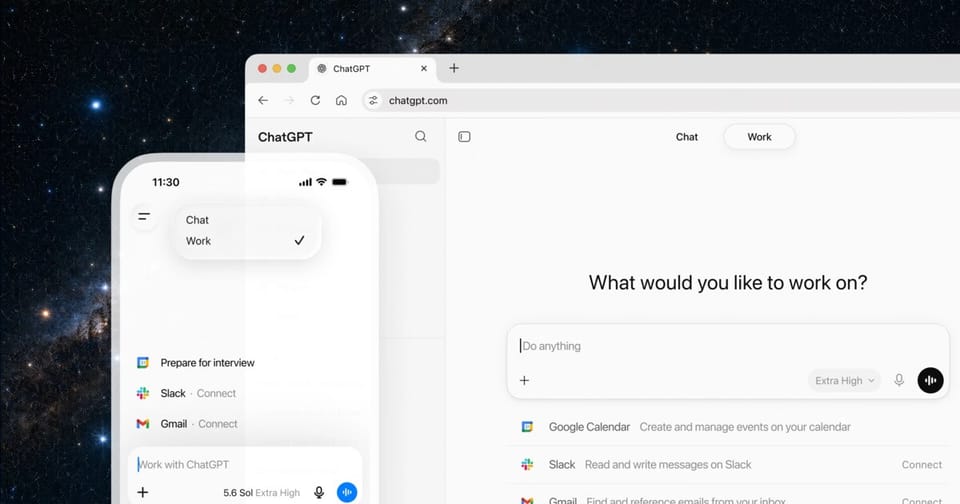
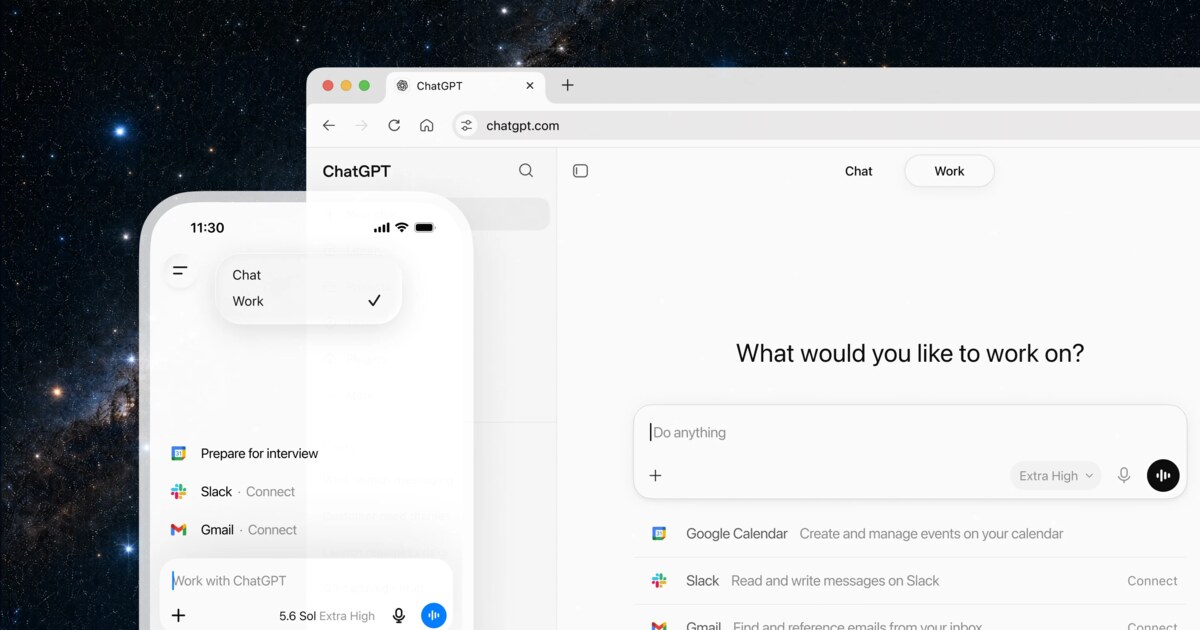
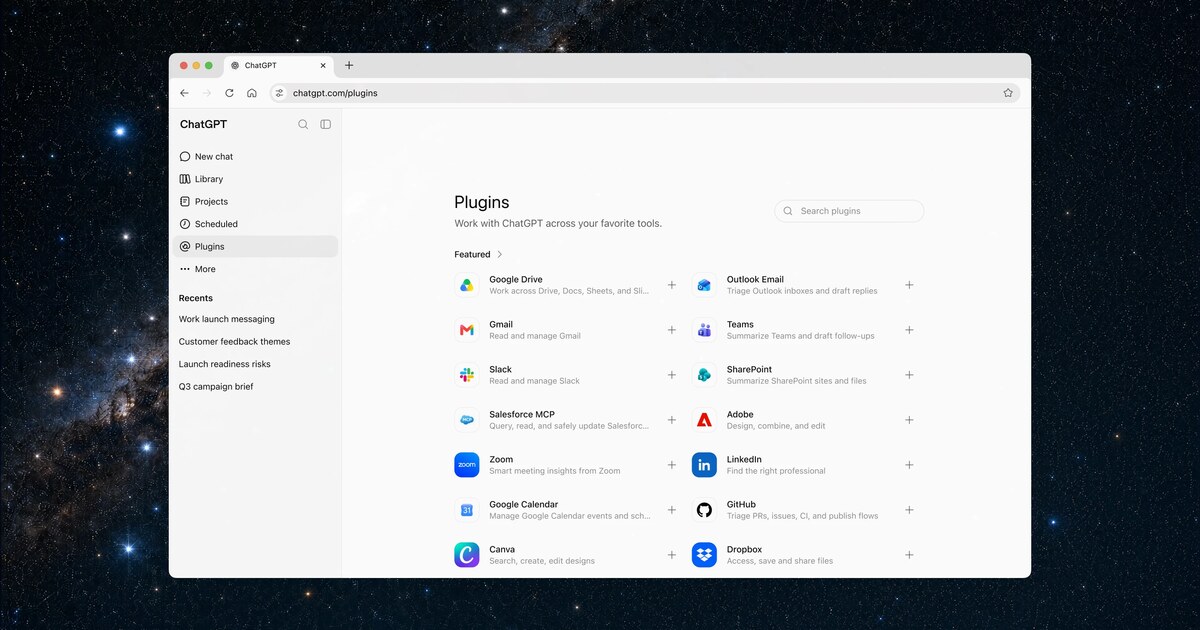
ChatGPT Work is OpenAI's attempt to move ChatGPT from a response surface into a work execution surface. According to OpenAI, the agent can operate across apps and files, gather context, break larger projects into steps, and produce finished materials such as sheets, slides, documents and small sites.
The product is powered by GPT-5.6 and has Codex technology built in. That detail matters. Codex is not just a coding model; it is a workflow pattern: inspect files, form a plan, make changes, verify, explain, and ask for approval where needed. OpenAI is now applying that pattern to broader professional work.
OpenAI also said Codex has more than 5 million weekly users and that more than 1 million people use it outside software development. That is the strategic signal. Techniques that started in coding agents are becoming a general operating layer for analysts, researchers, operators, sales teams and executives.
Why Teams Should Care
The useful mental model is not ChatGPT can write a document. It is ChatGPT can operate a bounded project with context, artifacts and checkpoints. That changes how teams should prompt. A good instruction for ChatGPT Work should include the goal, source materials, constraints, approval rules, output format and review criteria.
A practical first task might be: read these three project documents and this spreadsheet, then create a status deck with risks, owners and next steps. Another might be: inspect customer notes from a folder and produce a structured table of recurring issues, evidence and suggested actions. These are high-context tasks where tool access matters, but they are still reviewable by a human.
For model context, see Truescho's earlier coverage of GPT-5.6, and compare tools in the AI tools hub.
Where It Fits
| Tool or mode | Best fit | What changes with ChatGPT Work |
|---|---|---|
| ChatGPT chat | Reasoning, drafting and Q&A | The user still drives most steps |
| ChatGPT Work | Apps, files, docs, slides, sheets and sites | The agent breaks work into steps and produces work artifacts |
| Codex | Code, repos, tests and technical workflows | Its execution pattern is reused for broader work |
| Microsoft Copilot | Microsoft 365 workflows | Strong inside Microsoft apps, narrower outside that ecosystem |
| Traditional automation | Repeatable rule-based tasks | Work targets more open-ended tasks with context |
Rollout and Access
OpenAI says ChatGPT Work starts on web and mobile for Pro, Enterprise and Edu users, then rolls out to Plus and Business. In the ChatGPT desktop app, Chat, Work and Codex appear across all plans, including Free. That does not mean every plan receives identical capacity, but it makes the desktop app the center of OpenAI's work strategy.
The Atlas context is also important. OpenAI is moving away from a separate browser-style agent experience and putting work, browsing and coding capabilities into ChatGPT and Codex. Existing Atlas users should watch official migration details rather than assuming a standalone browser path will continue.
Source: OpenAI ChatGPT Work
How To Pilot It Safely
Start with useful but reversible workflows. Do not begin with payments, legal approvals, HR actions or irreversible customer operations. Good pilots include status decks, research briefs, customer-feedback summaries, spreadsheet cleanup, competitive comparisons and meeting-prep packs.
Define permissions before giving access. The agent should know which folders it may inspect, which apps it may touch, what it must not send, and what requires explicit approval. Ask it to produce a short execution log after each project: sources used, files changed, assumptions made, and unresolved questions.
This is the difference between an impressive demo and a usable workflow. A team that builds review checkpoints can gain speed without losing control. A team that grants broad access on day one is likely to create avoidable cleanup work.
What Can Go Wrong
The main limitation is auditability. When an agent pulls context from internal files, chat messages, spreadsheets and project tools, every important claim needs a traceable source. A polished deck is not enough. Teams need to know which file, message or row supported the conclusion.
The second limitation is confident error. An agent can save hours and still misread a number, use an outdated file or infer a decision that was never approved. Human review remains part of the workflow, especially when outputs affect customers, money, legal obligations or public communication.
The third limitation is governance. Companies need role-based access, logging, retention rules and data boundaries. ChatGPT Work may reduce manual work, but it also increases the importance of operational discipline.
Common Search Questions
What is ChatGPT Work?
ChatGPT Work is OpenAI's work agent inside ChatGPT, designed to act across apps and files and produce work artifacts such as documents, slides, sheets and sites.
Is ChatGPT Work the same as Codex?
No. Codex remains focused on code and technical workflows. ChatGPT Work uses Codex technology, but applies agentic execution to broader professional work.
Which model powers ChatGPT Work?
OpenAI says ChatGPT Work is powered by GPT-5.6.
Who gets access first?
OpenAI says web and mobile rollout starts with Pro, Enterprise and Edu, then expands to Plus and Business. Desktop brings Chat, Work and Codex across all plans.
What is the safest first use case?
Start with reviewable outputs such as a project status deck, research brief, spreadsheet summary or meeting pack. Avoid irreversible actions until permissions and review rules are tested.
What Teams Should Prepare First
Before giving ChatGPT Work access to team files, prepare three lists. The first is the allowed-source list: specific folders, policy documents, spreadsheets and communication channels. The second is the allowed-action list: read, summarize, draft, create a copy or prepare a review pack. The third is the blocked-action list: send email, delete files, publish public links or modify original documents without approval.
Those lists make the agent accountable. If a result is wrong, the team can inspect whether the issue came from the source, the permission boundary, the instruction or the reasoning. Broad access plus vague instructions makes mistakes harder to diagnose.
Early Success Metrics
Do not judge ChatGPT Work only by the number of artifacts it creates. Track three signals: time saved in gathering context, number of corrections needed before acceptance, and percentage of important claims with traceable sources. If the agent saves one hour but creates two hours of review work, the workflow is not healthy yet.
The best early use cases are repetitive but not fully automatable: monthly reports, campaign reviews, meeting packs, customer-feedback analysis and vendor comparisons. They are useful, reviewable and low enough risk for a first deployment.
What To Do Next
ChatGPT Work is worth testing when a team has recurring weekly work that requires context from several sources. It is not where sensitive or irreversible operations should begin. Start with one clear output, such as a status report or executive deck, and compare the agent-created version with the manual version on accuracy, time saved and source traceability.
If the pilot reduces preparation time without increasing review time, turn it into a reusable workflow template. If the agent needs heavy correction, the issue is often not only the model. It may be missing source material, unclear instructions or permissions that are too broad for the task.
Example Workflow: Board Report Pack
Imagine a team preparing a monthly board report. The inputs live across a sales spreadsheet, customer notes, a risk register and project updates. The old workflow is manual collection, copy-pasting numbers, writing a narrative and formatting a deck. A ChatGPT Work pilot could ask: read only these sources, extract the important changes, build a 12-slide deck, add a risk table and do not use any number without a source reference.
That task tests both power and limits. If the agent produces a traceable draft, it saves hours. If it mixes an old spreadsheet with a newer one, the team learns that file governance is the bottleneck. A good pilot should measure the process, not only the polish of the artifact.
Governance Questions Before Scaling
Before rolling ChatGPT Work out to a large team, ask whether files are classified, whether the agent can distinguish internal notes from shareable drafts, who approves new app connections, what logs exist for files opened or changed, and how quickly access can be revoked.
These questions are not paperwork. They are the difference between a useful work agent and a permission sprawl problem. The more an agent can act, the more it needs the same seriousness teams apply to enterprise access control.