
Binance Agent OS Lets AI Agents Trade Crypto — With Users Responsible for the Guardrails
Last verified: August 20, 2026 — facts from Binance's official blog published August 20, 2026, and TechCrunch's launch coverage from the same day.
On Thursday, August 20, 2026, Binance — the world's largest cryptocurrency exchange by registered users, with more than 300 million accounts according to TechCrunch — launched Binance Agent OS, a gateway and developer toolkit for connecting AI agents directly to Binance. In the company's own words, "Binance Agent OS is a gateway and toolkit for connecting AI agents to Binance," and the product page describes it as "a developer toolkit for connecting AI agents to Binance." The idea is straightforward and, depending on your temperament, either exciting or unsettling: an AI agent you already use for coding or research can analyze markets and execute trades on your behalf, inside permission limits that you set yourself.
The timing is not random. Binance's announcement quotes Gartner's forecast that 33% of enterprise software will include AI agents by 2028, and notes that the number of MCP (Model Context Protocol) servers has grown from roughly 2,000 in early 2025 to more than 10,000 by the end of the year. Agent OS is Binance's bid to make sure that when those agents need financial data — or need to place an order — they do it through Binance rather than around it.
Source: Binance official blog
What Binance Actually Shipped
Agent OS is not a single app. It is a bundle of connected pieces, each aimed at a different layer of the agent-to-exchange pipeline:
- Binance MCP Server — the core connectivity layer that AI agents talk to, using the open MCP standard that has quickly become the lingua franca of agent-tool integration.
- Exchange APIs — the familiar REST and WebSocket interfaces agents can use for market data and order management.
- Skill Hub — a library of ready-made skills at binance.com/en/skills, so developers don't have to build common workflows from scratch.
- Binance Pay via the x402 protocol — machine-to-machine payment settlement.
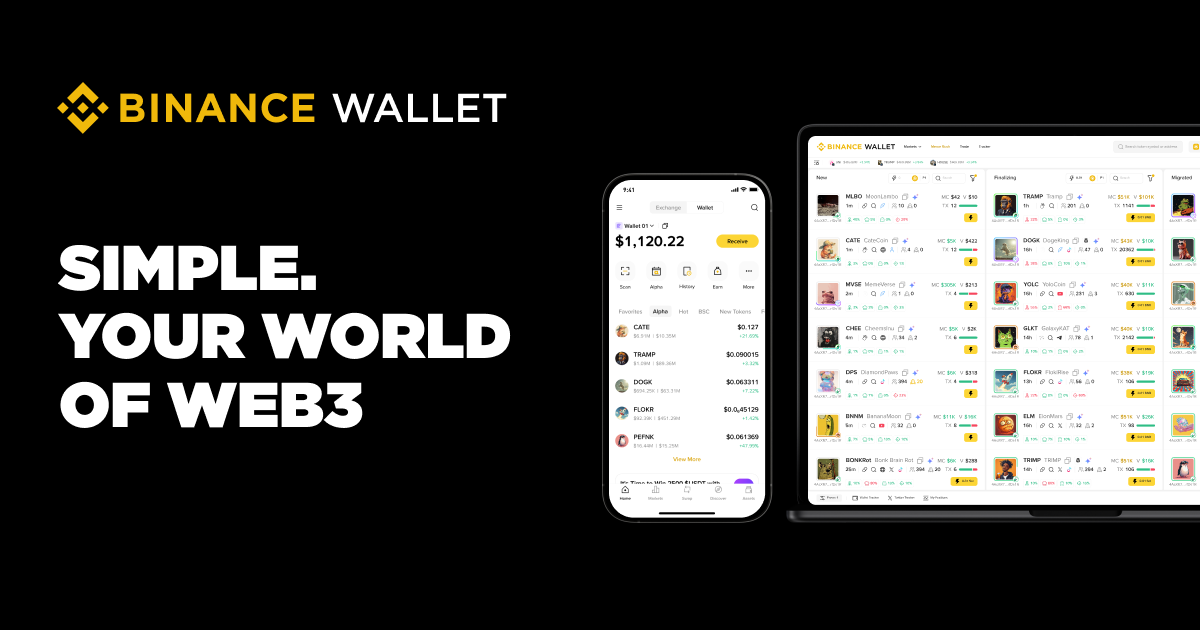
- Agentic Wallet — the wallet an agent operates from, detailed at web3.binance.com/agentic-hub.
- Binance AI Pro and Web3 APIs — additional analysis and on-chain capabilities.
One important caveat sits right in the official documentation: the MCP server currently supports trading and market data only. Payments and on-chain capabilities are listed as "coming in future releases." So if you imagined an agent autonomously shuttling funds across DeFi protocols on day one, that is ahead of what has actually shipped.
The official capability table breaks down like this: trading (Spot, Futures, Convert), market data (live order books, prices, candlesticks), account (balances, positions, transfers), on-chain (wallet and DeFi via Web3 APIs), payments (x402 settlement), and trading analysis tools. Some of those rows are live today; others are roadmap.
How to Connect an Agent, Step by Step
The official setup example uses Claude Code, and it is remarkably short. From a terminal, you run:
claude mcp add binance-mcp-server --transport http https://agent.binance.com/mcp/agentic
Then, inside the Claude Code session, you type /mcp, authenticate through your browser, choose the agent you want to connect, and activate the permissions you want it to have. That last step — activating permissions — is where all the real decisions live.
The toolkit is not limited to Claude. Binance says it works with Claude Code, Claude Desktop, Cursor, Codex, ChatGPT, and self-built agents. For developers who already live in these tools, that means adding Binance market intelligence to an existing workflow is a matter of one command plus an authentication flow, not a weekend of glue code.
Source: Binance Web3 Agentic Hub official page
Once connected, trades are executed through your account — or an agentic sub-account — and settle at your account's usual trading fees. Binance has not announced any additional fee for the toolkit itself; the honest answer on cost is "usual trading fees apply, no extra toolkit fee announced."
If you work with agent infrastructure beyond finance — routing between models, building toolchains for coding agents — it's worth seeing how this launch fits the broader picture of developer-facing AI infrastructure, which we covered in our piece on the OpenRouter and Stripe acquisition. And since Agent OS explicitly supports Codex and ChatGPT, readers who followed our explainer on GPT-5.6, Sol and Luna, and free ChatGPT access will recognize the same pattern: AI assistants are becoming operational platforms, not just chat windows. Developers and traders who want to map this space against other utilities can also browse Truescho's AI tools for a wider view of what's available.
Agent OS vs. Traditional Automated Trading Bots
Programmable trading bots have existed on Binance for years. The difference here is in who writes the rules and how flexible the decision-making is.
| Dimension | Binance Agent OS | Traditional API bots |
|---|---|---|
| How rules are defined | You describe intent in natural language; the agent interprets | You write explicit code for every rule |
| Decision flexibility | Agent can reason about novel situations within its permissions | Strictly limited to pre-programmed logic |
| Permission layer | Per-agent permissions you toggle, plus Emergency Stop | API keys with fixed scopes, no instant kill switch |
| Who reviews strategy | You, conversationally, any time | You, by reading and editing code |
| Setup effort | One MCP command plus browser auth | Full development and hosting pipeline |
| Current scope | Trading and market data only (payments/on-chain coming) | Whatever you build, including on-chain via APIs |
The honest trade-off: natural-language control is easier to start and harder to fully audit than code. With a bot, the strategy is exactly what you wrote. With an agent, the strategy is what it understood you to mean.
The Risks You Should Not Skip
This is the part of the story TechCrunch's headline zeroed in on, and rightly so: keeping AI agents in check is largely up to users. Binance's own blog states plainly that Agent OS "is not an autonomous trading system," and the responsibility for setting each agent's limits falls on the account holder.
The controls that do exist are worth learning before you connect anything:
- Manage agents under Sub Accounts → Account Management.
- "Disconnect Agents" to revoke access for selected agents.
- "Emergency Stop" to revoke all access instantly.
Practical risk discipline, stated plainly: letting an agent trade involves real risk of loss. Digital assets are volatile. The agent executes orders within the limits you set — so set them small at first. Do not grant Futures permissions unless you genuinely understand leveraged trading. Know where Emergency Stop is before you need it. Availability of digital asset services varies from country to country, and some jurisdictions restrict trading platforms — verify that the service is officially available in your country before activating any permissions. Nothing here is financial advice; it is a description of a launch and its stated safeguards.
Why 10,000+ MCP Servers Made This Inevitable
The protocol Binance built on, MCP, went from around 2,000 servers in early 2025 to more than 10,000 by the end of the year. When a connectivity standard reaches that kind of adoption, every major platform faces the same question: build a first-party server, or let third parties reverse-engineer one. Binance chose the first-party route, which at least means the permission model, the Emergency Stop, and the audit trail are Binance's own rather than an unofficial wrapper's.
Gartner's 33%-by-2028 forecast, quoted in the announcement, suggests this is the direction enterprise software broadly is taking. Exchanges are simply the most risk-sensitive version of it, because an agent with trading permissions can lose real money in seconds.
For readers tracking this space, the Agent OS documentation is at developers.binance.com and the product page at binance.com/agent-os. If AI agents handling money interests you beyond crypto, our AI tools directory collects related utilities worth comparing.
FAQ
What is Binance Agent OS?
It's a gateway and developer toolkit, launched August 20, 2026, for connecting AI agents to Binance. Agents can analyze markets and execute trades within permissions the user sets. It includes an MCP server, Skill Hub, Agentic Wallet, and planned x402 payments support.
Can AI trade on my Binance account?
Yes, within limits you explicitly grant. After connecting an agent like Claude Code or Cursor and authenticating, you choose which permissions to activate. Currently the MCP server covers trading and market data; payments and on-chain features are "coming in future releases."
How do I stop an agent that overstepped?
Go to Sub Accounts → Account Management. Use "Disconnect Agents" to revoke access for selected agents, or "Emergency Stop" to cut off all agent access instantly. Binance notes the system is not autonomous — limits are your responsibility.
Is Agent OS free?
Binance announced no extra fee for the toolkit itself; trades execute at your account's usual trading fees. No separate subscription price has been announced. Treat "no additional fee" as current launch information, subject to change.
Is it available in my country?
Binance has not published country-specific availability for Agent OS. Availability of digital asset services varies by jurisdiction, and some countries restrict trading platforms. Check officially whether Binance services operate in your country before enabling permissions.