
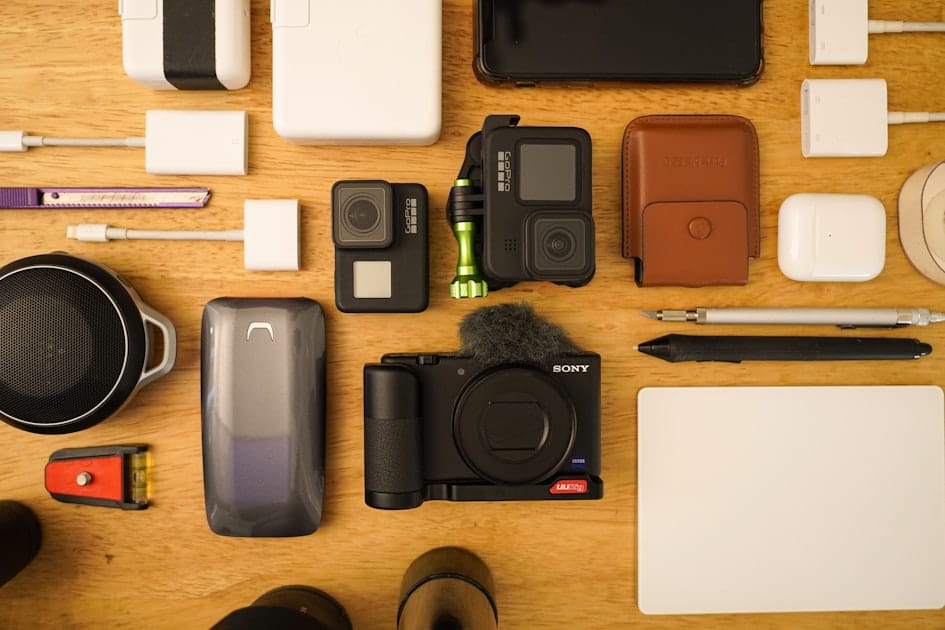
Best Tools to Create Daily Content Fast in 2026
Last updated: May 2026
The best daily content creation tools in 2026 are not random apps. They are a connected system for research, scripting, asset creation, video editing, publishing, automation, and measurement. For many creators and small businesses, a practical stack looks like this: TikTok Creative Center or YouTube search for idea research, a writing or planning tool for scripts, InVideo for AI-assisted video drafts, CapCut for fast short-form editing, ManyChat for compliant conversation automation, and AppSumo for discovering useful software deals after careful evaluation.
💬 Disclosure: Some links in this article are affiliate links. We may earn a small commission when you complete a purchase at no extra cost to you. This helps us keep our content free, and it does not affect the integrity of our recommendations.
Daily content is difficult because the bottleneck is rarely one missing tool. The real bottleneck is usually the absence of a repeatable workflow. Creators jump between idea lists, editing apps, design tools, AI generators, scheduling platforms, and analytics dashboards without a simple operating system. The result is burnout, inconsistent quality, and content that feels generic.
This guide gives you a workflow-first tool stack for international creators, students, educators, affiliate publishers, ecommerce teams, coaches, freelancers, and small agencies. It does not promise virality, income, leads, or sales. Instead, it shows how to build a practical system that helps you publish consistently while protecting quality, rights, and brand trust.
If your daily content is mainly video, read Best AI Video Creation Tools in 2026, Best Reels, Shorts, and TikTok Tools in 2026, How to Make AI Video from Text in 2026, How to Turn an Article into a Video with InVideo, and How to Choose the Right Video Editing Tool in 2026. You can also explore creator software and subscriptions through the Truescho tools shop at Truescho shop, or build related skills through Truescho Courses.
Quick Answer: The Best Daily Content Stack
For a lean daily content workflow, use a research source, a planning space, one video creation tool, one editing tool, one publishing checklist, one automation tool if you handle messages, and one measurement dashboard. Start simple. Add paid tools only when a bottleneck becomes obvious.
A strong starter stack is:
- Research: TikTok Creative Center, YouTube search, Google Trends, customer questions, community comments.
- Scripting: Notion, Google Docs, or any structured writing workspace.
- AI video drafts: InVideo for prompt-to-video, explainers, article repurposing, and fast first drafts.
- Short-form editing: CapCut for captions, trims, mobile edits, templates, and platform-ready clips.
- Deals and tool discovery: AppSumo, with careful review of limits and refund terms before buying.
- Conversation automation: ManyChat, if you need structured replies, lead capture, or campaign flows within platform policies.
- Measurement: native analytics from TikTok, YouTube, Instagram, LinkedIn, email, or your website.
The best stack is the one you can repeat for 30 to 90 days without losing quality.
Comparison Table: Daily Content Creation Tools by Stage
| Stage | Tool type | Recommended option | Best for | Watch out for |
|---|---|---|---|---|
| Research | Trend and keyword research | TikTok Creative Center, YouTube search, Google Trends | Finding topics, hooks, formats, audience language | Trends do not replace strategy |
| Scripting | Writing and planning workspace | Notion, Google Docs, Obsidian, spreadsheets | Hooks, outlines, scripts, calendars, batching | Over-planning without publishing |
| AI video generation | Prompt-to-video tool | InVideo | Explainers, list videos, article-to-video, quick drafts | Generic output and credit usage |
| Short-form editing | Mobile/social editor | CapCut | Reels, Shorts, TikTok, captions, templates | Template fatigue and rights checks |
| Software discovery | Deal marketplace | AppSumo | Testing emerging SaaS tools and lifetime deals | Deal terms, limits, and long-term reliability |
| DM automation | Chat marketing platform | ManyChat | Structured replies, opt-ins, FAQs, campaign flows | Platform rules and over-automation |
| Measurement | Native analytics | YouTube Studio, TikTok analytics, Instagram insights | Watch time, saves, clicks, comments, retention | Vanity metrics without decisions |
Why Daily Content Needs a System, Not More Apps
Most daily creators fail for one of four reasons. They run out of ideas. They spend too long editing. Their content becomes repetitive. Or they publish without learning from performance. More tools can make these problems worse if each tool adds another decision.
Your system should answer six questions every day: What will I say? Who is it for? Why should they care now? What format will I use? How will I publish it correctly? What will I learn from the result?
Tools are useful only when they reduce friction in that system. InVideo can help if the bottleneck is turning ideas into video drafts. CapCut can help if the bottleneck is editing short clips quickly. ManyChat can help if the bottleneck is responding consistently to common inquiries. AppSumo can help if you need affordable tools, but only if you evaluate them carefully instead of buying every attractive deal.
The Six Stages of Daily Content Creation
1. Research: Find Demand Before You Create
Daily content should begin with audience signals, not personal guesses. Use TikTok Creative Center to study top ads, creative patterns, hashtags, and keyword insights. Use YouTube search suggestions to see what people ask. Read comments under competitor videos. Save customer questions, support tickets, Reddit threads, LinkedIn discussions, and email replies.
The goal is not to copy trends. The goal is to understand language, pain points, objections, and formats. If three comments ask the same question, that is a content idea. If a popular video has a weak explanation, that is an opportunity to create a clearer version. If a trend does not fit your brand, skip it.
Daily research does not need to take hours. A focused 20-minute research ritual can produce enough ideas for several posts. Keep a simple idea bank with columns for topic, audience, format, hook, proof, source, status, and performance notes.
2. Scripting: Turn Ideas Into Repeatable Formats
A daily script does not need to be long. It needs a hook, one clear promise, useful proof or example, and a natural next step. The best daily creators use repeatable formats: mistake, checklist, comparison, myth, tutorial, before-after, case breakdown, tool review, opinion with evidence, or question response.
Use a writing workspace you will actually open every day. Notion, Google Docs, Apple Notes, Obsidian, or a spreadsheet can all work. The tool matters less than the structure. Build templates for 30-second videos, 60-second explainers, carousels, newsletters, LinkedIn posts, and product demos.
For example, a 45-second script template might be: hook, problem, three steps, warning, next step. A carousel template might be: title slide, problem, framework, example, checklist, mistake, closing. Reusing structures reduces decision fatigue while keeping content useful.
3. Asset Creation: Make Visuals Without Starting From Zero
Daily content often fails because creators wait for perfect visuals. Instead, build an asset library. Save B-roll, screen recordings, product photos, testimonial snippets, charts, icons, brand backgrounds, caption styles, and intro clips. Organize them by topic and format.
For AI-assisted video, InVideo can help create first drafts from prompts, scripts, or article outlines. This is useful for explainers, educational summaries, list videos, and faceless content. However, every AI draft needs review. Check facts, tone, scene relevance, voice pronunciation, captions, music rights, and brand fit.
If you create content for a business, do not rely on random visuals. Define a consistent visual system: colors, fonts, screenshot style, title cards, product close-ups, and lower thirds. Consistency makes daily content look intentional rather than rushed.
4. Editing: Build a Fast Production Lane
Editing should be a lane, not a maze. For short-form social content, CapCut is often effective because it handles trimming, captions, effects, templates, text, and mobile exports quickly. It is especially useful when you record on a phone and publish to vertical platforms.
The danger is template fatigue. If every creator uses the same transition, music, and caption style, content blends into the feed. Customize templates. Create a brand caption style. Use effects to support the message, not to hide weak content.
For longer videos, tutorials, podcasts, or course lessons, use a desktop editor or a more controlled workflow. Daily content does not always mean daily editing. Many serious creators batch record once or twice per week, then edit smaller clips daily.
5. Publishing: Use a Checklist, Not Memory
Publishing mistakes are common: wrong aspect ratio, captions covering faces, missing description, broken link, unlicensed music, weak thumbnail, no accessibility captions, or unclear next step. A simple checklist prevents avoidable errors.
Your checklist should include platform, aspect ratio, title or hook, caption accuracy, safe margins, link, thumbnail, tags or keywords, rights check, accessibility, and post-publish monitoring. If you cross-post, adapt the caption and opening line. A LinkedIn post may need a more professional frame than a TikTok post. A YouTube Short may need a different title than an Instagram Reel.
6. Measurement: Decide What to Improve Next
Daily content without measurement becomes noise. Track a few useful metrics: hook retention, average watch time, completion rate, saves, shares, comments, profile visits, link clicks, and replies. Do not chase every number. Choose metrics that match the goal of the post.
If your goal is trust, comments and saves may matter more than reach. If your goal is education, completion and questions matter. If your goal is product discovery, click quality and message quality matter. Use data to improve topics, hooks, pacing, visuals, and offers.
Step-by-Step Guide: A Daily Content Workflow You Can Actually Repeat
Step 1: Build a 30-Minute Idea Capture Routine
Spend 10 minutes checking audience questions, 10 minutes checking platform search or trend tools, and 10 minutes reviewing your own analytics. Add ideas to a single idea bank. Do not create immediately. Capture first, choose later.
Use tags such as tutorial, comparison, objection, case study, trend, product, personal lesson, FAQ, and repurpose. This makes batching easier.
Step 2: Pick One Main Idea and Apply the 1-3-7 Rule
The 1-3-7 rule is simple: one core idea becomes three formats and seven small posts. For example, "how to choose a video editor" can become a short video, a carousel, and a newsletter section. Then it can produce seven smaller posts: mistakes, checklist, comparison, budget tip, platform tip, AI caution, and tool recommendation.
This method prevents daily content from becoming random. It also helps you repurpose strong ideas instead of constantly searching for new ones.
Step 3: Script in Batches, Not One by One
Write five to ten hooks at once. Then write five short scripts. Then record or generate assets. Batching reduces context switching. It also helps you compare ideas and choose the strongest ones.
If you use InVideo, prepare prompts with clear audience, tone, duration, format, and source material. A vague prompt creates a vague video. A better prompt says: "Create a 60-second vertical explainer for beginner creators comparing mobile editors and AI video generators. Use a practical tone, include three decision criteria, avoid hype, and end with a soft next step."
Step 4: Edit With a Template Library
Create reusable templates for intros, captions, lower thirds, product shots, screen recordings, and endings. CapCut is useful for this because it supports fast short-form workflows, but the principle applies to any editor.
Keep templates flexible. Do not force every idea into the same rhythm. Educational content may need slower pacing. Product content may need clearer proof. Opinion content may need a stronger opening. The template should speed production, not flatten your voice.
Step 5: Publish With Platform-Specific Adaptation
Before posting, ask: what does this platform reward and what does this audience expect? TikTok may reward native pacing and comments. YouTube Shorts needs a clear title and fast retention. LinkedIn may reward practical professional insights. Instagram may need stronger visual polish.
Change the first line, caption, thumbnail, and call to action when needed. Cross-posting is efficient, but careless cross-posting can make content feel out of place.
Step 6: Automate Conversations Carefully
ManyChat can help creators and businesses handle common replies, opt-ins, keyword triggers, and campaign flows. It can be useful when people comment a keyword, ask for a resource, or need a basic FAQ path.
Automation should not pretend to be human if it is not. It should not spam users. It should follow platform policies and privacy expectations. Use it to organize responses and deliver requested resources, not to replace trust. Review conversations regularly and update flows when people get stuck.
Step 7: Review Weekly, Not Emotionally Every Hour
Daily posting can make creators overreact to every post. Instead, review weekly. Look for patterns across seven to twenty posts. Which hooks held attention? Which topics produced saves or comments? Which formats were faster to create? Which posts attracted the wrong audience?
Use the answers to adjust next week's content. Keep what works, retire what drains time, and improve what shows promise.
Recommended Tool Stacks by Creator Type
Solo Educator
Use research from YouTube search and audience questions, scripts in Google Docs, InVideo for simple explainers, CapCut for short clips, and native analytics for measurement. Focus on clarity, examples, and repeatable teaching formats. If you need structured learning resources, review Truescho Courses.
When this is not for you: if you teach complex software, math, coding, or professional skills, you may need screen recording and desktop editing rather than fully AI-generated video.
Affiliate Publisher or Reviewer
Use topic research, comparison tables, product demos, transparent pros and cons, and careful disclosures. AppSumo can help discover software tools, while CapCut can help create short demos and InVideo can help convert written reviews into video summaries.
When this is not for you: do not use daily affiliate content if you cannot review products honestly, disclose relationships, and include limitations. Trust is more valuable than one extra link.
Ecommerce Brand
Use customer questions, product footage, UGC-style clips, tutorials, comparisons, and seasonal offers. CapCut is useful for fast product clips. ManyChat can help organize replies to common questions or resource requests, but customer support still needs human oversight.
When this is not for you: automation is not suitable for sensitive complaints, refunds, legal issues, or complex product advice without human escalation.
Small Agency
Use a central content calendar, approved templates, shared asset libraries, review workflows, and client-specific style guides. AI tools can help create drafts, but client content needs brand review, rights checks, and documented approvals.
When this is not for you: avoid relying on low-control tools for regulated clients, legal claims, medical claims, financial advice, or campaigns with strict compliance requirements.
Student Creator or Portfolio Builder
Use free research tools, a simple planner, CapCut for short clips, and a desktop editor when you want to demonstrate deeper editing skills. Focus on documented projects, before-after examples, and clear learning progress.
When this is not for you: do not pay for multiple tools before you know your format. Build skill and consistency first.
The Daily Operating System
Here is a practical daily schedule for creators who want speed without chaos:
| Time block | Task | Output | Tool support | Quality check |
|---|---|---|---|---|
| 20 minutes | Research signals | 5 to 10 ideas | TikTok Creative Center, YouTube, comments | Is there real audience demand? |
| 30 minutes | Script or outline | 1 to 3 scripts | Docs, Notion, AI assistant | Is the hook specific? |
| 45 to 60 minutes | Record, generate, or edit | 1 main asset | InVideo, CapCut | Are facts, captions, and rights checked? |
| 10 minutes | Publish | Platform-ready post | Native platform or scheduler | Is format correct? |
| 10 minutes | Review | Notes for next post | Native analytics | What should improve tomorrow? |
This system can be shortened or batched. The important part is sequence. Research before scripting. Script before editing. Check quality before publishing. Measure before changing strategy.
The Quality Checklist That Prevents Generic Content
AI and templates make daily publishing easier, but they also make generic content more common. Use this checklist before publishing:
- Is the hook specific enough for one audience?
- Does the content include a real example, proof, demonstration, or practical step?
- Are captions accurate and easy to read on mobile?
- Are visuals relevant, not just decorative?
- Are stock assets, music, and templates allowed for your use case?
- Does the post fit the platform's aspect ratio and viewing behavior?
- Is the next step natural rather than aggressive?
- Would the content still be useful without the tool effects?
If the answer to several questions is no, the problem is not your tool. The problem is the content concept.
Honest Pros and Cons of Recommended Affiliate Tools
CapCut Pros, Cons, and Fit
CapCut is strong for creators who need fast short-form editing, captions, templates, mobile workflows, social effects, and quick exports. It is practical for solo creators, ecommerce clips, coaches, students, and short video teams.
The downsides are template overuse, limited suitability for complex long-form projects, and the need to verify commercial-use rights for music and assets. When this is not for you: skip it as your main editor if you need advanced audio, multi-camera control, strict team governance, or confidential client workflows.
InVideo Pros, Cons, and Fit
InVideo is useful for prompt-to-video, explainers, article repurposing, faceless educational videos, list formats, and quick drafts. It can reduce the blank-page problem and help creators produce more variations.
The downsides are AI genericness, credit management, and weaker frame-level precision compared with timeline editing. When this is not for you: avoid using it without human review for sensitive, regulated, legal, medical, financial, or brand-critical content.
AppSumo Pros, Cons, and Fit
AppSumo can be useful for finding software deals, especially for creators, freelancers, and small businesses that want to test emerging tools without paying full monthly prices immediately.
The downsides are that deal terms vary, some tools change limits, not every lifetime deal becomes a long-term winner, and refund windows or feature promises should be checked carefully. When this is not for you: do not buy tools just because they are discounted. Buy only when the tool solves a current bottleneck.
ManyChat Pros, Cons, and Fit
ManyChat can help organize comment-based flows, keyword replies, opt-ins, FAQs, and basic lead or resource delivery. It is useful when a creator or business receives repeated questions and wants a cleaner response system.
The downsides are platform policy complexity, automation setup time, and the risk of sounding robotic. When this is not for you: avoid automation for sensitive support, complaints, refunds, legal issues, or conversations where human judgment is required.
Budget Scenarios for Daily Content Tools
Free or Nearly Free Stack
Use platform search, TikTok Creative Center, Google Docs, a free editor, native analytics, and manual publishing. This is enough to validate your niche and format. The tradeoff is more manual time.
Creator Stack Under a Modest Monthly Budget
Pay for one tool that removes your biggest bottleneck. If editing is slow, choose CapCut or another editing plan. If video drafting is slow, test InVideo. If replying is chaotic, consider ManyChat. Do not pay for everything at once.
Growth Stack With AI and Automation
Use AI video, short-form editing, scheduling, analytics, and conversation automation. This can support higher volume, but it also requires process discipline. More tools mean more management. Assign ownership, document templates, and review performance weekly.
Deal-Driven Stack
Use AppSumo to discover discounted tools. This can be cost-effective, but only if you compare limits, roadmap, support quality, integrations, export rules, and refund terms. A cheap tool is expensive if it disrupts your workflow.
Common Mistakes With Daily Content Creation Tools
The first mistake is buying tools before defining a content format. If you do not know whether you are creating tutorials, reviews, stories, or product demos, no tool can fix the strategy.
The second mistake is confusing volume with quality. Posting daily does not mean publishing weak content daily. A useful post with one clear idea is better than a rushed post with seven vague points.
The third mistake is using AI without review. AI can draft, summarize, and generate, but it can also make factual errors, awkward voiceovers, irrelevant scenes, and generic scripts. Human review is required.
The fourth mistake is ignoring rights. Stock footage, music, templates, AI voices, product images, and customer screenshots all require attention to licensing and privacy.
The fifth mistake is over-automating. Automation should help people get requested information faster. It should not trap users in loops, hide human support, or send messages they did not ask for.
Expert Tips for Publishing Daily Without Burning Out
Batch the hardest task. If scripting is hard, script twice per week. If editing is hard, edit five videos in one session. If filming is hard, record multiple clips in one setup.
Use content pillars. Choose three to five themes you can repeat: tutorials, mistakes, comparisons, examples, tools, customer questions, behind the scenes. Daily content becomes easier when the lanes are clear.
Repurpose intentionally. A blog post can become a video, carousel, email, LinkedIn post, and short clip. But each version needs adaptation. Do not paste the same content everywhere.
Create a "not for us" list. Decide which trends, claims, topics, and formats you will avoid. This protects brand trust and speeds decisions.
Measure production effort, not only reach. A post that gets moderate results but takes 15 minutes may be more valuable than a post that performs slightly better but takes five hours.
When Daily Content Tools Are Not the Answer
Daily tools are not the answer if your offer is unclear, your audience is undefined, or your content has no point of view. They are also not the answer if your industry requires careful review and your team has no approval process.
Do not publish daily only because competitors do. Some brands perform better with fewer, stronger pieces. Daily publishing is useful when it helps you learn faster, serve your audience, and build a repeatable system. It is harmful when it creates noise, inaccurate claims, or low-trust content.
Final Recommendation
Start with the smallest stack that removes your biggest bottleneck. For many creators, that means research tools, a simple planning doc, CapCut for short-form edits, and native analytics. Add InVideo when you need faster AI-assisted drafts. Add ManyChat when message volume becomes difficult to manage. Use AppSumo carefully when you want to test software deals.
If you want a broader tool comparison, continue with Best AI Video Creation Tools in 2026 and How to Choose the Right Video Editing Tool in 2026. For software subscriptions and creator resources, visit Truescho shop.
FAQ
What tools do creators use to post every day?
Creators usually use research tools, a script workspace, a video editor, a design or asset tool, a publishing checklist, analytics, and sometimes automation for replies. The exact stack depends on content format.
What are the best daily content creation tools for beginners?
Beginners should start with free research sources, Google Docs or Notion, a simple video editor such as CapCut, and native platform analytics. Add paid tools only after publishing consistently.
Can AI tools create daily content without looking generic?
Yes, but only with strong prompts, real examples, human editing, fact-checking, and brand-specific templates. AI output becomes generic when creators publish first drafts without review.
Is InVideo good for daily content creation?
InVideo can be useful for AI-assisted explainers, article-to-video workflows, and quick drafts. It is not a replacement for human judgment, rights checks, or brand review.
Is CapCut enough for daily short-form videos?
CapCut is often enough for short-form videos, captions, templates, mobile edits, and fast exports. It may not be enough for complex long-form or client-heavy production.
Should small businesses use ManyChat for content?
ManyChat can help with structured replies, opt-ins, and common questions, but it should follow platform policies and include human review for sensitive issues.
Is AppSumo worth it for content creators?
AppSumo can be useful for finding software deals, but creators should check limits, refund terms, integrations, support, and long-term reliability before buying.
How do I avoid burnout when posting daily?
Batch scripting, reuse templates, repurpose one idea into multiple formats, keep a realistic publishing checklist, and review performance weekly instead of reacting to every post immediately.
Sources
- InVideo AI Video Generator
- InVideo Pricing
- CapCut Online Video Editor
- TikTok Creative Center
- YouTube Help: Video and audio formatting specifications