
Best Invoicing Software for Small Business 2026
What is the best invoicing software for a small business in 2026? After testing and comparing the leading platforms, the answer depends on your situation, but our overall winner is FreshBooks for service-based businesses, QuickBooks Online for businesses that need full accounting alongside invoicing, and Zoho Invoice for those who want a completely free solution. Each one excels in a specific area, and this guide breaks down exactly which tool fits your business type, budget, and workflow.
The right invoicing tool does more than generate a PDF. It tracks who has paid, sends automatic reminders, accepts online payments, integrates with your bank, and gives you a clear picture of your cash flow at any moment. According to industry data, 55% of small businesses still rely on paper invoices or spreadsheets, losing an average of 33 days per year chasing late payments. Switching to dedicated invoicing software typically reduces the average collection time from 45 days to around 12 days, which can be the difference between making payroll and missing it.
This guide covers the top nine invoicing platforms available in 2026, with real pricing, feature breakdowns, and recommendations by business type. We have organized it so you can jump straight to the section that matches your situation, or read end-to-end for the full comparison.
When Each Tool Applies Best
Before diving into the details, here is a quick-match guide based on common small business profiles:
- Freelancers and solo consultants: FreshBooks Lite ($8.50/month) or Zoho Invoice (free) give you professional invoicing without paying for features you will not use.
- Retail and brick-and-mortar stores: Square Invoices pairs naturally with your point-of-sale system, with no monthly fee and transaction rates of 2.6% plus $0.10 per invoice payment.
- Growing service businesses (5-50 clients billed monthly): QuickBooks Online Simple Start ($30/month) combines invoicing with real accounting, saving you from buying two separate tools.
- E-commerce and product-based businesses: Stripe Invoicing handles recurring billing and one-time charges with a straightforward 2.9% plus $0.30 fee per transaction.
- Businesses needing free, unlimited invoicing: Zoho Invoice remains the strongest free option in 2026, supporting up to 50 users with no transaction limits on the free plan.
- International businesses: Xero Starter ($15/month) handles multiple currencies and tax systems better than most competitors in this price range.
Detailed Comparison of the Top 9 Invoicing Platforms
FreshBooks
FreshBooks has built its reputation on being the most user-friendly invoicing tool on the market. The interface is clean, intuitive, and designed for people who have never used accounting software before. You can create and send your first invoice in under five minutes.
Pricing (2026):
| Plan | Monthly Price | Billed Clients | Key Features |
|------|--------------|----------------|--------------|
| Lite | $8.50 | Up to 5 | Invoicing, time tracking, expense tracking |
| Plus | $15.00 | Up to 50 | Recurring invoices, payment reminders, proposals |
| Premium | $27.50 | Unlimited | Advanced reporting, team time tracking, project budgets |
| Select | Custom | Unlimited | Dedicated account manager, custom branding |
Payment processing fees: 2.9% plus $0.30 per online payment (Stripe-powered). Bank transfers via FreshBooks Payments are 1% per transaction, capped at $10.
Strengths: Best-in-class mobile app, excellent time tracking built in, automatic late payment reminders, and strong expense management. The drag-and-drop invoice builder makes customization painless.
Weaknesses: Limited double-entry accounting on lower plans. If you need full bookkeeping, you will eventually outgrow FreshBooks or need to pair it with another tool.
Best for: Freelancers, creative agencies, consultants, and any service business that bills by the hour or by project.
QuickBooks Online
QuickBooks Online is the industry standard for small business accounting in the United States, and its invoicing module is one of the most robust available. Unlike standalone invoicing tools, QuickBooks handles your entire financial picture: profit and loss, balance sheets, tax preparation, payroll, and inventory.
Pricing (2026):
| Plan | Monthly Price | Users | Key Features |
|------|--------------|-------|--------------|
| Simple Start | $30 | 1 | Invoicing, expense tracking, tax estimation |
| Essentials | $55 | 3 | Multi-currency, bill management, time tracking |
| Plus | $85 | 5 | Inventory tracking, project profitability, budgets |
| Advanced | $200 | 25 | Custom reporting, dedicated support, batch invoicing |
Payment processing fees: 2.9% plus $0.30 per ACH or card payment through QuickBooks Payments. Same-day direct deposit available on higher plans.
Strengths: Full double-entry accounting, excellent reporting, tax-ready financials, enormous integration ecosystem (700+ apps), and bank reconciliation that actually works reliably.
Weaknesses: The learning curve is steeper than FreshBooks or Wave. Some users report the interface can feel cluttered for simple invoicing tasks. The lower-tier plans limit users and features aggressively.
Best for: Small businesses that want invoicing and accounting in one system, LLCs and corporations that need proper books, and businesses working with an accountant or bookkeeper.
Xero
Xero is a cloud-based accounting platform that originated in New Zealand and has grown into a global powerhouse, particularly popular in the UK, Australia, and increasingly in the US market. Its invoicing capabilities are strong, but the real draw is the beautiful, fast interface and the multi-currency support.
Pricing (2026):
| Plan | Monthly Price | Invoices/Month | Key Features |
|------|--------------|----------------|--------------|
| Starter | $15 | 20 | Invoicing, bank reconciliation, bills |
| Standard | $42 | Unlimited | Multi-currency, expense claims, short-term cash flow |
| Premium | $78 | Unlimited | Multi-currency (10), project tracking, advanced analytics |
Payment processing fees: 2% per transaction via Stripe integration (Xero does not process payments directly; you connect your own Stripe, Square, or GoCardless account).
Strengths: Excellent multi-currency handling (supports over 160 currencies), clean dashboard, strong bank connection library (over 2,000 banks globally), and a fixed price model that includes unlimited users on the Standard plan.
Weaknesses: The Starter plan caps invoices at 20 per month, which is too low for most active businesses. Payment processing requires setting up a separate gateway.
Best for: International businesses, companies billing clients in multiple currencies, and businesses that want unlimited users without paying per-seat pricing.
Zoho Invoice
Zoho Invoice is remarkable because it is completely free. Not freemium with a hidden paywall, not free for 30 days, but genuinely free for up to 50 users with unlimited invoicing. Zoho makes money from their broader business suite (CRM, books, inventory), and Invoice serves as the gateway product.
Pricing (2026): Free for all features, all users, unlimited invoices.
Payment processing fees: 2.9% plus $0.30 per transaction via integrated gateways (Stripe, PayPal, Square, Authorize.net).
Strengths: No subscription cost ever. Full feature set including recurring invoices, multi-currency, time tracking, expense tracking, client portal, and automated reminders. Integrates seamlessly with the broader Zoho ecosystem (CRM, Books, Inventory).
Weaknesses: Customer support for free users is email-only with slower response times. No built-in accounting (you would need Zoho Books for that, which is paid). The interface, while functional, is not as polished as FreshBooks.
Best for: Budget-conscious freelancers, startups in their first year, non-profits, and any business that wants professional invoicing without a monthly bill.
Square Invoices
Square Invoices is the natural choice if you already use Square for point-of-sale transactions. The invoicing tool is free to use with no monthly subscription, and you only pay per transaction when a client pays the invoice online.
Pricing (2026): No monthly fee. Payment processing at 2.6% plus $0.10 per card payment. ACH payments are 1% per transaction with a $1 minimum.
Strengths: Tight integration with Square POS, no monthly cost, instant transfer to your Square debit card, and the ability to accept payments in person and online through the same system.
Weaknesses: Limited customization options for invoice templates. No time tracking or project management features. Reporting is basic compared to QuickBooks or Xero.
Best for: Retail stores, restaurants, salons, and any business that already processes through Square.
Stripe Invoicing
Stripe Invoicing is built for developers and tech-savvy business owners who want maximum control over their billing logic. It handles one-time invoices, recurring subscriptions, metered billing, and complex pricing models with ease.
Pricing (2026): No monthly fee for standard invoicing. 2.9% plus $0.30 per paid invoice. Subscription billing features available on the Starter plan at $0.50 per active subscription plus payment fees.
Strengths: The most flexible billing engine on this list. Handles proration, trials, usage-based billing, coupons, and tax calculation across 40+ countries automatically. Developer API is best-in-class.
Weaknesses: No visual invoice builder for non-technical users. The dashboard is powerful but requires familiarity with Stripe's ecosystem. Customer-facing invoice templates are functional but not beautiful without custom coding.
Best for: SaaS companies, subscription businesses, and any company with a developer on the team.
Wave Financial
Wave offers free accounting and invoicing software targeted specifically at businesses with fewer than 10 employees. In 2026, Wave's free tier remains intact, though the company has tightened eligibility and added paid add-ons for features like payroll.
Pricing (2026): Free invoicing and accounting. Payment processing at 2.9% plus $0.30 per credit card transaction. Bank payments at 1% per transaction (maximum $1).
Strengths: Genuinely free invoicing and double-entry bookkeeping in one package. Receipt scanning included. Good for sole proprietors who need basic financial tracking.
Weaknesses: Ads in the free version. Limited customer support. No project tracking. The mobile app has been criticized for reliability issues.
Best for: Sole proprietors and micro-businesses with simple needs and zero budget for software.
Invoice Ninja
Invoice Ninja is an open-source invoicing platform that offers both a self-hosted version (completely free) and a hosted cloud version with generous free tiers. It is popular among developers and agencies who want full control.
Pricing (2026):
| Plan | Monthly Price | Key Features |
|------|--------------|--------------|
| Free (cloud) | $0 | Up to 20 clients, all core features |
| Pro | $5 | Unlimited clients, custom branding, recurring billing |
| Enterprise | $10 | Multi-user, advanced proposals, API access |
Payment processing fees: Varies by gateway. Works with Stripe, PayPal, Braintree, and 40+ other gateways globally.
Strengths: Open-source with self-hosting option. Extremely affordable Pro plan. Strong proposal and quote generation. White-label option for agencies that manage invoicing for clients.
Weaknesses: The self-hosted version requires technical knowledge to set up and maintain. The interface is less intuitive than commercial alternatives. Documentation can be incomplete.
Best for: Developers, agencies, and businesses that want open-source flexibility or need to manage invoicing for multiple sub-clients.
Bonsai (by Hectic)
Bonsai, now part of Hectic, is an all-in-one business management tool designed specifically for freelancers. It combines invoicing with contracts, proposals, time tracking, task management, and client CRM.
Pricing (2026):
| Plan | Monthly Price | Key Features |
|------|--------------|--------------|
| Starter | $17 | Invoicing, contracts, proposals, time tracking |
| Professional | $24 | Workflow automation, client CRM, expense tracking |
| Business | $32 | Team collaboration, priority support, custom branding |
Payment processing fees: 2.9% plus $0.30 per transaction (Stripe-powered). Wire transfers available on higher plans.
Strengths: All-in-one workflow from proposal to payment. Built-in contract templates with e-signature. Excellent for freelancers who manage the entire client lifecycle in one tool.
Weaknesses: More expensive than standalone invoicing tools for the same core functionality. Limited accounting features. Not suitable for businesses with employees or complex bookkeeping needs.
Best for: Freelancers and independent contractors who want one tool for their entire client workflow.

Source: Truescho
Full Fee Matrix: Subscription Plus Processing Costs
One of the most confusing aspects of choosing invoicing software is understanding total cost. You are not just paying the monthly subscription; you also pay processing fees on every payment you receive. Here is the complete picture:
| Platform | Monthly Cost | Processing Fee (Card) | Processing Fee (ACH) | Annual Cost (50 invoices/month, $500 avg) |
|---|---|---|---|---|
| FreshBooks Lite | $8.50 | 2.9% + $0.30 | 1% (max $10) | $1,197 ($102 subscription + $1,095 processing) |
| QuickBooks Simple Start | $30.00 | 2.9% + $0.30 | 1% (max $10) | $1,545 ($360 subscription + $1,185 processing) |
| Xero Starter | $15.00 | ~2% (via Stripe) | ~0.5% | $1,050 ($180 subscription + $870 processing) |
| Zoho Invoice | Free | 2.9% + $0.30 | ~1% | $915 ($0 subscription + $915 processing) |
| Square Invoices | Free | 2.6% + $0.10 | 1% (min $1) | $825 ($0 subscription + $825 processing) |
| Stripe Invoicing | Free | 2.9% + $0.30 | 0.8% (max $5) | $915 ($0 subscription + $915 processing) |
| Wave | Free | 2.9% + $0.30 | 1% (max $1) | $915 ($0 subscription + $915 processing) |
| Invoice Ninja Pro | $5.00 | Varies by gateway | Varies | ~$875 ($60 subscription + ~$815 processing) |
| Bonsai Starter | $17.00 | 2.9% + $0.30 | N/A | $1,335 ($204 subscription + $1,131 processing) |
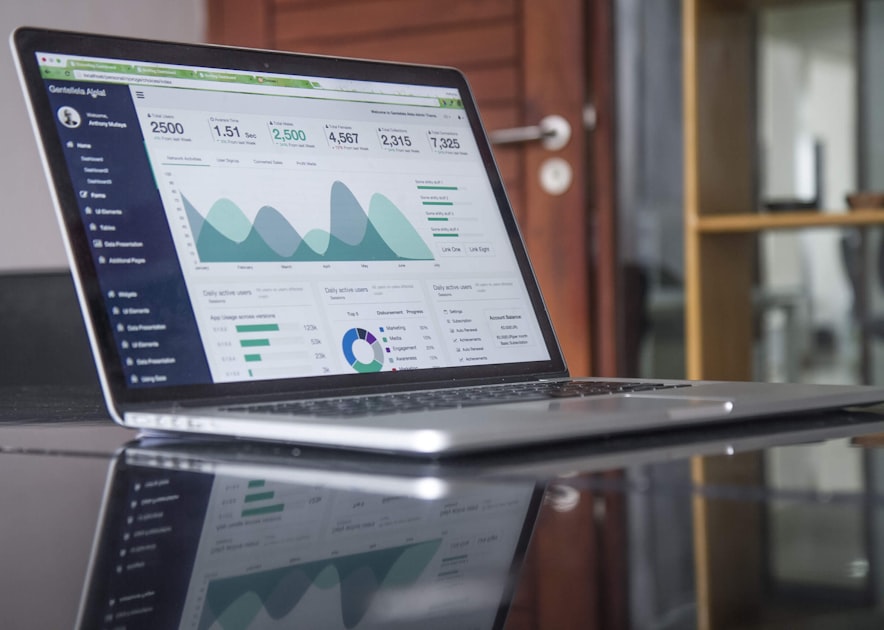
Key takeaway: If you process 50 invoices per month at $500 each, your processing fees ($825-$1,185/year) dwarf your subscription costs ($0-$360/year). Choosing a platform with lower processing fees matters more than saving $10-15 per month on subscription.
Source: Truescho
Case Study: How a Marketing Agency Cut Collection Time by 73%
Greenfield Digital is a 7-person content marketing agency based in Austin, Texas. In early 2025, they were managing invoicing through a combination of Word document templates and a shared Google Sheet. Their average time to collect on an invoice was 42 days. Of their 35 monthly invoices, an average of 12 went past due each month.
The problem: No automated reminders. No online payment option. Clients had to mail physical checks or initiate manual bank transfers, which added 3-5 business days of float time.
The switch: They moved to FreshBooks Plus ($15/month) in March 2025. The migration took one weekend: importing 40 client contacts, setting up recurring invoice templates for retainer clients, and configuring three-tier payment reminders (3 days before due, on due date, and 7 days past due).
The results (after 9 months):
- Average collection time dropped from 42 days to 11 days
- Past-due invoices fell from 12/month to 2/month
- Online payments (via credit card and ACH) accounted for 89% of payments
- Time spent on billing tasks fell from approximately 8 hours/week to 2 hours/week
- Cash flow improved enough that the agency negotiated a 2% early-payment discount with two vendors, saving an additional $200/month
Total cost: $15/month subscription plus approximately $130/month in processing fees. Total benefit: Faster payments worth approximately $45,000 in improved cash flow, plus reclaimed labor hours valued at roughly $24,000/year.
Frequently Asked Questions
How much does invoicing software cost per month?
Invoicing software ranges from completely free (Zoho Invoice, Wave, Square Invoices, Stripe Invoicing) to $30-$85/month for platforms that include full accounting (QuickBooks Online, Xero). The real cost to watch is payment processing fees, typically 2.6-2.9% plus $0.10-$0.30 per transaction. For a business processing $25,000/month in invoice payments, processing fees will cost $650-$750/month regardless of your subscription tier.
What is the best free invoicing software for small business?
Zoho Invoice is the best completely free option in 2026. It includes unlimited invoices, recurring billing, multi-currency support, time tracking, expense tracking, and a client portal for up to 50 users with no feature restrictions. Wave is a strong second choice if you also need basic double-entry bookkeeping, though the free version includes ads and has a more limited feature set.
Can I use invoicing software for recurring billing?
Yes. Most platforms on this list support recurring billing, but the depth varies significantly. FreshBooks Plus ($15/month) handles recurring invoices with automatic charging. Stripe Invoicing is the most powerful for subscription billing with proration, trials, metered usage, and dunning management. QuickBooks Online supports recurring invoices on all plans but does not auto-charge cards unless you use QuickBooks Payments. Zoho Invoice offers recurring profiles on the free plan.
What is the difference between invoicing software and accounting software?
Invoicing software focuses on creating, sending, and tracking invoices plus accepting payments. Accounting software handles the full financial picture: double-entry bookkeeping, profit and loss statements, balance sheets, bank reconciliation, tax preparation, and financial reporting. QuickBooks Online, Xero, and Wave offer both. FreshBooks, Zoho Invoice, Square Invoices, and Bonsai are primarily invoicing tools with limited or no accounting capabilities. If you work with an accountant or need to file business taxes properly, choose a tool with real accounting.
Which invoicing software integrates with Stripe?
All nine platforms in this comparison integrate with Stripe. FreshBooks, Wave, Invoice Ninja, and Bonsai use Stripe as their primary payment processor under the hood. Zoho Invoice, Xero, and QuickBooks Online allow you to connect your own Stripe account. Square Invoices uses Square's proprietary payment processing rather than Stripe. Stripe Invoicing is, naturally, Stripe's own product.
Is Wave invoicing really free in 2026?
Yes, Wave's invoicing and accounting features remain free in 2026 for businesses with fewer than 10 employees. However, Wave discontinued free bank connections in some regions, and the free plan includes advertisements. Receipt scanning is included but limited. Payroll is a paid add-on starting at $40/month. The free tier is best understood as a loss leader for Wave's payment processing and payroll services.
What invoicing software works best for international clients?
Xero is the strongest choice for international invoicing, supporting over 160 currencies, automatic exchange rate updates, and multi-currency bank reconciliation. Zoho Invoice also handles multi-currency well on the free plan. FreshBooks supports multi-currency but only on the Plus plan and above. For businesses that bill in USD primarily but occasionally have international clients, any of these tools will work; for businesses that regularly invoice in 3+ currencies, Xero is worth the premium.
How do I choose between FreshBooks and QuickBooks?
Choose FreshBooks if your primary need is sending invoices, tracking time, and managing client payments with a clean, simple interface. It is ideal for service businesses, freelancers, and agencies. Choose QuickBooks Online if you need real accounting alongside invoicing, plan to work with an accountant, have employees, or need to track inventory. Many businesses start with FreshBooks and migrate to QuickBooks when they need proper financial statements for taxes, loans, or investors.
How to Choose Based on Your Business Type
For Freelancers and Solo Consultants
Your priorities are low cost, ease of use, and professional appearance. Start with Zoho Invoice (free) or FreshBooks Lite ($8.50/month). Both let you create branded invoices, accept online payments, and track which clients have paid. You probably do not need full accounting yet, so do not pay for QuickBooks unless your accountant specifically requests it.
For Retail and Brick-and-Mortar Stores
If you already have a point-of-sale system, use the invoicing tool from the same ecosystem. Square merchants should use Square Invoices (free). Shopify merchants can use Shopify's built-in invoicing. If you need stronger accounting, pair your POS with QuickBooks Online Plus ($85/month) for inventory tracking and full financial management.
For Agencies and Growing Service Businesses
You need recurring invoices, project-based billing, time tracking, and expense management. FreshBooks Plus ($15/month) handles all of these elegantly. If your team is growing past 10 people or you need proper financial reporting, QuickBooks Online Essentials ($55/month) or Plus ($85/month) gives you the accounting foundation you will eventually need anyway.
For E-Commerce Businesses
Stripe Invoicing handles the billing side, but you will also need an accounting platform for inventory, COGS, and channel fees. The most common stack is Shopify for the storefront plus QuickBooks Online Plus for accounting and Xero for international operations. If you run a subscription e-commerce business, Stripe's subscription billing features are unmatched.
For Construction and Trades
Construction businesses have unique needs: progress invoicing, retainage tracking, and job costing. QuickBooks Online Plus ($85/month) handles job costing better than any tool on this list. For invoicing specifically, FreshBooks Premium ($27.50/month) supports progress invoicing. Contractor-focused tools like Contractor Foreman and Knowify integrate with QuickBooks for more specialized project accounting.
Protecting Your Business Finances
Switching to proper invoicing software is one important step in financial management, but it is just one piece. Every small business also needs appropriate insurance coverage to protect against claims that could wipe out months of revenue. If you have not reviewed your coverage recently, our guide to general liability insurance for small business explains what to look for and what it should cost based on your industry.
Similarly, if you are expanding into new markets like the Middle East, understanding e-commerce platforms in Saudi Arabia is essential for handling local payment methods and invoicing requirements correctly.
For businesses exploring growth opportunities, Truescho's opportunities page lists international grants, partnerships, and programs that may provide funding or resources for your expansion.
Migration Tips: Switching Without Losing Data
If you are moving from one invoicing platform to another, the process is generally straightforward but requires attention to detail:
- Export your client list first. Every platform lets you export contacts as CSV. Download this before cancelling your old account.
- Download all historical invoices as PDF. You need these for tax records. Most platforms purge your data 30-90 days after cancellation.
- Note any recurring billing schedules. Recurring invoices do not transfer between platforms automatically. You will need to recreate them manually.
- Check your payment gateway. If your old platform used its own payment processor, you will need to set up a new one. Existing auto-charge authorizations do not carry over.
- Overlap for one billing cycle. Run both systems in parallel for one month to catch any issues before fully committing to the new platform.
Security and Compliance Considerations
All platforms reviewed here use bank-grade encryption (256-bit SSL at minimum) and comply with PCI DSS standards for payment processing. However, compliance extends beyond technical security:
- Data residency: If you operate in the EU, check where your invoicing data is stored. Xero stores data in the US and New Zealand. QuickBooks stores data in the US. FreshBooks stores data in Canada and the US.
- Tax compliance: For US businesses, QuickBooks and Xero handle sales tax tracking automatically. For VAT-registered businesses, Xero has superior VAT handling.
- Record retention: The IRS requires businesses to keep financial records for at least 3 years (7 years in some cases). Ensure your invoicing platform allows data export in standard formats before you commit.
Our Verdict
After comparing nine platforms across pricing, features, ease of use, and real-world performance, here is our clear recommendation:
For most small businesses in 2026, FreshBooks is the best invoicing software. It strikes the optimal balance between ease of use, feature depth, and cost. The interface requires zero training, the mobile app is excellent, and the pricing is transparent. Start with the Lite plan at $8.50/month if you bill fewer than 5 clients, or jump to Plus at $15/month for unlimited recurring invoicing and payment reminders.
If you need real accounting, choose QuickBooks Online. The $30/month Simple Start plan gives you proper double-entry bookkeeping alongside professional invoicing. You will outgrow FreshBooks eventually if your business involves inventory, payroll, or complex tax situations, so starting with QuickBooks saves a migration later.
If budget is zero, choose Zoho Invoice. It is genuinely free with no asterisks on the core invoicing features. Pair it with Wave for free basic accounting if needed.
The worst choice is no choice. Every month you spend managing invoices in Word documents or spreadsheets is a month of delayed payments, lost tracking, and wasted hours. Pick a tool, set it up this week, and start getting paid faster.