
2 ===
Source: Odoo Official Website
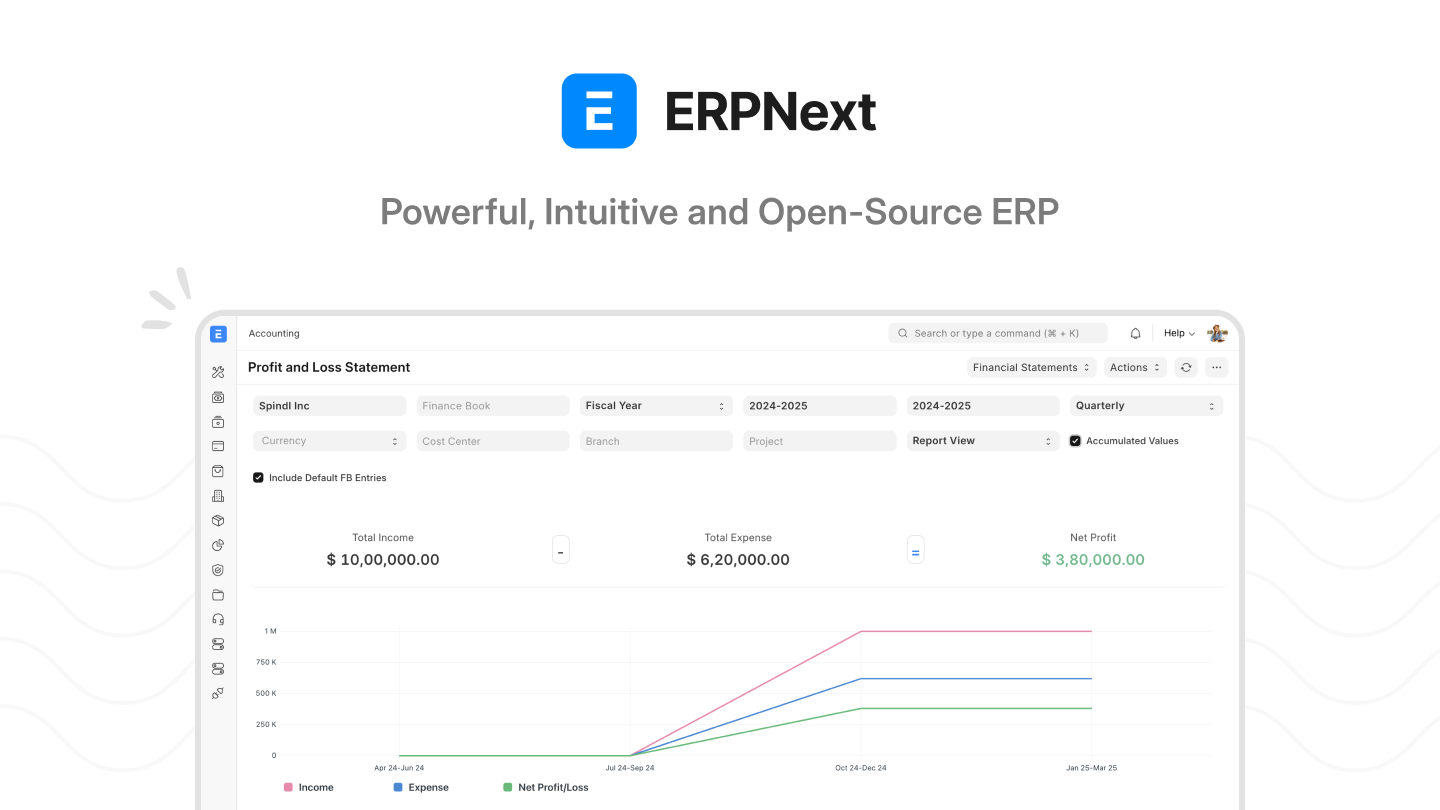
Source: ERPNext Official Website
Best ERP Software for Small Business 2026: Complete Comparison Guide
Choosing the best ERP software small business owners can rely on in 2026 means navigating a market of more than 50 viable platforms, each with radically different pricing models, deployment options, and AI capabilities. We tested, compared, and analyzed the ten most relevant ERP systems for companies with 1 to 500 employees. The result is a practical, data-driven comparison that cuts through the marketing noise and tells you exactly what each system costs, what it does well, and where it falls short.
Last updated: August 2026. Pricing reflects official vendor pages as of August 2026. Where vendors do not publish pricing (NetSuite, SAP, Syspro, Acumatica, Katana), we use industry estimates from ERP implementation partners and third-party review platforms.
Whether you run a manufacturing startup in Vietnam, a distribution company in Nigeria, a retail chain in the Philippines, or a services firm in Brazil, this comparison will help you identify the right ERP for your specific situation and budget.
Quick Comparison: Top 10 ERP Systems for Small Business
| Software | Starting Price | Free Tier | Deployment | Best For | Multi-Currency |
|---|---|---|---|---|---|
| Odoo | Free (1 app) / EUR 19.90/user/mo | Yes (1 app) | Cloud, On-prem | Modular, flexible needs | Yes (170+) |
| ERPNext | $0 self-hosted / $5/mo cloud | Yes (open source) | Self-host, Cloud | Budget-conscious, tech-savvy | Yes |
| Zoho One | ~$35/employee/mo | No | Cloud | All-in-one value suite | Yes |
| MRPeasy | $49/user/mo | No | Cloud | Small manufacturers | Yes |
| Microsoft Dynamics 365 BC | $80/user/mo (Essentials) | No | Cloud, On-prem | Microsoft ecosystem users | Yes (160+) |
| Katana | ~$150-250/mo (estimate) | No | Cloud | Small-scale manufacturers | Limited |
| SAP Business One | ~$135/user/mo (cloud, est.) | No | Cloud, On-prem | Manufacturing/distribution | Yes (150+) |
| Oracle NetSuite | ~$999/mo + $99/user/mo | No | Cloud | Growing companies | Yes (190+) |
| Syspro | ~$200-350/user/mo (estimate) | No | Cloud, On-prem | Mid-market manufacturing | Yes |
| Acumatica | ~$1,000-3,000+/mo (custom) | No | Cloud, On-prem | Unlimited users | Yes |
For a 10-person team, the annual cost difference between the cheapest option (ERPNext at $0-$600/year) and the most expensive (NetSuite at $23,856+/year) is staggering. Price alone does not determine quality, but understanding where each system sits on the cost spectrum is the first step in making the right decision.
Detailed Analysis: Each ERP Examined
Odoo — Best Modular ERP for Growing Businesses
Odoo has become one of the most popular ERP choices for small businesses worldwide because of its unique modular architecture. You start with a single free app and add only the modules you need, choosing from more than 30 applications covering CRM, accounting, inventory, manufacturing, e-commerce, HR, project management, and more.
Pricing breakdown:
- One App Free: EUR 0 (one app, unlimited users, Odoo Online only)
- Standard: EUR 19.90/user/month (yearly billing) or EUR 24.90/month (monthly) — all apps included
- Custom: EUR 29.90/user/month (yearly) — all apps plus Odoo Studio, multi-company, external API, and Odoo.sh or on-premise deployment
- Community Edition: Free, open-source download with no user limits
Strengths: Odoo's modular approach means you can start with just CRM or accounting and expand incrementally. The drag-and-drop website builder, Odoo Studio no-code app builder, and AI-powered vendor bill scanning add genuine value. The Community Edition gives technically capable teams a completely free ERP with no per-user costs.
Weaknesses: Pricing complexity is Odoo's biggest drawback. While the One App Free tier is genuinely free, adding multiple modules under the Standard plan can escalate costs quickly for larger teams. The learning curve is steep for new users, and customizing Odoo.sh hosting adds expense.
AI features (2026): AI scanning for vendor bills and expenses, AI-based lead generation, and auto-complete contact management.
Best for: Startups and growing companies that want to begin small and scale their system incrementally. Particularly strong for businesses in emerging markets where the free Community Edition eliminates the software cost barrier entirely.
ERPNext — Best Free Open-Source ERP
ERPNext, built by Frappe Technologies, is the most capable fully free open-source ERP available in 2026. It covers accounting, inventory, manufacturing, HR, CRM, project management, helpdesk, point of sale, website building, and specialized modules for education, healthcare, and non-profit organizations.
Pricing breakdown:
- Self-hosted (open source): $0 forever, no per-user costs
- Frappe Cloud shared hosting: Starting at $5/month (approximately INR 410/month)
- Frappe Cloud dedicated server: Starting at $40/month (approximately INR 3,600/month)
- 14-day free trial available on Frappe Cloud
Strengths: Truly free when self-hosted. No vendor lock-in. Over 150 installable apps from Frappe Cloud. Multi-currency, multi-language (80+ languages), and multi-region hosting on AWS, Oracle Cloud, and Hetzner. The community is active and development moves fast.
Weaknesses: Self-hosting requires technical knowledge. The community is smaller than Odoo's, meaning fewer third-party integrations and templates. The interface, while functional, is less polished than commercial alternatives. Support on the free tier is community-based with bug fixes only.
Best for: Tech-savvy small businesses, startups in cost-sensitive markets, and companies that want complete control over their data and infrastructure. If you have a developer on your team or can hire one for initial setup, ERPNext delivers enterprise-grade functionality at zero software cost.
When your business grows to the point where you need dedicated accounting tools beyond what your ERP provides, our guide to the best accounting software for small business covers complementary options that integrate with most ERP systems.
Microsoft Dynamics 365 Business Central — Best for Microsoft Ecosystem Users
Business Central is Microsoft's ERP offering for small and medium businesses, and in 2026 it stands out for one reason: Microsoft Copilot AI is included at no additional cost. For companies already using Teams, Outlook, Excel, and Power BI, Business Central integrates seamlessly into the workflow your team already knows.
Pricing breakdown:
- Essentials: $80/user/month (paid yearly) — financials, sales, operations, supply chain, project management
- Premium: $110/user/month (paid yearly) — adds service management and manufacturing
- Team Members: $8/user/month — read access, approvals, limited data entry
- 30-day free trial available
Strengths: Microsoft ecosystem integration is the strongest selling point. Copilot AI enables natural-language interaction with business records, AI-generated sales quotes, bank reconciliation assistance, and item substitution suggestions. Power Platform customization allows extensive tailoring without code. Sold through a global partner network, meaning local implementation support is available in most countries.
Weaknesses: Pricing escalates quickly when you add modules and team members. The learning curve is meaningful — reviews consistently rate it as requiring training investment. Partner quality varies significantly, so choosing the right implementation partner is critical.
AI features (2026): Microsoft Copilot is the strongest AI integration in the small business ERP market. It goes beyond basic automation to provide conversational AI assistance, draft generation for business documents, and intelligent workflow suggestions through Power Automate.
Best for: Companies already invested in the Microsoft 365 ecosystem. If your team uses Outlook, Teams, and Excel daily, Business Central feels like a natural extension rather than a foreign system.
Oracle NetSuite — Best for Rapidly Growing Companies
NetSuite is the cloud ERP that scales from 10 employees to 1,000+ without changing platforms. Its SuiteSuccess program offers industry-specific preconfigured editions that accelerate implementation for retail, manufacturing, wholesale distribution, software, and services companies.
Pricing breakdown (industry estimates — NetSuite does not publish pricing):
- Base platform license: approximately $999/month
- Per-user license: approximately $99/user/month
- Implementation: $10,000 to $50,000+ one-time
- Typical 3-year contract with annual increases
Strengths: True cloud-native architecture with no on-premise option means every customer is always on the latest version. Deeply integrated suite eliminates the need for third-party connectors. Multi-currency support covers 190+ currencies and 27 languages. SuiteAnalytics provides business intelligence without additional licensing.
Weaknesses: High base cost makes it expensive for very small teams. Opaque pricing forces you into a sales conversation before you know the cost. Implementation typically takes 3 to 6 months. Contract lock-in is common with multi-year commitments.
AI features (2026): NetSuite Text Enhance for AI-powered record generation, anomaly detection for financial data, predictive analytics, and intelligent document processing through SuiteAI.
Best for: Companies that have outgrown entry-level accounting software and need a system that will scale with them for the next decade. If you expect to reach 100+ employees within three years, NetSuite's total cost of ownership can be lower than migrating between cheaper systems twice.
Zoho One — Best Value All-in-One Suite
Zoho One bundles more than 40 integrated business applications into a single subscription. For companies that need CRM, accounting, inventory, HR, project management, marketing automation, and analytics, Zoho One covers all of it at the lowest per-user cost in this comparison.
Pricing breakdown (industry estimates):
- All-Employee Plan: approximately $35/employee/month (every employee in your company must be included)
- Flexible User Plan: approximately $45/user/month (only active users need licenses)
- Annual and monthly billing available
- Free trial on both plans
Strengths: At $35/employee/month for 40+ apps, Zoho One delivers functionality that would cost several times more if assembled from individual vendors. Zoho CRM is genuinely excellent. The mobile apps are polished and feature-rich. Setup is fast with no implementation fee required for basic configuration.
Weaknesses: Each app has its own limitations. Zoho Books is not as deep as dedicated accounting software. Zoho Inventory has constraints at high transaction volumes. The suite is broad but not always deep. No on-premise option exists.
AI features (2026): Zia AI assistant spans CRM, analytics, and document processing. It handles forecasting, anomaly detection, and conversational queries about business data.
Best for: Small businesses that want an integrated suite covering everything from sales to accounting without the cost and complexity of a full ERP implementation. Particularly strong for service businesses, agencies, and consultancies.
For businesses that need specialized tools alongside their ERP, our comparison of the best CRM software for small business covers dedicated CRM platforms that may outperform the CRM modules bundled inside ERP suites.
SAP Business One — Best for Manufacturing and Distribution
SAP Business One is designed specifically for small and midsize enterprises with deep requirements in manufacturing, production planning, and supply chain management. It carries the SAP brand and ecosystem, which matters for businesses that need enterprise-level credibility.
Pricing breakdown (industry estimates — SAP does not publish pricing):
- Starter Package: approximately $1,356/user one-time (up to 5 users)
- Professional User License: approximately $3,213/user one-time (perpetual)
- Limited User License: approximately $1,668/user one-time (perpetual)
- Cloud subscription: approximately $135/user/month
- Annual maintenance: approximately 22% of license cost (on-premise)
Strengths: Deep manufacturing and distribution features including production orders, MRP, quality management, and lot traceability. Strong localization for international operations. Mature platform with a large App Store for industry-specific add-ons. SAP ecosystem connectivity for companies that may eventually migrate to SAP S/4HANA.
Weaknesses: High cost barrier. Implementation requires a certified SAP partner, which adds significant expense. Customization is complex. No transparent pricing. Partner quality varies, and a bad implementation partner can make the system unusable.
AI features (2026): SAP Business AI with Joule copilot, predictive analytics, intelligent invoice processing, and AI-driven demand forecasting.
Best for: Established manufacturing or distribution companies with 50+ employees that need proven, enterprise-grade functionality and can afford the implementation investment.
MRPeasy — Best for Small Manufacturers
MRPeasy is purpose-built for small manufacturing operations. It focuses on production planning, inventory management, and shop floor control without pretending to be a full ERP. It integrates with QuickBooks, Xero, Shopify, and WooCommerce for the functionality it does not cover.
Pricing breakdown:
- Starter: $49/user/month
- Professional: $69/user/month
- Enterprise: $99/user/month (most popular)
- Unlimited: $149/user/month (minimum 2 users)
- From 11th user: $79 per 10 users (bulk discount)
- 30-day free trial (15 + 15 days, no credit card required)
Strengths: Transparent, affordable pricing. Fast implementation — reviews consistently praise how quickly teams can get productive. Strong production scheduling with drag-and-drop rescheduling. Excellent integrations with e-commerce and accounting platforms. Bulk discount structure rewards growth.
Weaknesses: Manufacturing-focused, meaning limited financial features. Not a full ERP — you will need QuickBooks or Xero for accounting. Some reviews note inventory management flexibility constraints and confusing workflow navigation.
Best for: Small manufacturers (1-200 employees) who need production planning and inventory control without the cost and complexity of SAP or NetSuite. Ideal for makers, fabricators, and light assembly operations.
If manufacturing inventory is your priority, our guide to the best inventory management software for small business reviews tools that specialize in warehouse management, stock tracking, and order fulfillment.
Katana — Best for Small-Scale and Craft Manufacturing
Katana brings a modern, visual approach to manufacturing resource planning. It is designed for small-scale manufacturers, makers, and craft producers who need production scheduling and inventory management without the overhead of a traditional MRP system.
Pricing breakdown (industry estimates — Katana does not publish pricing):
- Estimated starting price: $150 to $250/month (from third-party reviews)
- Free trial available (approximately 14 days)
Strengths: Beautiful, modern interface that is genuinely easy to use. Extremely fast implementation. Strong production scheduling and shop floor control. Integrates with Shopify, QuickBooks, and Xero for a connected workflow.
Weaknesses: Manufacturing-only focus. No built-in accounting. No CRM module. Pricing is not transparent. Companies may outgrow Katana quickly as they scale.
Best for: Small manufacturers with 1-50 employees who prioritize usability and fast setup over comprehensive functionality.
Syspro — Best for Mid-Market Manufacturing Specialization
Syspro targets mid-market manufacturers and distributors in specific industries including food and beverage, automotive, electronics, and metal fabrication. It provides deeper industry-specific functionality than most general-purpose ERPs.
Pricing breakdown (industry estimates — Syspro does not publish pricing):
- Cloud subscription: approximately $200 to $350/user/month
- No free trial; demo through partners only
Strengths: Deep manufacturing and distribution specialization. IoT integration for smart factory scenarios. AI and predictive analytics built in. Syspro Marketplace for industry extensions. Particularly strong for regulated industries requiring lot traceability and quality management.
Weaknesses: Niche focus on manufacturing and distribution limits its appeal. Smaller partner network than SAP or Microsoft. Implementation is heavier and takes longer. Pricing is opaque.
Best for: Established manufacturers (50-500 employees) in food and beverage, automotive, electronics, or fabricated metals who need industry-specific depth.
Acumatica — Best for Unlimited Users
Acumatica's most distinctive feature is its resource-based pricing model. Instead of charging per user, Acumatica charges based on the applications you use, your transaction volumes, and your data storage. This means you can add unlimited users without increasing your license cost.
Pricing breakdown (industry estimates — Acumatica uses custom quotes):
- Typical small business: approximately $1,000 to $3,000+/month
- Based on three factors: applications/modules, business usage and resources, and license/deployment choice
- No free trial; custom pricing review offered
Strengths: Unlimited users at no additional per-seat cost — unique in the ERP market. True cloud architecture. Industry-specific editions for construction, distribution, and manufacturing. Strong customization framework. Full offline mobile capability.
Weaknesses: No published pricing. Implementation costs can be significant. Smaller partner ecosystem than Microsoft or SAP. Resource-based pricing can become unpredictable as transaction volumes grow.
Best for: Companies with many users who need ERP access. If you have 30+ employees who all need system access, Acumatica's unlimited-user model can deliver significant savings compared to per-user pricing.
ERP Pricing Comparison: Real Cost for a 10-Person Team
To make pricing concrete, here is what each ERP costs for a 10-person team in the first year:
| Software | Monthly Cost (10 users) | First-Year Total | Notes |
|---|---|---|---|
| ERPNext (self-hosted) | $0 | $0 | Requires technical setup |
| Odoo (Standard) | EUR 199/mo | ~$2,550/year | All apps included |
| Zoho One | ~$350/mo | ~$4,200/year | All-employee plan |
| MRPeasy (Starter) | $490/mo | $5,880/year | Manufacturing only |
| Katana | ~$150-250/mo | ~$1,800-3,000/year | Flat rate, manufacturing only |
| Dynamics 365 BC (Essentials) | $800/mo | $9,600/year | Plus $80/mo for Team Members |
| SAP Business One (Cloud) | ~$1,350/mo | ~$16,200/year | Industry estimate |
| Acumatica | ~$1,000-3,000/mo | ~$12,000-36,000/year | Unlimited users |
| NetSuite | ~$1,988/mo | ~$23,856/year | Plus $10K-50K implementation |
| Syspro | ~$2,000-3,500/mo | ~$24,000-42,000/year | Industry estimate |
The price range is dramatic: from $0 to over $42,000 per year for the same team size. The right choice depends not on finding the cheapest option, but on matching the system's capabilities to your business requirements.
How to Choose the Right ERP: Decision Framework
Choose Odoo if:
You want modularity and the ability to start small. You have 5 to 250 employees and value flexibility over simplicity. Your team can handle a steeper learning curve in exchange for lower costs.
Choose ERPNext if:
You have technical capability in-house and want a completely free, open-source solution. You are cost-sensitive and comfortable with community support.
Choose Microsoft Dynamics 365 Business Central if:
Your company already uses Microsoft 365 extensively. You value AI integration (Copilot) and want a system backed by a global partner network. Your team size is 5 to 500.
Choose Zoho One if:
You want an all-in-one suite at the lowest per-user cost and do not need the depth of a traditional ERP. Your business is service-oriented rather than manufacturing-focused.
Choose Oracle NetSuite if:
You expect rapid growth and want a system that will scale from 10 to 1,000+ employees without migration. You can absorb a $10,000+ implementation cost.
Choose MRPeasy if:
You are a small manufacturer (1-200 employees) who needs production planning and inventory control integrated with QuickBooks or Xero for accounting.
Choose SAP Business One if:
You are an established manufacturer or distributor with 50+ employees who needs enterprise-grade functionality and SAP ecosystem credibility.
Choose Acumatica if:
You have many users (30+) and want to avoid per-seat pricing. You are in construction, distribution, or manufacturing.
ERP Implementation: Timeline and Hidden Costs
The sticker price of ERP software is only part of the total cost of ownership. Implementation, training, customization, and ongoing maintenance can double or triple your first-year investment.
Typical Implementation Timeline
| Phase | Duration | Key Activities |
|---|---|---|
| Requirements analysis | 2-4 weeks | Define processes, map workflows |
| System configuration | 4-8 weeks | Set up modules, import data |
| Customization | 4-12 weeks | Modify reports, build integrations |
| User training | 2-4 weeks | Train staff on new system |
| Testing and go-live | 2-4 weeks | Validate, fix issues, launch |
| Total | 3-8 months | Varies by system complexity |
Hidden Cost Categories
- Implementation consulting: $5,000 to $50,000+ depending on system and complexity
- Data migration: $2,000 to $15,000 for cleaning and importing existing data
- Custom development: $50 to $200/hour for bespoke features and integrations
- Training: $1,000 to $10,000 for staff training programs
- Annual maintenance: 15% to 25% of license cost for on-premise systems
- Third-party integrations: $500 to $5,000 per integration (payment gateways, e-commerce, shipping)
A realistic first-year budget for a 10-person team implementing a mid-range ERP should include the annual license cost plus an additional $10,000 to $30,000 in implementation and setup expenses.
For businesses that need to manage human resources alongside their ERP, our guide to the best HR software for small business and the best payroll software for small business cover dedicated HR and payroll platforms that integrate with most ERP systems.
Key Features to Evaluate in the Best ERP Software Small Business Market in 2026
AI Integration
AI has moved from a premium feature to a baseline expectation in ERP software. The strongest AI implementations in 2026 include:
- Microsoft Copilot (Dynamics 365 BC) — Conversational AI, document generation, bank reconciliation
- NetSuite SuiteAI — Text Enhance, anomaly detection, document processing
- SAP Joule — AI copilot across SAP ecosystem
- Zoho Zia — CRM analytics, forecasting, document processing
- Odoo AI — Vendor bill scanning, expense processing, lead generation
If AI is a priority for your business, Microsoft Dynamics 365 Business Central currently offers the most integrated AI experience at no additional cost.
Multi-Currency and Multi-Language Support
For businesses operating across borders — a manufacturer in Vietnam selling to Europe, a distributor in Nigeria importing from China, a retailer in the Philippines with global suppliers — multi-currency and multi-language support is essential.
| Software | Currencies Supported | Languages Supported |
|---|---|---|
| NetSuite | 190+ | 27 |
| Odoo | 170+ | 100+ |
| Dynamics 365 BC | 160+ | 50+ |
| SAP Business One | 150+ | 40+ |
| Zoho One | Multi-currency in most apps | 70+ |
| ERPNext | Multi-currency | 80+ |
Cloud vs. On-Premise
Cloud deployment dominates the small business ERP market in 2026, with approximately 60-65% market share. Cloud ERP offers lower upfront costs, automatic updates, faster implementation, and remote accessibility. However, on-premise deployment remains relevant for businesses with strict data sovereignty requirements or unreliable internet connectivity.
Systems offering both cloud and on-premise deployment: Odoo, Dynamics 365 BC, SAP Business One, ERPNext, Acumatica, and Syspro.
Our Verdict: Best ERP Software Small Business Recommendations for 2026
After analyzing all ten systems across pricing, features, scalability, and ease of use, here are our clear recommendations:
Best Overall for Most Small Businesses: Odoo
Odoo wins on flexibility, cost, and modularity. The free Community Edition and low-cost Standard plan make it accessible, while the app ecosystem ensures it can grow with your business. It is the best balance of capability and affordability for the widest range of small businesses.
Best Free Option: ERPNext
For technically capable teams, ERPNext delivers enterprise-grade functionality at zero software cost. The open-source model means no vendor lock-in and complete data ownership. If you have a developer or can hire one for initial setup, this is the most powerful free ERP available.
Best for Microsoft-Centric Organizations: Dynamics 365 Business Central
If your team lives in Outlook, Teams, and Excel, Business Central extends that ecosystem with genuine ERP power. Copilot AI integration sets it apart from every competitor and is included at no additional cost.
Best Value All-in-One: Zoho One
Forty-plus integrated apps at approximately $35 per employee per month is unmatched value. For service businesses that need CRM, accounting, HR, and project management without deep manufacturing features, Zoho One is the most cost-effective complete suite.
Best for Manufacturers: MRPeasy or SAP Business One
Small manufacturers (under 200 employees) should look at MRPeasy for its simplicity and transparent pricing. Larger or more complex manufacturers should consider SAP Business One for its depth and industry credibility.
The ERP market continues to evolve rapidly, with AI capabilities expanding, cloud adoption accelerating, and pricing models shifting. Whatever system you choose, plan for implementation as a multi-month project, budget for hidden costs, and invest in training. The right ERP transforms how your business operates. The wrong one becomes an expensive burden.
If your team is also evaluating specialized tools alongside your ERP search, Truescho's global all-in-one student platform includes a digital subscriptions store and AI study assistant, offering integrated resources for businesses and educational institutions alike.
Frequently Asked Questions
What is the best ERP software for a small business?
When evaluating the best ERP software small business options, Odoo stands out for most companies. Odoo offers the best combination of flexibility, affordability, and scalability. Its modular architecture lets you start with one app and expand. ERPNext is the best free alternative for technically capable teams.
How much does ERP software cost for a small business?
Costs range from $0 (ERPNext self-hosted) to over $2,000 per month (NetSuite or Syspro) for a 10-person team. Budget for implementation costs of $5,000 to $50,000 on top of annual licensing, depending on system complexity and customization needs.
Is Odoo really free?
Odoo offers a genuine free tier called One App Free, which includes one application with unlimited users on Odoo Online. The Community Edition is also free as an open-source download. Full multi-app access starts at EUR 19.90 per user per month under the Standard plan.
What is the difference between ERP and accounting software?
Accounting software handles financial transactions, invoicing, and reporting. ERP (Enterprise Resource Planning) integrates accounting with inventory, manufacturing, CRM, HR, project management, and other business functions into a single connected system. ERP provides a unified view across all departments.
How long does ERP implementation take?
Most small business ERP implementations take 3 to 8 months from start to go-live. Cloud-based systems like Odoo and Zoho One can be operational in 4 to 8 weeks, while NetSuite and SAP Business One typically require 4 to 6 months.
Should a small business use ERP or separate software tools?
If your business has more than 10 employees and uses three or more separate tools for accounting, CRM, inventory, and HR, an integrated ERP will likely reduce costs, eliminate data silos, and improve decision-making. Below 10 employees, separate specialized tools may be sufficient.
Sources
- Odoo official pricing: odoo.com/pricing
- Microsoft Dynamics 365 Business Central: microsoft.com/dynamics-365/business-central
- ERPNext and Frappe Cloud pricing: cloud.frappe.io/pricing
- MRPeasy official pricing: mrpeasy.com/pricing
- Zoho One: zoho.com/one
- Acumatica pricing model: acumatica.com/pricing
- Oracle NetSuite: netsuite.com
- SAP Business One: sap.com/products/erp/business-one
- Syspro: syspro.com
- Katana: katanamr.com