
Best AI Image Generator 2026: Gemini, ChatGPT & Alternatives
Searching for the best AI image generator in 2026 turns up dozens of contradictory "top 10" lists, so let us cut through it. There is no single best AI image generator for everyone — there is a best one for your task. Google's Gemini (Nano Banana) is the best for fast, photorealistic images and consistent characters. ChatGPT's GPT Image 2 is the best for readable text inside images and precise layouts. And for people who want a simple, affordable, one-stop tool with ready-made prompts, an all-in-one platform fills a different need entirely.
This guide does three things the listicles skip. First, it gives you a clear set of criteria for judging any image tool, so you can decide for yourself rather than trusting a ranking. Second, it runs a focused head-to-head of the two engines that matter most. Third, it covers the strongest alternatives — Ideogram, Canva, Leonardo, and a bundled all-in-one option — and tells you honestly where each one wins. By the end you will know which is the best AI image generator for your specific situation.
Source: Google
How to judge the best AI image generator for you
Before comparing names, decide what "best" means for your work. Five criteria cover almost every real decision:
- Image quality and realism — does the output look professional, and does skin, lighting, and detail hold up?
- Text inside the image — can it spell words correctly, including in non-Latin scripts?
- Speed — how fast does a single image arrive when you are iterating?
- Character and style consistency — can you reuse the same person, mascot, or style across many images?
- Ease and accessibility — how simple is the interface, does it include ready-made prompts, and can you actually pay for it and access it where you live without a VPN or foreign card?
Most "best of" lists obsess over criterion one and ignore the rest. But for a real workflow, accessibility and ease often decide whether a tool gets used at all. Weight these five against your own needs and the right pick usually becomes obvious.
The two engines that lead in 2026
Gemini (Nano Banana)
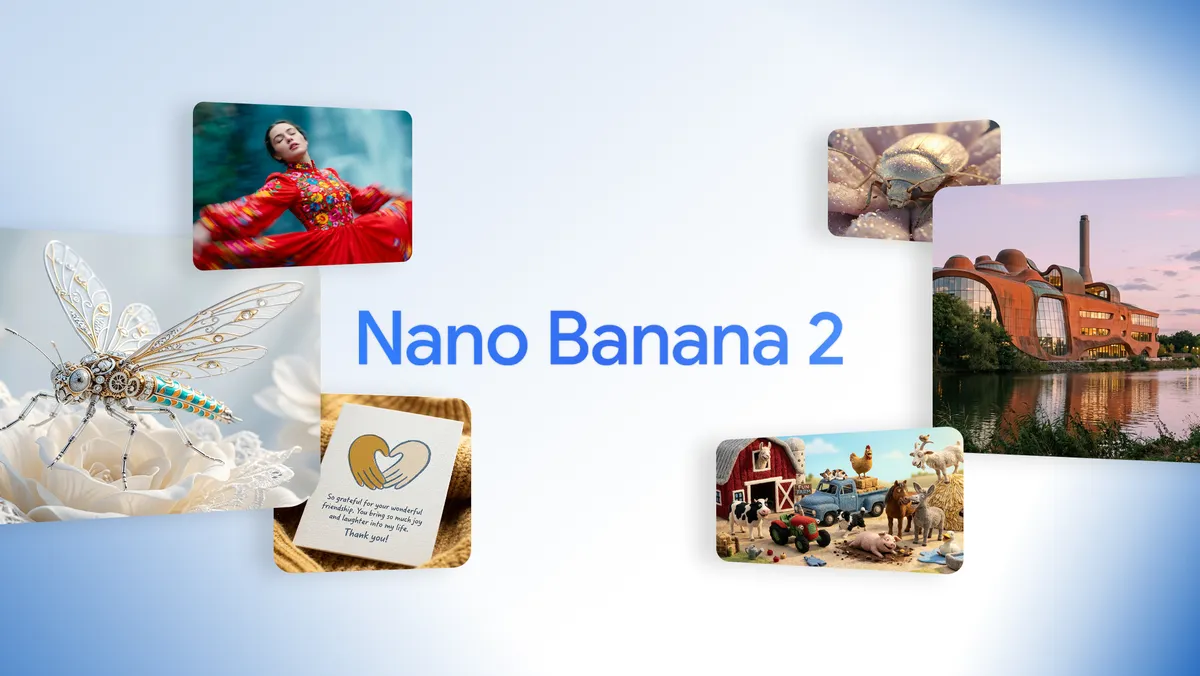
Google's Nano Banana family is the realism and speed leader. Nano Banana Pro (Gemini 3 Pro Image) handles up to 4K, accepts up to 14 reference images, and produces the most natural photographic skin and lighting available. Nano Banana 2 (Gemini 3.1 Flash Image, released February 26, 2026) adds Flash-level speed — images in roughly 10–15 seconds — plus live Google Search grounding and character consistency across up to 5 characters and 14 objects. If your work is product photography, lifestyle imagery, or anything that must look genuinely photographed, this is the best AI image generator to reach for first.
ChatGPT (GPT Image 2)
OpenAI's GPT Image 2, launched April 21, 2026, is the quality and text leader. It topped the LMArena image leaderboard with a record +242 Elo gap over Nano Banana 2, and its standout feature is roughly 99% text accuracy across Latin and non-Latin scripts. Its Thinking Mode plans an image's structure before drawing, which makes it the best AI image generator for infographics, diagrams, multi-panel layouts, and anything where words must be spelled and placed exactly. The trade-offs are slower generation and a higher price per image. (Note: DALL·E 3 was deprecated on May 12, 2026 — GPT Image 2 fully replaces it.)
For a deeper side-by-side of these two, read our full Nano Banana vs ChatGPT comparison, and for the money side, see AI image pricing in 2026.
The strongest alternatives
The two leaders are not your only options. Depending on your need, one of these may be the better fit.
Ideogram — specializes in typography. If your entire job is posters, logos, and text-heavy designs, Ideogram's in-image text rendering rivals GPT Image 2 and is purpose-built for it. It is a focused tool rather than a generalist.
Canva — best when image generation is one step inside a larger design. Canva folds AI generation into templates, layouts, and brand kits, so social-media creators who already live in Canva get generation without leaving their workflow.
Leonardo — popular with game artists and illustrators for fine stylistic control, model fine-tuning, and consistent art direction. It rewards users who want to dial in a specific aesthetic and reuse it across a whole project, which generalist engines do not always make easy.
Choosing among these comes down to how specialized your work is. A photographer-style creator gets the most from Gemini's realism. A poster or logo designer leans on Ideogram or GPT Image 2 for type. A social-media manager who already lives in templates stays in Canva. A game studio building a consistent visual world reaches for Leonardo. And a generalist who just needs reliable, accessible images without learning four tools is best served by a single bundled platform. There is no shame in picking the simple option — the best tool is the one you will actually use every day.
An all-in-one bundled platform — for users who want images plus ready-made prompts plus a simple subscription, without managing several tools. This is where the ArWriter image generator fits.
Source: YouTube
How Rina in Jakarta picked the right tool in one week
Rina manages social media for three small cafés in Jakarta and had never written an AI prompt in her life. In April 2026 she was told to produce daily posts for all three brands and given no extra budget. She tried four tools in one week and tracked what happened.
She started with a raw engine and stalled immediately — staring at an empty prompt box with no idea what to type, she produced only two usable images on day one. She then tested a tool with a built-in prompt library, picked a "cozy café flat-lay" template, swapped in each café's name, and had nine on-brand posts ready by the afternoon. For the one menu graphic she needed each week — with prices that had to be spelled correctly — she used ChatGPT's GPT Image 2, which got the text right on the first try.
By the end of the week her output had gone from 2 usable images a day to about 12, across three brands, with zero design background. Her takeaway matched the criteria above: for her, "best" meant easiest and ready-to-use, not the highest Arena score. The raw engines were powerful but slow to start; the prompt-library tool got her producing in minutes.
Common mistakes when choosing an image tool
Mistake 1 — Chasing the leaderboard. The top Arena model is not automatically the best tool for you. A beginner who cannot write prompts will get more from a simple tool with templates than from the most powerful raw engine.
Mistake 2 — Buying one tool to do everything. Realism, text, and design-in-context are different jobs. Forcing a realism engine to spell a paragraph, or a typography tool to shoot a product photo, wastes time. Pick the right specialist.
Mistake 3 — Ignoring access and payment. A tool you cannot pay for or reach where you live is useless no matter how good its output. Always check accessibility before capability.
Mistake 4 — Skipping the free trial. Every tool here has a way to test it for free. Run your real task — not a demo prompt — through two or three before committing.
Which tool fits your situation?
| Your need | Best AI image generator |
|---|---|
| Photorealistic product/lifestyle shots | Gemini (Nano Banana) |
| Fast batches, quick iteration | Gemini (Nano Banana 2) |
| Readable text inside the image | ChatGPT (GPT Image 2) or Ideogram |
| Infographics, diagrams, exact layouts | ChatGPT (GPT Image 2) |
| Consistent character across many images | Gemini (Nano Banana Pro) |
| Design-in-context for social media | Canva |
| Fine art-direction control | Leonardo |
| Simple all-in-one with ready prompts | ArWriter |
Where a simple all-in-one tool fits — honestly
If you are a power user chasing the absolute best model output, you will be happiest with Gemini or ChatGPT directly, and possibly both. We will not pretend otherwise — the raw engines lead the field on pure capability.
But a large group of users is not chasing the frontier. They want good images, a simple interface, prompts they can use without being prompt-engineering experts, and a subscription they can actually pay for and access without a VPN or a foreign card. For exactly that group, the ArWriter image generator is a strong fit. It wraps capable image models behind one clean interface, ships with a library of ready-made prompts so beginners are not staring at a blank box, and runs on a flat plan: Pro covers about 20 images a month, Premium about 50, and Agency about 150. It is not the tool for someone generating a thousand frames a day — that is what the Gemini API is for — but for everyday creators it removes the two biggest barriers: complexity and access.
A beginner in Jakarta who has never written a prompt, a small-shop owner in Cairo who needs a dozen clean graphics a month, a freelancer in São Paulo who wants images and copy in one place — these are the people for whom an all-in-one tool is genuinely the best AI image generator, not despite its simplicity but because of it.
Ready-made prompts: the shortcut beginners actually need
The single biggest reason people abandon AI image tools is the blank prompt box. The engines are capable, but they only reward users who can describe a scene precisely — lighting, composition, mood, style, aspect ratio. Most beginners do not have that vocabulary yet, so their first images come out flat and they quit.
This is where ready-made prompt libraries change the game. Instead of inventing a prompt from scratch, you pick a proven template — "minimalist product shot on a soft gradient background, studio lighting, 1:1" — and swap in your own subject. You get a strong result on the first try, and over time you learn what makes a prompt work by editing the ones that already do.
When you are evaluating any tool, ask whether it includes a prompt library or leaves you on your own. The raw engines mostly leave you on your own (though their communities share prompts publicly). Tools like Canva and the ArWriter image generator build prompt libraries in, which is exactly why beginners get to a usable image faster on them. If you are new, weight this heavily — it is often the difference between producing images and giving up.
A practical starter habit: keep a personal file of the five prompts that worked best for your niche, whether you wrote them or borrowed them from a library. Reusing and lightly editing proven prompts is how every fast creator actually works, regardless of which engine sits underneath.
Frequently asked questions
What is the best AI image generator in 2026?
There is no single winner. Gemini (Nano Banana) is best for realism, speed, and character consistency; ChatGPT (GPT Image 2) is best for in-image text and precise layouts; and an all-in-one platform is best for beginners who want a simple interface with ready-made prompts. Match the tool to your task.
Which AI image tool writes text inside images most accurately?
ChatGPT's GPT Image 2 leads with roughly 99% text accuracy across Latin and non-Latin scripts, and Ideogram is a close, typography-focused alternative. If your work is posters, labels, or any design where words must be spelled correctly, start with one of these two rather than a realism-first engine.
What is the best free AI image generator?
Both Gemini and ChatGPT offer free tiers with a few images per day, which is enough to test prompts. For steady free-ish use, the Gemini free tier is generally the more generous of the two. For predictable volume without per-day caps, a low-cost flat plan is usually the more practical choice.
Nano Banana, ChatGPT, or an alternative — which should I pick?
Pick Gemini for fast, realistic images and consistent characters; pick ChatGPT for text-heavy graphics and infographics; pick Ideogram for pure typography, Canva for design-in-context, and Leonardo for fine art control. If you want one simple tool that covers most everyday needs, an all-in-one platform is the easiest starting point.
Which AI image tool is easiest for beginners?
The easiest tools are the ones that include ready-made prompts and a clean, simple interface, so you are not forced to learn prompt engineering first. An all-in-one platform with a built-in prompt library lowers the learning curve the most, while the raw engines reward users who are comfortable crafting detailed prompts themselves.
What is the best AI image generator for e-commerce or social media?
For e-commerce product shots, Gemini's photorealism wins. For social-media graphics with text, ChatGPT or Ideogram win on readable type, and Canva wins if you want generation inside ready templates. Many sellers run a small hybrid, using one engine for photos and another for text graphics.
Are there good alternatives to Midjourney in 2026?
Yes. Gemini's Nano Banana and ChatGPT's GPT Image 2 now match or exceed Midjourney for most uses, with Gemini leading on realism and ChatGPT on text. Ideogram, Leonardo, and Canva cover typography, art control, and in-template design respectively, giving you strong alternatives for every niche.
Which AI image tool has the best multilingual support?
ChatGPT's GPT Image 2 has the strongest multilingual in-image text, hitting roughly 99% accuracy across Latin, Arabic, Japanese, Korean, Hindi, and Bengali. Gemini handles many languages well too but trails on longer non-Latin passages. For multilingual posters and labels, GPT Image 2 is the safest pick.
Conclusion
The best AI image generator in 2026 is the one that matches your task and your access reality. Reach for Gemini when you need realism, speed, and consistent characters; reach for ChatGPT when you need flawless in-image text and precise layouts; consider Ideogram, Canva, or Leonardo for typography, in-template design, and fine art control. Judge any tool against the five criteria — quality, text, speed, consistency, and accessibility — rather than a ranking.
And if what you really want is one simple, affordable tool with ready-made prompts and no VPN or foreign card required, the ArWriter image generator is the most frictionless place to start. Use it for everyday creation, and step up to the raw Gemini or ChatGPT engines whenever a job demands the absolute frontier.