
On August 27, 2026, Adobe quietly redrew the boundaries of its most famous product. Photoshop, the industry-standard editor that professionals have spent decades mastering, now ships with a second personality: a beta interface called the AI Assisted Editor, built around a natural-language prompt bar and a drawing-first tool called Markup. Instead of navigating layered menus, you type what you want — or literally sketch it on the image — and Adobe's Firefly models, plus a surprising lineup of third-party models, do the mechanical work. This explainer, updated August 29, 2026, walks through exactly what Adobe announced, how each new tool behaves in practice, what it costs you in time and credits, and who should — and should not — rebuild a workflow around a beta.
Source: Adobe official blog — New Photoshop innovations
What Adobe actually announced on August 27
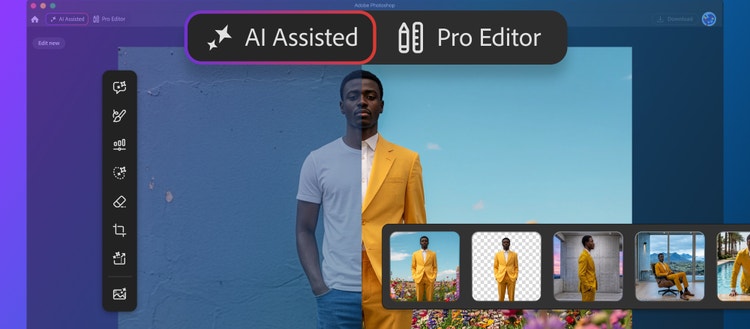
The official Adobe blog post, titled "New Photoshop innovations bring you more choice and control at every stage of your creative process," is not another generative-fill refresh. It restructures Photoshop around two coexisting workspaces:
- The Pro Editor — the classic Photoshop that working designers, retouchers, and agencies already know, with its full precision toolkit.
- The AI Assisted Editor — an optional, simplified workspace, currently in beta, pairing a natural-language prompt bar with popular generative tools, so you can explore ideas and make edits "using simple prompts," in Adobe's own words.
The critical word in the announcement is optional. Nothing about the traditional workflow is being taken away. A toggle on the menu bar switches the new mode on; Settings hides the toggle entirely if you never want to see it. That design decision matters because it lets Adobe court two very different users at once — the e-commerce manager in Manchester who needs a background removed in ninety seconds, and the high-end retoucher in Milan who lives in curves and blend-ifs.
The seven tools inside the AI Assisted Editor
According to Adobe's announcement page, the new beta workspace consolidates these capabilities under one interface:
| Tool in AI Assisted Editor | What it does |
|---|---|
| Prompt to Edit | Transform an entire image with natural-language prompts, no complex manual editing |
| Remove Background | Erase backgrounds, refine edges, and customize images in a few clicks |
| Generative Expand | Extend image dimensions with generated content that blends into the composition |
| Remove Tool | Eliminate unwanted objects and distractions while keeping realistic quality |
| Generative Fill | Add, replace, or remove content using simple text prompts |
| Generative Upscale | Increase resolution while preserving sharpness and visual fidelity |
| Markup | Annotate the image visually — draw the edit you want instead of describing it |
Source: Adobe official blog — New Photoshop innovations announcement
If most of that list sounds familiar, it should — several of these tools existed as scattered features. The change is architectural: they now share one coherent, prompt-first surface designed for people who think in outcomes ("clean product shot on white") rather than in tool names.
Markup: draw your edit instead of typing it
Markup is the most conceptually interesting piece of the release, because it attacks the weakest link in prompt-based editing: language is ambiguous. Type "add more clouds" and the model may comply in a direction you never intended. Markup lets you communicate spatially instead. Adobe's announcement describes it plainly: select areas to recolor, sketch arrows to indicate position, or brush in rough shapes to suggest new elements — "so you can get results that more closely match your vision while reducing the ambiguity of text-only prompts."
In practice this serves two constituencies unusually well. First, non-designers — a store owner in Manila or a realtor in Toronto can rough out exactly where the "FOR SALE" banner should sit and what it should cover. Second, professionals doing fast concepting: sketch the idea in seconds, let Firefly render a rough, then hop into the Pro Editor for the finish. It compresses the gap between imagination and first draft.
Instruct Edit with Masks and Firefly Image 5: a model that reads the whole image
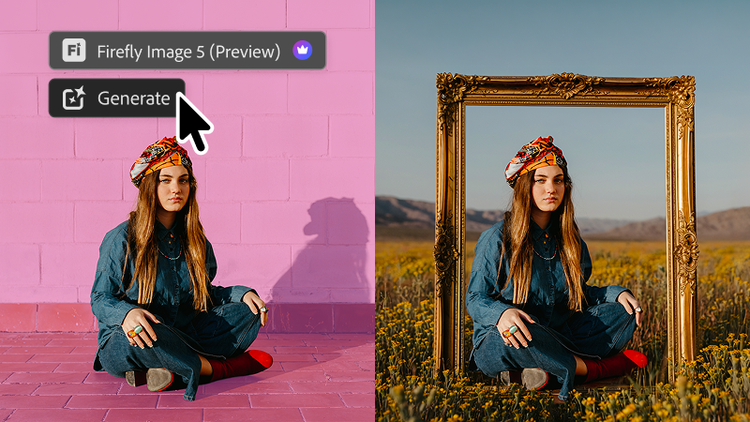
For working retouchers, the deeper news is the upgrade to Instruct Edit with Masks, now powered by Firefly Image 5. The historical complaint about masked generative edits — that the model processed your selection in isolation, producing lighting or perspective mismatches — is what Adobe says it has fixed. The new model "understands the full context of your image so you no longer need to precisely mark every edit area yourself."
Adobe's own examples: describe edits like "opening closed eyes or placing a hat on a specific person's head," and the model handles the relationships between elements. Just as important for commercial work, unmasked areas remain untouched — faces, logos, and brand assets stay protected from unintended drift. That single guarantee addresses the biggest reason agencies have kept generative edits out of client deliverables.
Prompt to Edit inside the Pro Editor — now hosting rival models
Users who never want to leave the classic workspace still get the goods. Prompt to Edit brings the same natural-language editing to the Pro Editor's Contextual Task Bar: describe a whole-image change, no selection required, and every result lands as its own generative layer in the layer stack — organized and non-destructive, deletable or re-editable like any other layer.
The strategically bold part, documented in 9to5Mac's launch coverage, is the model roster. Prompt to Edit now lets you choose among Adobe's own model and third-party heavyweights: FLUX 2 Pro, FLUX Context Pro, GPT Image 2, and the Gemini 3.1/3/2.5 image-editing variants (the Nano Banana line), with each prompt returning two variations on a new layer. Adobe is positioning Photoshop less as a walled garden and more as the professional host where competing frontier models can be auditioned side by side. For a deeper comparison of how these image models differ in generation quality, see our earlier breakdown of Gemini's Nano Banana image models versus ChatGPT images.
Source: Adobe official blog — New Photoshop innovations announcement
For the professionals: Camera Raw-grade lighting, dynamic text, and a 900-million-asset panel
Anyone assuming this release is only for beginners misses its third layer — precision upgrades inside the Pro Editor itself:
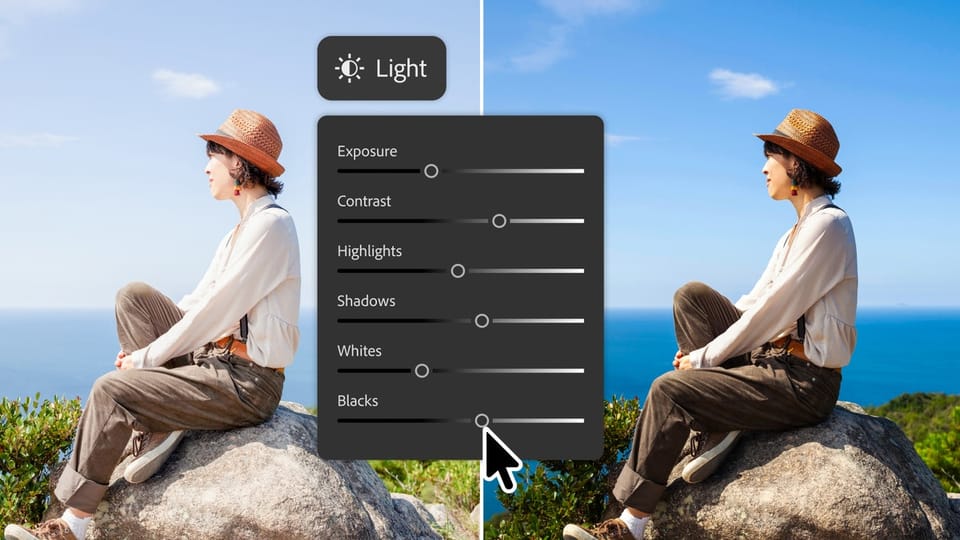
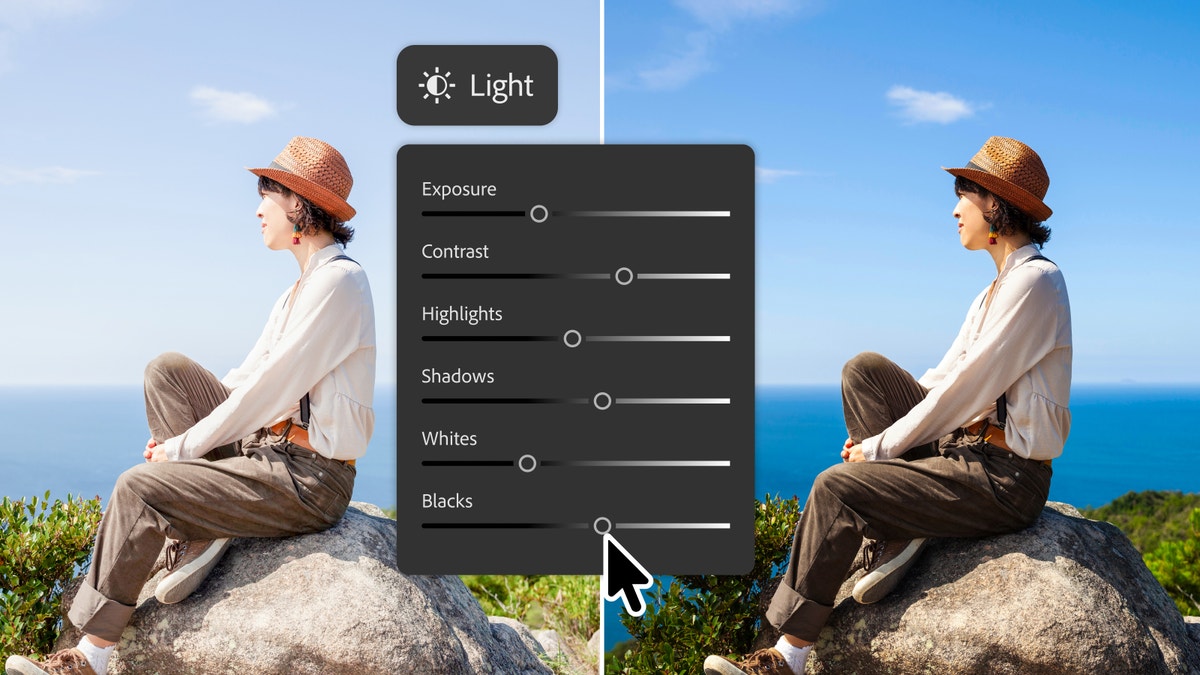
- A non-destructive lighting adjustment layer with Exposure, Contrast, Highlights, Shadows, Whites, and Blacks — promising, in Adobe's words, "Camera Raw-level results without ever leaving your Photoshop layers workflow." Photographers who constantly bounced between apps for tone corrections get one round-trip eliminated.
- Dynamic Text on any custom shape or path: text now adapts automatically along curves and freeform layouts while keeping its formatting — previously a manual, painful workaround.
- A dockable Adobe Stock panel placing more than 900 million stock assets (images, video, templates) directly inside Photoshop, with preview-before-license built in.
None of these are headline glamour features. All of them remove real friction from professional days — which is precisely the audience Adobe cannot afford to lose to faster, simpler rivals.
What this means for you: a practical read
- E-commerce and marketplace sellers. Background removal, canvas extension, and upscaling are the three most repetitive image tasks in online retail, from São Paulo to Jakarta. A single non-specialist can now produce clean product shots in one tool — which will reshape how small teams in Nigeria, Pakistan, or Poland budget for design.
- Social media and campaign managers. Seasonal campaign variants — sale banners, holiday recolors, new aspect ratios — are exactly the high-volume, low-artistry work the prompt bar and Markup absorb best. Expect fewer revision rounds with your designer.
- Professional designers and agencies. Your moat is not clicking tools faster; it is judgment, composition, and brand safety. Instruct Edit's protected regions and per-result generative layers respect agency-grade, non-destructive workflows — but client expectations of turnaround speed just rose again.
- Students and career-switchers. The learning curve into Photoshop just got a front door instead of a wall. You can produce real results from day one, then learn the precision tools as your taste develops.
Practical facts to keep in mind:
- The feature requires an active Photoshop or Creative Cloud subscription; Adobe's announcement introduces no new pricing tier.
- The AI Assisted Editor is a beta. Adobe's beta channel runs through the Creative Cloud desktop app, and beta tools can change before final release.
- Generative tools in Adobe's ecosystem are subject to the Generative Credits system attached to your plan — heavy users on lower tiers should watch their credit burn.
- Firefly outputs are designed to be commercially safe — the decisive factor for client work. Third-party models newly available in Prompt to Edit carry each provider's own terms; verify commercial-use licensing before a client deliverable ships.
- Complexity still leaks through: intricate textures, small faces, and text rendered inside images remain the classic generative weak spots. Review at 100% zoom before anything leaves your machine.
Quick comparison: AI Assisted Editor vs Pro Editor vs Canva
| Criterion | AI Assisted Editor (Beta) | Pro Editor | Canva Magic Studio |
|---|---|---|---|
| Built for | Speed-first users, beginners, business owners | Professionals and agencies | Non-designers working from templates |
| Working style | Prompts and Markup drawing | Precise tools and layers | Templates plus prompts |
| Depth of control | Outcome-level, not pixel-level | Full pixel-level control | Bounded by the template |
| Non-destructive layers | Yes — one generative layer per result | Fully | Partially |
| Multiple AI models | Adobe + FLUX + Gemini + GPT Image | Via plugins | Canva's internal models |
| Best for product shots | Fast cleanup, expansion, upscaling | Precision compositing and color | Quick social formats |
If you are evaluating AI image tooling beyond Photoshop itself, our guides to the best AI image generation and editing tools and the most valuable AI image generators this year cover the wider field, including our hands-on take on Canva Magic Studio for designers.
Honest limitations before you rebuild your workflow
- It is a beta. Tools may change or vanish before general release; do not commit an entire client pipeline to a beta feature.
- Generative results still need human review. Adobe's demo examples are curated; complex lighting, hands, fine fabric, and interior text still produce artifacts.
- Credits may cap heavy use on lower subscription tiers.
- Privacy-conscious workflows should check how each invoked model processes image data before feeding client material through cloud generation.
How to try it today, in three steps
- Open the Creative Cloud desktop app with an active subscription, find the beta apps section, and install the Photoshop beta build.
- Launch Photoshop and flip the AI Assisted Editor toggle on the menu bar (Settings hides it permanently if you change your mind).
- Practice on a non-client image first: run Remove Background, sketch one Markup arrow, issue one Instruct Edit command — then compare against your manual edit before deciding what enters your daily workflow.
The designers who win the next two years will not be the ones who refuse the prompt bar, nor the ones who prompt blindly — they will be the ones who know which of the two editors each specific job deserves.
FAQ
Is the AI Assisted Editor free with Photoshop?
It ships inside the Photoshop beta for active Photoshop or Creative Cloud subscribers at no separate announced price, though generative usage draws from your plan's Generative Credits.
How do I enable the AI Assisted Editor?
Install the Photoshop beta from the Creative Cloud desktop app, then use the new toggle on Photoshop's menu bar; the toggle itself can be hidden from Settings.
Does it understand prompts in languages other than English?
Adobe's announcement does not specify supported prompt languages. Based on how Adobe's generative features have behaved, simple English prompts remain the most reliable, with other languages varying in quality.
What is the difference between Markup and Generative Fill?
Generative Fill applies a text description to a selected area; Markup lets you draw the change directly on the image — recolor a region, arrow a position, or sketch a shape — which reduces the ambiguity of text-only prompting.
Are the AI-edited images safe for commercial client work?
Firefly-generated output is designed by Adobe to be commercially safe, but the newly added third-party models (FLUX, GPT Image) follow their own providers' licensing terms — verify them before delivering commercial work, especially where logos and faces are involved.
Sources
- Adobe official announcement: New Photoshop innovations — Adobe blog, August 27, 2026
- The Verge: Adobe is adding more AI to Photoshop — August 27, 2026
- 9to5Mac: Adobe Photoshop adds optional AI Assisted Editor mode — August 27, 2026
- Computerworld: Photoshop's new AI Assisted Editor offers a prompt-based editing option